Deadlock is still an invite-only playtest, not a finished Valve release, yet its hero pool has already grown past three dozen characters and its meta keeps shifting with every patch. The Minor Update – 08-12-2026 pushed Apollo and Vyper up the rankings while Billy and Wraith slid down, and if you’re grinding ranked you need a way to track those shifts instead of trusting a screenshot you saved three patches ago.
This tutorial walks through building your own Deadlock tier list tracker: a small, self-hosted web app that stores hero rankings in your browser, lets you assign heroes to tiers, and exports your list as JSON so you can share it or back it up. Along the way you’ll get the current August 2026 tier list as your starting dataset, plus the ranked-mode context you need to know why certain heroes moved. By the end you’ll have a working tool and a clear read on the post-patch meta. For more competitive gaming breakdowns, check our esports coverage.
Why Build a Deadlock Tier List Tracker
Static tier list images go stale the moment a new patch lands. Deadlock is patched more often than most competitive shooters right now, precisely because it’s still in playtest and Valve is actively tuning heroes, items, and matchmaking. A spreadsheet works for a week. A tracker you built yourself keeps working because you control the data and can update it in five minutes when a new patch note drops.
There’s also a practical reason to do this instead of relying on a third-party tier list site: you can annotate each hero with your own notes on lane matchups, item builds, or how a hero performs in your rank bracket. A generic S-tier ranking assumes a specific skill level and playstyle. Your own tracker doesn’t have to.
The project below is deliberately framework-free. No React, no build step, no npm install that breaks in six months. It’s plain HTML, CSS, and JavaScript, and it runs from a single folder. If you already know your way around a terminal, the whole build takes about 30-40 minutes.
Prerequisites: What You Need Before You Start
You don’t need a game development background for this. Here’s the full list of what to have installed and ready:
- A code editor. Visual Studio Code (any recent build) or your editor of choice.
- A modern browser: Chrome, Firefox, or Edge, any version released in the last two years. You’ll need working localStorage support, which all of them have.
- Node.js 20 LTS or newer, only if you want to run a local dev server instead of opening the file directly. This is optional but recommended.
- Git, optional, only needed for the deployment step at the end.
- About 30-40 minutes and a folder on your machine you don’t mind cluttering with a few files.
You do not need a Deadlock account or the game installed to follow this tutorial, though it obviously helps to know the hero names if you want to extend the roster later. The current build (per the Steam page) remains invite-only, so if you don’t have playtest access yet, this tracker still works fine as a reference tool while you wait.
Step 1: Set Up Your Project Folder
Create a new folder called deadlock-tier-tracker and add three empty files inside it: index.html, style.css, and app.js. That’s the entire file structure for this project, no subfolders needed.
mkdir deadlock-tier-tracker
cd deadlock-tier-tracker
touch index.html style.css app.js
If you’re on Windows without WSL, use New-Item in PowerShell or just create the files through your editor’s file explorer. Either way, you should end up with three empty files sitting next to each other.
Step 2: Build the HTML Skeleton
Open index.html and lay out five tier rows (S, A, B, C, D), a hero pool container for unranked heroes, and a toolbar with export and reset buttons. Keep the markup minimal, since the JavaScript will populate the hero cards dynamically.
<!DOCTYPE html>
<html lang="en">
<head>
  <meta charset="UTF-8">
  <title>Deadlock Tier List Tracker</title>
  <link rel="stylesheet" href="style.css">
</head>
<body>
  <header>
    <h1>Deadlock Tier List Tracker</h1>
    <div class="toolbar">
      <input id="search" type="text" placeholder="Filter heroes...">
      <button id="loadMeta">Load August 2026 Meta</button>
      <button id="exportJson">Export JSON</button>
      <button id="resetAll">Reset</button>
    </div>
  </header>

  <main id="tierBoard">
    <div class="tier-row" data-tier="S"><span class="tier-label s">S</span><div class="tier-slots"></div></div>
    <div class="tier-row" data-tier="A"><span class="tier-label a">A</span><div class="tier-slots"></div></div>
    <div class="tier-row" data-tier="B"><span class="tier-label b">B</span><div class="tier-slots"></div></div>
    <div class="tier-row" data-tier="C"><span class="tier-label c">C</span><div class="tier-slots"></div></div>
    <div class="tier-row" data-tier="D"><span class="tier-label d">D</span><div class="tier-slots"></div></div>
  </main>

  <section id="heroPool"></section>

  <script src="app.js"></script>
</body>
</html>
Notice there’s no hero markup here yet. Every hero card gets injected by JavaScript from a single data array, which means adding a new hero after a future patch is a one-line change instead of copy-pasting HTML.
Step 3: Load the August 2026 Hero Roster
At the top of app.js, define the hero roster as a plain array of objects. As of the August 12, 2026 patch, Deadlock’s playtest build counts 38 playable heroes according to current hero-select tracking. Below is the confirmed working roster you’ll use as your starting dataset; you can append new names the moment Valve ships a new hero.
const HEROES = [
  "Abrams", "Apollo", "Bebop", "Billy", "Calico", "Celeste",
  "Dynamo", "The Doorman", "Drifter", "Graves", "Grey Talon",
  "Haze", "Holliday", "Infernus", "Ivy", "Kelvin", "Lady Geist",
  "Lash", "McGinnis", "Mina", "Mirage", "Mo & Krill", "Paige",
  "Paradox", "Pocket", "Rem", "Seven", "Shiv", "Sinclair",
  "Victor", "Vindicta", "Viscous", "Vyper", "Warden", "Wraith",
  "Yamato", "Venator"
];

let state = JSON.parse(localStorage.getItem("deadlockTierState")) || {
  tiers: { S: [], A: [], B: [], C: [], D: [] },
  pool: [...HEROES]
};
The state object is the single source of truth for the whole app. Every hero starts in pool (unranked), and moving a hero into a tier just transfers its name from one array to another. This is the whole data model, there’s no backend and no database.
Step 4: Style the Tier Rows With CSS
Give each tier row a distinct color so the board is readable at a glance. Keep the hero cards small and clickable-looking, and make the pool section visually separate from the ranked rows.
.tier-row { display: flex; min-height: 64px; border-bottom: 2px solid #222; }
.tier-label { width: 60px; display: flex; align-items: center; justify-content: center;
  font-size: 28px; font-weight: bold; color: #fff; }
.tier-label.s { background: #e0433f; }
.tier-label.a { background: #e08a3f; }
.tier-label.b { background: #dcd23f; }
.tier-label.c { background: #6fbf5e; }
.tier-label.d { background: #4f8fbf; }
.tier-slots { display: flex; flex-wrap: wrap; gap: 6px; padding: 8px; flex: 1; }
.hero-card { padding: 6px 10px; background: #2b2b33; color: #eee; border-radius: 6px;
  cursor: pointer; font-size: 14px; user-select: none; }
#heroPool { display: flex; flex-wrap: wrap; gap: 6px; padding: 16px; background: #1a1a20; }
This is a starting point, not a design system. Once the logic works, tweak colors and spacing to taste. The important part is that each tier row and the pool are clearly distinct sections.
Step 5: Add Click-to-Assign Tier Logic
Full drag-and-drop with the native HTML5 Drag and Drop API is finicky on mobile, so this build uses a simpler click-to-cycle interaction: click a hero card to open a small tier picker, enter a tier letter, and the hero moves. It’s less flashy than dragging but far more reliable across devices.
function renderBoard() {
  document.querySelectorAll(".tier-slots").forEach(el => el.innerHTML = "");
  document.getElementById("heroPool").innerHTML = "";

  for (const tier of Object.keys(state.tiers)) {
    const container = document.querySelector(`[data-tier="${tier}"] .tier-slots`);
    state.tiers[tier].forEach(hero => container.appendChild(makeCard(hero, tier)));
  }
  state.pool.forEach(hero => document.getElementById("heroPool").appendChild(makeCard(hero, null)));
  localStorage.setItem("deadlockTierState", JSON.stringify(state));
}

function makeCard(hero, currentTier) {
  const card = document.createElement("div");
  card.className = "hero-card";
  card.textContent = hero;
  card.onclick = () => {
    const target = prompt(`Move ${hero} to tier (S/A/B/C/D or blank for pool):`, currentTier || "");
    moveHero(hero, target ? target.toUpperCase() : null);
  };
  return card;
}

function moveHero(hero, targetTier) {
  state.pool = state.pool.filter(h => h !== hero);
  for (const t of Object.keys(state.tiers)) state.tiers[t] = state.tiers[t].filter(h => h !== hero);
  if (targetTier && state.tiers[targetTier]) state.tiers[targetTier].push(hero);
  else state.pool.push(hero);
  renderBoard();
}

renderBoard();
The prompt() call is intentionally simple so the tutorial stays focused on state management rather than UI polish. If you want a nicer picker later, swap it for a small dropdown menu, the moveHero() function underneath doesn’t need to change.
Step 6: Persist Rankings With localStorage
You already saw the persistence call inside renderBoard(), every render writes the current state back to localStorage. That’s all you need for the data to survive a page refresh or a browser restart. There’s no server, no login, and no sync between devices, which is exactly the point for a personal tool like this.
Wire up the reset button so you can wipe the board back to an empty pool without opening dev tools:
document.getElementById("resetAll").onclick = () => {
  if (!confirm("Reset all tier placements?")) return;
  state = { tiers: { S: [], A: [], B: [], C: [], D: [] }, pool: [...HEROES] };
  renderBoard();
};
Test it now by opening index.html directly in your browser (double-click the file, or run a local server, see Step 11 if double-clicking gives you blank cards). Click a hero, type a tier letter, confirm it moves, then refresh the page and confirm it stayed put.
Step 7: Import the Current Community Tier List as Your Baseline
Instead of starting from a blank pool every time, wire the “Load August 2026 Meta” button to pre-fill the board with a curated starting point, the ranking further down this article. That gives you a sane default you can then tweak based on your own games instead of ranking 38 heroes from scratch.
const AUGUST_2026_META = {
  S: ["Apollo", "Vyper", "Haze", "Yamato"],
  A: ["Abrams", "Ivy", "Paradox", "Seven", "Grey Talon", "Lady Geist", "Infernus", "McGinnis"],
  B: ["Bebop", "Dynamo", "Kelvin", "Lash", "Mo & Krill", "Pocket", "Shiv", "Viscous", "Vindicta", "Mina"],
  C: ["Sinclair", "Warden", "Calico", "Mirage", "Rem", "Holliday", "Victor", "Celeste", "Paige", "The Doorman"],
  D: ["Billy", "Wraith", "Drifter", "Graves", "Venator"]
};

document.getElementById("loadMeta").onclick = () => {
  const ranked = Object.values(AUGUST_2026_META).flat();
  state.tiers = JSON.parse(JSON.stringify(AUGUST_2026_META));
  state.pool = HEROES.filter(h => !ranked.includes(h));
  renderBoard();
};
This is where the tracker becomes genuinely useful instead of a generic tier list toy. Every time we publish an update to this list, you copy the new AUGUST_2026_META object in and your tracker is current again in under a minute.
Step 8: Annotate Heroes With Patch Notes
A tier letter alone doesn’t tell you why a hero is there. Add an optional notes field to each hero card so you can record the reasoning, especially useful right after a patch when you’re still forming an opinion on a change.
const NOTES = {
  Apollo: "Buffed in the 08-12 patch: Riposte tree now adds stun duration and better lifesteal uptime.",
  Vyper: "Buffed in the 08-12 patch, biggest winner alongside Apollo.",
  Billy: "Nerfed in the 08-12 patch after dominating ranked lobbies.",
  Wraith: "Nerfed in the 08-12 patch alongside Billy."
};

function makeCard(hero, currentTier) {
  const card = document.createElement("div");
  card.className = "hero-card";
  card.textContent = hero;
  if (NOTES[hero]) card.title = NOTES[hero];
  card.onclick = () => {
    const target = prompt(`Move ${hero} to tier (S/A/B/C/D or blank for pool):`, currentTier || "");
    moveHero(hero, target ? target.toUpperCase() : null);
  };
  return card;
}
This overwrites the makeCard() function from Step 5 with one line added, the card.title assignment turns the note into a native browser tooltip on hover. No extra library required.
Step 9: Build a JSON Export/Share Function
Wire the export button to download your current tier placements as a JSON file. This lets you back up a list before a big patch, or send your ranking to a teammate without them needing to run the app themselves.
document.getElementById("exportJson").onclick = () => {
  const blob = new Blob([JSON.stringify(state, null, 2)], { type: "application/json" });
  const url = URL.createObjectURL(blob);
  const a = document.createElement("a");
  a.href = url;
  a.download = `deadlock-tier-list-${new Date().toISOString().slice(0, 10)}.json`;
  a.click();
  URL.revokeObjectURL(url);
};
Click Export after loading the August 2026 meta and you’ll get a file that looks roughly like this:
{
  "tiers": {
    "S": ["Apollo", "Vyper", "Haze", "Yamato"],
    "A": ["Abrams", "Ivy", "Paradox", "Seven", "Grey Talon", "Lady Geist", "Infernus", "McGinnis"],
    "B": ["Bebop", "Dynamo", "Kelvin", "Lash", "Mo & Krill", "Pocket", "Shiv", "Viscous", "Vindicta", "Mina"],
    "C": ["Sinclair", "Warden", "Calico", "Mirage", "Rem", "Holliday", "Victor", "Celeste", "Paige", "The Doorman"],
    "D": ["Billy", "Wraith", "Drifter", "Graves", "Venator"]
  },
  "pool": []
}
That’s your output example, a clean, portable snapshot of your ranking with a dated filename, ready to drop into a Discord server or a GitHub gist.
Step 10: Add a Search Filter
With 38 heroes on the board, scanning for one specific name gets tedious. Wire the search box from Step 2 to hide any hero card that doesn’t match the typed text.
document.getElementById("search").addEventListener("input", (e) => {
  const query = e.target.value.toLowerCase();
  document.querySelectorAll(".hero-card").forEach(card => {
    card.style.display = card.textContent.toLowerCase().includes(query) ? "" : "none";
  });
});
This is a pure DOM filter, it doesn’t touch state at all, so it’s safe to type and clear the search box without ever losing a placement. If you later add hero metadata like preferred lane or item build, you can extend this same handler to filter on those fields too.
Step 11: Test Your Tracker Locally
Some browsers restrict localStorage and module loading when you open an HTML file directly with a file:// path. If clicking heroes does nothing, or the console shows a security-related error, serve the folder over HTTP instead:
npx serve .
# or, with Python already installed:
python3 -m http.server 8000
Open the printed localhost URL in your browser. Click through every button once: load the meta, move a hero manually, search for a name, export the JSON, and reset. If all five work, your tracker is functionally complete.
Step 12: Deploy to a Static Host
Because there’s no backend, deployment is just uploading three static files. GitHub Pages is the simplest free option if you already use Git:
git init
git add index.html style.css app.js
git commit -m "Deadlock tier list tracker"
git branch -M main
git remote add origin https://github.com/YOUR_USERNAME/deadlock-tier-tracker.git
git push -u origin main
# then enable GitHub Pages on the main branch in repo Settings
Any static host works the same way: Netlify, Vercel, Cloudflare Pages, or even a personal server with nginx. Since localStorage is per-browser and per-domain, remember that your rankings won’t follow you between devices unless you also build a sync layer, which is out of scope for this build but a natural next step if you want to extend it.
The Deadlock Tier List for August 2026 (S Through D)
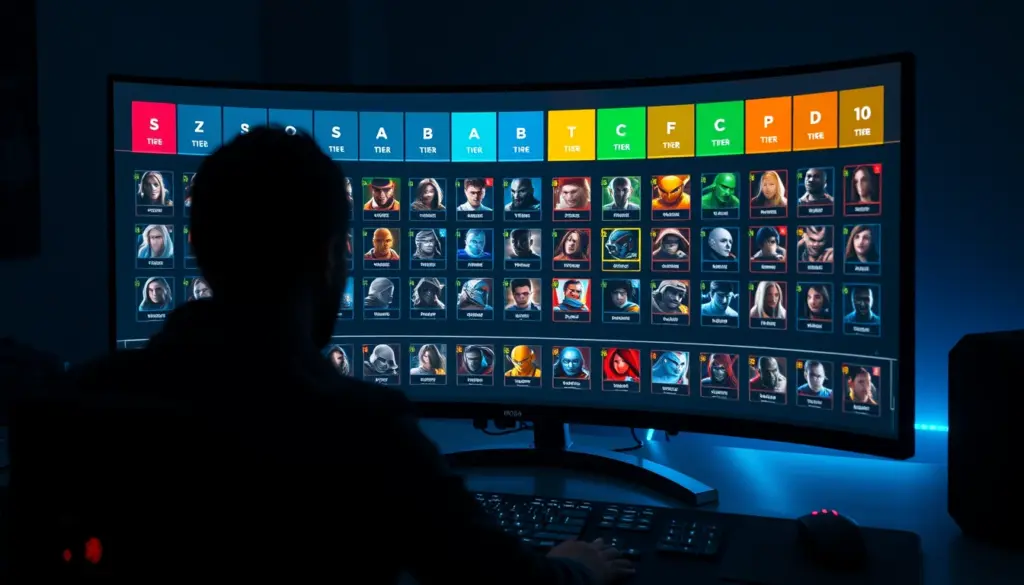
Here’s the baseline ranking your tracker loads in Step 7, built around the confirmed direction of the Minor Update – 08-12-2026: Apollo and Vyper as the patch’s biggest winners, Billy and Wraith as its clearest losers. Everything else reflects how each hero has performed across the 2025-2026 playtest builds relative to that shift. Treat this as a starting point for your own games, not gospel, tier lists in an actively patched playtest age fast.
| Tier | Hero | Why It’s Here |
|---|---|---|
| S | Apollo | Reworked Riposte tree adds stun duration and stronger lifesteal uptime, turning him into a reliable anti-dive pick |
| S | Vyper | Named alongside Apollo as a top winner of the 08-12 patch |
| S | Haze | Consistently strong burst damage across recent playtest builds, unaffected by the latest nerf pass |
| S | Yamato | High mobility and sustained damage keep her a lane-control staple |
| A | Abrams | Durable tank pick that still anchors most team compositions |
| A | Ivy | Flexible utility and vision control, strong pick-rate across ranked brackets |
| A | Paradox | Time-manipulation kit remains a strong counter-initiation tool |
| A | Seven | Reliable area damage, punishes grouped fights |
| A | Grey Talon | Long-range poke that scales well into the late game |
| A | Lady Geist | Sustain-heavy kit that punishes greedy engages |
| A | Infernus | Strong early lane pressure, still a common first pick |
| A | McGinnis | Turret utility gives her staying power in objective fights |
| B | Bebop | Solid initiation tool, but easier to counter-pick than top-tier options |
| B | Dynamo | Team-fight ultimate is powerful but telegraphed |
| B | Kelvin | Zone control is useful but situational depending on the map |
| B | Lash | High mobility but punishing to play against skilled opponents |
| B | Mo & Krill | Strong sustain underground, weaker once forced above ground |
| B | Utility-heavy support that needs a coordinated team to shine | |
| B | Shiv | Melee duelist, strong 1v1 but vulnerable to kiting |
| B | Viscous | Crowd control is valuable but has a steep execution curve |
| B | Vindicta | Aerial vantage points are strong but map-dependent |
| B | Mina | Sustain-focused kit, solid but not standout after recent patches |
| C | Sinclair | Niche pick that rewards very specific team compositions |
| C | Warden | Slow setup makes him a liability in faster-paced lobbies |
| C | Calico | Still finding its footing in the current meta |
| C | Mirage | High skill ceiling but inconsistent below expert-level play |
| C | Rem | Underwhelming without a very specific build path |
| C | Holliday | Outclassed by higher-mobility picks in most matchups |
| C | Victor | Pistol duelist kit needs more consistency to compete with top picks |
| C | Celeste | Situational light source utility, weak outside specific team plans |
| C | Paige | Sniper kit is powerful in the right hands but punishing to learn |
| C | The Doorman | Portal utility is strong in theory, inconsistent in practice |
| D | Billy | Took the hardest nerf of the 08-12 patch after dominating ranked |
| D | Wraith | Nerfed alongside Billy in the same patch pass |
| D | Drifter | Time-bending utility hasn’t found a strong niche yet |
| D | Graves | Currently outclassed by better early-game picks |
| D | Venator | Newest addition to the roster, still stabilizing as players learn the kit |
What Changed in the Minor Update – 08-12-2026
The August 12 patch is the reason this tier list looks different from the one you might have bookmarked in July. It’s officially labeled a “minor” update, but the hero-level changes had an outsized effect on ranked queues within days. Here’s what’s confirmed for the headline changes, with the rest of the affected roster covered in Valve’s own patch notes rather than repeated here without a verified breakdown.
| Hero | Direction | Detail |
|---|---|---|
| Apollo | Buffed | Riposte talent tree reworked: added stun duration and improved lifesteal uptime |
| Vyper | Buffed | Named among the patch’s clearest winners |
| Billy | Nerfed | Toned down after dominating ranked lobbies pre-patch |
| Wraith | Nerfed | Adjusted alongside Billy in the same pass |
| Additional heroes | Mixed | Several other heroes received smaller tuning passes; see the full Minor Update patch notes for the complete breakdown |
If you’re building the tracker from this tutorial, this table is exactly what belongs in your NOTES object from Step 8. Update it every time a new patch drops and your tool stays useful indefinitely, unlike a static screenshot.
How Ranked Mode Changes the Way You Use Your Tier List
Deadlock’s ranked mode launched with the July 30, 2026 matchmaking update, and it matters for how you should read any tier list, including this one. A hero that dominates in an uncalibrated lobby doesn’t necessarily dominate at the top of the ladder, where players punish the same mistakes a tier list can’t account for.
The rank structure runs from the uncalibrated Obscurus band up through eleven named tiers, most split into six subranks (I through VI), topped by the single-tier Eternus. That’s a wide ladder, and it means your tier list should probably shift depending on where you sit on it. A hero in B-tier for an Ascendant player might be an A-tier pick for someone still climbing out of Initiate, simply because execution requirements differ.
| Rank Tier | Subranks | Notes |
|---|---|---|
| Obscurus | Uncalibrated | Placement matches before a rank is assigned |
| Initiate | I-VI | Entry point after calibration |
| Seeker | I-VI | Early climb, fundamentals-focused |
| Acolyte | I-VI | Consistent lane execution expected |
| Sentinel | I-VI | Mid-ladder, matchup knowledge starts to matter more |
| Mystic | I-VI | Team coordination becomes a bigger factor |
| Ritualist | I-VI | Upper-mid ladder |
| Emissary | I-VI | High execution standard |
| Oracle | I-VI | Near top-tier competitive play |
| Phantom | I-VI | Top-percentile ladder |
| Ascendant | I-VI | Elite bracket |
| Eternus | Single tier | The top of the ladder |
Per reporting on the ranked season launch, Valve also added hero-mastery gates and queue warnings alongside the new tier structure, both aimed at keeping match quality consistent as more players filter into competitive queues. If you’re using your tracker to prep for ranked, it’s worth tagging each hero with the bracket where you’ve actually tested it, not just where a general tier list places it.
Common Pitfalls to Avoid
Whether you’re building the tracker or just using the tier list, these are the mistakes that come up most often.
- Treating a tier list as permanent. Deadlock is still in playtest and gets patched far more often than a shipped competitive title. Rebuild your baseline after every patch, not once a season.
- Forgetting to escape special characters in hero names. “Mo & Krill” will break naive string matching if you build custom filters later, since the ampersand needs proper HTML escaping in any markup you generate dynamically.
- Opening index.html with file:// instead of a local server. Some browsers silently block localStorage writes on the file protocol, so your rankings will look like they’re not saving when they’re actually just not being written at all.
- Ranking heroes you haven’t actually played. A tier list built purely on patch notes without hands-on games misses how a kit actually feels to execute under pressure.
- Ignoring your own rank bracket. A pick that’s oppressive in a Seeker lobby might be mediocre in Ascendant. Calibrate the tier list to where you’re actually queueing.
- Skipping the export step before a big patch. localStorage is tied to one browser profile. Clearing your browser cache wipes your rankings unless you exported a backup first.
Troubleshooting Your Tier List Tracker
Here’s what to check when something in the build isn’t behaving as expected.
- Clicking a hero card does nothing. Open your browser’s dev console (F12) and check for a JavaScript error. The most common cause is a typo in the
onclickhandler or the script tag pointing to the wrong file path. - Rankings disappear after refresh. You’re likely running the page from a
file://path where localStorage is restricted. Serve the folder withnpx serveorpython3 -m http.serverinstead. - The “Load August 2026 Meta” button does nothing. Confirm the button’s
idin your HTML exactly matchesloadMetain the JavaScript, IDs are case-sensitive. - Export downloads an empty JSON file. Check that
statewas actually populated before export, this usually means the meta wasn’t loaded and no hero was ever moved. - Hero cards show up twice. This happens if
renderBoard()appends without clearing first. Double-check theinnerHTML = ""reset lines are still present at the top of the function. - Search filter hides everything, including matches. Confirm you’re comparing lowercase to lowercase, a common bug is filtering on the raw input value against a mixed-case hero name.
- GitHub Pages shows a blank page after deploy. Check that
index.htmlsits at the repo root, not inside a subfolder, unless you’ve configured Pages to serve from a different path. - Tooltips from Step 8 don’t appear. Native
titletooltips need a hover delay in most browsers, and don’t render at all on touchscreens without a long-press. This is expected behavior, not a bug. - New heroes added to the roster don’t show up in the pool. Confirm you added the name to both the
HEROESarray and, if relevant, theAUGUST_2026_METAobject, they’re independent arrays and don’t sync automatically.
Advanced Tips for Power Users
Once the base tracker works, a few small additions go a long way. First, add a version field to the exported JSON (something like patch: "08-12-2026") so you can tell at a glance which patch a saved ranking corresponds to when you’re digging through old export files.
Second, consider syncing your tracker across devices with a free Gist-backed approach: export the JSON, save it as a GitHub Gist, and add an “import from URL” button that fetches and parses that Gist’s raw content on load. This gets you cross-device sync without running your own backend or database.
Third, if you want visual polish beyond the click-to-cycle interaction, the native HTML5 draggable attribute plus dragstart/dragover/drop event listeners will get you true drag-and-drop. It’s more code and needs separate touch-event handling for mobile, so it’s worth adding only after the simpler version is working end-to-end.
Finally, keep a changelog comment at the top of your app.js noting which patch each version of AUGUST_2026_META reflects. Deadlock’s playtest cadence means you’ll be updating this file often, and future-you will thank present-you for the dated notes.
Player Counts and Where Deadlock Stands in August 2026
For context on why a tier list for a game that’s technically still unreleased is worth building at all: Deadlock has repeatedly posted concurrent player numbers most fully-launched competitive titles would envy. Early 2026’s “Old Gods, New Blood” content update pushed the game to a peak near 98,887 concurrent Steam players, and tracking from Dexerto shows the game still pulling roughly 69,000 concurrent players in a recent 24-hour window heading into mid-August 2026.
That’s a big number for a title Valve still hasn’t formally launched. The game’s background traces back to a leaked internal playtest that ballooned into a semi-public build years before any marketing push, and Valve has kept it in that invite-only state even as the player base and hero roster both kept growing. Practically, that means patches land faster and with less warning than you’d get from a shipped game, which is exactly why a living tier list tracker beats a static ranking here.
Starter Picks: What to Load First If You’re New
Not everyone reading this has 200 hours in the playtest already. If you’re newer to Deadlock, S-tier and A-tier aren’t necessarily where you should start, because those rankings assume you can already execute a hero’s full kit under pressure. A hero with a lower ceiling but a shallower learning curve will usually win you more games early on than a mechanically demanding S-tier pick you’re still fumbling through.
Abrams is a reasonable first hero precisely because his kit rewards positioning over precision, you get useful value even when you’re not landing every ability perfectly. Infernus works the same way on the damage side: straightforward area denial that doesn’t punish small timing mistakes as hard as a hero like Paige, whose sniper kit from the tier list above is powerful but genuinely unforgiving if you whiff a shot in a close fight.
When you build your tracker, it’s worth adding a second tagging system alongside the S-through-D tiers: a simple “beginner-friendly” flag. You can bolt this onto the existing NOTES object from Step 8 instead of building a whole new feature.
const BEGINNER_FRIENDLY = ["Abrams", "Infernus", "Seven", "Bebop", "Grey Talon", "Yamato"];

function makeCard(hero, currentTier) {
  const card = document.createElement("div");
  card.className = "hero-card";
  if (BEGINNER_FRIENDLY.includes(hero)) card.classList.add("beginner");
  card.textContent = hero;
  if (NOTES[hero]) card.title = NOTES[hero];
  card.onclick = () => {
    const target = prompt(`Move ${hero} to tier (S/A/B/C/D or blank for pool):`, currentTier || "");
    moveHero(hero, target ? target.toUpperCase() : null);
  };
  return card;
}
Add a matching .hero-card.beginner { border: 2px solid #6fbf5e; } rule to your CSS and you’ll get a quick visual cue for which heroes are worth learning first, independent of where they land on the raw power tier list. This is a small addition, but it’s the kind of personalization a static tier list image can never give you, and it’s exactly why building the tracker yourself pays off over the course of a playtest cycle that will keep patching every few weeks.
One more practical note: don’t lock in your beginner list and forget it. As your mechanics improve, heroes you avoided in week one because of a steep learning curve, Paige and Viscous both come to mind from the table above, often become your best picks by week four. Revisit the beginner flag the same way you revisit the tier list itself, on a patch-by-patch basis rather than once and never again.
Frequently Asked Questions
Is Deadlock fully released yet?
No. As of August 2026, Deadlock remains in an invite-only playtest rather than a full Steam release, though it already has ranked matchmaking and a large, active player base.
How many heroes does Deadlock have right now?
The current playtest build counts 38 playable heroes as of the August 12, 2026 patch. That number keeps growing as Valve adds new characters in small batches.
Who benefited most from the August 12 patch?
Apollo and Vyper were the clearest winners, both receiving direct buffs. Apollo’s Riposte talent tree specifically gained added stun duration and improved lifesteal uptime.
Who got nerfed in the latest patch?
Billy and Wraith took the clearest nerfs after both were seen as overperforming in ranked lobbies leading into the patch.
Do I need to know how to code to use the tier list tracker?
You need basic comfort editing plain text files. There’s no build tooling or framework involved, so if you can follow the copy-paste steps in this tutorial, you can run it.
Can I use this tracker for a different game’s tier list?
Yes. Swap the HEROES array and AUGUST_2026_META object for a different roster and the rest of the code works unchanged, it’s not Deadlock-specific under the hood.
Why does my tier list differ from other sites?
Tier lists are editorial judgment layered on top of confirmed patch data. Different sites weigh win rate, pick rate, and skill-bracket performance differently, which is exactly why this tutorial has you build a tracker you can adjust yourself rather than relying on someone else’s fixed list.
How often should I update my tracker’s baseline meta?
Update it after every patch that touches hero balance. Given Deadlock’s current update cadence, that can mean checking in every one to three weeks rather than waiting for a full season.