
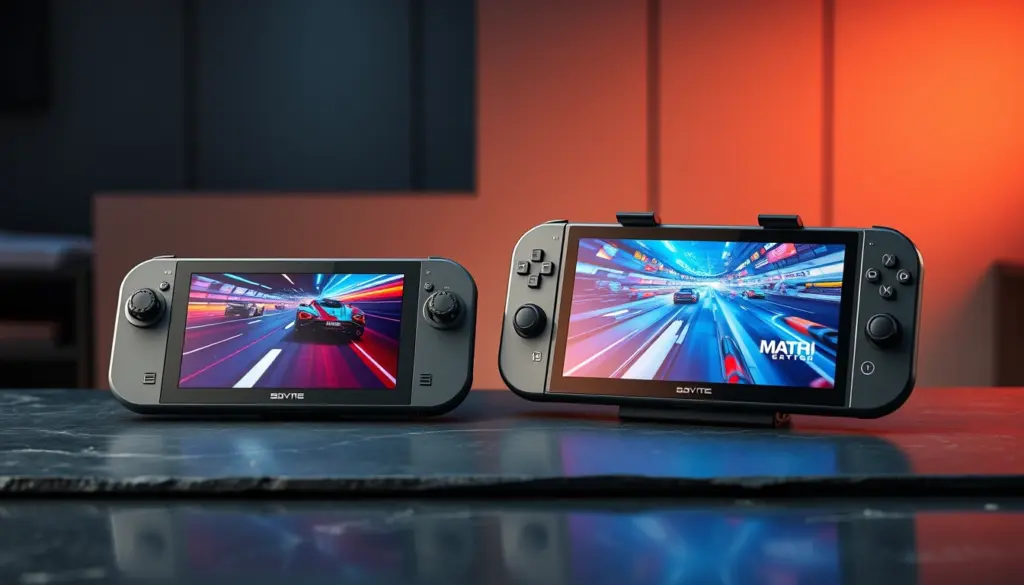
The two most important Windows gaming handhelds of the 2025–2026 cycle did not arrive quietly. Within two weeks of each other in October 2025, Asus and Microsoft shipped the ROG Xbox Ally X, while Lenovo answered with the Legion Go 2. Both pack AMD’s flagship Ryzen Z2 Extreme silicon, both run Windows 11, and both ask serious money. Yet they take almost opposite approaches to what a premium handheld should be: one is a focused, Xbox-tuned $999.99 machine you can hold for hours, the other a $1,349.99 OLED powerhouse with detachable controllers that wants to be your only computer.
This ROG Xbox Ally X vs Legion Go 2 comparison cuts through the marketing. We line up the full specs, pull frame-rate benchmarks from multiple independent reviewers, break down every pricing tier, and map five real buyer profiles to the right machine. Because the two share the same GPU, this is not a contest of raw horsepower – it is a contest of screen, battery, weight, software, and value. Updated June 30, 2026 with the latest pricing and the arrival of the SteamOS edition of the Legion Go 2.
ROG Xbox Ally X vs Legion Go 2: The 2026 Verdict at a Glance
If you only read one paragraph: the ROG Xbox Ally X is the better buy for most people. It costs $350 less than a comparably specced Legion Go 2, weighs roughly 200 grams less, and its Xbox full-screen experience squeezes more usable battery out of Windows. The Legion Go 2 is the enthusiast’s machine – its 8.8-inch 144Hz OLED is the best display ever fitted to a handheld, its controllers detach for couch and tabletop play, and it scales to 32GB of RAM and 2TB of storage. You pay for that versatility in dollars and in heft.
Crucially, neither device is meaningfully faster than the other in games. Both use AMD’s Ryzen Z2 Extreme APU with the same 16-compute-unit RDNA 3.5 integrated graphics, so frame rates rise and fall together within a few frames per second. That single fact reframes the entire ROG Xbox Ally X vs Legion Go 2 decision: you are not choosing performance, you are choosing a personality. Here is the short version before we get into the data.
- Buy the ROG Xbox Ally X if you want the best value, the lightest premium handheld, the cleanest Xbox/Game Pass experience, and the longest battery life per dollar.
- Buy the Legion Go 2 if you want a class-leading OLED screen, detachable controllers with a mouse mode, a built-in kickstand, and room to grow to 2TB – and you accept a higher price and more weight.
- Skip both if your budget is tight: the standard ROG Xbox Ally ($599.99) or a Steam Deck OLED covers casual and indie gaming for far less.
Price in 2026: The $350 Gap and What Each Tier Buys
Pricing is where the ROG Xbox Ally X vs Legion Go 2 battle is won and lost, because performance is a wash. The Ally X ships in a single flagship configuration – Ryzen AI Z2 Extreme, 24GB of RAM, and a 1TB SSD – at $999.99 in the United States (€899 in Europe). Lenovo, by contrast, sells the Legion Go 2 as a ladder of configurations, from a $1,099.99 entry point built around the cheaper Ryzen Z2 chip up to a $1,479.99 model with the Z2 Extreme, 32GB of RAM, and a 2TB SSD.
The fair head-to-head is the Ally X at $999.99 against the Legion Go 2 with the matching Ryzen Z2 Extreme processor, which starts at $1,349.99. That is the $350 gap that frames this whole comparison. Spend up to the $1,479.99 Legion Go 2 and you double the storage to 2TB. Lenovo also launched a SteamOS edition of the Legion Go 2 starting at $1,199 in June 2026, which we cover in the software section below.
| Configuration | Chip | RAM | Storage | US Price |
|---|---|---|---|---|
| ROG Xbox Ally (standard) | Ryzen Z2 A | 16GB | 512GB | $599.99 |
| ROG Xbox Ally X | Ryzen AI Z2 Extreme | 24GB | 1TB | $999.99 |
| Legion Go 2 (entry) | Ryzen Z2 | 16GB | 1TB | $1,099.99 |
| Legion Go 2 (mid) | Ryzen Z2 | 32GB | 1TB | $1,199.99 |
| Legion Go 2 (Z2 Extreme) | Ryzen Z2 Extreme | 32GB | 1TB | $1,349.99 |
| Legion Go 2 (max) | Ryzen Z2 Extreme | 32GB | 2TB | $1,479.99 |
| Legion Go 2 (SteamOS) | Ryzen Z2 Extreme | 32GB | 1TB | from $1,199 |
The takeaway is stark. Dollar for dollar, the ROG Xbox Ally X undercuts the equivalent Legion Go 2 by $350 while delivering essentially identical gaming performance. Lenovo is charging a premium for its OLED panel, detachable controllers, and higher memory ceiling – extras that matter to some buyers and are irrelevant to others. If you want maximum frames per dollar, the math favors Asus and Microsoft before you even power the devices on.
Full Specs Comparison: ROG Xbox Ally X vs Legion Go 2
The complete spec sheet below lines up the flagship Ryzen Z2 Extreme configuration of each device. The pattern is consistent: the two machines match on the parts that determine raw speed (CPU, GPU, memory speed) and diverge on the parts that determine experience (screen, form factor, weight, expandability). Read it as a map of trade-offs rather than a scoreboard.
| Specification | ROG Xbox Ally X | Lenovo Legion Go 2 (Z2 Extreme) |
|---|---|---|
| Release date | October 16, 2025 | October 31, 2025 |
| Starting price (US) | $999.99 | $1,349.99 |
| Processor | AMD Ryzen AI Z2 Extreme | AMD Ryzen Z2 Extreme |
| CPU | 8 cores / 16 threads, Zen 5 + NPU | 8 cores / 16 threads, Zen 5, up to 5.0 GHz |
| GPU | 16 RDNA 3.5 CUs, ~5.53 TFLOPS | 16 RDNA 3.5 CUs (Radeon 890M class) |
| RAM | 24GB LPDDR5X-8000 | Up to 32GB LPDDR5X-8000 |
| Storage | 1TB M.2 2280 SSD | Up to 2TB M.2 2242 PCIe Gen4 SSD |
| Display size & panel | 7-inch IPS LCD | 8.8-inch OLED |
| Resolution / aspect | 1920 × 1080 (FHD), 16:9 | 1920 × 1200 (WUXGA), 16:10 |
| Refresh rate / VRR | 120Hz, FreeSync Premium, VRR | 144Hz, VRR |
| Brightness / HDR | 500 nits, SDR | 500 nits (1000 nits peak), HDR TrueBlack 1000 |
| Battery | 80Wh | 74Wh |
| Weight | 715 g | ~920 g (with controllers) |
| Detachable controllers | No | Yes, with kickstand & FPS mouse mode |
| Touchpad | No | Yes |
| Fingerprint reader | Yes | Yes |
| Operating system | Windows 11 Home + Xbox full-screen experience | Windows 11 (SteamOS edition available) |
| Ports | 1× USB4 (Thunderbolt 4), 1× USB-C 3.2 Gen 2, microSD, 3.5mm | 2× USB4 Type-C, microSD |
| Wireless | Wi-Fi 6E, Bluetooth 5.4 | Wi-Fi 6E, Bluetooth 5.4 |
Three rows decide most purchases. The display (7-inch IPS versus 8.8-inch OLED) is the Legion Go 2’s signature advantage. The weight (715 g versus roughly 920 g) is the Ally X’s. And the storage ceiling (1TB versus up to 2TB) tilts toward Lenovo for anyone hauling a large library of modern AAA installs. For full vendor detail, see the ROG Xbox Ally spec sheet and the Lenovo Legion Go entry.
The Chip Inside: AMD Ryzen Z2 Extreme on Both Handhelds
Both flagships are built on AMD’s Ryzen Z2 Extreme, an eight-core, sixteen-thread Zen 5 part paired with a 16-compute-unit RDNA 3.5 integrated GPU. Asus brands its version the Ryzen AI Z2 Extreme because it exposes a neural processing unit (NPU) for on-device AI workloads; Lenovo ships the same core silicon. According to the published specifications, the Ally X’s GPU runs at up to 2.7 GHz for roughly 5.53 TFLOPS of graphics throughput. Because Lenovo uses the identical GPU block, the two devices are within a rounding error of each other on paper.
The “AI” in the Ally X’s Ryzen AI Z2 Extreme branding refers to that integrated NPU, which can accelerate on-device features such as background removal, voice processing, and Windows Studio Effects without taxing the CPU or GPU. In day-to-day gaming it changes little today, but it is forward-looking silicon as more games and tools adopt local AI upscaling and assistants. Both chips also represent a real generational step over the Zen 4-based Z1 Extreme that powered the 2023–2024 wave of handhelds, with the Zen 5 cores and RDNA 3.5 graphics delivering better efficiency at the low wattages that matter most on battery.
Why Identical Silicon Means Near-Identical Frame Rates
On a handheld, the bottleneck is almost never the architecture – it is the power budget (TDP) and cooling. Both machines let you dial the chip from roughly 15W for efficiency up to 25–35W for maximum frames when plugged in. Since the silicon is shared, the small frame-rate differences you see between them come down to firmware tuning, thermal headroom, and which power profile each reviewer used. This is why, across the benchmark data below, the lead trades hands game by game and watt by watt rather than one device dominating.
The practical implication for buyers weighing the ROG Xbox Ally X vs Legion Go 2 question is liberating: stop agonizing over performance. Neither machine will run a game the other cannot. A title that needs FSR upscaling and a 30–45 fps target on one will behave the same on the other. Spend your attention on the screen you will stare at, the weight your wrists will carry, and the software you will live in every day.
One nuance worth flagging: the cheaper Legion Go 2 tiers use the plain Ryzen Z2 rather than the Z2 Extreme. That chip pairs a smaller GPU and a hybrid Zen 5 / Zen 5c CPU layout, so a $1,099 Legion Go 2 is not performance-equivalent to the Ally X. If you are cross-shopping on price alone, only the $1,349.99 Z2 Extreme model is a true peer to the $999.99 Ally X.
Gaming Benchmarks: FPS Across Cyberpunk, Forza, and Tomb Raider
Here is where independent testing matters. We pulled frame-rate data from multiple reviewers to avoid leaning on any single methodology. The clearest head-to-head numbers, compiled across testing from Windows Central and other outlets, show the two devices trading the lead depending on the game and the wattage. At 25W the Ally X edges Cyberpunk 2077; at 17W the Legion Go 2 pulls slightly ahead. In Shadow of the Tomb Raider and Forza Horizon 5, the Legion Go 2 generally leads. None of these gaps exceed a handful of frames.
| Game (settings) | TDP | ROG Xbox Ally X | Legion Go 2 |
|---|---|---|---|
| Cyberpunk 2077 | 25W | 42.7 fps | 41.3 fps |
| Cyberpunk 2077 | 17W | 32 fps | 36 fps |
| Shadow of the Tomb Raider (1080p, low) | 25W | 59 fps | 64 fps |
| Shadow of the Tomb Raider (1080p, low) | 17W | 44 fps | 44 fps |
| Forza Horizon 5 (1080p, medium) | 25W | 76 fps | 80 fps |
| Forza Horizon 5 (1080p, medium) | 17W | 62 fps | 73 fps |
Single-device reviews fill in the picture. In its ROG Xbox Ally X testing, reviewers recorded roughly 54 fps average in Cyberpunk 2077 at 1080p in the 25W turbo mode, climbing toward 99 fps with AMD’s FSR upscaling and frame generation enabled, while Forza Horizon 5 held above 40 fps at native 1080p on the Ultra preset. For the Legion Go 2, Notebookcheck measured around 84 fps in Cyberpunk at 1920×1200 with FSR frame generation at 25W, dropping to a Steam Deck-preset 47 fps unplugged at 800p, and roughly 30 fps at a frugal 15W.
CPU and Synthetic Benchmarks: Cinebench, Geekbench, 3DMark
Synthetic results reinforce the parity story. Across comparison testing the two land within about two percent of each other in CPU workloads – on the order of 1,900–1,960 points in Cinebench R23 single-core, roughly 13,300 in multi-core, and around 2,750–2,800 in Geekbench 6 single-core. In graphics, Tom’s Hardware and Notebookcheck recorded the Legion Go 2 in the low-3,000s in 3DMark Time Spy at 25W (about 3,285 points), only a few hundred points ahead of the previous-generation ROG Ally X – confirming that this whole class of 2026 handheld clusters tightly together.
The benchmark bottom line: treat any single FPS figure as a snapshot, not a verdict. What the combined data from these reviewers shows is that the ROG Xbox Ally X vs Legion Go 2 gap in raw gaming is statistical noise. Both are genuine 2026 AAA-capable handhelds that need 720p–900p and FSR to hold playable frame rates in the most demanding titles, and both cruise through indies and esports games at 60 fps and beyond.
Display Showdown: 7-Inch IPS vs 8.8-Inch OLED
If performance is a tie, the screen is the Legion Go 2’s knockout punch. Lenovo fits an 8.8-inch OLED panel running 1920 × 1200 at 144Hz with variable refresh rate, HDR TrueBlack 1000 certification, a 500-nit full-screen brightness that peaks around 1000 nits, and roughly 97% DCI-P3 color coverage. It is, by reviewer consensus, the finest display ever put in a gaming handheld – OLED’s perfect blacks and instant pixel response make HDR games and movies genuinely pop in a way no LCD can match.
The ROG Xbox Ally X counters with a 7-inch IPS LCD at 1920 × 1080, 120Hz, FreeSync Premium, and 500 nits. It is a good, bright, color-accurate panel – but it is LCD, so blacks are gray rather than true black, and it lacks meaningful HDR. The smaller 7-inch size is a double-edged sword: less immersive for cinematic games, but lighter, more pocketable, and easier to drive at full native resolution given the shared GPU.
One detail surprises returning Lenovo fans: the Legion Go 2’s 1920 × 1200 resolution is actually lower than the original Legion Go’s 2560 × 1600 IPS panel. Lenovo dropped the pixel count deliberately, trading raw resolution for OLED contrast, a higher 144Hz ceiling, and better battery life – a sensible call on a handheld where native 1600p was always too demanding for the integrated GPU. The 16:10 aspect ratio also gives the Legion Go 2 slightly more vertical space than the Ally X’s 16:9 for desktop and browsing tasks.
Two practical notes round out the screen comparison. Both panels are touchscreens, which matters for navigating Windows menus, browsing, and tapping through launchers – a quiet usability win over controller-only consoles. And both top out around 500 nits of full-screen brightness, which is fine indoors but only adequate in bright rooms; neither is a true outdoor handheld in direct sunlight, though the Legion Go 2’s OLED contrast makes it feel punchier wherever it is legible. The higher 144Hz ceiling on the Legion Go 2 versus 120Hz on the Ally X is a marginal real-world difference, since the shared GPU rarely sustains triple-digit frame rates in modern AAA games anyway; it matters most for fast indie and esports titles.
Verdict on screens: if display quality is your top priority and you watch HDR media or play story-driven, visually rich games, the Legion Go 2’s OLED is worth the premium on its own. If you mostly play fast multiplayer or indie titles and value a lighter device, the Ally X’s 120Hz LCD is more than adequate and saves you both money and grams.
Battery Life: 80Wh vs 74Wh in the Real World
The ROG Xbox Ally X carries the larger battery – 80Wh against the Legion Go 2’s 74Wh – and it spends that capacity more efficiently thanks to its smaller 7-inch LCD and the leaner Xbox full-screen experience. The Legion Go 2’s bigger, brighter OLED and 144Hz panel are inherently thirstier, so the raw-capacity gap understates the real-world endurance difference. In practice, expect the Ally X to last meaningfully longer in like-for-like sessions.
| Scenario | Power mode | ROG Xbox Ally X (80Wh) |
|---|---|---|
| Light (Hades II, Stardew Valley) | 15W Performance | 3 – 3.5 hours |
| Medium (Forza Horizon 5, Persona) | Performance | 2 – 2.5 hours |
| Demanding (Cyberpunk 2077, Elden Ring) | 25W Turbo | 1.5 – 2 hours |
| Video / standby browsing | Low | 5+ hours |
| Lenovo Legion Go 2 (74Wh, OLED) | – | Typically shorter in like-for-like AAA play |
The honest framing is that no current Z2 Extreme handheld lasts long in demanding AAA games – both devices land in the 1.5-to-2-hour range when you push them at 25W, and both stretch to several hours for indies at 15W. The Ally X’s advantage is consistency and headroom: more watt-hours, a less power-hungry screen, and an OS layer tuned for handheld efficiency. If you game on planes, trains, or away from outlets, the Ally X is the safer bet. The Legion Go 2 is more of a plug-in-when-you-can device, which suits its heavier, living-room-friendly nature.
Design, Ergonomics, and the Detachable-Controller Question
The two devices feel completely different in the hand. The ROG Xbox Ally X borrows the contoured, Xbox-controller-style grips that made the Ally line comfortable, and at 715 grams it is the lighter, more wrist-friendly choice for long handheld sessions. There is no touchpad and the controllers are fixed, but the grips, triggers, and overall balance are widely praised as best-in-class for extended play.
The Legion Go 2 is the Swiss Army knife. Its controllers detach Nintendo Switch-style, it has a built-in kickstand, and the right controller drops into a snap-on puck to become an FPS mouse – a genuinely useful trick for shooters and for desktop work. It adds a touchpad and a fingerprint reader (the Ally X has a fingerprint reader too). But all that versatility comes at roughly 920 grams with the controllers attached, around two pounds, making it noticeably heavier and bulkier to hold for hours.
This is the core ergonomics trade-off in the ROG Xbox Ally X vs Legion Go 2 decision. The Ally X optimizes for the single most common use case – holding a handheld and playing – and does it better by being lighter and more contoured. The Legion Go 2 optimizes for flexibility: detach the pads, prop up the kickstand, and it becomes a tabletop console or a mouse-and-keyboard-adjacent PC. Which matters more depends entirely on how and where you play.
Build quality on both is excellent, as you would expect at these prices. Lenovo’s “excimer coating” resists fingerprints on the Legion Go 2’s chassis, and both devices feel like premium hardware. If you frequently dock to a TV or monitor, the Legion Go 2’s detachable design and dual USB4 ports give it an edge as a hybrid device; if you almost always play in handheld mode, the Ally X’s lower weight wins the day.
Software: Xbox Full-Screen Experience vs Windows 11 and SteamOS
Both handhelds run Windows 11, which means both can install Steam, Epic, Game Pass, emulators, and any PC app – a flexibility neither Steam Deck nor any console can match. The difference is the front end. The ROG Xbox Ally X boots into Microsoft’s Xbox full-screen experience, a controller-first launcher that suspends desktop Windows overhead, aggregates your libraries across storefronts, and feels far more console-like than raw Windows. It is the single biggest reason the Ally X feels more polished and battery-efficient out of the box.
The Legion Go 2 ships with Lenovo’s Legion Space overlay on top of standard Windows 11. It works, but it is a layer rather than a re-imagining, and Windows 11’s desktop baggage shows through more often. For buyers who value a tidy, lean-back, pick-up-and-play software experience, the Ally X is the more refined Windows handheld. Comparison testing has repeatedly given the software-and-optimization round to the Xbox machine.
The SteamOS Wildcard: Up to 32% More Frames
Here is the plot twist that reshapes the value equation. In June 2026 Lenovo began shipping a SteamOS edition of the Legion Go 2 starting at $1,199 – undercutting its own Windows Z2 Extreme model. SteamOS strips away Windows overhead, and reviewers found dramatic gains: Windows Central reported that swapping a Z2 Extreme handheld from Windows 11 to SteamOS lifted frame rates by as much as 32% while improving frame-time stability. That is a free, software-only performance uplift no spec sheet captures.
This complicates the recommendation in an interesting way. If your priority is maximum frames and battery from this exact silicon, a SteamOS Legion Go 2 – or installing SteamOS on either machine – may extract more than the stock Windows experience. The trade-off is anti-cheat: several competitive multiplayer titles still refuse to run under SteamOS’s Proton compatibility layer, which remains a genuine advantage for the Windows-based Ally X. If you live in live-service shooters, Windows is safer; if you play single-player and Steam-native games, SteamOS is tempting.
For broader context on Valve’s platform push and how SteamOS now reaches beyond the Steam Deck, see our coverage of the Steam Machine launch and the Steam Frame headset, both of which run the same SteamOS foundation that is now muscling onto third-party handhelds like the Legion Go 2.
Storage, Ports, and Expandability
Storage is a clear Legion Go 2 advantage at the top end. The Ally X ships with a 1TB M.2 2280 SSD, while the Legion Go 2 scales to a 2TB M.2 2242 PCIe Gen4 drive. With modern AAA games routinely consuming 100–150GB each, that ceiling matters if you keep a large library installed locally rather than juggling downloads. Both devices accept UHS-II microSD cards for cheap expansion, which softens the gap for media and smaller titles.
On connectivity, the Ally X offers one USB4 port with Thunderbolt 4 and DisplayPort 2.1 plus a second USB-C 3.2 Gen 2 port, a microSD reader, and a 3.5mm headphone jack. The Legion Go 2 provides two USB4 Type-C ports and microSD. Both support Wi-Fi 6E and Bluetooth 5.4. The Ally X’s retained 3.5mm jack is a small but real win for wired-headset users, while the Legion Go 2’s dual USB4 ports make charging-while-docked-to-a-display cleaner.
For docked play, both behave like small PCs: connect a USB-C dock, add a monitor, keyboard, and mouse, and you have a desktop. The Legion Go 2’s detachable controllers and kickstand make the transition to a TV setup more elegant, while the Ally X relies on a more conventional dock-and-controller approach similar to other handhelds. If a living-room, big-screen workflow is central to you, factor that ergonomic difference in alongside the raw port count.
Accessories and the Docked-Play Ecosystem
A premium gaming handheld is only as good as the gear around it, and here the two diverge again. Both devices work with standard USB-C docks, third-party power banks that support USB Power Delivery, and UHS-II microSD cards, so the basics are covered either way. But the way each is designed nudges you toward a different setup, and that should factor into your total cost of ownership.
The ROG Xbox Ally X leans on the established ROG accessory ecosystem – chargers, carry cases, and docks built around the Ally form factor – plus a Thunderbolt 4 port that opens the door to high-bandwidth external displays and storage that the Legion Go 2’s USB4 ports broadly match. Its fixed, lightweight body slips into existing Ally cases and clip-on grips, and the retained 3.5mm jack means wired gaming headsets work without a dongle. For travelers, the lighter chassis plus a single charger is the simplest kit in this class.
The Legion Go 2’s detachable controllers and built-in kickstand change the accessory math. Out of the box it is closer to a portable console: prop it on a tray table, detach the pads, and you are playing without buying a separate stand. The snap-on puck that turns the right controller into an FPS mouse is bundled and has no equivalent on the Ally X. For docked play to a TV, the kickstand-and-detach approach is genuinely more elegant than balancing a slab handheld on a dock, and the dual USB4 ports let you charge and output to a display at once.
Storage expandability deserves a final word. Because the Ally X tops out at a 1TB internal SSD, a fast microSD card or an external SSD over USB4 is close to mandatory for a large library; the Legion Go 2’s optional 2TB drive eases that pressure. Both use M.2 drives in principle, but treat internal upgrades as advanced and warranty-sensitive rather than a casual swap. For most owners of either gaming handheld, microSD plus selective cloud installs is the practical path.
What the Reviewers Concluded About Each Handheld
With the silicon settled, the most useful signal is what independent reviewers concluded after living with each device. The consensus is remarkably consistent and maps cleanly onto the value-versus-versatility split that runs through this comparison.
On the Ally X side, reviews repeatedly land on value and comfort. GamesRadar’s testing credited its strong real-world frame rates once FSR and frame generation are in play, and other outlets reached the same conclusion: TrustedReviews went as far as calling it “the definitive Windows handheld to buy right now,” pointing to the Ryzen Z2 Extreme chip, the 120Hz screen, and the contoured ergonomics. The throughline is that this is the handheld that nails the fundamentals for the price.
On the Legion Go 2 side, reviewers are dazzled by the screen and more measured on the cost. Windows Central described its panel as “the best handheld screen ever,” while IGN scored the device well but framed it bluntly as “a very expensive display upgrade.” Tom’s Hardware’s review focused on where the Z2 Extreme makes real gains – notably at lower 800p-class resolutions – reinforcing that the chip, not the badge, drives the frames.
Put the two consensuses together and the buying logic writes itself. If the highest praise for the Legion Go 2 is its display and the main caution is its price, while the Ally X’s reputation is built on value and comfort, then your own priorities – screen quality versus dollars and grams – decide the winner. It also exposes a subtle truth about handheld reviews: numbers swing with firmware updates, driver revisions, and the SteamOS option, which is why we weight the broad reviewer consensus over any single headline figure.
Real-World Use Cases: Which Handheld Fits You
Specs only matter in context. Here are five concrete buyer profiles and the right pick for each, based on the data above.
- The Game Pass commuter. You play on the move, value battery, and live in Game Pass. Pick the ROG Xbox Ally X – lighter, longer-lasting, and built around the Xbox experience for seamless cloud and local play.
- The HDR single-player enthusiast. You savor Cyberpunk, Elden Ring, and cinematic games and want the best image quality. Pick the Legion Go 2 – its 8.8-inch OLED with HDR TrueBlack 1000 is unmatched on a handheld.
- The couch-and-tabletop player. You dock to a TV, play with detached controllers, and want a kickstand. Pick the Legion Go 2 – its Switch-style versatility and FPS mouse mode are purpose-built for this.
- The value-focused PC gamer. You want flagship performance for the least money. Pick the ROG Xbox Ally X – identical gaming speed for $350 less than the comparable Legion Go 2.
- The big-library collector. You keep dozens of large AAA installs on-device. Pick the Legion Go 2 (2TB) – double the internal storage for sprawling libraries.
A sixth, budget-minded profile deserves mention: if these prices make you wince, the standard ROG Xbox Ally at $599.99 or a Steam Deck OLED handles indies and most catalog games comfortably. Our Steam Deck vs ROG Ally comparison breaks down those lower-cost options in detail. Not everyone needs Z2 Extreme power, and spending less on the device leaves room for more games.
Migration Guide: Moving to a New Windows Handheld
Switching to either the ROG Xbox Ally X or the Legion Go 2 from an older handheld or PC is straightforward because both run full Windows 11. The process is the same regardless of which you choose, and following it in order saves hours of re-downloading and re-configuring.
- Back up saves first. Enable Steam Cloud, Xbox cloud saves, and any storefront sync (Epic, GOG Galaxy, EA, Ubisoft) on your old device so progress follows you automatically.
- Sign in and update. On the new handheld, complete Windows setup, sign into your Microsoft account, and run Windows Update plus the vendor’s update tool (Armoury Crate on the Ally X, Legion Space on the Legion Go 2) before anything else.
- Install storefronts, not everything. Add Steam, the Xbox app/Game Pass, and your other launchers, then re-download only the games you are actively playing to conserve storage.
- Configure power profiles. Set a 15W profile for travel and a 25W+ turbo profile for plugged-in AAA sessions so you are not stuck on a single setting.
- Add a microSD card. Drop in a fast UHS-II card for overflow installs and media – cheaper than reaching for the next storage tier.
- Optional: evaluate SteamOS. If you play mostly Steam-native single-player games and want the up-to-32% performance uplift, research dual-booting or the SteamOS edition before committing – but confirm your competitive titles’ anti-cheat works first.
Because both devices are PCs, you are never locked into one ecosystem. You can move your entire library between them, or to a future handheld, without repurchasing games. That portability is one of the strongest arguments for a Windows handheld over a closed console platform like the ones we cover in our PS5 Pro vs PS5 breakdown.
Pros and Cons: ROG Xbox Ally X vs Legion Go 2
A condensed look at where each device shines and where it compromises, drawn from the full analysis above.
ROG Xbox Ally X
- Pros: $350 cheaper than the comparable rival; lightest premium handheld at 715 g; larger 80Wh battery with better efficiency; polished Xbox full-screen experience; Thunderbolt 4 and a 3.5mm jack; broad anti-cheat compatibility on Windows.
- Cons: 7-inch IPS LCD lacks OLED contrast and HDR; fixed controllers and no touchpad; capped at 24GB RAM and 1TB storage; smaller screen is less immersive for cinematic games.
Lenovo Legion Go 2
- Pros: class-leading 8.8-inch 144Hz OLED with HDR TrueBlack 1000; detachable controllers, kickstand, and FPS mouse mode; up to 32GB RAM and 2TB storage; touchpad and dual USB4 ports; optional SteamOS edition for extra performance.
- Cons: $350 more for equivalent silicon; heavier at ~920 g; shorter real-world battery from the bigger OLED; Windows 11 front end less refined than the Xbox experience; lower native resolution than the original Legion Go.
Final Verdict: Value vs Versatility in 2026
After lining up specs, benchmarks, pricing, and real-world testing, the ROG Xbox Ally X vs Legion Go 2 verdict comes down to two words: value versus versatility. The scorecard below summarizes who wins each round.
| Category | Winner | Why |
|---|---|---|
| Price / value | ROG Xbox Ally X | $999.99 vs $1,349.99 for equal silicon |
| Raw gaming performance | Tie | Same Z2 Extreme GPU; frames trade by a few fps |
| Display | Legion Go 2 | 8.8-inch 144Hz OLED, HDR TrueBlack 1000 |
| Battery life | ROG Xbox Ally X | 80Wh and a more efficient screen/OS |
| Ergonomics (handheld) | ROG Xbox Ally X | Lighter at 715 g, contoured grips |
| Versatility / features | Legion Go 2 | Detachable pads, kickstand, mouse mode, 2TB |
| Software experience | ROG Xbox Ally X | Xbox full-screen experience polish |
| Storage ceiling | Legion Go 2 | Up to 2TB internal |
The data points to a clean recommendation. For the majority of buyers, the ROG Xbox Ally X is the smarter purchase: it matches the Legion Go 2’s gaming performance, costs $350 less, weighs less, lasts longer on a charge, and offers the most refined Windows handheld software today. In its review, TrustedReviews went as far as calling it “the definitive Windows handheld to buy right now,” and the value math backs that up.
The Legion Go 2 earns its premium for a specific buyer: the enthusiast who wants the best handheld display on the market, the flexibility of detachable controllers, and the headroom of 32GB of RAM and 2TB of storage – and who is willing to pay for it and carry the extra weight. IGN summed up the tension by scoring it well but describing it as “a very expensive display upgrade.” If that OLED and that versatility speak to you, it is a phenomenal machine. For everyone else, the Ally X wins 2026 on value.
Frequently Asked Questions
Is the ROG Xbox Ally X or Legion Go 2 faster?
Neither is meaningfully faster. Both use AMD’s Ryzen Z2 Extreme with the same 16-compute-unit RDNA 3.5 GPU, so frame rates trade the lead by only a few fps depending on the game and power setting. Across Cyberpunk 2077, Forza Horizon 5, and Shadow of the Tomb Raider, the differences fall within normal benchmark variance.
Why is the Legion Go 2 more expensive?
The $350 premium pays for the 8.8-inch 144Hz OLED display, detachable controllers with a kickstand and mouse mode, and a higher ceiling of up to 32GB RAM and 2TB storage. You are paying for features and screen quality, not for extra gaming performance, since the chip is the same as the $999.99 Ally X.
Which has better battery life?
The ROG Xbox Ally X. It has a larger 80Wh battery versus the Legion Go 2’s 74Wh, and its smaller LCD plus the leaner Xbox software draw less power. Expect roughly 1.5–2 hours in demanding AAA games at 25W and 3–3.5 hours in lighter titles at 15W, with the Legion Go 2’s brighter OLED typically running shorter in like-for-like play.
Can the Legion Go 2 run SteamOS?
Yes. Lenovo launched a SteamOS edition of the Legion Go 2 starting at $1,199 in June 2026. SteamOS removes Windows overhead and reviewers measured up to a 32% frame-rate increase on this class of hardware. The trade-off is that some competitive multiplayer games with kernel-level anti-cheat still do not run under SteamOS, where the Windows-based Ally X retains an advantage.
How heavy is each handheld?
The ROG Xbox Ally X weighs about 715 grams, while the Legion Go 2 weighs roughly 920 grams with its controllers attached – close to two pounds. The Ally X is noticeably more comfortable for long handheld sessions; the Legion Go 2’s weight is the cost of its larger screen and detachable, more versatile design.
Do both play Xbox Game Pass and Steam games?
Yes. Both run Windows 11, so they install Steam, the Xbox app and Game Pass, Epic, GOG, emulators, and any PC software. The ROG Xbox Ally X adds Microsoft’s Xbox full-screen experience for a more console-like, controller-first interface, while the Legion Go 2 uses standard Windows 11 with Lenovo’s Legion Space overlay.
Which should I buy in 2026?
For most people, the ROG Xbox Ally X: it delivers the same gaming performance for $350 less, weighs less, lasts longer, and has the more polished software. Choose the Legion Go 2 if a best-in-class OLED screen, detachable controllers, and up to 2TB of storage matter enough to justify the higher price and added weight.