
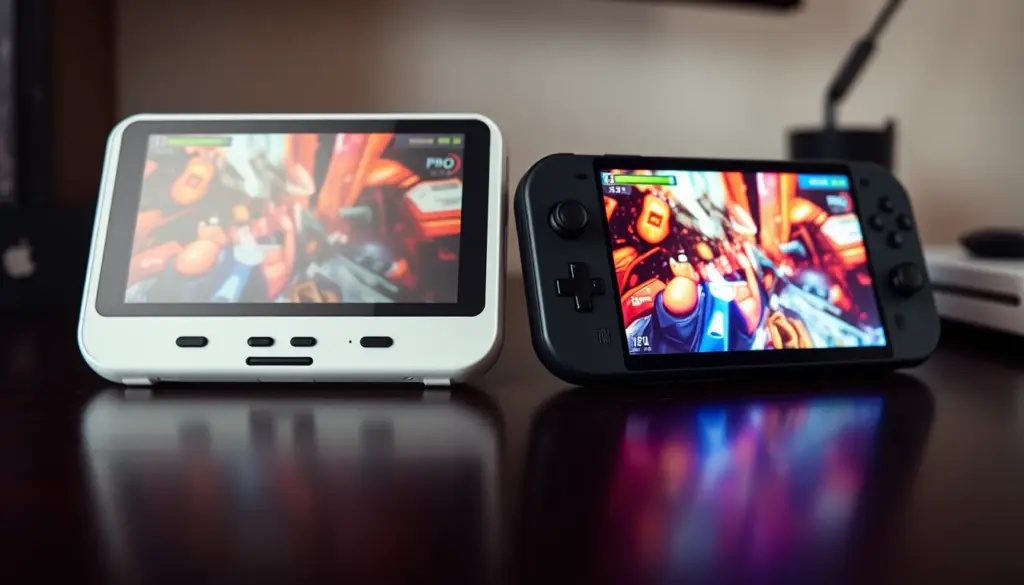
The ROG Xbox Ally and the Steam Deck OLED are two of the most-searched handheld gaming PCs of 2026, and for the first time, they’re built on strikingly similar silicon. ASUS’s base ROG Xbox Ally ships at $599.99 with a 4-core/8-thread AMD Ryzen Z2 A chip and an 8-CU RDNA 2 GPU – an architecture PCGamesN has directly compared to “the Steam Deck’s Van Gogh SoC with a slightly higher configurable TDP.” Valve’s Steam Deck OLED, meanwhile, now costs $789 for the base 512GB model after a 27 May 2026 price hike, up 43% from its original $549.
That means the decision between these two handhelds is no longer mostly about raw power. It’s about $190 in price, an operating system that changes real-world performance by double digits, a battery that’s 10Wh bigger on one side and a screen technology that’s better on the other. This guide breaks down full specs, real benchmark data from independent testing, pricing after the 2026 memory-shortage hikes, battery life, game-library compatibility, and which device actually fits your use case – with a verdict backed by numbers, not vibes.
ROG Xbox Ally vs Steam Deck: Quick Facts
Before the deep dive, here’s the short version. The ROG Xbox Ally launched 16 October 2025 at $599.99 / £499.99 / €599, running Windows 11 with the Xbox full-screen experience layered on top. It uses an AMD Ryzen Z2 A processor (4c/8t Zen 2 + RDNA 2, 8 compute units), 16GB of LPDDR5-6400 RAM, a 512GB upgradeable NVMe SSD, a 60Wh battery, and a 7-inch 1080p IPS display at 120Hz.
The Steam Deck OLED starts at $789 for 512GB (up from $549 before Valve’s May 2026 price increase) or $949 for 1TB (up from $649), running SteamOS 3 – Valve’s Arch Linux-based operating system with the Proton compatibility layer. It uses a 6nm AMD APU (Zen 2 4c/8t + RDNA 2, also 8 compute units), 16GB of LPDDR5-6400 RAM, a 50Wh battery, and a 7.4-inch HDR OLED display at up to 90Hz. Both devices weigh in the 640-670g range and share nearly the same core chip architecture – which is exactly why this comparison is closer, and more interesting, than most handheld match-ups.
Full Specs Comparison: ROG Xbox Ally vs Steam Deck OLED
Here’s every core spec side by side, sourced directly from Xbox’s official ROG Xbox Ally page and Valve’s official Steam Deck tech specs page.
| Spec | ROG Xbox Ally | Steam Deck OLED |
|---|---|---|
| Launch price (512GB) | $599.99 | $789 (was $549) |
| Release date | 16 October 2025 | November 2023 (price hiked 27 May 2026) |
| CPU | AMD Ryzen Z2 A, 4c/8t Zen 2 | Custom AMD APU, 4c/8t Zen 2, 2.4-3.5GHz |
| GPU | RDNA 2, 8 compute units | RDNA 2, 8 compute units, 1.6 TFLOPs |
| TDP range | 6-20W (default 15W) | 4-15W |
| RAM | 16GB LPDDR5-6400 | 16GB LPDDR5-6400 |
| Storage | 512GB M.2 2280 NVMe (upgradeable) | 512GB or 1TB M.2 2230 NVMe |
| Display | 7″ IPS LCD, 1920×1080 | 7.4″ HDR OLED, 1280×800 |
| Refresh rate | 120Hz | Up to 90Hz |
| Brightness | 500 nits | 1,000 nits (HDR), 600 nits (SDR) |
| Battery | 60Wh | 50Wh (3-12 hours per Valve) |
| Weight | 670g | 640g |
| Operating system | Windows 11 + Xbox full-screen experience | SteamOS 3 (Arch Linux-based) + Proton |
| Ports | 2x USB 3.2 Gen 2 Type-C (DisplayPort 1.4) | 1x USB-C (DisplayPort/USB4), microSD |
| Wireless | Wi-Fi 6E (2×2), Bluetooth 5.4 | Wi-Fi 6E tri-band, Bluetooth 5.3 |
The line that jumps out: RAM, CPU core count, and GPU compute-unit count are identical on paper. The real differences live in TDP ceiling, screen technology, storage format, and – as the benchmark section below shows – the operating system sitting on top of that silicon.
Pricing Breakdown: $599.99 vs $789-$949
Pricing is where the ROG Xbox Ally vs Steam Deck decision gets complicated, because the two devices are moving in opposite directions. The ROG Xbox Ally has not seen a price change in the US, UK, or EU since its October 2025 launch. The Steam Deck OLED, by contrast, jumped in price across every region on 27 May 2026, when Valve confirmed the increase reflected “the current state of component costs” tied to rising memory and storage costs – part of the broader 2026 RAM shortage that’s driven DDR5 contract prices up sharply across the entire electronics industry.
| Model | US Price | UK Price | EU Price | Change |
|---|---|---|---|---|
| ROG Xbox Ally (512GB) | $599.99 | £499.99 | €599 | No change since Oct 2025 |
| Steam Deck OLED (512GB) | $789 (was $549) | £649 (was £479) | €779 (was €549) | +43% (27 May 2026) |
| Steam Deck OLED (1TB) | $949 (was $649) | £779 (was £569) | €919 (was €649) | +46% (27 May 2026) |
According to BBC News, the increase amounted to “more than 40% – or nearly £200” on the UK 512GB model alone. Tom’s Hardware reported both configurations sold out within hours of the restock that accompanied the price change. The practical result: a base ROG Xbox Ally is now $189.01 cheaper than the entry-level Steam Deck OLED, a gap that didn’t exist for most of 2025 when the Deck’s 512GB model was still $549. Per Wikipedia’s pricing history, the Steam Deck’s entry price has nearly doubled since its original February 2022 launch at $399.
Why Hasn’t the ROG Xbox Ally Price Increased Yet?
The gap isn’t just about timing – it’s about storage format. The Steam Deck OLED uses the smaller M.2 2230 SSD format, which is a lower-volume, typically pricier form factor than the standard M.2 2280 drives used in the ROG Xbox Ally, making the Deck’s bill of materials more exposed to the 2026 memory and NAND shortage. That doesn’t mean the Ally is immune: its more expensive sibling, the ROG Xbox Ally X, has already seen regional price increases in Japan and Australia tied to the same shortage, even while its US and UK pricing has held steady so far. If component costs keep climbing through the rest of 2026, there’s no structural reason the base Ally’s price stays frozen indefinitely – it’s simply been slower to move than the Deck.
The Silicon Story: Why These Two Chips Are Cousins, Not Rivals
This is the part most ROG Xbox Ally vs Steam Deck coverage glosses over. The base ROG Xbox Ally’s AMD Ryzen Z2 A is not part of the same performance tier as the more powerful Ryzen AI Z2 Extreme found in the pricier ROG Xbox Ally X. Instead, per PCGamesN’s teardown of the chip, the Z2 A “looks a lot like the Steam Deck’s Van Gogh SoC with a slightly higher configurable TDP” – the same 4-core Zen 2 CPU plus 8-CU RDNA 2 GPU combination Valve first shipped in the original 2022 Steam Deck, just with a higher power ceiling (6-20W versus the Deck’s 4-15W).
That makes the Z2 A architecturally older than AMD’s own standard Ryzen Z2 (non-A suffix), which uses a newer 8-core Zen 4 CPU and 12 RDNA 3 GPU compute units. In other words: ASUS put yesterday’s Valve-grade silicon into a $599.99 Xbox-branded handheld in late 2025, three years after Steam Deck launched on essentially the same design. The upside for buyers is that this isn’t a mismatch – it’s the closest apples-to-apples hardware comparison in the handheld market. The only meaningful silicon-level differences are the TDP ceiling (Ally can sustain more watts, which matters under prolonged load) and the RAM bandwidth configuration, both modest edges for the Ally on paper.
This shared lineage also explains why so many Steam Deck-era optimization guides, community wikis, and per-game TDP/resolution presets translate almost directly to the ROG Xbox Ally once it’s running a Linux-based OS like Bazzite. A setting that gets a stable 30fps on Steam Deck at a given wattage is a reasonable starting point for the Ally at the same wattage, precisely because the GPU compute-unit count and CPU core layout match. That’s rarely true when comparing against the Z2 Extreme-powered Ally X or other RDNA 3/3.5-based handhelds, where the extra compute units and NPU change the performance curve enough that Deck presets are only a rough starting point rather than a near-direct match.
Real-World Benchmarks: Cyberpunk 2077 and Beyond
Specs on paper are one thing; measured frame rates are another. The most rigorous head-to-head data available comes from Notebookcheck, citing testing by YouTube channel The Phawx, which ran Cyberpunk 2077 at 720p on the “Steam Deck preset” across both devices and multiple power limits – the closest thing to a controlled, same-game, same-settings test currently public for this exact match-up.
| Test (Cyberpunk 2077, 720p, Steam Deck preset) | Device / OS | Power | Avg FPS |
|---|---|---|---|
| ROG Xbox Ally on Bazzite (Linux) | Ally / Bazzite | 20W | 38.8 FPS |
| ROG Xbox Ally on Bazzite (Linux) | Ally / Bazzite | 15W | 36.2 FPS |
| Steam Deck OLED on SteamOS | Deck / SteamOS | 15W | 34.9 FPS |
| ROG Xbox Ally on Windows 11 (stock) | Ally / Windows 11 | 20W | 32.1 FPS |
| ROG Xbox Ally on Windows 11 (stock) | Ally / Windows 11 | 15W | 29.3 FPS |
The surprising result: at matched 15W power draw, on each device’s default shipped operating system, the Steam Deck OLED’s 34.9 FPS actually beats the ROG Xbox Ally’s stock Windows 11 result of 29.3 FPS by roughly 19%. It’s only after stripping Windows off the Ally and installing Bazzite – a free Linux distribution built for handhelds – that the Ally pulls ahead of the Deck, hitting 36.2 FPS at the same 15W. That’s a swing of almost 21% from an OS change alone, on identical hardware.
Other data points, tested independently on each device rather than head-to-head, round out the picture. Tom’s Hardware’s review of the base ROG Xbox Ally recorded 43.28 FPS in Metro Exodus and a 32-55 FPS range in Resident Evil Requiem at 720p on low settings. On the Steam Deck side, both Baldur’s Gate 3 and Elden Ring carry Valve’s official “Verified” Deck Verified rating – a compatibility badge covering controller support, legible UI text, and no compatibility warnings (though notably, Deck Verified doesn’t measure frame rate). Baldur’s Gate 3 was Valve’s most-played Steam Deck title in 2024, and Elden Ring benefits from SteamOS’s shader pre-caching, which reduces the traversal stutter that affects the Windows version of the same game.
Windows 11 vs SteamOS: The Software Divide That Actually Decides This
Given how close the silicon is, the operating system is the single biggest variable in this comparison – bigger than the spec sheet suggests. The ROG Xbox Ally runs Windows 11 with the Xbox full-screen experience (FSE), a controller-friendly shell that hides the desktop and surfaces Game Pass, the Microsoft Store, Steam, Epic Games Store, and GOG in one aggregated library. That breadth is the Ally’s core pitch: one device, every PC storefront, no workarounds. The tradeoff is that it’s still Windows underneath – background services, driver overhead, and update behavior all cost performance and battery life compared to an OS built from scratch for a single piece of hardware.
The Steam Deck runs SteamOS 3, Valve’s Arch Linux-based system tuned specifically for this hardware, using the Proton compatibility layer to run Windows-native games. It boots faster, sleeps and resumes more reliably, and – as the benchmark table above shows – outperforms the Ally’s own native OS at matched wattage. The cost is ecosystem lock-in: non-Steam storefronts require Valve’s Proton or third-party tools like Heroic (see our Legion Go vs Steam Deck breakdown for more on how that plays out against other Windows handhelds), and some anti-cheat systems used in competitive multiplayer games still block Linux entirely.
Installing Linux on the ROG Xbox Ally
Because the Ally is a standard x86 mini-PC under the hood, nothing stops you from replacing Windows with a Linux gaming distribution like Bazzite – the same project covered in our Bazzite vs SteamOS comparison. The Notebookcheck/Phawx data above shows why some owners do exactly this: a free OS swap recovered roughly 21% of frame rate at matched wattage in Cyberpunk 2077, and Tom’s Hardware separately found the swap delivers up to 32% higher FPS with more stable frame times and faster sleep/resume across a wider range of titles. Bazzite ships as an OSTree-based Fedora image, so checking your current build after installing it is a single command:
rpm-ostree statusThat command returns the currently deployed image version and confirms whether an update is staged – useful for verifying you’re not running a stale build before troubleshooting a performance issue. The obvious tradeoff: doing this voids the simplicity of “it just works out of the box” and drops native Xbox app integration, since Game Pass streaming and the Xbox FSE shell are Windows-only.
Display and Design: OLED HDR vs 120Hz IPS
The Steam Deck OLED’s screen is its clearest hardware win. At 7.4 inches with true HDR OLED, 1,000 nits peak brightness, and per-pixel black levels, it produces noticeably deeper contrast and richer color than any LCD handheld in this price range. Its 90Hz ceiling is lower than the Ally’s, but OLED’s near-instant pixel response makes motion feel smoother than the refresh-rate number alone suggests.
The ROG Xbox Ally counters with a 7-inch 1080p IPS panel – a genuinely higher resolution (1920×1080 versus 1280×800) and a faster 120Hz refresh rate, backed by Gorilla Glass Victus for scratch resistance. For fast-paced competitive games where frame rate and resolution matter more than contrast ratio, the Ally’s panel is the more conventional “gaming monitor” choice. For story-driven, atmospheric, or HDR-mastered titles, the Deck’s OLED is the more cinematic one. Neither is objectively better – they’re optimized for different genres.
On design, the ROG Xbox Ally uses Hall Effect analog sticks and triggers (magnetic sensors that resist the drift that plagues potentiometer-based sticks over time) and weighs 670g. The Steam Deck OLED weighs 640g and uses capacitive touch thumbsticks with haptic trackpads that the Ally omits entirely – a deliberate ASUS decision that trades trackpad-driven desktop navigation for a more console-like control scheme.
Battery Life: 60Wh vs 50Wh in the Real World
The ROG Xbox Ally’s 60Wh battery is 20% larger than the Steam Deck OLED’s 50Wh cell, but battery capacity alone doesn’t determine runtime – TDP ceiling and OS efficiency matter just as much. In testing, the Ally lasted roughly 7 hours and 6 minutes in lighter, less demanding games, but dropped to about 1 hour and 48 minutes running Cyberpunk 2077 at higher power settings – a swing that shows just how much sustained wattage affects real-world runtime on this class of hardware.
Valve rates the Steam Deck OLED for “3-12 hours” of gameplay depending on the title, per its official tech specs page – a wide range that reflects the same reality: an indie or 2D title sipping 4-6W can stretch toward the 12-hour ceiling, while a demanding AAA title pushing the full 15W will land closer to 2-3 hours. In practice, the two devices land in a similar real-world range for equivalent workloads, since the Ally’s bigger battery roughly offsets its higher power ceiling. Neither handheld comfortably clears 2 hours in a AAA title at maximum settings – both are designed around power-limited “performance modes” rather than unrestricted output, and both benefit from manually capping TDP for longer sessions.
Storage, Upgradeability, and Ports
Both devices ship with 16GB of RAM soldered to the board – non-upgradeable on either. Storage is where they diverge structurally. The ROG Xbox Ally uses a standard M.2 2280 NVMe SSD, the same full-size format found in most desktop and laptop PCs, meaning replacement or upgrade drives are cheap and widely available. The Steam Deck OLED uses the smaller M.2 2230 format – the same one found in the Xbox Series X and many other handhelds – which is a less common, typically pricier form factor that has made Steam Decks somewhat more exposed to the 2026 memory and storage shortage than devices using the larger standard.
In practical terms, that format difference shows up at the checkout, not just in a shortage headline. A 2TB M.2 2280 drive is a commodity part sold by nearly every SSD manufacturer at a competitive price, and swapping one into the Ally is a standard laptop-style upgrade. A 2TB M.2 2230 drive is a much narrower market – fewer manufacturers make them, and the ones that do typically charge a premium over the equivalent-capacity 2280 part. Either handheld’s microSD slot is the cheaper fallback for expanding storage without opening the case at all, though both take a performance hit compared to the internal NVMe drive, since microSD read/write speeds lag well behind even a budget M.2 SSD.
On connectivity, the ROG Xbox Ally includes two USB 3.2 Gen 2 Type-C ports, one supporting DisplayPort 1.4 for external monitor output, plus a UHS-II microSD slot for expandable storage. The Steam Deck OLED includes a single USB-C port with DisplayPort/USB4 support and its own microSD slot. The Ally’s dual-port setup is a meaningful convenience if you want to charge and connect a dock or external display simultaneously without a hub – something the single-port Deck can’t do natively.
Docking and TV Output: Turning Either Handheld Into a Console
Both devices double as living-room consoles when connected to a TV or monitor, but the path there differs. The Steam Deck OLED’s single USB-C port supports DisplayPort Alt Mode and USB4, so any compliant dock – including Valve’s own official Steam Deck Dock – handles video out, wired networking, and peripheral charging through one cable. Because it’s the device’s only port, though, docking means you lose the ability to simultaneously charge via a second connector; everything runs through that one USB-C connection.
The ROG Xbox Ally’s two USB-C ports change that calculus: one handles DisplayPort 1.4 video output to a monitor or TV while the other stays free for charging or a peripheral, without needing a full docking station at all in a pinch. Both devices switch cleanly into a desktop-style mode when docked – Windows 11 simply exits the Xbox full-screen shell to reveal the standard desktop, while SteamOS offers its own separate Desktop Mode for file management and non-Steam software. For anyone planning to use their handheld as a part-time living-room console, that extra Ally port is a small but genuinely practical edge.
Game Library, Xbox Integration, and Anti-Cheat
Here’s a detail that surprises new buyers: despite the Xbox branding, the ROG Xbox Ally does not natively play your existing Xbox console game library. Per TrustedReviews’ testing, Xbox titles are accessible only through cloud streaming via Xbox Cloud Gaming, not local installation and execution – the Ally plays PC versions of Game Pass titles, Steam games, Epic Games Store titles, and anything else that runs on Windows, but it is fundamentally a Windows gaming PC wearing Xbox branding, not a portable Xbox console.
That Windows foundation is also the Ally’s biggest practical advantage for online multiplayer: many competitive games with kernel-level anti-cheat (certain Call of Duty titles, Fortnite in some configurations, and others) simply refuse to launch on SteamOS or any Linux system, full stop. The Steam Deck’s library is technically enormous – every Steam game, filtered by Valve’s Deck Verified/Playable/Unsupported rating system – but a real subset of high-profile multiplayer titles are hard-blocked by anti-cheat vendors that haven’t extended Linux support. If your library leans toward competitive live-service shooters, that’s a structural point in the Ally’s favor regardless of the benchmark numbers above.
The anti-cheat picture isn’t static, though. Some publishers have added Linux/Proton support over time as SteamOS’s install base grew, so a game blocked on Steam Deck today isn’t necessarily blocked forever – always check a title’s current Deck Verified status or its publisher’s own anti-cheat compatibility notes before assuming either way. Single-player games, co-op titles without kernel-level anti-cheat, and most older or indie multiplayer games run fine on both devices with no meaningful compatibility gap at all; the anti-cheat concern is specific to a subset of major competitive live-service titles, not the library as a whole.
Which Handheld Fits Your Playstyle: 5 Use Cases
You’re a Game Pass subscriber who also owns Steam games. The ROG Xbox Ally is the more natural fit – Xbox FSE surfaces Game Pass, Steam, and Epic in a single aggregated library, and cloud streaming covers your console-exclusive Xbox titles the Ally can’t run locally.
You mainly play story-driven or visually atmospheric single-player games. The Steam Deck OLED’s HDR display is the better screen for this, and its price, while higher post-hike, still undercuts most premium handheld competitors once you factor in the Ally’s lack of a trackpad for desktop-style navigation.
You play competitive multiplayer games with kernel-level anti-cheat. Go with the ROG Xbox Ally. Windows compatibility with anti-cheat vendors is non-negotiable for titles that flatly refuse to launch on Linux, no matter how good SteamOS’s Proton layer is elsewhere.
You want the longest battery life for handheld sessions away from a charger. The Steam Deck OLED’s efficiency-tuned SteamOS and Valve’s 3-12 hour range (even with a smaller 50Wh cell) tends to edge out the Ally’s stock Windows configuration for lighter and indie games, per the benchmark data above.
You’re comfortable installing Linux yourself and want maximum frame rate per watt. The ROG Xbox Ally running Bazzite is the strongest pick in this whole comparison – the same benchmark data shows it beating the Steam Deck OLED by roughly 4-21% once Windows is out of the picture, while keeping the Ally’s larger 60Wh battery and higher TDP ceiling.
You want to spend the least money today. The base ROG Xbox Ally at $599.99 is $189.01 cheaper than the entry Steam Deck OLED’s post-hike $789 price, making it the more budget-conscious option for the first time since both product lines launched.
Migration Guide: Moving Your Library Between Devices
Switching from one handheld to the other – or simply running both – is more straightforward than it looks, since both ultimately run the same Steam client via different underlying operating systems.
Steam library and cloud saves: Sign into the same Steam account on either device, and any game with Steam Cloud save support will sync automatically once you exit a title normally (avoid force-closing games mid-session, which can cause a save-conflict prompt). For local save files not covered by Steam Cloud, you’ll need to move them manually. On the Steam Deck, saves typically live under ~/.steam/steam/userdata/; on the ROG Xbox Ally’s Windows install, per-game save locations vary but are commonly under Documents, AppData\Local, or AppData\Roaming. A simple mirrored copy over a local network or external drive handles the transfer:
robocopy "C:\Users\YourName\Documents\My Games" "D:\Backup\SavedGames" /MIR /Z /R:3That command mirrors your local Windows save folder to a backup drive, restartable if interrupted (/Z) and retrying failed file copies up to three times (/R:3) – run it before any OS reinstall or migration, not just when switching devices.
Non-Steam storefronts: If you’re moving from ROG Xbox Ally to Steam Deck, Game Pass and Epic Games Store titles won’t transfer natively – SteamOS runs them through Heroic Games Launcher or Lutris instead (see our ROG Ally vs ROG Ally X guide for more on cross-store handheld setups). Xbox Play Anywhere titles with cloud saves will at least resume progress once reinstalled through a compatible launcher, even though the executable itself has to be reacquired for the new platform.
Pros and Cons: ROG Xbox Ally vs Steam Deck OLED
ROG Xbox Ally pros:
- $189.01 cheaper than the entry Steam Deck OLED at current prices
- Higher-resolution 1080p, 120Hz display versus the Deck’s 800p, 90Hz panel
- Full Windows compatibility, including anti-cheat-protected multiplayer games Linux can’t run
- Larger 60Wh battery and standard M.2 2280 storage that’s cheaper to upgrade
- Dual USB-C ports (one with DisplayPort) versus the Deck’s single port
ROG Xbox Ally cons:
- Does not natively play your existing Xbox console library – cloud streaming only
- Z2 A processor is architecturally the same generation as a 2022 chip, priced as a 2025 product
- Windows 11 overhead measurably reduces frame rate versus the same hardware on Linux
- No haptic trackpad, unlike the Steam Deck
Steam Deck OLED pros:
- HDR OLED display with 1,000-nit peak brightness, the best screen in this price bracket
- SteamOS outperforms the Ally’s stock Windows 11 at matched wattage in independent testing
- Deck Verified rating system removes compatibility guesswork across a massive Steam library
- Faster sleep/resume and generally more stable long-session battery behavior
Steam Deck OLED cons:
- 43-46% more expensive than before the May 2026 price hike, with no sign of reversal
- Anti-cheat-protected multiplayer games are frequently unplayable on SteamOS
- Smaller M.2 2230 SSD format costs more to upgrade than the Ally’s standard-size drive
- Lower resolution and refresh rate than the Ally’s IPS panel
What Reviewers Are Saying
TrustedReviews called the ROG Xbox Ally “the most compelling Windows handheld yet,” praising its comfortable grips for long sessions and the “slick and easy to use” Xbox FSE interface, while flagging that the Ryzen Z2 A processor “is certainly showing its age” at its price point and noting the lack of a trackpad forces awkward stick-as-mouse navigation. GamingTrend similarly framed the base Ally as the best affordable entry into Windows handheld gaming, even though it “can’t play AAA games at their peak.”
On the Steam Deck side, Tom’s Hardware reported that both OLED configurations sold out within hours of restocking at the new, higher prices immediately after the May 2026 hike – evidence that demand held up despite the increase. PC Gamer highlighted Baldur’s Gate 3’s official Deck Verified status as proof of how mature Valve’s compatibility layer has become for even the most demanding modern RPGs, a level of pre-purchase compatibility confidence the Windows-based Ally doesn’t replicate through any single unified badge.
The Verdict: Which Should You Buy in 2026
Based on the data above, the ROG Xbox Ally vs Steam Deck decision comes down to three numbers: $189.01, 19%, and one anti-cheat list. The Ally is cheaper by $189.01 at current prices. The Steam Deck, on its own native OS, is roughly 19% faster than the Ally on its own native OS at matched wattage – a genuinely surprising result given the two chips’ shared lineage. And a real subset of competitive multiplayer games simply won’t launch on the Deck’s Linux-based SteamOS at all, a dealbreaker regardless of frame rate.
Buy the ROG Xbox Ally if: budget matters, you play multiplayer games with strict anti-cheat, you want the sharper 1080p/120Hz screen, or you’re willing to install Bazzite to unlock the best frame rates this comparison has to offer.
Buy the Steam Deck OLED if: the HDR screen and Deck Verified compatibility confidence matter more to you than $189.01, you mostly play single-player or Steam-native titles, and you’d rather not touch an OS installer to get the best performance out of your hardware.
Neither device is a clear universal winner for the first time in this handheld generation – and that’s a direct consequence of how similar their underlying chips actually are. The gap that used to separate these product lines was silicon. In 2026, it’s software.
It’s also worth remembering that both products sit inside larger lineups. Buyers who find the base Ally underpowered can step up to the ROG Xbox Ally X and its Ryzen AI Z2 Extreme chip for roughly $400 more, and buyers who want Valve’s ecosystem without the OLED premium can still find the older LCD Steam Deck at a lower price point where stock remains available. This comparison is specifically about the two closest-priced, most architecturally similar models in each family – the base ROG Xbox Ally and the Steam Deck OLED – not a verdict on every configuration either company sells.
Frequently Asked Questions
Is the ROG Xbox Ally the same as the ROG Ally?
No. The ROG Ally and ROG Ally X (2023-2024) use the older Ryzen Z1 Extreme chip and are not Xbox-branded. The ROG Xbox Ally and ROG Xbox Ally X (October 2025) are a separate, newer lineup co-developed with Microsoft, using the Ryzen Z2 A and Z2 Extreme chips respectively.
Can the ROG Xbox Ally play my Xbox console games?
Only through cloud streaming via Xbox Cloud Gaming. It cannot install and run Xbox console game files locally – it’s a Windows PC that streams your Xbox library rather than executing it natively.
Why did the Steam Deck OLED get so much more expensive in 2026?
Valve cited “the current state of component costs” and rising memory and storage prices tied to the broader 2026 DRAM and NAND shortage, which has driven component costs up across the entire electronics industry, not just gaming handhelds.
Is the ROG Xbox Ally actually more powerful than the Steam Deck?
Not by default. Independent testing found the Steam Deck’s native SteamOS beats the Ally’s stock Windows 11 by around 19% at matched 15W power draw in Cyberpunk 2077. The Ally only pulls ahead after installing a Linux distribution like Bazzite in place of Windows.
Can I install SteamOS on the ROG Xbox Ally?
Not officially, since SteamOS isn’t publicly distributed for third-party hardware. Ally owners looking for a Linux-based, SteamOS-like experience typically install Bazzite instead, which is built specifically for handheld gaming PCs and delivered measurable performance gains over stock Windows in independent testing.
Does the Steam Deck OLED support Xbox Game Pass?
Only through cloud streaming in a browser or via unofficial methods, the same way any non-Steam storefront works on SteamOS. There’s no native Game Pass app comparable to what the Xbox full-screen experience offers on the Ally.
Which has better battery life, the Ally or the Steam Deck?
It depends on the game. The Ally’s 60Wh battery is 20% larger, but its higher TDP ceiling can offset that advantage under heavy load – testing found roughly 7 hours in light games versus under 2 hours in Cyberpunk 2077. Valve rates the Steam Deck OLED for “3-12 hours” depending on title, a similar real-world range.
Is the 1TB Steam Deck OLED worth the extra $160 over the 512GB model?
Only if you plan to keep a large permanent library installed locally without swapping games. Both configurations use the same CPU, GPU, and RAM – the only difference is storage capacity, and a microSD card slot is available on both models for expandable storage at a lower cost per gigabyte.
Related Coverage
- ROG Xbox Ally vs Ally X: $599 vs $999, 47% Faster
- ROG Xbox Ally X vs Legion Go 2: $999 vs $1,349
- Steam Deck vs ROG Ally: $789 OLED vs $999 120Hz
- Steam Deck OLED Jumps 46% to $949, Tops PS5 Pro
- Bazzite vs SteamOS: NVIDIA & 20+ Handhelds
- RAM Prices Up 89%: AI Memory Crunch Hits Gaming
- MSI Claw 8 EX AI+ vs ROG Xbox Ally X: 41% Faster
For more handheld gaming coverage, visit our gaming section.