
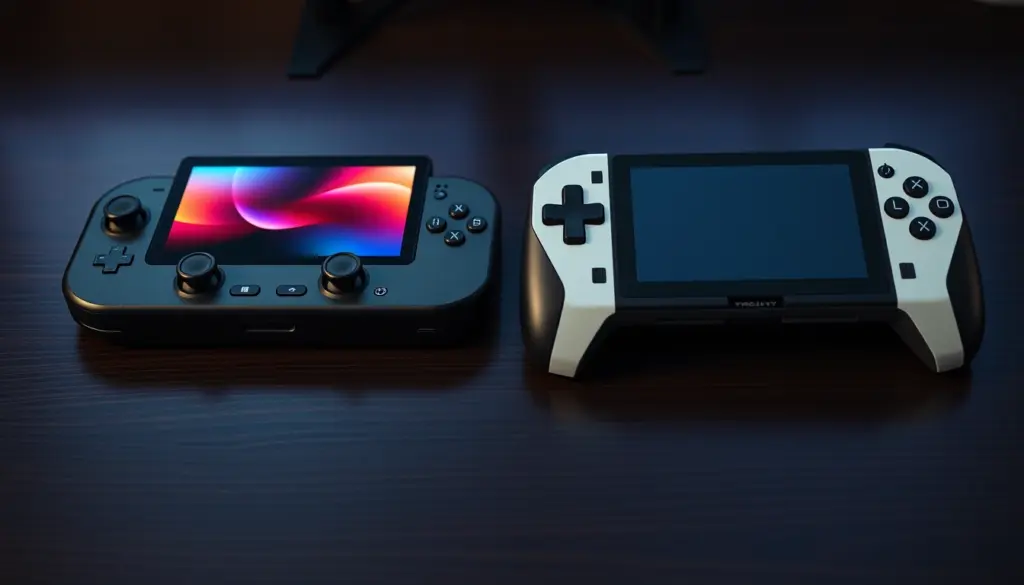
Valve’s 27-May-2026 price hike pushed the Steam Deck OLED to $789 for the base 512GB model, closing much of the gap to ASUS’s flagship Windows handheld. The ROG Xbox Ally X still costs $210 more at $999.99, but it now looks like a smaller premium than it did a year ago – and the spec sheet shows exactly where that money goes. This comparison walks through pricing, architecture, real-world benchmarks from three independent test labs, battery life, software ecosystems, and a practical migration path for anyone switching between the two platforms.
Quick Verdict: Which Handheld Wins in 2026?
Neither device wins outright – they’re built for different buyers. The Steam Deck OLED remains the value pick: a $789 entry price, a genuinely excellent HDR OLED screen, a mature Linux-based OS with a decade of community tooling behind it, and battery efficiency that punches above its 50Wh capacity at matched power draw. The ROG Xbox Ally X is the power pick: a Ryzen AI Z2 Extreme processor with double the CPU threads and twice the graphics compute units, 24GB of RAM versus 16GB, a sharper 1920×1080 120Hz panel, and native Windows compatibility with every PC storefront and anti-cheat system that refuses to run on Valve’s SteamOS.
| Category | Steam Deck OLED | ROG Xbox Ally X |
|---|---|---|
| Starting price (US) | $789 | $999.99 |
| Best for | Value, screen quality, Linux tinkering | Raw performance, Windows compatibility |
| Operating system | SteamOS 3 | Windows 11 Home |
| Weight | 635g | 715g |
| Battery capacity | 50Wh | 80Wh |
If you already own a large Steam library and want something that works the moment you turn it on, the Steam Deck OLED is still the safer buy. If you need Xbox Game Pass, Battle.net, or Windows-only anti-cheat titles running natively – or you simply want the fastest handheld frame rates money can buy at this size – the ROG Xbox Ally X justifies its $210 premium.
Both devices trace back to the same 2022-2023 wave of x86 handheld gaming PCs that Valve kicked off with the original Steam Deck, detailed on Wikipedia’s ROG Xbox Ally entry. ASUS’s first-generation ROG Ally launched in 2023 running Windows 11 with no console-style shell at all, drawing criticism for its clunky, mouse-and-keyboard-oriented interface on a controller-first device. The ROG Xbox Ally X, released 16 October 2025 as a Microsoft co-branded successor, is ASUS’s answer to that criticism – new silicon, a bigger battery, and the Xbox Full Screen Experience layered on top to close the usability gap with SteamOS. Understanding that history matters for buyers: you’re not just comparing two chips, you’re comparing a five-year-old, deeply refined single-purpose OS against a much younger attempt to retrofit a console experience onto general-purpose Windows.
Pricing and Configurations Compared
Valve raised Steam Deck OLED prices across the board on 27 May 2026, citing rising DRAM and NAND storage costs – the same memory-market pressure that has pushed up prices across the entire PC hardware industry this year. The 512GB OLED model went from $549 to $789 (a 43.7% increase), while the 1TB model jumped from $649 to $949, according to Tom’s Hardware’s coverage of the price change. The Steam Deck LCD, Valve’s original 2022 model, has been phased out of new retail entirely – the OLED is now the only Steam Deck you can buy new.
ASUS prices the ROG Xbox Ally X at a flat $999.99 for its single configuration: 24GB of RAM and a 1TB SSD, confirmed directly on ASUS’s official US spec page. Unlike the Steam Deck, ASUS doesn’t offer a cut-down storage tier for the X model – if you want the Xbox-branded handheld with the Z2 Extreme chip, $999.99 is the only price on the table. Buyers who find that too steep have a cheaper on-ramp: the base ROG Xbox Ally (non-X), which drops to a Z2 A chip, 16GB of RAM, and a smaller 60Wh battery for $599.99 – closer in spirit to a Steam Deck rival than a true Ally X competitor.
| Model | Storage | RAM | US Price |
|---|---|---|---|
| Steam Deck OLED | 512GB | 16GB LPDDR5 | $789 |
| Steam Deck OLED | 1TB | 16GB LPDDR5 | $949 |
| ROG Xbox Ally (base) | 512GB | 16GB LPDDR5X | $599.99 |
| ROG Xbox Ally X | 1TB | 24GB LPDDR5X | $999.99 |
Do the math on price-per-gigabyte of RAM and storage and the ROG Xbox Ally X actually compares reasonably well against the 1TB Steam Deck OLED – you’re paying $50.99 more for 8GB of additional RAM, a significantly faster processor, and a higher-resolution display. The real question isn’t which device is “cheaper” in isolation; it’s whether you need the extra headroom the Ally X’s silicon provides, covered in the benchmarks section below.
Design, Build Quality, and Ergonomics
The Steam Deck OLED weighs 635g and keeps Valve’s original rounded, grip-forward design largely unchanged from the 2022 LCD model – trackpads flanking the face buttons, back grip buttons, and a matte plastic shell that has proven durable across three years of real-world use. The ROG Xbox Ally X is heavier at 715g, reflecting its larger 80Wh battery and beefier cooling assembly, with contoured grips ASUS explicitly modeled after Xbox controller ergonomics.
That 80-gram difference is noticeable in extended handheld sessions – reviewers consistently flag the Ally X as the device more likely to cause wrist fatigue on marathon sessions, while the Deck’s lighter, more rounded shell remains the more comfortable long-haul option. The Ally X does add a fingerprint reader for Windows Hello sign-in, a convenience the Deck’s SteamOS doesn’t need since it boots straight into a game-focused UI without a traditional login layer. Both devices use standard trigger and bumper layouts, but the Ally X’s face buttons and joysticks sit slightly further apart to accommodate its wider chassis.
Display: 7.4″ OLED vs 7″ 120Hz IPS
This is the category where the two devices diverge on technology rather than raw specs. The Steam Deck OLED uses a 7.4-inch OLED panel at 1280×800 resolution, refreshing at up to 90Hz, with HDR support and peak brightness around 1,000 nits in small highlights. OLED’s per-pixel lighting means true blacks and dramatically higher contrast than any LCD panel can match at this price point – a meaningful advantage for dark, atmospheric games.
The ROG Xbox Ally X counters with a 7-inch IPS panel at a much sharper 1920×1080 resolution, a faster 120Hz refresh rate, AMD FreeSync Premium variable refresh support, 500 nits typical brightness, and Corning Gorilla Glass Victus for scratch resistance. On paper, the Ally X wins on resolution and refresh rate – more than double the Deck’s pixel count and 30Hz more headroom. In practice, the Deck’s smaller 1280×800 resolution is easier for its weaker GPU to drive at playable frame rates, while the Ally X’s 1080p panel is frequently the bottleneck reviewers point to when its more powerful hardware still struggles to hit smooth frame rates in demanding titles (see the benchmarks section below). IPS also can’t match OLED’s contrast ratio, so despite its resolution and refresh-rate edge, several reviewers rate the Deck’s screen as the more immediately impressive one to look at.
Processor and Graphics Architecture
The gap here is the single biggest differentiator between these two handhelds. The Steam Deck OLED runs Valve’s custom AMD APU – a 6nm chip built around 4 Zen 2 cores (8 threads) clocked up to roughly 3.5GHz, paired with an 8-compute-unit RDNA 2 integrated GPU. That’s the same core architecture Valve shipped in the original 2022 LCD model; the OLED refresh upgraded the screen, battery, and cooling, not the processor.
The ROG Xbox Ally X ships with AMD’s newer Ryzen AI Z2 Extreme, confirmed on ASUS’s official spec sheet: 8 Zen 5 cores (16 threads) clocked up to 5.0GHz, a 16-compute-unit RDNA 3.5 integrated GPU (branded Radeon 890M), and a dedicated AMD XDNA neural processing unit rated up to 50 TOPS for on-device AI workloads. That’s double the CPU core count, double the GPU compute units, and a newer graphics architecture generation compared to the Deck’s RDNA 2. AMD’s Z2 Extreme also supports a sustained TDP of up to 35W, roughly double the Deck’s practical ceiling of around 15W in performance mode.
On paper this is a decisive win for the ROG Xbox Ally X. What matters more for buyers is how that silicon advantage translates into actual frame rates at the display resolution and power draw people actually use day to day – which is a more nuanced picture than the raw compute-unit count suggests, per the independent benchmark data further down this page.
Memory, Storage, and Expandability
The Steam Deck OLED ships with 16GB of LPDDR5 memory at 6400 MT/s, shared between CPU and GPU (unified memory is standard on both these APU designs). Storage comes in 512GB or 1TB NVMe SSD configurations, using a 2230 form-factor drive that’s user-replaceable if you’re comfortable opening the case – Valve explicitly supports this and even sells the ifixit-style tools.
The ROG Xbox Ally X jumps to 24GB of faster LPDDR5X-8000 memory – 8GB more than the Deck, and running at a higher effective transfer rate. Storage is fixed at 1TB using a PCIe 4.0 NVMe M.2 2280 drive, also user-upgradeable, and notably a more common laptop-standard form factor than the Deck’s smaller 2230 drives, which can make aftermarket replacements easier to source. Both handhelds support microSD expansion for additional game storage beyond the internal drive, so neither locks you into your initial storage tier permanently.
The extra 8GB of RAM on the Ally X isn’t just a spec-sheet number – Windows 11 itself consumes considerably more idle memory than SteamOS’s lean Arch Linux base, so a meaningful share of that additional capacity goes toward the OS overhead rather than game headroom. It’s a real advantage, just a smaller effective one than the raw 16GB-vs-24GB comparison implies.
Battery Life and Power Efficiency
The ROG Xbox Ally X packs an 80Wh battery, 60% larger than the Steam Deck OLED’s 50Wh cell. That’s a real, verified spec difference – but battery capacity and battery life are not the same thing, and this is where the Ally X’s higher-power silicon works against it. AMD rates the Z2 Extreme for sustained draw up to 35W, more than double the Deck’s roughly 15W performance-mode ceiling, so a meaningful share of that extra 30Wh simply offsets the more power-hungry chip rather than translating into proportionally longer runtime.
Valve’s own guidance for the Steam Deck OLED, published on steamdeck.com, quotes 3 to 12 hours of gameplay depending on the title and power settings – lighter, less demanding games stretch toward the top of that range, while native AAA titles at higher TDP settings pull it toward the bottom. ASUS hasn’t published an equivalently specific hours-based range for the Ally X, and independent reviewers note real-world battery life varies heavily by game and power profile on both devices, so treat any single-number battery claim from either manufacturer with some skepticism until you’ve tested your own typical workload.
What is verifiable: at matched, lower TDP settings, the Deck’s simpler 4-core APU and leaner SteamOS draw meaningfully less power than the Ally X’s 8-core chip and Windows 11 background processes – which is why several reviewers describe SteamOS’s efficiency as “compensating” for the Deck’s weaker silicon in battery-life terms, even though the Ally X wins on raw capacity.
Charging speed favors the Deck for quick top-ups: Valve’s official specs list fast charging from 20% to 80% in as little as 45 minutes over its bundled 45W USB-C adapter. ASUS ships the Ally X with a considerably larger 65W (or higher, depending on region) USB-C charger to accommodate its bigger 80Wh cell and higher-draw chip, and while ASUS hasn’t published an equivalent 20-80% fast-charge figure, the larger battery means a full charge from empty takes meaningfully longer in absolute terms even with the higher-wattage brick. Neither device supports third-party fast-charging standards beyond USB-C Power Delivery, so any high-wattage PD charger and cable should work as a replacement for either handheld in a pinch.
Operating System: SteamOS vs Windows 11 Full Screen Experience
SteamOS 3, the Arch Linux-based operating system Valve built specifically for the Deck, boots directly into a console-style, controller-navigable interface. Non-Steam software still runs via Proton (Valve’s Windows compatibility layer) or third-party launchers like Heroic and Lutris, but the out-of-box experience is tightly integrated: no desktop, no Windows Update interruptions, no background telemetry services competing for CPU cycles mid-game.
The ROG Xbox Ally X runs full Windows 11 Home, which historically meant handheld buyers had to fight through a desktop-oriented interface with a controller. Microsoft’s answer is the Xbox Full Screen Experience – a layered shell that boots into the Xbox PC app as the primary launcher, defers Windows Explorer and background services, and reworks navigation for controller-only input, aggregating Game Pass titles, Xbox games, and installed software from any PC storefront into one console-like home screen. According to Tom’s Hardware’s coverage, Microsoft has since expanded Full Screen Experience beyond the Ally family to other Windows 11 gaming handhelds – confirming it’s built as a genuine Windows layer rather than a forked, device-exclusive OS.
The practical tradeoff: SteamOS is more polished for its narrower use case (mainly Steam-library gaming) but restricts you to Linux-compatible software and Proton translation for anything else. Windows 11 on the Ally X, even wrapped in Full Screen Experience, gives you unrestricted access to every PC game, launcher, and anti-cheat system on the market – at the cost of Windows’ well-documented update interruptions, background bloat, and a historically rougher out-of-box controller experience than SteamOS delivers natively.
Real-World Gaming Benchmarks
Independent lab data on this exact pairing is more scattered than the spec sheets suggest – several SEO-driven sites currently repeat an unsourced “50% FPS gap” claim between these two devices that doesn’t trace back to any verifiable test data, so treat that specific figure as marketing noise rather than a benchmark result. Here’s what three independently reviewed test sources actually measured: Notebookcheck’s report on Digital Foundry’s Ally X testing, Tom’s Hardware’s own hands-on review, and GamersNexus’s lab benchmarks.
| Game / Test | Device Tested | Result | Source |
|---|---|---|---|
| Doom: The Dark Ages | ROG Xbox Ally X | ~50fps @ 540p→1080p upscale, low, FSR3 Performance | Digital Foundry / Notebookcheck |
| Clair Obscur: Expedition 33 | ROG Xbox Ally X | 27-30fps @ 1080p, low, UE5 TSR | Digital Foundry / Notebookcheck |
| Shadow of the Tomb Raider | ROG Xbox Ally X | 64-79fps @ 720p, depending on power profile | Tom’s Hardware |
| Cyberpunk 2077 (Deck preset) | ROG Xbox Ally X | 63fps @ 720p / 40fps @ 1080p, plugged in | Tom’s Hardware |
| Red Dead Redemption 2 | Steam Deck OLED vs ROG Ally (Z1 Extreme) | Effectively tied, ~53fps @ 720p | GamersNexus |
| Resident Evil 4 Remake | Steam Deck OLED vs ROG Ally (Z1 Extreme) | Ally +6.3% (30.4fps vs 28.6fps) | GamersNexus |
Two important caveats on that GamersNexus row. First, GamersNexus’s Steam Deck OLED review tested the Deck against the older ROG Ally’s Z1 Extreme chip, not the newer Z2 Extreme that powers the Ally X reviewed here – the two ASUS chips are genuinely different silicon, and confusing them is a common mistake in lower-quality comparison content. Second, even against that older, less powerful Ally chip, the results were close and mixed rather than a lopsided win for either side – several titles landed within single-digit percentage differences, and the Deck actually led in F1 22 by 4.2%.
The takeaway: the Ally X’s newer Z2 Extreme chip is a clear generational step up from the Z1 Extreme tested above, so the real-world gap against the Deck today likely favors the Ally X by more than these older figures show – but no independently verified, apples-to-apples same-game test directly pits the Deck against the Z2 Extreme Ally X at matched settings as of this writing. Digital Foundry’s own solo Ally X testing found 1080p output “ambitious” for a 7-inch handheld’s power budget, explicitly recommending 720p as the more realistic target resolution – which undercuts the Ally X’s headline 1920×1080 display advantage in real gameplay conditions. Tom’s Hardware’s full Ally X review reaches a similar conclusion: the extra resolution and refresh rate look great on a spec sheet, but the device most often needs to trade one or both away to hold a stable frame rate in newer releases.
Worth noting for context: GamersNexus’s own conclusion on the Deck-vs-Ally comparison, even against the older Z1 Extreme chip, was that “at matched TDP the two architectures trade blows” rather than either one dominating – a meaningfully more measured takeaway than the FPS-gap percentages that circulate on lower-quality comparison sites. Buyers chasing a single definitive number should be skeptical of any source that provides one without showing its underlying test methodology.
Game Compatibility, Anti-Cheat, and Launchers
This is where the OS divide has the most concrete real-world impact. SteamOS runs Windows games through Proton, Valve’s Wine-based compatibility layer, which has matured enormously since the Deck’s 2022 launch – the vast majority of the Steam catalog runs well, and Valve’s own Deck Verified program flags which titles work out of the box. The gap is anti-cheat: several major multiplayer titles use kernel-level anti-cheat systems (certain Easy Anti-Cheat and BattlEye configurations, plus games like Fortnite historically) that developers haven’t enabled for Linux/Proton, meaning they simply won’t launch on a Steam Deck regardless of hardware power.
The ROG Xbox Ally X sidesteps that problem entirely by running native Windows 11 – any game, launcher, or anti-cheat system that works on a Windows gaming PC works on the Ally X, full stop. That includes Xbox Game Pass, Battle.net, EA App, Ubisoft Connect, and Epic Games Store natively, without a compatibility layer in between. For competitive multiplayer gamers whose favorite title blocks Linux clients, this alone can be the deciding factor regardless of everything else in this comparison.
Before buying either device for a specific game, check that title’s individual compatibility status rather than assuming a blanket answer. Valve’s Deck Verified rating (visible directly on each game’s Steam store page) flags known issues – control-scheme problems, text-legibility concerns on the smaller screen, or anti-cheat blocks – on a per-title basis, which is a more reliable check than any general “SteamOS supports most games” statement. Windows compatibility on the Ally X is effectively the same question you’d ask about any Windows gaming laptop: if it runs on a normal Windows PC, it runs on the Ally X, subject only to the handheld’s own performance ceiling.
Ports, Docking, and Connectivity
The Steam Deck OLED uses a single USB-C port supporting DisplayPort 1.4 Alt Mode and USB 3.2 Gen 2 data speeds, plus a microSD slot for expandable storage. That’s sufficient for Valve’s official dock or any third-party USB-C hub, driving an external display while charging and passing through USB peripherals simultaneously.
The ROG Xbox Ally X steps up to USB4, which includes Thunderbolt 4 compatibility and DisplayPort 2.1 – meaningfully faster external storage and higher-bandwidth display output than the Deck’s USB-C port supports. Combined with full Windows 11, this makes the Ally X a more credible desktop-replacement device when docked: you can plug into a monitor, connect a keyboard and mouse, and run genuine desktop applications, not just games. The Deck can technically do the same through its own desktop mode, but SteamOS’s desktop environment is a secondary feature bolted onto a gaming-first OS, not Windows’ native multitasking environment.
Accessories, Docking, and Ecosystem
The Steam Deck’s three-plus years on the market have produced a mature third-party accessory ecosystem: docks, cases, replacement joystick modules, and screen protectors from multiple manufacturers, plus Valve’s own official dock. Because the hardware hasn’t changed since the OLED refresh, older cases and docks generally still fit, and the community has settled on well-tested recommendations for common failure points like joystick drift.
The ROG Xbox Ally X, having launched more recently, has a thinner but growing accessory catalog – ASUS sells its own official carrying cases, and the device’s USB4 port is compatible with the broader universe of Thunderbolt docks already built for Windows laptops, which is a larger installed base than Steam Deck-specific docks. That’s a real advantage for anyone who already owns Thunderbolt peripherals from a laptop or desktop setup: the Ally X can slot into an existing dock, monitor, and keyboard arrangement without buying handheld-specific accessories. The Deck’s simpler USB-C DisplayPort Alt Mode is more universally compatible with basic USB-C hubs but doesn’t support the same bandwidth ceiling as USB4/Thunderbolt.
Modding, Emulation, and Third-Party Software
The Steam Deck’s Linux foundation and root-accessible file system have made it the reference platform for the handheld emulation and modding scene. Tools like EmuDeck automate multi-emulator setup in a single pass, and alternative Linux distributions built for handhelds – including Bazzite, which this site has compared directly against SteamOS – can be flashed onto the Deck’s internal storage for users who want a different software stack entirely. SteamOS also exposes standard Linux terminal access for anyone comfortable with a command line:
# Enable the SteamOS read-write filesystem before installing external tools
sudo steamos-readonly disable
# Re-enable read-only mode afterward to restore the default protected state
sudo steamos-readonly enable
Windows 11 on the ROG Xbox Ally X supports its own enormous modding ecosystem – decades of PC modding tools, trainers, and utilities built for Windows work natively, no translation layer required. Emulation is fully supported too, running the same emulator software (RetroArch, Dolphin, PCSX2, and others) natively rather than through Proton. The tradeoff is that Windows’ security model, driver signing requirements, and background services make deep system-level customization less streamlined than SteamOS’s open, root-accessible approach – the Ally X is more flexible in terms of what software runs, while the Deck is more flexible in terms of how deeply you can restructure the OS itself.
Who Should Buy Each Handheld
Buy the Steam Deck OLED if:
- You already own a large Steam library and want the simplest possible plug-and-play experience
- Screen quality (true blacks, HDR contrast) matters more to you than raw resolution or refresh rate
- You’re budget-conscious and the $210 gap to the Ally X is a meaningful factor
- You’re interested in emulation, homebrew, or installing alternative Linux distributions like Bazzite
- You primarily play single-player or indie titles that don’t rely on kernel-level Windows anti-cheat
Buy the ROG Xbox Ally X if:
- You need day-one native access to Xbox Game Pass, Battle.net, EA App, or other non-Steam launchers
- Your favorite multiplayer titles require Windows-only anti-cheat that won’t run under Proton
- You want the most graphics headroom available in this form factor and are willing to pay for it
- You plan to dock the device regularly and want USB4/Thunderbolt 4 speeds for external storage and displays
- You want a single device that doubles as a genuine portable Windows PC, not just a gaming handheld
Migration Guide: Switching Between Steam Deck and ROG Xbox Ally X
Moving your gaming setup from one platform to the other is more straightforward than it sounds, provided you follow a few steps in order.
- Verify Steam Cloud sync before switching devices. On your current device, open Steam’s settings and confirm Cloud Sync is enabled for each game you play – look for the cloud icon next to each title in your library. This is what carries save files and configurations across to the new hardware automatically.
- Install Steam on the destination device. On the ROG Xbox Ally X, this means installing the standard Windows version of Steam from the Xbox Full Screen Experience or desktop mode. On a Steam Deck, Steam is already the native environment – nothing to install.
- Sign in and let your library resync. Once signed into the same Steam account, your full library, playtime, and Cloud-synced saves reappear automatically. Games without Cloud support need a manual save-folder backup – check each title’s local save directory before wiping your old device.
- Rebuild controller mappings if needed. Steam Input configurations you built on a Deck’s trackpads and back buttons won’t map 1:1 onto the Ally X’s different button layout – budget time to re-tune per-game control schemes rather than assuming an exact carryover.
- Reinstall non-Steam launchers separately. If you use Epic Games Store, GOG, or Battle.net, these need fresh installs on the new device – native on Windows for the Ally X, or via Heroic/Lutris (both already covered in this site’s Heroic vs Lutris comparison) if you’re moving to or staying on SteamOS.
- Move external storage, don’t reformat blindly. Both devices accept standard microSD cards, and exFAT-formatted cards work on both SteamOS and Windows without reformatting – just confirm the card’s file system before assuming instant compatibility.
- Wipe the old device before selling or trading it in. On Steam Deck, use Settings > System > Factory Reset. On the Ally X, use Windows 11’s Settings > Recovery > Reset this PC to fully clear your account data and saved credentials.
Pros and Cons Compared
Steam Deck OLED
Pros: $210 cheaper starting price; superior OLED HDR screen with true blacks; lighter at 635g; mature SteamOS with a huge modding and emulation community; better efficiency at matched TDP; simpler, faster boot-to-game experience.
Cons: Meaningfully weaker CPU and GPU; lower-resolution, lower-refresh-rate display; some Windows-only anti-cheat titles won’t run at all; USB-C only, no USB4/Thunderbolt; no fingerprint reader.
ROG Xbox Ally X
Pros: Significantly more powerful Ryzen AI Z2 Extreme processor; 24GB RAM; sharper 1920×1080 120Hz display; native Windows compatibility with every PC launcher and anti-cheat system; USB4/Thunderbolt 4 for fast docking; larger 80Wh battery; fingerprint reader.
Cons: $210 more expensive; heavier at 715g; Windows 11 overhead and background services eat into the battery-capacity advantage; historically rougher out-of-box software polish than SteamOS; IPS panel can’t match the Deck’s OLED contrast; Digital Foundry itself flagged 1080p as ambitious for this hardware’s actual power budget.
Final Verdict: Steam Deck OLED vs ROG Xbox Ally X
The ROG Xbox Ally X is the more powerful handheld by every hardware metric that’s independently verifiable – more CPU cores, more GPU compute units, more RAM, a sharper and faster display, and native Windows compatibility with software the Steam Deck simply can’t run. That power costs $210 more, weighs 80 grams more, and depends on Windows 11’s ongoing maturation as a handheld-first OS to fully deliver on its hardware promise.
For most buyers, the Steam Deck OLED remains the more sensible purchase in 2026: it’s cheaper even after this year’s price hike, its screen is arguably the better one to look at despite lower specs on paper, and SteamOS’s efficiency narrows the real-world performance gap more than the raw compute-unit numbers suggest. The ROG Xbox Ally X earns its premium specifically for buyers who hit a wall on the Deck – a favorite competitive title that won’t launch under Proton, a Game Pass subscription sitting unused, or a genuine need for desktop-class docked performance. Know which camp you’re in before you spend the extra $210.
Frequently Asked Questions
Is the ROG Xbox Ally X worth $210 more than the Steam Deck OLED?
Only if you specifically need Windows-native compatibility – Game Pass, Battle.net, or anti-cheat titles that block Proton – or want the extra graphics headroom for demanding AAA games. For Steam-library-focused, budget-conscious buyers, the Deck remains the better value.
Can the Steam Deck run Windows games?
Yes, through Valve’s Proton compatibility layer, which translates most Windows game code to run on SteamOS’s Linux base. Compatibility is strong for the majority of the Steam catalog but not universal – some titles with kernel-level anti-cheat won’t launch.
Does the ROG Xbox Ally X support Steam?
Yes. Since it runs full Windows 11, you can install the standard Steam client and your entire library alongside Xbox Game Pass, Battle.net, Epic Games Store, and any other PC storefront simultaneously.
Which has better battery life, Steam Deck OLED or ROG Xbox Ally X?
The Ally X has 60% more battery capacity (80Wh vs 50Wh), but its more powerful, higher-TDP chip draws considerably more power, so the real-world runtime gap is smaller than the raw capacity difference implies. Neither manufacturer publishes a directly comparable hours-based figure for matched workloads.
Can you install SteamOS on the ROG Xbox Ally X?
Community efforts to run SteamOS or SteamOS-adjacent distributions like Bazzite on non-Valve handhelds exist and continue to mature, but ASUS does not officially support or ship SteamOS on the Ally X – it ships exclusively with Windows 11.
Is the ROG Xbox Ally X backward compatible with the original ROG Ally?
They’re separate hardware lines running the same Windows 11 foundation, so software compatibility is effectively universal, but this isn’t a generational upgrade path in the way a games console sequel is – the Ally X is a distinct, higher-tier SKU sold alongside the base Ally, not a replacement for it.
Which one is better for emulation?
Both handle retro and older-generation emulation comfortably given their hardware headroom. The Steam Deck has the larger, more established emulation community and simpler root-level Linux access for tools like EmuDeck; the Ally X’s stronger CPU/GPU gives it more headroom for demanding emulators (later PS3/Switch-generation titles) that push weaker hardware to its limits.
Does the Steam Deck support Xbox Game Pass?
Xbox Game Pass’ cloud-streaming tier works in the Deck’s web browser or via Proton-compatible workarounds, but there’s no native Linux Xbox app, so the experience is noticeably less integrated than running Game Pass natively on the Ally X’s Windows 11 environment.
Does either handheld require a subscription to play games you already own?
No. Both devices run standard storefront clients – Steam on the Deck, Steam plus any Windows launcher on the Ally X – and games you’ve already purchased play with no subscription required. Game Pass and PS Plus-style subscriptions are optional add-ons on top, not a requirement for either platform.
Can I use a Steam Deck dock with the ROG Xbox Ally X?
Not directly – Valve’s official dock is shaped specifically for the Deck’s chassis. However, any generic USB-C or USB4/Thunderbolt dock works with both devices, since both ultimately rely on standard USB-C video-out and charging protocols rather than a proprietary connector.