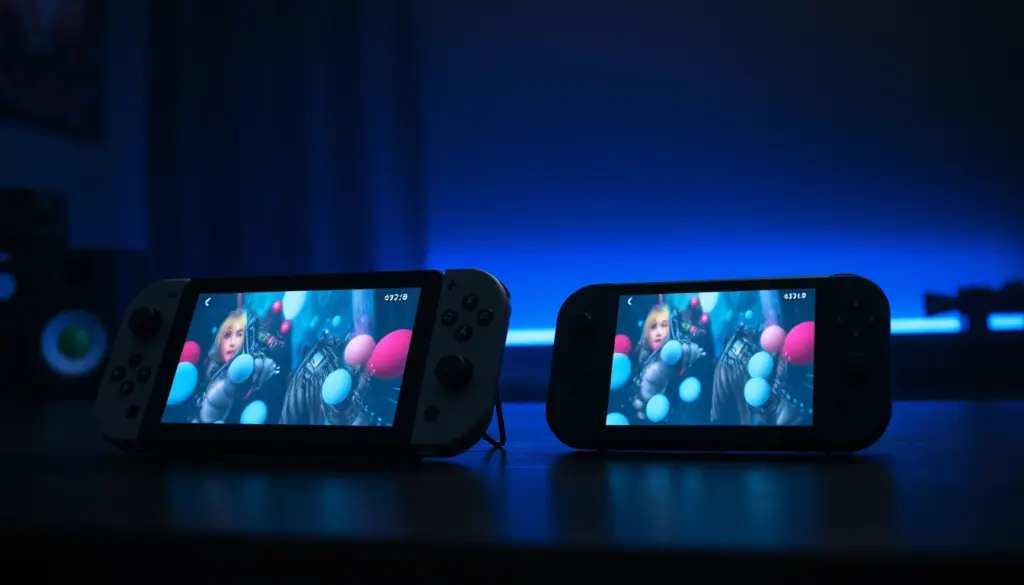
Lenovo sells two handheld gaming PCs that look like they belong to different generations but actually sit side by side in the same 2026 lineup: the original Legion Go, a bulky 8.8-inch machine with detachable controllers that launched in October 2023, and the Legion Go S, a smaller, unibody handheld that arrived in 2025 with an option most rivals still don’t offer – a factory SteamOS build. On paper, the Legion Go S should be the easy upgrade pick. In practice, 2026’s memory and storage shortage has scrambled that math so badly that the “older” device is now, in several configurations, the cheaper and more powerful buy. This comparison breaks down the Lenovo Legion Go vs Legion Go S exactly as both machines exist today: verified specs, pricing pulled from primary retailers and reviewers rather than list prices, benchmark data from Tom’s Hardware and Windows Central testing, battery results, and a clear verdict on which one actually deserves your money. Every figure below is sourced to a named outlet with a link included so you can check it yourself.
Legion Go vs Legion Go S: The 2026 Snapshot
Here’s the short version. The Lenovo Legion Go is the bigger, more traditional handheld: an 8.8-inch QHD+ display running at 144Hz, a pair of detachable TrueStrike controllers that snap off for tabletop play or fold into a vertical mouse, and an AMD Ryzen Z1 Extreme processor that still holds up well against 2025-era rivals. The Legion Go S is the compact alternative: a fixed unibody grip modeled loosely on the Asus ROG Ally X, a smaller 8-inch panel that trades resolution and refresh rate for variable refresh rate support, and – uniquely among non-Valve handhelds – a factory SteamOS configuration alongside the standard Windows 11 build.
The twist in 2026 is pricing, and it flips the usual “newer model costs more” assumption on its head in an unusual way. The original Legion Go has been overshadowed in Lenovo’s own lineup by the newer Legion Go 2 and has quietly become a clearance item, with PC Gamer flagging it at roughly $100 off list price at Best Buy and Amazon through 2026. The Legion Go S, meanwhile, got caught directly in the 2026 memory-chip shortage: GamingOnLinux reported in April 2026 that its price had nearly doubled at some retailers, and Lenovo briefly pulled it from its own online store entirely. By July 2026, 9to5Toys was still describing it as “regularly listed for over $1,100” even on sale. The result: a smaller, newer handheld with a factory SteamOS option now frequently costs more than the larger, older machine it was supposed to undercut.
Neither device is a clear, uncomplicated winner. The Legion Go wins on screen size, resolution, refresh rate, versatility, and often price. The Legion Go S wins on weight, comfort, variable refresh rate, and – in its Z1 Extreme SteamOS configuration specifically – outright gaming performance. Which one is “better” depends heavily on which exact configuration you’re comparing and what you plan to do with it, which is exactly what the rest of this guide works through.
Pricing in 2026: Why the “Cheaper” Sibling Now Costs More
Neither Legion Go price move happened in isolation. Both machines are downstream of the same underlying problem already documented across the rest of this site’s hardware coverage: an AI-datacenter-driven memory and NAND storage shortage that has pushed component costs up across every category of consumer electronics, from Steam Deck OLED to prebuilt desktops to ordinary DDR5 RAM sticks. What’s unusual here is how differently it hit two products from the same company, in the same handheld lineup, sold at the same time.
The original Legion Go had a head start: it was designed, priced, and largely amortized before the shortage began in late 2025, so its component costs were locked in early. Lenovo’s response has simply been to let it drift into clearance pricing as the Legion Go 2 takes over as the flagship. The Legion Go S had far worse timing. Its cheapest SteamOS configuration launched at a $499.99 MSRP in early 2025, but by April 2026, GamingOnLinux documented that same configuration listed for $989.99 at Best Buy, while the higher-end Z1 Extreme SteamOS model went from an $829.99 launch price to an “eye-watering” $1,579.99. Lenovo’s own site stopped listing the Legion Go S entirely for a stretch that month, displaying only “Sorry, Legion Go S is Temporarily unavailable.”
That unavailability turned out to be genuinely temporary, not a quiet discontinuation. Notebookcheck tracked the base SteamOS configuration at $1,049.99 in mid-April, and by July 20, 2026, 9to5Toys reported Lenovo running a direct Back to School promotion knocking the same 16GB/512GB SteamOS model down to $834.99 with a promo code, while Best Buy’s own “Black Friday in July” sale had it at $915 – both discounts off a “regularly listed” price north of $1,100. The device is still being actively sold and discounted; it’s just doing so from a substantially higher price floor than it launched at.
| Configuration | Launch Price | 2026 Street Price |
|---|---|---|
| Legion Go (Z1, 256GB) | $599.99 | ~$499–$599 (clearance) |
| Legion Go (Z1 Extreme, 512GB) | $699.99 | ~$599–$649 (clearance) |
| Legion Go (Z1 Extreme, 1TB) | $749.99 | ~$649–$699 (clearance) |
| Legion Go S (SteamOS, Z2 Go, 16GB/512GB) | $499.99 | $834.99–$989.99 |
| Legion Go S (SteamOS, Z1 Extreme, 32GB/1TB) | $829.99 | $899.99–$1,579.99 |
| Legion Go S (Windows, Z2 Go, 32GB/1TB) | $729.99 | Volatile, roughly $700–$900 |
| Legion Go S (Windows, Z1 Extreme, 32GB/1TB) | $899.99 | Volatile, often $900–$1,100+ |
| Legion Go 2 (Windows, Z2 Extreme, for context) | $1,099.99 | Briefly spiked near $2,800 on top SKU |
The practical takeaway for shoppers: don’t trust either device’s original MSRP when budgeting in 2026. Check live pricing at Lenovo, Best Buy, and Amazon before you buy, since the gap between “sale price” and “regularly listed price” on the Legion Go S specifically has been running $150 to $300 depending on the week.
Full Specs Comparison
Spec sheets don’t tell the whole story on handhelds – a lot of the real-world difference comes down to chassis design and software, covered further down – but they’re the right starting point. Here is every major hardware line item side by side, drawn from Lenovo’s published spec sheets and independently confirmed by Windows Central’s own testing.
| Spec | Lenovo Legion Go | Lenovo Legion Go S |
|---|---|---|
| Release date | October 31, 2023 | January 2025 (Windows) / May 25, 2025 (SteamOS) |
| Processor | AMD Ryzen Z1 or Z1 Extreme, up to 8 cores / 16 threads | AMD Ryzen Z2 Go or Z1 Extreme |
| Graphics | AMD RDNA 3, Radeon 780M (12 CU on Z1 Extreme) | AMD Radeon 700M series (680M on Z2 Go, 780M on Z1 Extreme) |
| Memory | 16GB LPDDR5X-7500, dual-channel | Up to 32GB LPDDR5X-6400 |
| Display size | 8.8 inches | 8 inches |
| Resolution | 2560 x 1600 (QHD+) | 1920 x 1200 (WUXGA) |
| Refresh rate / VRR | 144Hz / No VRR | 120Hz / VRR supported |
| Panel type | IPS LCD, 500 nits, 97% DCI-P3 | IPS LCD, 500 nits, 97% DCI-P3 |
| Battery capacity | 49.2 Whr | 55.5 Whr |
| Storage | 256GB / 512GB / 1TB NVMe PCIe 4.0 SSD | Up to 1TB PCIe Gen4 SSD |
| Operating system | Windows 11 Home | Windows 11 Home or SteamOS 3 |
| Controllers | Detachable TrueStrike, Hall-effect sticks, built-in kickstand | Fixed unibody grip, Hall-effect sticks, no kickstand |
| Chassis material | Aluminum-clad | All-plastic |
| Ports | 2x USB-C 4.0, microSD, 3.5mm audio jack | 2x USB4, microSD, 3.5mm audio jack |
| Weight | 854g with controllers (650g without) | 740g |
| Dimensions | 299 x 131 x 41mm | 299 x 127.55 x 22.6mm |
| Connectivity | Wi-Fi 6E, Bluetooth 5.3 | Wi-Fi 6E, Bluetooth 5.3 |
The two biggest numbers to notice: the Legion Go’s 2560 x 1600 panel packs roughly 78 percent more pixels than the Legion Go S’s 1920 x 1200 screen, while the Legion Go S is 114 grams lighter – about a 13 percent weight reduction that’s very noticeable in a two-handed grip during a long session.
Design and Build: Detachable Controllers vs Unibody Grip
This is the single biggest philosophical difference between the two machines, and it’s not close. The original Legion Go uses a three-piece design: a central display unit and two detachable TrueStrike controllers that clip onto the sides magnetically. Pop them off, and the display can sit on its built-in kickstand for tabletop multiplayer, or the right controller can be flipped into an upright “FPS mouse” grip for aiming with a scroll wheel, similar in spirit to a vertical mouse. It’s a genuinely unusual amount of hardware flexibility for a gaming handheld, and it’s the reason reviewers still recommend the Legion Go for people who want one device that can also behave like a tiny all-in-one PC.
The Legion Go S abandons all of that for a single, fixed unibody chassis closer to what Asus does with the ROG Ally X. There’s no kickstand, no detachable controllers, and no mouse mode. In exchange, Lenovo reworked the button layout: Windows Central’s Rebecca Spear noted that buttons she found awkward to reach on the bulkier original Legion Go – specifically the Menu and View buttons – are easier to reach on the Legion Go S, and the back of the unit is simplified to just two rear buttons, down from four back buttons, two side buttons, and a mouse wheel on the original.
There’s also a material difference worth knowing before you buy secondhand or out of warranty: Tom’s Hardware’s review of the SteamOS model points out that the Legion Go’s chassis is aluminum-clad, while the Legion Go S is an all-plastic build. That likely helped Lenovo hit the Legion Go S’s lower weight target, but it also means the older device should hold up marginally better against drops and general wear, even though neither company publishes a formal drop-test rating for either handheld.
Display: Bigger Screen vs Variable Refresh Rate
On paper, the Legion Go wins the display spec sheet outright: an 8.8-inch panel at 2560 x 1600 and 144Hz beats the Legion Go S’s 8-inch, 1920 x 1200, 120Hz screen on every raw number. Both use similar IPS LCD panel technology rated for 500 nits and 97 percent DCI-P3 coverage, so color and brightness are close to a wash.
The Legion Go S claws back real ground with one feature the original simply doesn’t have: variable refresh rate support. VRR synchronizes the display’s refresh rate to the GPU’s actual frame output, which reduces screen tearing and stuttering – something that matters more on a handheld running demanding games at inconsistent frame rates than it does on a desktop monitor paired with a powerful GPU. Windows Central’s own testing called this close enough to be “a matter of preference,” concluding that VRR “more than makes up for” the Legion Go S’s lower refresh rate ceiling for most players, even though the Legion Go’s bigger, sharper panel is the better fit if you specifically want a large tabletop display.
For context on how this compares to Valve’s own handheld, the Steam Deck OLED’s 7.4-inch panel runs at up to 90Hz with genuine HDR support – smaller than either Legion device but with contrast neither IPS panel here can match. If display quality alone is your deciding factor across the wider handheld market, it’s worth cross-shopping that comparison too.
Performance and Benchmarks: Which Chip Actually Wins
Performance is where this comparison gets genuinely complicated, because “Legion Go S” doesn’t mean one chip – it means two, and the answer to “which is faster” flips entirely depending on which one you’re buying. The base Legion Go S configuration ships with AMD’s Ryzen Z2 Go, a processor AMD explicitly designed to trade raw power for battery efficiency. The step-up Legion Go S configuration uses the same Ryzen Z1 Extreme found in the original Legion Go.
Tom’s Hardware’s benchmark testing of the base Z2 Go Legion Go S against the original Z1 Extreme Legion Go found a genuinely split result depending on power state. “In general, the Legion Go S is about 10 percent faster than the Legion Go on battery power but anywhere from 10 percent to 20 percent slower than the Legion Go when plugged in and using the 40-watt TDP power profile,” the review states. On Shadow of the Tomb Raider at medium settings and 800p, the Legion Go S held a roughly 10 percent lead on battery power over the Legion Go’s 43 fps baseline – but once both devices were plugged in and running their full 40-watt profiles, the Legion Go S fell 25 percent behind.
The gap widens further in heavier titles when both devices are plugged in. Tom’s Hardware’s plugged-in results:
| Game (settings, plugged in) | Legion Go (Z1 Extreme) | Legion Go S (Z2 Go) |
|---|---|---|
| Cyberpunk 2077, Steam Deck preset, 800p | 49 fps | 35 fps |
| Forza Horizon 5, High settings, 800p | 75 fps | 56 fps |
| Red Dead Redemption 2, Lowest settings, 800p | 67 fps | 52 fps |
| Borderlands 3, Medium settings, 800p | 60 fps | 50 fps |
| Borderlands 3, Medium settings, 1200p | 42 fps | 33 fps |
That table only tells the base-model story, though. Step up to the Z1 Extreme Legion Go S – the same silicon as the original Legion Go, just in a lighter chassis – and the calculus reverses. Tom’s Hardware’s separate review of the SteamOS, Z1 Extreme configuration called it “a performance powerhouse,” crediting SteamOS itself with a meaningful chunk of that advantage: the same Z1 Extreme hardware running SteamOS beat its own Windows 11 results by 4 to 15 fps depending on the game and resolution, largely because SteamOS carries less background overhead. In that review’s internal testing, the Z1 Extreme SteamOS configuration beat the cheaper Z2 Go SteamOS configuration by as much as 18 fps in Borderlands 3 at 800p.
The one-line summary: if you’re comparing the cheapest configuration of each device, the original Legion Go wins on raw plugged-in performance by a wide margin. If you’re comparing the Z1 Extreme version of each device, it’s essentially a wash on paper, tilted toward the Legion Go S specifically because SteamOS is more efficient than Windows 11 at extracting frame rate from identical hardware.
Battery Life: A Split Verdict Depending on How You Test
Despite the Legion Go S’s larger 55.5 Whr battery against the Legion Go’s 49.2 Whr cell, battery life results are genuinely mixed depending on which outlet’s methodology you trust. Windows Central’s hands-on testing called it an outright tie: both devices lasted roughly 1.5 hours in intensive games and three to four hours during lighter tasks, despite the Legion Go S’s larger capacity and AMD’s claimed efficiency gains from the Z2 Go chip.
Tom’s Hardware’s own instrumented testing found a small edge in the other direction. Its PCMark 10 Gaming suite benchmark had the Legion Go S lasting one hour and 42 minutes – 17 minutes less than the original Legion Go in the same test. In real gameplay, running Burnout Paradise Remastered at 1280 x 800 and 60Hz on the Performance profile, the Legion Go S dropped to 40 percent battery after an hour and died entirely around the 1 hour 45 minute mark; switching to the Power-saving profile stretched that to just over two hours.
The practical read: don’t buy the Legion Go S expecting a meaningfully longer runtime just because of its bigger-on-paper battery. Under real gaming load, both devices land in roughly the same 1.5-to-2-hour window for demanding titles, and the exact winner depends more on which specific game, power profile, and testing methodology you’re looking at than on the battery capacity spec alone.
Comfort and Ergonomics
This is the category where the Legion Go S’s redesign pays off most clearly. The original Legion Go, at 854 grams with its controllers attached and 41mm thick, is a genuinely large device – Windows Central’s reviewer described it as “uncomfortably thick” even for above-average-sized hands. The Legion Go S trims that down to 740 grams and just 22.6mm thick – barely more than half as thick – while keeping a nearly identical footprint in width and height.
Tom’s Hardware’s review of the Windows version reached the same conclusion from a different angle, listing “more ergonomic design” as a headline Pro for the Legion Go S even in a review that was otherwise skeptical of the device’s value. If you regularly play in long sessions and comfort is a priority over raw performance, the weight and thickness reduction on the Legion Go S is large enough to matter, not a marketing footnote.
The tradeoff is flexibility. The Legion Go’s detachable controllers let you prop the screen up on its kickstand and use it almost like a small tablet or a portable monitor with a keyboard, something the fixed-body Legion Go S simply can’t replicate. Comfort and versatility pull in different directions here, and which one you value more should weigh heavily on your final decision.
Operating System: Windows 11 vs the SteamOS Option
The original Legion Go only ever shipped with Windows 11 Home. The Legion Go S is sold in two entirely separate SKUs: a Windows 11 Home version and a Legion Go S – Powered by SteamOS version, which made it the first non-Valve handheld to officially ship with Valve’s own operating system out of the box.
Reviewers are close to unanimous on which OS is the better fit for a handheld form factor. Tom’s Hardware’s SteamOS review put it bluntly: “the UI experience is light years ahead of Windows 11, and makes sense for an operating system that was designed first and foremost for gaming.” SteamOS’s touch-friendly interface, faster game load times, and lower background overhead were credited with a direct, measurable frame-rate advantage over the same hardware running Windows 11, on top of the usability gains. Windows 11, by contrast, is still a desktop-first OS wearing a controller-friendly skin – Tom’s Hardware’s Windows-focused review specifically flagged an on-screen keyboard that would intermittently fail to appear inside apps like Steam and the Epic Games Store.
If you’re set on running SteamOS on Windows-native hardware instead of buying a factory SteamOS unit, community projects like Bazzite exist for exactly that purpose, though Lenovo’s official SteamOS build remains the more supported, plug-and-play option on the Legion Go S specifically. On SteamOS, checking your current build and pulling updates from Desktop Mode’s terminal is straightforward:
# From SteamOS Desktop Mode, open Konsole and run:
cat /etc/os-release
sudo steamos-update check
sudo steamos-update
If you’d rather stay on Windows for compatibility with non-Steam launchers – Battle.net, the Epic Games Store, Xbox Play Anywhere titles – both the Legion Go and the Windows edition of the Legion Go S handle that natively, which SteamOS still can’t do without extra compatibility layers.
Ports, Connectivity, and Accessories
Both devices share the same wireless stack – Wi-Fi 6E and Bluetooth 5.3 – so day-to-day connectivity is a non-issue on either side. The difference is in the wired ports. The original Legion Go uses two USB-C 4.0 ports, one on top and one on the bottom, which Windows Central noted is mildly awkward for simultaneous charging and accessory use depending on your grip. The Legion Go S upgrades to two full USB4 ports, which support Thunderbolt 4-class bandwidth for external GPU enclosures, faster external storage, and higher-resolution external displays – a meaningful upgrade if you ever plan to dock either handheld.
Storage expansion is identical on both: a microSD card slot rated for large-capacity cards on each device, plus internal replaceable NVMe SSDs. Tom’s Hardware’s review of the Legion Go S noted it now accepts the more common M.2 2280 SSD form factor as a running change from earlier Legion hardware, which matters if you plan to upgrade storage yourself down the line rather than buying the largest configuration up front.
Accessory-wise, the original Legion Go ships with a carrying case and an FPS stand for the detached controller’s mouse mode, neither of which has an equivalent on the fixed-body Legion Go S, since there’s no detachable component to support. If you plan to use your handheld’s controllers as a standalone accessory for a separate PC or living-room setup, that’s a Legion Go-exclusive feature the Legion Go S’s unibody design can’t offer.
Availability in 2026: The Legion Go S’s Rocky Year
Beyond price, availability itself has been unusually unstable for the Legion Go S in a way the original Legion Go hasn’t experienced. In April 2026, Lenovo’s own online store stopped listing the Legion Go S entirely, showing only a “Temporarily unavailable” notice – the kind of message that, combined with a near-doubling of third-party retailer pricing the same month, led several outlets to speculate the device might be discontinued outright rather than simply supply-constrained.
That speculation didn’t hold up. Stock and Lenovo’s own direct listings both returned within weeks: by May 2026, TechRadar was covering a “lowest-ever price” deal on the SteamOS model in the UK market, and by July, 9to5Toys confirmed Lenovo was running its own direct promotional pricing on the device through a Back to School sale. The honest read is that the Legion Go S went through a genuine supply crunch tied to the broader memory shortage, not a quiet product cancellation – but that crunch has left pricing considerably more volatile than the original Legion Go has ever experienced.
The original Legion Go, by contrast, has had the opposite problem: rumors that Lenovo was ending driver and BIOS support altogether. Lenovo directly and publicly denied this in 2026, with company statements confirming continued support for the original Legion Go through 2029, a detail independently corroborated by PC Guide’s own reporting on the same statement. If long-term software support matters to your buying decision, that’s a meaningfully more stable commitment than anything Lenovo has said publicly about the Legion Go S’s own support timeline.
Real-World Use Cases: Which Handheld Fits You
Specs and benchmarks matter less than matching the device to how you’ll actually use it. Here’s how the two stack up across common buying scenarios:
- Budget-conscious buyer who wants the biggest screen for the least money: the original Legion Go, bought at clearance pricing. A $599-$699 QHD+ 144Hz handheld with a Z1 Extreme chip is difficult to beat on pure value in mid-2026.
- SteamOS purist who wants a Steam Deck-like experience with more headroom: the Legion Go S, Powered by SteamOS, in the Z1 Extreme configuration specifically – the Z2 Go variant will leave you wanting more power.
- Tabletop or couch co-op player who wants detachable controllers: the original Legion Go. The Legion Go S has no equivalent to popping off controllers and propping the screen up for local multiplayer.
- Commuter or comfort-first casual player: the Legion Go S. At 740 grams and under a centimeter thicker than a phone, it’s noticeably easier to hold one-handed or slip into a bag than the bulkier original.
- Hybrid productivity user who wants a mini laptop-like device on the road: the original Legion Go, thanks to its detachable controllers and kickstand, which double as an improvised keyboard-and-stand setup that the fixed-body Legion Go S can’t replicate.
- Competitive player chasing maximum plugged-in frame rate on a budget: the base-configuration original Legion Go outperforms the base-configuration Legion Go S by a wide margin when both are plugged in, per Tom’s Hardware’s own benchmark testing above.
- First-time handheld PC buyer who wants the lowest financial risk: the original Legion Go’s clearance pricing and Lenovo’s confirmed support through 2029 make it the more predictable purchase while Legion Go S pricing keeps swinging.
Migration Guide: Switching Between the Two Handhelds
Because both devices are full PCs rather than fixed-function consoles, moving between them is closer to switching laptops than switching game consoles – your library and most of your save data travel with your accounts, not your hardware. A few steps make the transition smoother regardless of which direction you’re going.
Moving from the Legion Go to the Legion Go S
If you’re staying on Windows, sign back into Steam, the Epic Games Store, Battle.net, and any other launchers on the new device and let each client re-verify installed files rather than trying to copy the install folders over manually – driver and chipset differences between the Z1 Extreme and Z2 Go platforms can cause copied game files to misbehave. Steam Cloud will handle most save data automatically for supported titles; for anything without Cloud support, manually back up the relevant save folders (usually under Documents or AppData) before wiping the old device.
If you’re switching to the SteamOS edition of the Legion Go S specifically, the process is closer to setting up a second Steam Deck: sign into Steam during first boot, and your library, most settings, and Cloud-synced saves will pull down automatically. Custom Windows-side controller mappings won’t carry over, since the Legion Go S’s fixed unibody layout has fewer physical inputs than the Legion Go’s detachable TrueStrike controllers – budget time to rebuild any custom button layouts from scratch.
Moving from the Legion Go S to the Legion Go
Going the other direction on Windows is largely the same process in reverse. If you’re coming from the SteamOS edition of the Legion Go S, back up any Desktop Mode files you created outside of Steam’s own folders first, since those live on a Linux filesystem SteamOS manages itself and won’t be readable from Windows without extra tools. Before wiping a SteamOS install, a full backup of your Steam library folder is worth running from the terminal:
# On Windows, back up your Steam library before switching devices
robocopy "C:\Program Files (x86)\Steam\steamapps\common" "D:\SteamBackup\common" /E /Z /MT:8
robocopy "C:\Program Files (x86)\Steam\userdata" "D:\SteamBackup\userdata" /E /Z /MT:8
Once you’re set up on the Legion Go, take a few minutes to remap controls to take advantage of features the Legion Go S doesn’t have – the FPS mouse mode on the detached right controller in particular is easy to forget about if you’ve spent months on the Legion Go S’s fixed layout, but it’s genuinely useful in shooters once configured.
Where the Legion Go 2 and Steam Deck Fit In
Neither Legion Go nor Legion Go S exists in a vacuum, and it’s worth knowing where the rest of the market sits before committing to either. Lenovo’s actual current flagship is the Legion Go 2, which moved to AMD’s newer Ryzen Z2 Extreme chip and, as of mid-2026, offers its own SteamOS edition starting at $1,199 according to Notebookcheck’s coverage of the launch. That’s a substantial premium over either device in this comparison, and the Legion Go 2 line has faced its own extreme pricing volatility during the memory shortage, briefly listing near $2,800 on its top configuration before Lenovo pulled back. If your budget allows it and you want the newest silicon, it’s the logical step up from either machine here – but neither the Legion Go nor Legion Go S is meaningfully outdated enough to make skipping straight to the Legion Go 2 mandatory.
On the SteamOS side specifically, Valve’s own Steam Deck OLED remains the default comparison point, and its own 2026 price hike (up to $789 and $949 depending on storage) makes the Legion Go S’s discounted SteamOS pricing look considerably more competitive than it did at launch. Given that Valve hasn’t revealed a new Steam Deck model alongside its Steam Machine desktop, 9to5Toys’ framing of the Legion Go S as “one of the few serious alternatives running SteamOS” in mid-2026 is a fair one – it’s a legitimate second option in a category Valve has largely had to itself.
Pros and Cons
Lenovo Legion Go – Pros:
- Larger, sharper, faster-refresh 8.8-inch QHD+ display at 144Hz
- Detachable TrueStrike controllers with kickstand and FPS mouse mode
- Aluminum-clad chassis versus the Legion Go S’s all-plastic build
- Clearance-level 2026 pricing, often $150-$300 cheaper than a comparable Legion Go S configuration
- Confirmed driver and BIOS support from Lenovo through 2029
- Wins plugged-in benchmark performance against the base Legion Go S configuration by a wide margin
Lenovo Legion Go – Cons:
- Bulkier and heavier at 854 grams with controllers attached
- No variable refresh rate support
- No factory SteamOS option
- Increasingly overshadowed in Lenovo’s own current marketing by the Legion Go 2
Lenovo Legion Go S – Pros:
- 114 grams lighter and noticeably slimmer, improving long-session comfort
- Variable refresh rate support the original Legion Go lacks
- Factory SteamOS configuration – a rare option outside of Valve’s own hardware
- Faster USB4 ports versus the Legion Go’s USB-C 4.0
- Z1 Extreme SteamOS configuration is a genuine performance powerhouse per Tom’s Hardware’s testing
Lenovo Legion Go S – Cons:
- Base Z2 Go configuration trails the original Legion Go by 10-25 percent depending on power state and game
- Pricing has been the most volatile of any handheld covered on this site in 2026, swinging by hundreds of dollars within weeks
- No detachable controllers, kickstand, or tabletop mode
- Went briefly unlisted on Lenovo’s own store in April 2026, unnerving buyers even though it returned to sale
- Smaller, lower-resolution, lower-refresh display than the original Legion Go
The Verdict: Which Should You Buy in 2026
For most buyers, the original Legion Go is the better value in mid-2026, and the reason is almost entirely about price rather than hardware quality. At clearance pricing of roughly $599-$699 for a Z1 Extreme configuration, it beats the equivalent Z1 Extreme Legion Go S – which has been listing anywhere from $899 to over $1,500 depending on the week – on every meaningful axis except weight and VRR, while also outperforming the cheaper Z2 Go Legion Go S configuration outright in plugged-in gaming benchmarks.
The Legion Go S earns its place in this comparison for two specific buyers, though. If you specifically want a factory SteamOS handheld and don’t want to wait on Steam Deck restocks, it remains one of very few devices offering that combination, and Tom’s Hardware’s own testing confirms the Z1 Extreme SteamOS configuration is a legitimately excellent performer – when you can find it at something close to its April 2026 pricing rather than its worst spikes. And if comfort during long sessions matters more to you than raw performance or screen size, the 114-gram weight cut and thinner chassis are a real, tangible upgrade that no spec sheet fully captures until you’ve held both devices back to back.
The one buyer who should think twice about either device: someone who can stretch their budget toward the Legion Go 2’s newer Ryzen Z2 Extreme silicon, which outperforms both machines here at the cost of a considerably higher and similarly shortage-affected price tag. For everyone else working with a sub-$800 budget in 2026, the original Legion Go’s clearance pricing is difficult to argue with.
Frequently Asked Questions
Is the Legion Go S faster than the original Legion Go?
It depends entirely on configuration. The base Z2 Go Legion Go S is 10-25 percent slower than the original Legion Go’s Z1 Extreme chip when both are plugged in, per Tom’s Hardware’s testing, though it’s about 10 percent faster on battery power alone. The step-up Z1 Extreme Legion Go S configuration, especially running SteamOS, matches or beats the original Legion Go since it uses identical silicon in a more efficient operating system.
Which Legion Go S configuration should I buy?
If performance matters at all, skip the base Z2 Go model and buy a Z1 Extreme configuration. Reviewers at both Tom’s Hardware and Windows Central independently steer buyers away from the Z2 Go variant, calling the performance tradeoff not worth the lower price.
Can I still buy the original Legion Go in 2026?
Yes. It’s been overshadowed by the newer Legion Go 2 in Lenovo’s marketing and has moved to clearance pricing at retailers like Best Buy and Amazon, but it remains readily available, and Lenovo has publicly confirmed driver and BIOS support through 2029.
Does the Legion Go S run SteamOS or Windows?
Both, sold as separate SKUs. The Legion Go S – Powered by SteamOS ships with Valve’s own operating system, while a separate Legion Go S model runs Windows 11 Home. The original Legion Go only ever shipped with Windows 11.
Why did the Legion Go S price go up so much in 2026?
A global memory and NAND storage shortage, driven largely by AI datacenter demand for the same chip fabrication capacity, pushed component costs up across the entire handheld gaming PC market in 2025 and 2026. The Legion Go S was hit especially hard, with some configurations briefly nearing double their launch price before settling into a still-elevated but more stable range by mid-2026.
Is the Legion Go S battery life better than the Legion Go?
Not meaningfully, despite its larger battery. Windows Central’s testing called battery life a tie at roughly 1.5 hours in demanding games for both devices, while Tom’s Hardware’s own instrumented testing actually found the Legion Go S lasting slightly less time than the original Legion Go in its PCMark 10 Gaming benchmark.
Should I wait for the Legion Go 2 instead?
Only if your budget comfortably covers it. The Legion Go 2’s SteamOS edition starts at $1,199, well above either device in this comparison, and it has faced its own severe price volatility during the 2026 memory shortage, briefly spiking to nearly $2,800 on its top configuration.
Can I use my Legion Go accessories with the Legion Go S?
No. The Legion Go’s detachable TrueStrike controllers, carrying case, and FPS stand are built specifically for its three-piece design and don’t fit the Legion Go S’s fixed unibody chassis, which has no detachable components at all.
Related Coverage
- Legion Go vs Steam Deck: $599 vs $789, 4x the Pixels
- Legion Go S vs Steam Deck: $599 vs $789 OLED
- ROG Xbox Ally X vs Legion Go 2: $999 vs $1,349
- ROG Ally vs ROG Ally X: $450 vs $799, 2x the Battery
- Steam Deck LCD vs OLED: $399 vs $789, 1.5x Battery
- RAM Prices Up 89%: AI Memory Crunch Hits Gaming
- SteamOS 3.8 Takes On Windows 11 on 6+ Handhelds