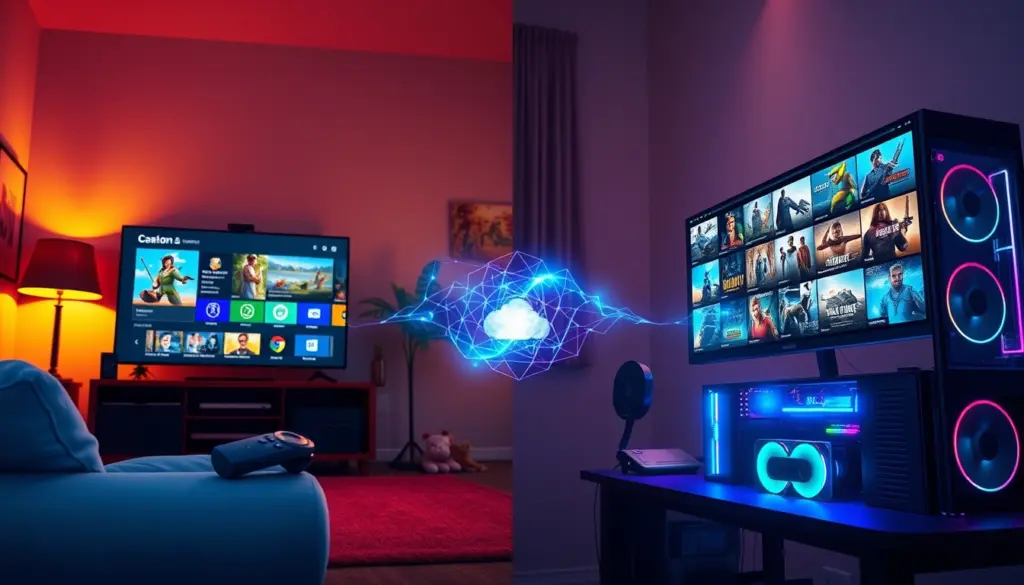
Amazon spent the first half of 2026 quietly gutting the one feature that made Luna different from every other cloud gaming subscription: the ability to own anything. Between April 10 and June 10, 2026, Amazon shut off a-la-carte game purchases, killed Bring Your Own Library, and cancelled third-party channels like Ubisoft+ and Jackbox Games, all without issuing refunds. What’s left is a smaller, Prime-bundled catalog service that looks a lot less like a marketplace and a lot more like Xbox Game Pass.
That timing makes this a good moment to run Amazon Luna vs GeForce Now, Nvidia’s cloud gaming service built on the opposite model. Where Luna now hands you a fixed rotating catalog, GeForce Now streams games you already own from Steam, Epic Games Store, Ubisoft Connect, and GOG. One company curates a library for you. The other rents you the hardware to play a library you already built. This piece sits alongside our broader gaming platform coverage and walks through pricing, specs, real device support, and what to do if you’re a displaced Luna subscriber wondering where your games went.
Both services get lumped into the same “cloud gaming” bucket alongside Boosteroid and Xbox Cloud Gaming, but Luna and GeForce Now are really the two purest examples of opposite philosophies in that market. Everything else, Shadow PC’s full remote desktops, Boosteroid’s curated stream, Xbox’s console-tied approach, sits somewhere between these two poles. That makes this specific matchup a useful stand-in for a bigger question: do you want a company to pick your games for you, or do you want to bring the games you already picked?
What Changed: Amazon Luna’s 2026 Rollback, Explained
Amazon didn’t kill Luna outright. It removed the one feature that made Luna worth a second look next to GeForce Now, Boosteroid, or Xbox Cloud Gaming: ownership.
The rollback landed in three stages. On April 10, 2026, Amazon disabled individual game purchases, stopped new sign-ups for third-party subscriptions, and pulled the EA, Ubisoft, and GOG storefronts out of the Luna interface. Existing libraries kept working, so the change barely registered outside dedicated forums.
The bigger cut came two months later. On June 3, 2026, Amazon switched off Bring Your Own Library, the feature that let subscribers link an EA App, GOG Galaxy, or Ubisoft Connect account and stream games they’d already bought elsewhere. A week after that, on June 10, every game purchased a-la-carte through Luna itself stopped launching, and any active Ubisoft+ or Jackbox Games subscription bought through Luna was cancelled at the next billing cycle. Amazon issued no refunds.
Subscribers have until roughly September 8, 2026, ninety days after the June 10 cutoff, to pull local save-game files tied to the affected titles before that window closes too.
| Date | What Ended | Effect |
|---|---|---|
| April 10, 2026 | A-la-carte purchases, new third-party subscriptions, EA/Ubisoft/GOG storefronts | No new purchases, existing library still playable |
| June 3, 2026 | Bring Your Own Library (BYOL) | Games linked via EA App, GOG Galaxy, or Ubisoft Connect stop streaming |
| June 10, 2026 | Access to previously purchased Luna titles, active Ubisoft+/Jackbox subscriptions | Purchased titles stop working, subscriptions cancelled, no refunds |
| ~September 8, 2026 | 90-day save-data download window | Last chance to pull local save files tied to affected titles |
What’s left is a two-tier subscription service, Luna Standard and Luna Premium, that behaves closer to Xbox Game Pass than to the hybrid store Luna launched as. Amazon’s own Luna FAQ and plans page still list the service as active, so this is a restructuring, not a shutdown. It does remove the one thing that separated Luna from a plain library-less subscription: any claim to owning what you paid for.
Amazon framed the cuts to affected users as a simplification rather than a retreat, according to reporting on the company’s internal messaging. Read plainly, the change lines Luna up with how Amazon already runs Prime Video and Prime Reading: one flat subscription, a rotating selection, no per-title ownership to track. That’s a coherent business model. It’s just a different one than the hybrid store-and-stream service Luna spent its first few years trying to be, and it’s a worse deal specifically for anyone who bought Luna for the BYOL feature rather than the free Prime tier.
Amazon Luna vs GeForce Now: The Core Difference
Strip away the news cycle and the two services solve different problems.
Luna is Amazon’s answer to “I don’t want to think about a game library.” Standard comes free with Prime and hands you a rotating shelf of roughly 50 titles. Premium costs $9.99 a month for a bigger rotating shelf. You never buy anything outright anymore. You get access to whatever Amazon has licensed that month, the same logic Netflix uses for movies.
GeForce Now is Nvidia’s answer to “I already own 200 games on Steam and my laptop can’t run half of them.” It doesn’t sell or license a fixed catalog at all. Free, Performance, and Ultimate tiers all work the same way: you point GeForce Now at games you’ve already bought on Steam, Epic Games Store, Ubisoft Connect, or GOG, and Nvidia streams them from a data center GPU instead of your local hardware. Nvidia’s own games page says more than 4,000 titles are supported this way.
That single difference, fixed catalog versus bring-your-own-library, decides almost everything else in this comparison: price ceiling, library size, who each service actually fits, and what happens if either company changes its mind again.
Pricing Compared: What You Actually Pay Each Month
Pricing looks similar on paper and diverges once you look at what each dollar buys.
Luna Standard is free if you already pay for Amazon Prime, which runs $14.99 a month or $139 a year in the US, according to Amazon’s own Luna pricing page. If you don’t want Prime just for gaming, Luna Premium (the renamed Luna+) costs $9.99 a month on its own and expands the rotating catalog beyond Standard’s titles.
GeForce Now splits into three tiers. Free costs nothing and caps sessions at one hour on shared hardware. Performance runs $9.99 a month, the same price as Luna Premium, and stretches sessions to six hours with priority queue access. Ultimate costs $19.99 a month, the top price in this comparison, and unlocks 4K resolution, up to 120fps, and eight-hour sessions.
| Service | Tier | Monthly | Annual | What You Get |
|---|---|---|---|---|
| Amazon Luna | Luna Standard | Free with Prime ($14.99/mo) | Included in Prime ($139/yr) | 50+ rotating cloud games |
| Amazon Luna | Luna Premium | $9.99 | Not offered separately | Expanded rotating catalog |
| GeForce Now | Free | $0 | Not offered | 1-hour sessions, Ready-to-Play titles |
| GeForce Now | Performance | $9.99 | Not published in verified 2026 sources | 6-hour sessions, priority access |
| GeForce Now | Ultimate | $19.99 | Not published in verified 2026 sources | 4K, up to 120fps, 8-hour sessions |
The catch with Luna’s pricing is that $9.99 doesn’t buy a library of your choosing. It buys access to whatever Amazon has decided to rotate in. GeForce Now’s $9.99 and $19.99 tiers buy streaming horsepower for a library you already assembled, so the real cost of GeForce Now includes whatever you already spent on Steam or Epic sales. Neither model is objectively cheaper. They’re pricing different things.
Luna Standard’s free tier isn’t bare-bones, either. Beyond the rotating game selection, Prime members get access to GameNight for group play, a monthly free PC game outside the cloud catalog, and one free Twitch channel subscription bundled in, according to statistics compiled by Co-op Board Games. None of that changes the core trade-off, since it’s still a curated bundle rather than a library you control, but it explains why Amazon still describes Luna Standard as a meaningful perk rather than a stripped-down freebie.
Full Specs Comparison: Amazon Luna vs GeForce Now
Here’s the side-by-side on the specs that matter before you commit a monthly payment to either service. Read it as two different products wearing the same “cloud gaming” label rather than a straight apples-to-apples matchup, since a handful of rows below don’t have a direct equivalent on the other side.
| Spec | Amazon Luna | GeForce Now |
|---|---|---|
| Parent company | Amazon | Nvidia |
| Service model | Fixed subscription catalog | Bring-your-own-games (BYO) |
| Free tier | Yes, Luna Standard, included with Prime | Yes, GeForce Now Free |
| Entry paid tier | Luna Premium, $9.99/month | Performance, $9.99/month |
| Top paid tier | Luna Premium, $9.99/month (single paid tier) | Ultimate, $19.99/month |
| Max resolution (top tier) | Not publicly specified by Amazon in verified sources | Up to 4K |
| Max frame rate (top tier) | Not publicly specified by Amazon in verified sources | Up to 120fps |
| Free-tier session limit | Not publicly disclosed | 1 hour |
| Top-tier session limit | Not publicly disclosed | 8 hours (Ultimate) |
| Library size | 50+ titles on Standard, larger rotating catalog on Premium | 4,000+ supported games |
| Game ownership required | No, Amazon licenses and curates the catalog | Yes, must already own titles on Steam, Epic, Ubisoft Connect, or GOG |
| Third-party purchases | Discontinued (ended April to June 2026) | Not applicable, streams existing storefront libraries |
| Supported devices | Fire TV, Android, iOS, PC, Mac, browser | PC, Mac, mobile, browser, smart TVs |
| Regional availability | US, Canada, UK, parts of Western/Central Europe | Broader global footprint, full map not published |
| 2026 headline change | Ended a-la-carte purchases, BYOL, and third-party subscriptions, no refunds | Added dozens of new games monthly via GFN Thursday updates |
A few rows in that table say “not publicly specified.” That’s deliberate. Amazon hasn’t published an official maximum resolution or session-limit figure for Luna the way Nvidia has for GeForce Now, and guessing would do readers a disservice.
Game Library Model: Fixed Catalog vs Bring-Your-Own-Games
The fixed-catalog-versus-BYO split is worth unpacking because it changes what “library size” even means.
Luna Standard’s 50-plus titles and Luna Premium’s larger rotation are both curated by Amazon. Titles cycle in and out the way a streaming service adds and drops movies. A game you’re playing today might not be there in three months, and after the 2026 rollback, there’s no path to buying it outright to keep around. Amazon’s own plans page currently lists titles like Still There, Masters of the Universe: Legends Unite, and Regular Factory: Escape Room as part of that rotating catalog.
GeForce Now doesn’t maintain a catalog in that sense. Nvidia’s games page lists more than 4,000 supported titles, and the roster grows every month through the GFN Thursday update cycle. Nvidia added two dozen games in June 2026 alone, including Subnautica 2, Disco Elysium, DayZ, and XCOM: Enemy Unknown. None of that matters unless you already own the game on a supported storefront, though. GeForce Now doesn’t sell anything. It rents you the GPU.
That makes GeForce Now’s practical library size a function of your existing Steam, Epic, Ubisoft Connect, and GOG purchases rather than a fixed number. Someone with a 500-game Steam backlog effectively gets a 500-game cloud library, provided each title has opted into GFN support. Someone who owns three games gets three. Luna’s model guarantees a baseline library for zero extra purchases. GeForce Now’s model rewards people who already spent money building a PC game collection.
Nvidia also splits its catalog into two access types worth knowing before you subscribe. “Ready-to-Play” titles are pre-tested and optimized by Nvidia and available to every tier, including Free. “Install-to-Play” covers additional Steam titles that Performance and Ultimate members can install on-demand onto their cloud session, extending the practical library further for paying members. Nvidia backed that catalog with a hardware refresh too: a wave of upgrades completed in May 2026 made nearly the entire Ready-to-Play library RTX 5080-ready, according to Nvidia’s own GFN Thursday coverage. Luna has no equivalent public hardware-tier announcement to compare it against.
Streaming Performance: Resolution, Frame Rate, and Session Limits
Nvidia publishes hard numbers here. Amazon mostly doesn’t, at least not in a form independently verified for 2026.
GeForce Now’s Ultimate tier streams at up to 4K resolution and up to 120 frames per second. Session limits scale with tier, and this is one of the clearer differences in the whole comparison: Free members get one hour per session, Performance members get six hours, and Ultimate members get eight hours, according to GeForce Now’s published tier specifications.
Amazon’s Luna FAQ and plans pages confirm pricing and rotating library details but stop short of publishing a maximum resolution, frame rate, or session-length figure for either Standard or Premium. Some third-party coverage mentions Luna supporting up to 4K on select titles, but that claim varies by source and isn’t consistently confirmed across Amazon’s own materials, so treat it as tier-dependent rather than a guaranteed ceiling.
The practical takeaway: if streaming fidelity is the deciding factor, GeForce Now is the only one of the two making a specific, testable claim. Luna’s pitch has never really been about chasing frame rates. It’s about not having to think about hardware at all, which is a different value proposition than the one GeForce Now Ultimate sells at $19.99 a month.
Session limits matter more than they sound like they should. An eight-hour Ultimate session covers a full evening of play, including a dinner break, without forcing a reconnect. A one-hour Free session barely covers a single ranked match plus a warmup. Performance’s six hours sits in between and covers most single-player sessions comfortably. Luna publishing no equivalent number isn’t necessarily a red flag, since casual rotating-catalog play may not hit the same limits a longer PC session would, but it does mean you’re taking Amazon’s word for it rather than checking a published figure.
Supported Devices and Regional Availability
Coverage matters as much as specs if the service isn’t available where you live.
Luna currently runs on Fire TV, Android, iOS, PC, Mac, and browser, with tight integration into Amazon’s Prime Video app after a 2026 update added a dedicated Games tab, per PCMag’s reporting. Geographically, Luna covers the US, Canada, the UK, and a chunk of Western and Central Europe, including Germany, France, Italy, Spain, Austria, Poland, the Netherlands, Belgium, Sweden, Portugal, and Luxembourg.
GeForce Now runs on PC, Mac, mobile devices, browsers, and smart TV apps, and Nvidia markets it as a global service, though a full country-by-country map wasn’t available in the sources checked for this piece. In practice, GeForce Now’s footprint is generally considered broader than Luna’s regional list, since Nvidia has been expanding data center coverage steadily since GeForce Now launched in 2020.
If you live inside Luna’s supported region list, both services are realistically available to you. If you don’t, GeForce Now is more likely to work at all, though actual latency still depends on how close you sit to Nvidia’s nearest data center, something neither company publishes a full public list of for 2026. GeForce Now has also had more time to build that footprint out: Nvidia marked the service’s sixth anniversary in February 2026, versus Luna’s more recent, and now shrinking, ambitions.
Account Linking and Data Considerations
Both services ask you to trust a third party with account access, just in different ways, and it’s worth a moment of attention before you link anything.
Luna sits inside your existing Amazon account, the same login that already handles your Prime shipping and payment details. There’s no separate credential to create, but it also means Luna’s security posture is entirely inherited from however well you’ve locked down that one Amazon account. Turning on two-factor authentication there protects Luna by extension.
GeForce Now works differently because the entire BYO model depends on linking outside accounts. To stream a game, you connect your Nvidia account to Steam, Epic Games Store, Ubisoft Connect, or GOG individually. That’s more setup, and it’s more accounts with an active connection to a third-party service. The sensible baseline is the same one that applies to any account-linking flow: enable two-factor authentication on each storefront before you link it, review connected-app permissions periodically, and unlink any account you stop actively streaming from. Neither company’s public documentation reviewed for this piece detailed session-token handling in a way this article can verify, so treat general account hygiene, not a specific vendor claim, as the operative advice here.
5 Real-World Examples of Luna and GeForce Now in Use
Numbers on a pricing page only tell part of the story. Here’s what the Luna-to-GeForce-Now divide looks like in practice, drawn from how each company describes its own product and from the specific games and bundles each has shipped in 2026.
- The Prime household on Fire TV. A Prime member casually streaming EA Sports FC 25 in the living room, at no extra cost beyond the Prime subscription they already pay for, is Luna Standard working exactly as designed.
- The displaced BYOL user. A subscriber who spent 2024 and 2025 linking a GOG Galaxy account to Luna so they could stream Star Wars Jedi: Survivor without a local install lost that access entirely on June 3, 2026, when Amazon switched BYOL off. This is the group most directly hurt by the rollback, and the group this comparison is most useful for.
- The day-one cloud player. Nvidia added Subnautica 2 to GeForce Now’s supported list within weeks of its original release window, letting anyone who bought it on Steam stream it immediately without a local install or a VRAM upgrade.
- The tiered-access bundle. Nvidia ran a Battlefield 2042 Ultimate Play Bundle in 2026 that gave Premium-tier members first access, a small but telling example of GeForce Now using early-access bundles the way console makers do, rather than the flat rotating-catalog model Luna runs.
- The confused renamer. On Reddit’s r/amazonluna community, threads through late 2025 and into 2026 show subscribers actively trying to figure out the practical difference between Luna Standard and Luna Premium, confusion that tracks with Amazon renaming Luna+ to Luna Premium mid-transition. GeForce Now’s simpler three-tier ladder of Free, Performance, and Ultimate avoids that kind of naming churn.
Each example points the same direction. Luna works best when you want zero setup and don’t mind a small, rotating library. GeForce Now works best when you’ve already invested in a PC game collection and want that investment to follow you to a phone, a laptop, or a TV.
Who Should Choose Amazon Luna
Luna still makes sense for a specific kind of household.
- You already pay for Amazon Prime. If Prime is a sunk cost for shipping and Prime Video anyway, Luna Standard is a free add-on, not a new subscription decision.
- You want zero setup on a TV. Fire TV owners get Luna built into a device they already own, no separate console or gaming PC required.
- You’re a casual or family player. A rotating catalog of 50-plus titles, including approachable games like Still There and Masters of the Universe: Legends Unite, suits someone who dips into gaming occasionally rather than chasing a specific AAA release.
- You live inside Luna’s supported footprint. The US, Canada, UK, and the listed Western and Central European countries are where Luna actually functions well. Outside that list, look elsewhere first.
Who Should Choose GeForce Now
GeForce Now fits a different kind of gamer.
- You already own a PC game library. If Steam, Epic Games Store, or GOG shows dozens of purchased titles, GeForce Now turns that backlog into a cloud library instantly, no re-buying required.
- You want the best specs on paper. Ultimate’s 4K resolution, up to 120fps, and eight-hour sessions are the highest numbers either service in this comparison publishes.
- You were a Luna BYOL user before June 2026. If Amazon’s rollback cut you off from games linked through GOG Galaxy or Ubisoft Connect, GeForce Now is the direct replacement for that workflow, provided the title is on Nvidia’s 4,000-plus supported list.
- You live outside Luna’s supported regions. GeForce Now’s broader footprint makes it the more realistic option if you’re not in North America, the UK, or Western/Central Europe.
- You want a free tier that doesn’t restrict your catalog. GeForce Now Free won’t get you 4K or long sessions, but it doesn’t limit which of your owned games you can try, only how long and how often.
How Reviewers Rank Amazon Luna and GeForce Now
Independent lab benchmarks that pit Luna directly against GeForce Now on measured latency are hard to find for 2026. What does exist is a consistent pattern across reviewer rankings and hands-on coverage.
PCMag’s ongoing Best Game Streaming Services coverage has featured GeForce Now as a top pick across multiple annual updates, citing its device range and BYO flexibility. TechRadar’s dedicated Amazon Luna review frames the service as strong value specifically for Prime members, while flagging a library noticeably smaller than dedicated cloud-gaming competitors, a gap that only widened after the 2026 rollback. TechDogs’ 2026 platform rankings list GeForce Now among the leading cloud options alongside console-tied services from Xbox and PlayStation, treating it as a category leader rather than a niche pick.
| Outlet | What They Cover | Where Each Service Lands |
|---|---|---|
| PCMag – Best Game Streaming Services | Annual game-streaming rankings | GeForce Now featured as a repeat top pick |
| TechRadar – Amazon Luna Review | Dedicated hands-on review | Luna rated strong value for Prime members, limited library flagged |
| TechDogs – Top 5 Gaming Platforms 2026 | 2026 platform comparison | GeForce Now listed among leading cloud gaming options |
None of these three outlets published a raw latency-in-milliseconds comparison between the two services specifically, so this piece won’t invent one. The reviewer consensus does support a clear positioning gap: GeForce Now gets covered as a streaming product judged on its own technical merits, while Luna gets covered as a value-add tied to an existing Prime subscription. That gap in coverage predates the 2026 rollback, but the timing means Luna is now being reviewed against a narrower feature set than the one that originally earned it a place in these round-ups.
Migration Guide: Moving From Luna to GeForce Now
If Amazon’s 2026 changes cut off games you were streaming through Luna’s Bring Your Own Library, here’s how to move that workflow to GeForce Now without losing anything you can still save.
Start by downloading your save data. Amazon gave affected users a 90-day window from the June 10, 2026 cutoff, roughly until September 8, 2026, to pull local save files tied to titles that stopped working. Do this before that window closes. Next, check Nvidia’s supported games list, since GeForce Now covers more than 4,000 titles and Nvidia publishes monthly additions through its GFN Thursday blog series. Search your specific titles before assuming they’ll transfer over.
Then confirm you actually own each game on a supported storefront. GeForce Now doesn’t sell games, so you’ll need an existing purchase on Steam, Epic Games Store, Ubisoft Connect, or GOG for each title you want to stream. This is the step that trips up former Luna users most, since Luna’s BYOL model didn’t always require the same storefront the game originally shipped on. Test with GeForce Now’s Free tier before paying anything: one-hour sessions are enough to confirm your games launch and your connection holds up.
From there, link your storefront accounts to your Nvidia account, since this has to happen before any owned games become streamable. Pick a paid tier based on how you play: Performance at $9.99 a month matches Luna Premium’s price and adds six-hour sessions, while Ultimate at $19.99 a month adds 4K, up to 120fps, and eight-hour sessions, worth it mainly if you’re streaming to a large screen or care about frame rate. Pair a controller and test it during your trial, since both services work with standard Bluetooth and USB controllers on most devices but neither publishes a full device-by-device compatibility list. Finally, check latency before committing to a paid tier long-term. Regional server distance affects cloud gaming more than almost any other variable, and a real test session tells you more than a spec sheet will.
| Step | Action | Deadline / Note |
|---|---|---|
| 1 | Download local save data | Before ~September 8, 2026 |
| 2 | Check GeForce Now’s supported games list | 4,000+ titles per Nvidia |
| 3 | Confirm ownership on Steam, Epic, Ubisoft Connect, or GOG | Required, GFN doesn’t sell games |
| 4 | Test on GeForce Now Free | 1-hour sessions, $0 |
| 5 | Link storefront accounts to Nvidia account | Required before streaming |
| 6 | Choose Performance ($9.99/mo) or Ultimate ($19.99/mo) | Based on session length and resolution needs |
| 7 | Pair a controller and test latency | Before committing to a paid tier long-term |
Amazon Luna vs GeForce Now: Pros and Cons
Everything above boils down to a short list on each side. Weigh these against how you actually play rather than which service has the longer pro list, since the two aren’t competing for the same subscriber in the first place.
Amazon Luna Pros
- Free tier included with an Amazon Prime subscription many households already pay for
- Simple, no-setup access on Fire TV devices
- Low $9.99 entry point for Luna Premium
- Tight integration with Prime Video’s Games tab
- Good fit for casual or family play
Amazon Luna Cons
- No path to owning games anymore after the 2026 rollback
- Fixed catalog of roughly 50-plus titles is small next to GeForce Now’s 4,000+
- Regional availability limited to North America, the UK, and parts of Europe
- No refunds issued for purchases removed in the 2026 changes
- Published specs for resolution, frame rate, and session limits are thin compared to Nvidia’s
GeForce Now Pros
- Supports more than 4,000 games through the BYO model
- Ultimate tier reaches 4K resolution and up to 120fps
- Free tier available with no purchase required to try it
- Monthly game-list additions published transparently via GFN Thursday updates
- Broader regional footprint than Luna
GeForce Now Cons
- Requires you to already own games elsewhere, which adds cost Luna doesn’t
- Free tier sessions cap at one hour
- Ultimate’s $19.99 monthly price is the highest tier price in this comparison
- Requires linking multiple storefront accounts rather than one unified library
- No built-in storefront, so new players face a setup step Luna doesn’t require
The Verdict: Which Cloud Gaming Service Wins in 2026
Judged on the numbers gathered here, GeForce Now is the stronger cloud gaming service for anyone who already owns PC games. A 4,000-plus title footprint, a published 4K/120fps ceiling on Ultimate, and a free tier that doesn’t hand Nvidia control of your catalog make it the more complete product on paper.
Luna isn’t a bad service. It’s a smaller one than it used to be. Before the 2026 rollback, Luna’s Bring Your Own Library feature gave it a real answer to GeForce Now’s core pitch: stream games you already own. Losing BYOL narrows Luna’s remaining pitch to a free, no-setup catalog for Prime members who don’t want to think about game libraries at all.
That’s still a legitimate use case. Not everyone wants to manage a Steam backlog or pay $19.99 a month for 4K streaming. If you’re already paying for Prime and want something to stream on a Fire TV without further decisions, Luna Standard costs nothing extra and does that job fine.
But for anyone who already spent money building a PC game library, or anyone using Luna’s BYOL feature before June 2026, GeForce Now is the more direct, better-specced, and more transparent option of the two. The $9.99 Performance tier matches Luna Premium’s price while adding real session-length advantages, and Nvidia’s published spec sheet leaves less to guess about than Amazon’s does.
Watch this space either way. Amazon has restructured Luna twice now in its short life, and Nvidia keeps shipping monthly catalog and hardware updates that shift the comparison further in GeForce Now’s favor. Revisit both pricing pages before you commit to an annual plan on either side, since the numbers in this piece are current as of June 2026 and cloud gaming pricing rarely stays still for long.
Frequently Asked Questions
Is Amazon Luna shutting down completely in 2026?
No. Amazon’s own Luna FAQ and plans page still list the service as active. What changed is the business model: Amazon ended a-la-carte game purchases, third-party subscriptions, and Bring Your Own Library between April and June 2026, leaving a two-tier subscription service, Luna Standard and Luna Premium, in place of the old hybrid store.
Can I get a refund for games removed from Amazon Luna in 2026?
Based on the sources reviewed for this piece, Amazon has not issued refunds for purchases or subscriptions cancelled during the 2026 rollback. Affected users had until roughly September 8, 2026, ninety days after the June 10 cutoff, to download local save data tied to those titles.
Do I need to buy games separately to use GeForce Now?
Yes. GeForce Now streams games you already own on supported storefronts, including Steam, Epic Games Store, Ubisoft Connect, and GOG. Nvidia does not sell games directly through the service.
Which is cheaper, Amazon Luna or GeForce Now?
It depends what you’re pricing. Luna Standard is free if you already pay for Prime, and Luna Premium costs $9.99 a month. GeForce Now’s Free tier costs nothing, Performance matches Luna Premium at $9.99 a month, and Ultimate costs $19.99 a month. GeForce Now’s real cost also includes whatever you’ve already spent on the games in your library.
What resolution and frame rate does each service support?
GeForce Now’s Ultimate tier publishes a ceiling of up to 4K resolution and up to 120fps. Amazon has not published an equivalent verified maximum resolution or frame rate figure for Luna Standard or Premium as of this comparison.
Can I stream my existing Steam library on GeForce Now?
Yes, for any title on Nvidia’s supported games list, which covers more than 4,000 games as of 2026. You’ll need to link your Steam account and already own the game.
Is Amazon Luna available outside the United States?
Yes, within a specific region list: the US, Canada, the UK, and parts of Western and Central Europe, including Germany, France, Italy, Spain, Austria, Poland, the Netherlands, Belgium, Sweden, Portugal, and Luxembourg.
What happens to Bring Your Own Library games I can’t access anymore?
Amazon switched off BYOL entirely on June 3, 2026. Those titles no longer stream through Luna regardless of whether you still own them on GOG Galaxy, the EA App, or Ubisoft Connect. If the title is supported on GeForce Now, that’s the direct replacement path covered in the migration guide above.