
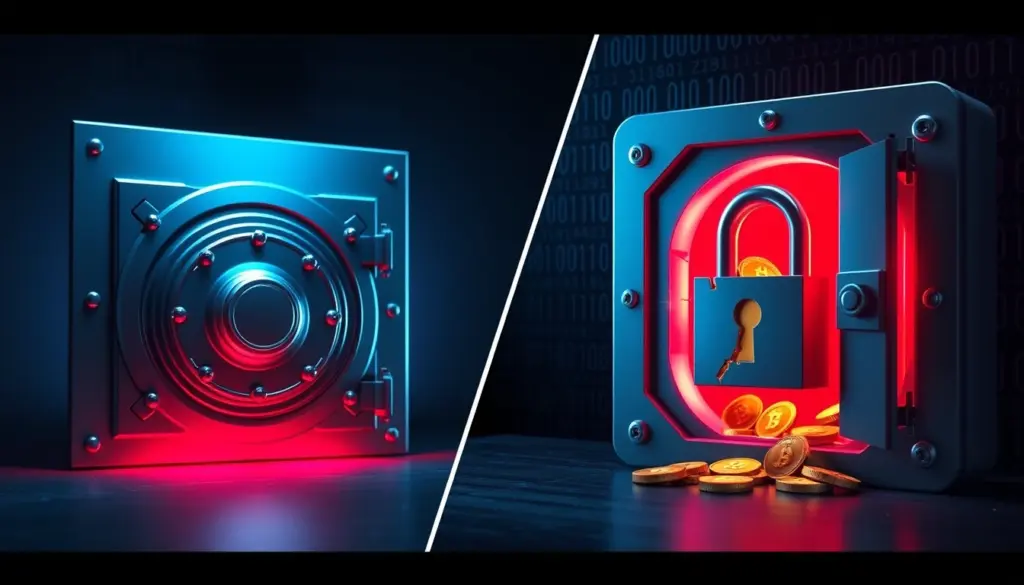
Two password managers dominate the “which should I trust” conversation in 2026, and they sit at opposite ends of the trust spectrum. The 1Password vs LastPass question used to be a close call about features and polish. The 2022 LastPass breach changed that. Both products still cost roughly $36 a year for a single user, both use AES-256 encryption, and both now run six-figure key-derivation routines. Yet only one of them has had encrypted customer vaults copied off its servers and dragged into federal cryptocurrency-theft investigations.
This comparison weighs the two on the things that actually decide the purchase: security architecture, the breach and its documented fallout, encryption strength, pricing across every tier, real features, migration effort, and the use cases where each one still makes sense. The short version: 1Password wins on security design and a clean record, while LastPass keeps a genuine free tier and slightly cheaper family and business plans. The detail is where the decision lives, so here is the full breakdown with verifiable numbers.
1Password vs LastPass at a Glance
Before the deep dive, here is how the two password managers line up across the specifications that matter most. Every figure below is drawn from the vendors’ own 2026 pricing pages and published security documentation, cross-checked against independent reviews.
| Specification | 1Password | LastPass |
|---|---|---|
| Individual plan | $2.99/mo (annual), about $36/yr | Premium $3/mo, $36/yr |
| Free tier | None (14-day trial) | Yes, limited to one device type |
| Family plan | $4.49/mo, up to 5 members | $4/mo, up to 6 members |
| Business plan (per user) | $7.99/user/mo | $7/user/mo |
| Encryption | AES-256 | AES-256 |
| Key derivation | PBKDF2-SHA256 plus 128-bit Secret Key | PBKDF2-SHA256, 600,000 iterations |
| Zero-knowledge model | Yes | Yes |
| Known breach of customer vaults | None | Yes (August to December 2022) |
| Passkey support | Yes (save and sign in) | Yes (save passkeys) |
| Two-factor options | Authenticator apps, security keys, biometrics | Authenticator apps, security keys, LastPass Authenticator |
| Native offline desktop apps | Windows, macOS, Linux | Browser-first, lighter desktop presence |
| Platform coverage | Windows, macOS, Linux, iOS, Android, browsers | Windows, macOS, Linux, iOS, Android, browsers |
| Notable extras | Travel Mode, Watchtower, Secret Key | Emergency access, password inheritance, dark-web monitoring |
The two products look almost identical on the surface. They charge similar prices, protect data with the same cipher, and run on the same platforms. The difference that reshapes the entire comparison is the one row most buyers skip past: only LastPass has lost copies of customer vaults to an attacker. That single fact ripples through every section below.
How we compared the two: pricing comes straight from each vendor’s 2026 plan pages, security details from official documentation and independent researcher analysis, and the breach narrative from federal filings and reporting by KrebsOnSecurity. Where a claim could not be verified against a primary or reputable secondary source, it was left out rather than estimated. This is a buyer’s guide you can act on, not a marketing sheet from either side.
The LastPass Breach That Changed Everything
The 2022 LastPass breach is the defining event in this comparison, and it is the reason millions of users reconsidered where they store their secrets. It unfolded in two stages across the second half of 2022, and its consequences are still landing in 2025 and 2026.
In August 2022, LastPass detected unusual activity in its software development environment. The company initially described the incident as contained, stating that source code and some technical information had been taken but no customer data. That assessment did not hold. The attacker used information from the first intrusion to target a senior DevOps engineer, one of only four employees with access to the decryption keys for the company’s encrypted backups. According to LastPass’s own incident disclosures and later reporting, the attacker compromised that engineer’s home computer through vulnerable third-party software, then captured the credentials needed to reach cloud-based backup storage.
By December 2022, LastPass confirmed the real damage. The attacker had copied a backup of customer vault data. That backup contained two kinds of information. Unencrypted fields, including website URLs, were fully exposed. Encrypted fields, including website usernames, passwords, secure notes, and form-filled data, remained protected by 256-bit AES encryption that can only be unlocked with a key derived from each user’s master password. LastPass reported more than 25 million users at the time, which is the scale of the population whose vault structure and metadata left the building.
The unencrypted fields deserve special attention, because they undercut a common assumption. Even users with uncrackable master passwords had their list of websites exposed in plain text. That metadata tells an attacker exactly which banks, exchanges, and email providers a person uses, a ready-made target list for phishing and credential-stuffing campaigns. The encryption protected the passwords themselves, but the breach still handed criminals a detailed map of each victim’s digital life, and that map cannot be encrypted after the fact.
| Date | Event |
|---|---|
| August 2022 | Intrusion detected in the development environment; source code taken |
| November 2022 | Second incident confirmed using data from the first |
| December 2022 | LastPass discloses that encrypted customer vault backups were copied |
| March 2023 | LastPass details the root cause: a DevOps engineer’s home computer |
| September 2023 | Researchers link more than $35M in crypto theft across 150+ victims to cracked LastPass vaults |
| January 30, 2024 | A single cyberheist drains roughly $150M in cryptocurrency |
| March 2025 | Federal prosecutors tie the heist to the 2022 breach and seize about $24M |
| Through 2025 | Researchers report stolen backups still enabling fresh crypto thefts |
The aftermath turned theoretical risk into measured losses. In September 2023, security journalist Brian Krebs reported that researchers had connected a wave of six-figure cyberheists to master passwords cracked from the stolen LastPass vaults. The common thread among more than 150 victims, collectively robbed of over $35 million, was that they had stored cryptocurrency seed phrases in LastPass. Because the attacker held offline copies of the vaults, there was no rate limiting and no lockout. They could grind away at weak master passwords with hardware that guesses millions of candidates per second.
The story escalated. In March 2025, Krebs reported that federal investigators linked a $150 million cryptocurrency heist from January 30, 2024 to the 2022 LastPass breach, and that prosecutors had seized roughly $24 million in clawed-back funds. Security researchers continued to document fresh thefts traced to the stolen backups through 2025. A breach that LastPass first downplayed became one of the most financially destructive password-manager incidents on record.
1Password, by contrast, has never suffered a breach that exposed customer vault data. When the company detected suspicious activity tied to a third-party identity provider in 2023, it published a transparent report and confirmed that no user data was accessed. That difference in track record is the backbone of the security argument that follows.
Security Architecture: Secret Key vs Single Master Password
The breach exposed a design gap that explains why stolen 1Password vaults would have been far harder to crack than stolen LastPass vaults. The two products derive your encryption key differently, and that derivation is the whole ballgame once an attacker holds an offline copy of your data.
How 1Password’s Secret Key Works
1Password protects every account with two secrets, not one. The first is your account password, which you choose and memorize. The second is a 128-bit Secret Key, generated on your device during setup and never transmitted to 1Password’s servers. The company calls this combination Two-Secret Key Derivation. Both secrets feed into the key that encrypts your vault, so the data is useless without both, as the vendor explains in its Secret Key documentation.
The security consequence is decisive. If an attacker stole a copy of your 1Password vault tomorrow, they would still need your Secret Key to even begin guessing your account password. The Secret Key adds 128 bits of entropy that no brute-force rig can shortcut, regardless of how simple your memorized password is. A weak human password stops being the single point of failure. This is precisely the protection LastPass users lacked when their vaults walked out the door.
Where LastPass Fell Short
LastPass uses a single-secret model. Your master password alone derives the key that encrypts your vault. The design is simpler and easier to recover, but it means the strength of your protection is exactly the strength of one password you chose and can remember. When the encrypted backups leaked, the only barrier between attackers and victims’ secrets was that master password and the number of hashing iterations wrapped around it. For users with strong, unique master passwords and modern iteration counts, that barrier held. For users with weak passwords or old low-iteration accounts, it did not.
Neither model is “wrong” in isolation. A long, random master password on a high-iteration LastPass account remains hard to crack. The point the breach drove home is that architecture matters most precisely when something goes wrong on the vendor’s side, and 1Password’s two-secret design gives users a margin of safety that does not depend on perfect password hygiene.
Account Recovery and Two-Factor Authentication
Two practical security topics decide more real-world outcomes than any feature list: what happens when you forget your way in, and what stands between an attacker and your login. The two password managers answer both questions differently, and the answers reflect their core philosophies.
Recovery: Convenience Versus Hardening
1Password’s Secret Key is a double-edged sword. It makes stolen vaults nearly impossible to crack, but it also means the company cannot reset your access. If you lose both your account password and your Emergency Kit, the data is gone for good. Family and business accounts soften this with recovery handled by a designated family organizer or an administrator, who can restore a member’s access without ever seeing their vault. For solo users, the responsibility sits entirely with you, which is the price of the stronger model.
LastPass takes the more forgiving path. It offers several account recovery routes, including recovery one-time passwords stored locally, biometric recovery on mobile, and master-password hints. That convenience helps users who would otherwise be locked out, but every recovery path is also a potential attack surface. A system that can let you back in after you forget everything is, by design, a system an attacker might try to abuse. The trade-off is real: easier recovery against a slightly larger target for social engineering.
Two-Factor Options on Both
Both managers support standard two-factor authentication to protect the login itself. You can layer on authenticator apps that generate time-based codes, and both support hardware security keys for the strongest protection. 1Password can require a security key or authenticator to authorize a new device, and LastPass pairs with hardware keys and its own authenticator app for push approvals. Turning this on is one of the highest-value steps either product offers, and our walkthrough on adding two-factor authentication explains the mechanics.
One nuance the breach made painfully clear: two-factor authentication guards the online login, not an offline copy of your vault. When attackers hold a stolen backup, they bypass the login screen entirely and attack the encryption directly, where 2FA never enters the picture. That is exactly why the underlying key-derivation model, not the login prompt, decided who got robbed after 2022.
Encryption and PBKDF2 Iterations Compared
Both password managers encrypt vault contents with AES-256, the same symmetric cipher trusted across the security industry. The encryption algorithm is not the differentiator. What matters for an offline cracking attack is key derivation: how many times the system runs your master password through a slow hashing function before it produces the encryption key. More iterations means each guess costs more compute, which directly raises the price of brute force.
LastPass uses PBKDF2-SHA256. The default iteration count has climbed dramatically over the product’s life, and the breach made that history matter. As security researcher Wladimir Palant documented in his analysis of the iteration counts, the default moved through several values over the years. Accounts created in the early years ran far fewer iterations than the company’s later recommendations, and many users never had their existing accounts upgraded automatically.
| Era | Default PBKDF2 iterations |
|---|---|
| Earliest accounts | 1 |
| Early adjustment | 500 |
| Pre-2018 accounts | 5,000 |
| By 2023 | 100,100 |
| Current recommendation | 600,000 |
The jump to 600,000 iterations matches the level recommended by current industry guidance for PBKDF2-SHA256, and it is a meaningful upgrade. The catch is that it protects vaults from this point forward. The backups stolen in 2022 were frozen with whatever iteration count each account had at the time, and accounts left on 5,000 iterations offered attackers a much cheaper target. A simplified view of the derivation looks like this:
// Conceptual key derivation (both managers use PBKDF2-SHA256)
// key = PBKDF2(masterPassword, salt, iterations, keyLength, "sha256")

LastPass:   key = PBKDF2(master, salt, 600000, 32, sha256)
            // single secret: cracking cost scales with iterations
            // + the strength of one memorized password

1Password:  key = PBKDF2(master + SecretKey128, salt, iters, 32, sha256)
            // two secrets: even at lower iterations, the 128-bit
            // Secret Key makes offline guessing infeasible
1Password also uses PBKDF2-SHA256 for its account password, but it does not publish a headline iteration count, because the Secret Key does the heavy lifting. With 128 bits of unguessable entropy mixed into the derivation, the iteration count becomes a secondary defense rather than the only wall. That is the architectural reason 1Password vaults would have shrugged off the kind of offline attack that drained LastPass victims.
The economics make the stakes concrete. With a stolen vault in hand, an attacker rents cloud GPUs and guesses master passwords offline at enormous speed. At 5,000 iterations, each guess is cheap, so a short or common password falls in hours or days. At 600,000 iterations, each guess costs more than a hundred times the compute, pushing weak-but-not-terrible passwords from feasible to impractical. The Secret Key changes the math entirely: it adds 128 bits of entropy, so large that no amount of cloud hardware brings the guess count within reach this side of geological time. That gap is why two managers using the same AES-256 cipher deliver very different real-world protection once a vault leaks.
Pricing Compared: Plans and Real Costs
Pricing is where LastPass claws back ground. Across most tiers the two products are within a dollar or two of each other, but LastPass undercuts on families and business seats and offers something 1Password does not: a permanent free plan. Here are the current 2026 figures from each vendor, with annual billing where applicable.
| Plan | 1Password | LastPass |
|---|---|---|
| Free | Not offered | $0 (one device type only) |
| Individual / Premium | $2.99/mo, about $35.88/yr | $3/mo, $36/yr |
| Families | $4.49/mo, up to 5 members | $4/mo, 6 members |
| Teams | $19.95/mo Starter Pack (10 members) | $4/user/mo |
| Business | $7.99/user/mo | $7/user/mo |
| Business Max | Not offered | $9/user/mo |
| Month-to-month individual | $3.99/mo | Annual billing standard |
| Free trial | 14 days | 30 days (Premium and Families) |
For a solo user, the two are a wash at roughly $36 a year, confirmed on the 1Password pricing page and the LastPass pricing page. Families tilt slightly toward LastPass, which covers six people for $4 a month versus 1Password’s five for $4.49. Small teams are more nuanced: 1Password bundles ten seats into a $19.95 Starter Pack, which is competitive for a full team but pricier than LastPass if you only need three or four seats at $4 each. One scheduling note for businesses: 1Password has confirmed the Teams Starter Pack rises to $24.95 per month on July 30, 2026, so teams sizing up before then can lock in the lower rate.
The honest read on price: if cost is the deciding factor and you need a free option or the cheapest family plan, LastPass wins the spreadsheet. If you are paying either way, the few dollars of difference should not drive the decision, because the security gap is worth far more than a dollar a month.
Free Tier and Value: Where LastPass Still Wins
1Password has never offered a free plan, only a trial. LastPass does offer one, and despite the breach it remains a legitimate reason some users stay. The LastPass Free tier includes unlimited password storage, a password generator, and a security dashboard. The catch, in place since 2021, is that it works on only one device type. You pick computers or mobile devices, not both. That restriction pushes most serious users toward Premium, which is exactly the point of the limit.
For someone who manages passwords on a single laptop and nothing else, LastPass Free is a real, no-cost password manager from an established vendor. That is genuine value, and it is the clearest case where LastPass beats 1Password on the merits rather than on a technicality. If you want a free manager and also want cross-device sync, neither of these is your answer, and an open-source option in the same category is the better fit. For readers weighing that route, our Bitwarden vs 1Password comparison covers the strongest free-tier alternative in depth.
Features Head to Head
Both password managers cover the fundamentals well: autofill, a strong generator, secure notes, encrypted sharing, and breach or dark-web monitoring. The differences show up in the extras each vendor built to stand out.
1Password leans into power-user and privacy features. Travel Mode temporarily removes selected vaults from your devices so a border or customs inspection sees nothing sensitive, then restores them with a click when you are safe. Watchtower scans your stored logins for weak, reused, or breached passwords and flags items that need attention. The native desktop apps for Windows, macOS, and Linux work offline and include a universal keyboard shortcut for fast search. In the United States, 1Password also offers Privacy Cards through a partner, letting you generate single-use payment numbers.
LastPass counters with continuity features built around access and inheritance. Emergency access lets a trusted contact request your vault after a waiting period, which is valuable for estate planning and family safety. Password inheritance covers the same need from a different angle. LastPass also includes dark-web monitoring and a security dashboard that scores your overall posture. These are practical, real-world features, and for households planning around access after death or incapacity, LastPass’s emergency access is genuinely well executed.
For organizations, the admin layer matters as much as the end-user app. 1Password Business adds single sign-on with Okta, Microsoft Entra ID, OneLogin, and Duo, along with automated provisioning, custom reporting, and Watchtower insights across the company. LastPass business tiers center on an admin console with granular security policies, directory integration, and detailed activity logs. Both can enforce strong master passwords and multifactor requirements across an organization, so the decision again comes down to which vendor’s track record an IT team is willing to stake company credentials on.
On the core job of storing and filling credentials, the two are close enough that features alone will not separate them for most people. The tiebreakers are the security model already covered and the use case you are buying for.
Passkeys and Passwordless Support
Passkeys are the industry’s push to retire passwords entirely, and both managers now support them. You can save and use passkeys in 1Password across its apps and browser extensions, and LastPass added passkey storage and passwordless sign-in to its own vault. For a primer on why this shift matters and how passkeys stack up against traditional logins, see our guide to passkeys vs passwords.
The strategic difference is trust, again. A passkey stored in your password manager is only as safe as that manager’s vault. Storing passkeys with a vendor whose encrypted backups have already been stolen once asks more of your master password than storing them behind 1Password’s Secret Key. For users adopting passkeys aggressively in 2026, the underlying vault security is the part of the decision that outlasts any single feature checkbox.
Ease of Use and Platform Coverage
Both products run everywhere that matters: Windows, macOS, Linux, iOS, Android, and every major browser through extensions. The day-to-day experience is polished on both, and switching between them is not jarring. Independent reviewers tend to give 1Password a slight edge on interface design and the smoothness of its native apps, while LastPass is praised for a straightforward setup that newcomers grasp quickly.
Independent evaluations land in the same place across multiple outlets. The detailed Security.org head-to-head review rates 1Password higher overall on the strength of its security record, while noting LastPass’s free tier and price advantages. Reviews at Zapier and Cybernews reach a similar split decision: 1Password for security and polish, LastPass for budget and the free option. When three independent sources converge on the same trade-off, it is a reliable signal that the core comparison is settled and only your priorities are in question.
Support and transparency round out the day-to-day picture. 1Password publishes detailed security white papers, runs a public bug bounty, and posts incident reports even when no customer data is affected, the kind of openness that builds trust over time. LastPass offers tiered support that improves on paid plans and has published extensive post-incident documentation, though much of that documentation exists because it had an incident to document. For most individual users, both deliver responsive help; for security teams, 1Password’s habit of publishing first tends to win confidence.
Migration Guide: Moving From LastPass to 1Password
If the breach pushed you to switch, the move from LastPass to 1Password is straightforward and takes about 30 minutes. The key is to treat migration as a security reset, not just a copy-paste, because any password that lived in a breached vault should be considered exposed.
- Export your LastPass vault. In the LastPass extension, open Advanced Options and choose Export. You will receive a CSV file containing your logins in plain text.
- Create your 1Password account. Sign up, then save your Secret Key and Emergency Kit somewhere offline. Without the Secret Key you cannot access the account, and 1Password cannot recover it for you.
- Import the CSV. In the 1Password desktop app, use File then Import, select LastPass, and point it at your exported CSV. 1Password maps logins, secure notes, and cards automatically.
- Delete the CSV securely. The export file is unencrypted plain text. Shred it immediately after import so a stray copy does not undo your security gains.
- Run Watchtower. Let 1Password scan the imported items for weak, reused, and breached passwords. This builds your remediation list.
- Rotate the important passwords. Change credentials for email, banking, and any account whose old password sat in LastPass during the breach window. Start with anything that protected money or recovery access.
- Close the LastPass account. Once you confirm everything imported, delete the LastPass account so no stale copy of your data lingers.
The rotation step matters most for anyone who stored cryptocurrency seed phrases, recovery codes, or financial logins in LastPass before 2023. Those are exactly the secrets attackers prioritized, and moving them to a new manager does not change the fact that the old encrypted copy is in someone else’s hands. Treat them as compromised and generate new ones where possible.
A few migration details trip people up. CSV exports do not always carry over attachments, custom fields, or one-time-password seeds cleanly, so spot-check sensitive items after import. If you used LastPass folders, expect to reorganize them into 1Password vaults, which group items differently. And do not skip closing the old account: leaving a dormant LastPass vault online keeps a copy of your data in a system you no longer monitor. Finishing the cleanup is part of the security upgrade, not an optional extra.
Real-World Scenarios: Which Password Manager to Pick
The right choice depends on who you are and what you protect. Here are five concrete scenarios and the recommendation for each, with the reasoning that drives it.
- Cryptocurrency holder or high-value target: choose 1Password. The breach’s documented victims were overwhelmingly people storing seed phrases. The Secret Key model is built for exactly this threat, because it defeats offline cracking even if a vault leaks.
- Budget-conscious solo user who needs free: choose LastPass. If you genuinely cannot pay and use one device type, LastPass Free is a real manager. Just use a long, random master password and confirm your account runs 600,000 iterations.
- Family of five or six: it is close, lean LastPass on price, 1Password on safety. LastPass covers six for $4 a month; 1Password covers five for $4.49. If anyone in the family handles money or sensitive accounts, the extra dollar buys better protection.
- Small business or startup: choose 1Password. SSO integrations with Okta, Entra ID, OneLogin, and Duo, plus the clean security record, make it the lower-risk choice for protecting company credentials, even at a slightly higher per-seat cost.
- Privacy-focused traveler: choose 1Password. Travel Mode is purpose-built to hide sensitive vaults at borders, a feature LastPass does not match.
One scenario cuts across all of these: if you already hold a LastPass account that existed during 2022, your encrypted vault may be in an attacker’s possession regardless of which manager you use going forward. In that case the recommendation is the same no matter what, rotate your critical passwords now, because migration alone does not retract the stolen copy.
Notice the pattern across these recommendations. Price decides the edge cases, free users and the largest families, while security decides everything involving money or sensitive data. That is the practical shape of the entire comparison: LastPass competes on cost, 1Password competes on protection, and the more you have to lose, the more the second factor outweighs the first.
Pros and Cons
A balanced ledger helps before the verdict. Both products are competent password managers, and neither is a bad choice on features alone.
1Password Pros and Cons
- Pro: Two-Secret Key Derivation defeats offline vault cracking.
- Pro: No breach has ever exposed customer vault data.
- Pro: Travel Mode, Watchtower, and polished native apps.
- Con: No free tier, only a 14-day trial.
- Con: The Secret Key adds a step; lose it and the account is unrecoverable.
- Con: Slightly higher family and business per-seat pricing.
LastPass Pros and Cons
- Pro: Genuine free tier and cheaper family and business plans.
- Pro: Strong emergency access and password inheritance.
- Pro: 600,000 PBKDF2 iterations now match current guidance.
- Con: The 2022 breach exposed encrypted vault backups for 25M+ users.
- Con: Single-secret model leans entirely on your master password.
- Con: Documented link to tens of millions in real-world theft.
Verdict: Which Password Manager Wins in 2026
1Password wins this comparison, and the margin is not close once security carries the weight it deserves. For nearly the same $36 a year, you get a two-secret architecture that protects your vault even if it leaks, a clean breach record, and a feature set that matches or beats LastPass on everything except the free tier. The 2022 breach was not a minor stumble. It put encrypted vaults for more than 25 million users into criminal hands and has been tied by federal investigators to a $150 million heist and tens of millions more in documented crypto theft that continued through 2025.
LastPass is not a scam and its current product is more hardened than the one that was breached, with 600,000 iterations and a still-useful free plan. If you need a no-cost manager on a single device, or the cheapest possible family plan, it remains a defensible pick, provided you use a long random master password. But for anyone protecting money, business credentials, or cryptocurrency, the answer in the 1Password vs LastPass debate is clear: pay the same price, get the stronger architecture, and choose 1Password. The data, the breach record, and three independent reviews all point the same direction.
If you want the decision in one line: choose 1Password unless a free tier or the absolute lowest family price is non-negotiable, in which case LastPass with a long random master password is acceptable. For anyone guarding cryptocurrency, business systems, or financial accounts, treat the choice as already made. The same $36 buys materially stronger protection, and the past three years have shown exactly what is at stake when a vault leaks.
Frequently Asked Questions
Is LastPass safe to use in 2026?
LastPass today encrypts vaults with AES-256 and 600,000 PBKDF2 iterations, which meets current guidance. The product is more hardened than the version breached in 2022. The lasting risk applies to vaults stolen in that breach, which attackers still hold offline. If you held a LastPass account before 2023, rotate your important passwords regardless of what you do next.
Why is 1Password considered more secure than LastPass?
1Password requires two secrets to unlock a vault: your account password and a 128-bit Secret Key that never leaves your device. Even if an attacker steals your encrypted vault, they cannot brute-force it without the Secret Key. LastPass relies on your master password alone, which is why weak passwords in stolen LastPass vaults were crackable.
How much do 1Password and LastPass cost?
Both charge about $36 a year for one user: 1Password Individual is $2.99 a month and LastPass Premium is $3 a month. LastPass offers a free tier limited to one device type and a six-person family plan at $4 a month. 1Password’s family plan is $4.49 a month for five members and has no free tier.
What exactly was stolen in the LastPass breach?
Attackers copied a backup of customer vault data. Unencrypted fields such as website URLs were fully exposed. Encrypted fields, including usernames, passwords, secure notes, and form data, remained protected by AES-256 and could only be unlocked by cracking each user’s master password offline.
Can I switch from LastPass to 1Password easily?
Yes. Export your LastPass vault to CSV, import it into the 1Password desktop app, securely delete the CSV, then run Watchtower and rotate any sensitive passwords. The whole process takes about 30 minutes. Treat anything stored in LastPass before 2023 as exposed and change it.
Do 1Password and LastPass support passkeys?
Both do. You can save and sign in with passkeys in 1Password across apps and browsers, and LastPass added passkey storage and passwordless login. Because a stored passkey is only as safe as the vault holding it, the vault’s underlying security model is the deciding factor.
Is my data safe if I use a strong master password on LastPass?
A long, random, unique master password on a modern 600,000-iteration account is very hard to crack offline, even from a stolen vault. The risk concentrated on users with weak passwords or old accounts stuck at 5,000 iterations. Strong passwords held up; weak ones did not, which is the central lesson of the breach.
Related Coverage
- Bitwarden vs 1Password: $10 vs $36 a Year
- Passkeys vs Passwords: 8.5s vs 31s Sign-In
- Password Security: What Actually Keeps Accounts Safe
- Two-Factor Authentication: How to Add a Second Layer
- Infostealers Stole 1.8B Credentials in 2025
- Data Breaches: How They Happen and How to Protect Yourself
- More privacy and password manager guides