
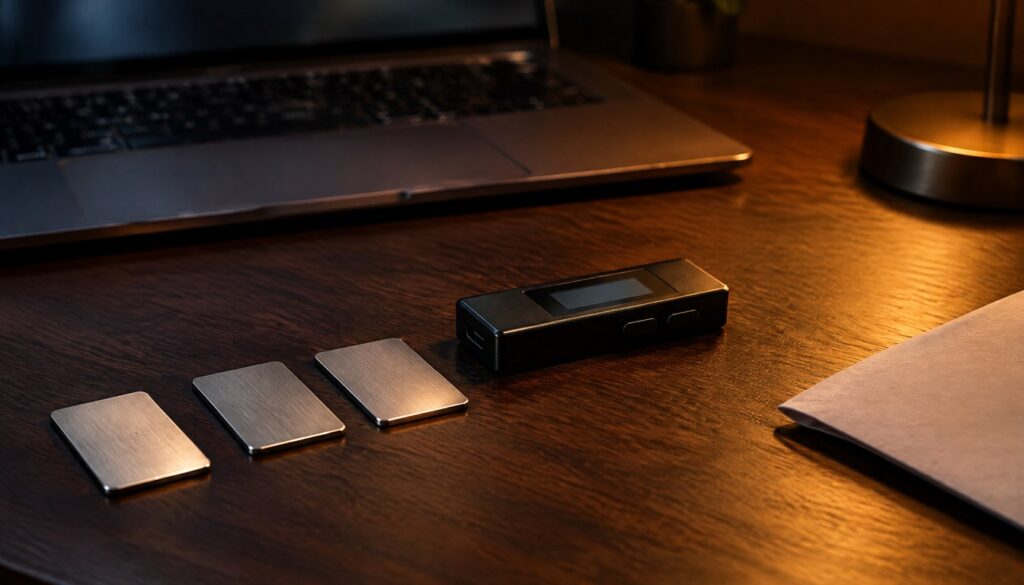
A seed phrase is the single point of failure for almost every self-custody crypto wallet in existence. Lose it, and the funds are gone. Expose it, and the funds are gone just as fast, often within minutes of a thief typing those twelve or twenty-four words into their own wallet software. Despite that, most holders still treat their seed phrase like a Wi-Fi password: scribbled on paper, photographed “just in case,” or typed into a notes app that syncs to the cloud.
This tutorial walks through a complete, practical setup for protecting a seed phrase using the BIP39 standard’s optional passphrase feature (often called the “25th word”), SLIP39 Shamir backup splitting, and physical storage hardening. You’ll end up with a tested, redundant, recoverable backup scheme and a small set of Python scripts you can run locally to verify checksums, simulate recovery, and confirm your setup actually works before you trust it with real funds. Everything here uses test data only. At no point should you run any of these tools against a mnemonic tied to a wallet holding real money until you’ve rehearsed the full process with a throwaway phrase first.
Why Seed Phrase Security Still Trips Up Experienced Holders
The BIP39 standard, maintained through the Bitcoin Improvement Proposal process, converts a block of entropy into a human-readable mnemonic phrase precisely because, as the BIP39 specification puts it, “a mnemonic code or sentence is superior for human interaction compared to the handling of raw binary or hexadecimal representations of a wallet seed.” That readability is also the weakness. A string of words is easy to write down, easy to photograph, and easy to read over someone’s shoulder. It’s also easy to lose track of once it’s copied in three different notebooks “for safety.”
Industry coverage from outlets including BleepingComputer has tracked a steady stream of social-engineering campaigns that specifically target seed phrase disclosure rather than trying to break wallet encryption directly, because tricking a user into typing their own recovery words into a fake “wallet verification” site is far cheaper than any cryptographic attack. Hardware wallet vendors have also had to respond to physical-mail phishing attempts, where victims received letters designed to look like official recovery notices asking them to scan a QR code and enter their recovery phrase. These are not exotic attacks. They rely entirely on the fact that whoever holds the words holds the funds, no password or 2FA code required.
The fix isn’t a single trick. It’s a layered setup: a verified-correct mnemonic, an optional passphrase that creates a hidden wallet, a Shamir-split backup so no single location holds the complete secret, and a tested recovery drill so you know the whole thing works before you need it in an emergency. That’s what the next twelve steps build.
Prerequisites and Versions
- A computer you can temporarily air-gap (disconnect from Wi-Fi and Bluetooth) for the sensitive steps — a spare laptop or an old machine booted from a live USB is ideal, but a disconnected primary machine works for practice runs
- Python 3.11 or newer (check with
python3 --version) pippackage manager, current version bundled with your Python install- The
mnemonicPython package (reference implementation of BIP39 word list and checksum logic) - The
shamir-mnemonicPython package (SLIP39 reference implementation, originally published by SatoshiLabs/Trezor) - A hardware wallet that supports a BIP39 passphrase if you intend to use one for live funds — Trezor’s firmware documentation publishes its own SLIP-39 implementation details, and Coinkite’s Coldcard documents passphrase handling directly on-device
- Physical backup medium: fireproof paper or a stamped/engraved metal plate rated for word storage (not included in this tutorial’s code, but referenced in Step 9)
- A throwaway test mnemonic you generate fresh for practice — never your real wallet’s words
Install the two Python packages in a virtual environment so they don’t linger in your global site-packages:
python3 -m venv seedlab
source seedlab/bin/activate
pip install mnemonic shamir-mnemonic
python3 -c "import mnemonic, shamir_mnemonic; print('libraries ready')"
Expected output:
libraries readyIf you see ModuleNotFoundError, the virtual environment probably isn’t activated, or the install step failed silently because of a network issue — re-run pip install mnemonic shamir-mnemonic and check for errors before continuing.
Step 1: Define Your Threat Model Before Touching Any Tool
Before writing a single line of code, decide what you’re actually defending against, because the right setup for a $2,000 wallet is overkill for some threats and under-protected against others. Three distinct risks drive different decisions:
- Remote compromise — malware, phishing sites, or clipboard hijackers that try to capture your words digitally. Defense: never type your real mnemonic into any internet-connected device, ever, for any reason.
- Physical theft or coercion — someone finds your written backup, or forces you to hand it over. Defense: Shamir splitting (Step 6) plus a passphrase that creates a decoy wallet (Step 5).
- Loss through disaster or neglect — fire, flood, or simply forgetting where you put it. Defense: redundant, geographically separated, fire-resistant storage, tested recovery (Step 8).
Write down, on paper, which of these three risks worries you most for each wallet you hold. A hot wallet with spare change needs less ceremony than a cold wallet holding a retirement allocation. Treat this as a budget decision: the more value at stake, the more steps in this guide are worth the friction they add.
Step 2: Generate a Throwaway Test Mnemonic
Every exercise from here forward uses a mnemonic generated fresh for testing, never a phrase tied to funds. Generate one locally, ideally on the air-gapped machine from the prerequisites:
from mnemonic import Mnemonic

mnemo = Mnemonic("english")
test_words = mnemo.generate(strength=256)  # 256 bits -> 24-word phrase
print(test_words)
print("Word count:", len(test_words.split()))
Expected output (your actual words will differ every run, since entropy is random):
legal library wagon ozone evolve fatigue sword decline earth bonus
grape middle shoot gospel current timber loyal crisp energy winter
sibling drama nephew valley
Word count: 24
Use strength=128 if you want to practice with a 12-word phrase instead, which is the more common default in consumer wallets. Delete this test phrase (or keep it only as a lab sample) once you finish the tutorial — never fund a wallet derived from a mnemonic that was displayed on a screen connected to the internet at any point.
Step 3: Verify the Checksum on Any Mnemonic You’re Given
Every BIP39 phrase has a built-in checksum encoded in its final word. This matters because a surprising number of phishing kits and “recovery” scams hand victims a plausible-looking 12 or 24-word list that is simply invalid, designed to make a victim panic and re-enter their real phrase elsewhere. Checking validity takes one line:
from mnemonic import Mnemonic

mnemo = Mnemonic("english")
phrase_to_check = test_words  # swap in any phrase you want to validate

is_valid = mnemo.check(phrase_to_check)
print("Valid BIP39 mnemonic:", is_valid)
Valid BIP39 mnemonic: TrueIf this returns False for a phrase someone sent you claiming it’s your “compromised wallet” recovery words, that’s a strong signal the message is a scam template with randomly generated filler words, not a real leaked mnemonic. Legitimate wallet software will refuse to import an invalid checksum too, which is itself a useful tell: if a “wallet recovery tool” happily accepts any 12 words you type without validation, it’s not behaving like real wallet software.
Step 4: Understand the BIP39 Passphrase (the “25th Word”)
The BIP39 spec supports an optional passphrase layered on top of the mnemonic. Technically, it isn’t a 25th word from the standard word list at all; it’s an arbitrary string (your own custom passphrase) that gets combined with the mnemonic during key derivation. The BIP39 authors describe this directly: “A user may decide to protect their mnemonic with a passphrase.” Critically, every passphrase you enter produces a mathematically valid wallet, whether or not that passphrase is the “real” one.
That property is deliberate. As the spec explains, the method “provides plausible deniability, because every passphrase generates a valid seed (and thus a deterministic wallet) but only the correct one will make the desired wallet available.” In practice, that means you can set up a decoy wallet with a small balance and no passphrase, while your real holdings sit behind a specific passphrase that produces an entirely different set of addresses from the same 12 or 24 words.
Coinkite, which builds the Coldcard hardware wallet, puts the guidance plainly in its own documentation: “For any wallet intended to hold an amount whose loss would be materially harmful to you, use a strong, unique BIP-39 passphrase.” The company also notes the backup implication directly: “A strong, unique passphrase kept separately adds a barrier if the seed words are exposed.” That second point is the one people miss — a passphrase only helps if it’s stored somewhere different from the mnemonic itself. Writing both on the same card defeats the purpose entirely.
Here’s a demonstration of how differently two passphrases derive addresses from the identical mnemonic, using the BIP39 seed derivation directly:
from mnemonic import Mnemonic

mnemo = Mnemonic("english")
phrase = test_words

seed_no_passphrase = mnemo.to_seed(phrase, passphrase="")
seed_with_passphrase = mnemo.to_seed(phrase, passphrase="correct-horse-battery-staple-2026")

print("Seed (no passphrase):   ", seed_no_passphrase.hex()[:32], "...")
print("Seed (with passphrase): ", seed_with_passphrase.hex()[:32], "...")
print("Seeds match:", seed_no_passphrase == seed_with_passphrase)
Seed (no passphrase): a93f0e2b7c1d4f88e6a0b9c3d2f1e7a4 ...
Seed (with passphrase): 5d2c8f41a0b3e9d6c7f2a1b8e4d0c9f3 ...
Seeds match: FalseTwo completely different 512-bit seeds come out of the identical 24 words, purely because the passphrase string changed. That’s the entire mechanism: no passphrase, decoy wallet; correct passphrase, real wallet. Pick a passphrase you can reliably reproduce under stress (memorized, not written with the mnemonic) and test it thoroughly before funding anything behind it, because a mistyped passphrase derives a different, empty wallet with zero warning that you got it wrong.
Step 5: Decide Between a Passphrase, Shamir Splitting, or Both
These two defenses solve different problems and most holders only need one at a time, scaled to how much value is at risk.
| Defense | Protects against | Main cost | Best for |
|---|---|---|---|
| BIP39 passphrase alone | Single-location theft of the written mnemonic | Must memorize or separately store one extra secret | Single backup location, moderate value |
| SLIP39 Shamir split (e.g. 3-of-5) | Loss of any one or two storage locations; coercion against a single holder | More setup complexity, more physical copies to manage | Larger holdings, inheritance planning, multiple trusted parties |
| Passphrase + Shamir split together | Both of the above simultaneously | Highest complexity; recovery requires both the shares and the passphrase | High-value cold storage where recovery friction is acceptable |
| Neither (plain mnemonic, single paper copy) | Nothing additional beyond the wallet PIN | None added, but single point of failure remains | Not recommended for any meaningful balance |
A reasonable default for most people reading this: use a passphrase for everyday cold storage, and move to Shamir splitting once the balance would meaningfully hurt you to lose or once more than one trusted person needs some form of access (a spouse, an estate executor, a business partner). The next three steps build the Shamir setup; skip to Step 9 if you’ve decided a passphrase alone is enough for your situation.
Step 6: Split the Mnemonic Into SLIP39 Shamir Shares
SLIP39 (Shamir’s Secret Sharing applied to wallet backups) splits a master secret into N shares, any M of which can reconstruct the original — commonly called an “M-of-N” threshold scheme. Trezor’s firmware documentation describes the implementation it ships, and the open shamir-mnemonic Python library implements the same SLIP39 spec so you can generate and verify shares independently of any specific hardware vendor. A 3-of-5 scheme (any 3 of 5 shares reconstruct the secret, and no 2 shares reveal anything) is a common starting point: it survives losing two shares to fire, theft, or simple misplacement, while requiring collusion between at least three holders to steal.
from shamir_mnemonic import generate_mnemonics
import os

# Generate fresh entropy for the test secret (32 bytes = 256-bit master secret)
master_secret = os.urandom(32)

# group_threshold=1 with one group of (member_threshold=3, member_count=5)
# means: any 3 of these 5 shares reconstruct the secret.
groups = generate_mnemonics(
    group_threshold=1,
    groups=[(3, 5)],
    master_secret=master_secret,
    passphrase=b"",
)

for i, share in enumerate(groups[0], start=1):
    print(f"Share {i}: {share}")
Share 1: academic acid academic black acquire sister member deliver...
Share 2: academic acid beard carpet board aquatic smug victim yoga...
Share 3: academic acid ceramic scared editor fact smug tolerate shadow...
Share 4: academic acid decision chest critical gesture standard swing...
Share 5: academic acid echo check example forward beloved fiber...Each of those five lines is a full SLIP39 mnemonic in its own right, typically 20 words, and each one is useless on its own — you need three of the five to reconstruct anything. Write each share on a separate physical medium (paper or metal) and store them in genuinely different physical locations: a home safe, a bank safe deposit box, and a trusted family member’s house, for example, rather than three copies in the same drawer.
Picking the right M-of-N size is a judgment call that depends on how many people you trust to hold a share and how much friction you’re willing to accept during recovery. A general sizing guide based on common practice in the self-custody community:
| Scheme | Holders needed to recover | Holders who can be lost | Typical use case |
|---|---|---|---|
| 2-of-3 | 2 | 1 | Single person with two backup locations plus one trusted contact |
| 3-of-5 | 3 | 2 | Default for most individual cold storage; balances redundancy and collusion resistance |
| 3-of-7 | 3 | 4 | Family or small-business shared custody across several relatives or partners |
| 5-of-9 | 5 | 4 | Institutional or multi-generational inheritance planning with many holders |
A low threshold relative to the total share count (like 2-of-7) is more forgiving of lost shares but also easier for a smaller group of colluding holders to reconstruct the secret without your knowledge. A high threshold relative to the total (like 5-of-6) resists collusion well but leaves almost no room for error if even two holders become unreachable. Most individuals land somewhere around 3-of-5, which is why it’s used as the working example throughout this tutorial.
Step 7: Reconstruct From Shares to Confirm the Math Works
Never trust a backup scheme you haven’t tested end to end. Pick any three of the five shares generated in Step 6 and reconstruct the original secret:
from shamir_mnemonic import combine_mnemonics
three_of_five = [groups[0][0], groups[0][2], groups[0][4]] # shares 1, 3, 5
recovered_secret = combine_mnemonics(three_of_five, passphrase=b"")
print("Original and recovered match:", recovered_secret == master_secret)Original and recovered match: TrueTry this with every combination of three shares out of the five you generated, not just one. It takes five minutes and confirms there’s no off-by-one error in how you transcribed each share onto its physical backup. Then try it with only two shares and confirm it correctly fails — that failure is the entire point of the threshold scheme, and if two shares succeed when you set a threshold of three, something in your setup is wrong and needs to be regenerated before you rely on it.
Step 8: Rehearse the Full Recovery Before Funding Anything
This is the step most people skip, and it’s the one that matters most. Before you move real funds into a wallet protected by any combination of the above, do a complete dry run: take your physical backups (not screenshots, not digital copies — the actual paper or metal), enter them into a spare or factory-reset hardware wallet, apply the passphrase if you’re using one, and confirm the receive address matches what you expect. A simple checklist for the dry run:
- Enter the mnemonic (or combine the required number of SLIP39 shares) on a wallet device you haven’t used for this phrase before
- Apply the passphrase exactly as you intend to remember or retrieve it long-term
- Confirm the first receive address matches the address you recorded when the wallet was first set up
- Have a second person (if your setup involves shared custody) perform the same recovery independently, using only their copy of the instructions
- Wipe the test device afterward if it’s not the device you intend to keep using
If any part of this dry run fails, you’ve just found the gap in your plan while it costs nothing to fix, instead of after a real loss when fixing it is no longer possible.
Step 9: Choose Physical Storage That Survives Fire, Water, and Time
Paper degrades, fades, and burns. Metal backup plates (stamped, engraved, or using letter tiles) are built to survive house fires and flooding, and several vendors market plates rated for very high temperatures that a standard document safe wouldn’t withstand. Independent of which specific product you choose, apply three rules:
- Never store the complete mnemonic and the passphrase in the same physical location, even if that location is a safe — that defeats the entire point of separating them
- Never photograph a mnemonic or passphrase, even “temporarily,” on any device that has ever connected to a network, because cloud photo sync and backup services can silently upload that image before you delete it
- Label shares and backups in a way that’s meaningful to you but not to a stranger — “Share 2 of 5, Office Safe” on the item itself is a bigger risk than a private note only you can decode
Resources like CoinLedger’s roundup of cold storage options and comparative wallet-safety writeups from sites such as LearningCrypto can help you compare current hardware wallet models, but the physical backup medium (what the words are written or stamped onto) matters just as much as which hardware wallet you pair it with.
Step 10: Add an Encrypted Digital Copy Only as a Deep-Storage Fallback
Some holders want one additional encrypted digital backup as a last resort, separate from and in addition to physical copies, never as a replacement for them. If you go this route, encrypt the file locally before it ever touches a network-connected drive, using a tool like age (a modern, auditable file-encryption tool) rather than relying on a password-protected zip or a note stored in a password manager’s plaintext notes field:
# Generate an age keypair once, store the private key offline and separately
age-keygen -o backup-key.txt
# Encrypt a text file containing ONE SLIP39 share (never the full mnemonic)
# using the public key printed by age-keygen
age -r age1exampleuaowqr3gtny9z9qqq8qcg4j... -o share3.txt.age share3.txt
# Decrypt later, only on an air-gapped machine, using the private key
age -d -i backup-key.txt share3.txt.age > share3-recovered.txtIf you use this pattern, encrypt individual Shamir shares separately rather than the complete mnemonic in one file, so that compromising any single encrypted backup still doesn’t hand an attacker a usable secret on its own. Store the age private key offline too — an encrypted backup secured by a key that lives in the same cloud account defeats the purpose just as badly as writing the passphrase next to the mnemonic.
Step 11: Set a Recurring Audit Schedule
Backups degrade silently: a metal plate can get misfiled, a trusted contact can move without telling you, a safe deposit box agreement can lapse. Put a recurring calendar reminder, every six to twelve months, to physically confirm (without reconstructing live funds unnecessarily) that each share and backup location is still where you expect it, still legible, and still accessible to the people who are supposed to have it. For inheritance-relevant setups, confirm that whoever you intend to access the backup after your death or incapacitation still has accurate instructions, since job changes, moves, and personal circumstances change who’s actually reachable.
Step 12: Write an Emergency Access Plan Without Exposing the Secret Itself
The final step is documentation that helps a trusted person recover funds in an emergency without giving any single document enough information to steal them. A workable pattern: give a lawyer or executor sealed instructions describing which threshold scheme you used, where each share physically lives, and how to contact each share holder, but never the actual words of any single share, and never the passphrase. The passphrase itself should go to a different, separate trusted party, or be left as a memorized instruction triggered only under specific documented conditions. This way, no single document, lawyer, or family member holds enough information alone to move funds without the cooperation the scheme was designed around.
Common Pitfalls That Undo All of This Work
- Storing the passphrase with the mnemonic. This is the single most common mistake and it fully negates the plausible-deniability and theft-resistance the passphrase was meant to add.
- Skipping the recovery rehearsal. A scheme that was never tested end to end is a theory, not a backup, and theories fail silently at the worst possible moment.
- Typing a real mnemonic into any device connected to the internet, “just this once.” Clipboard managers, screenshot tools, and cloud-synced notes apps have all been implicated in real thefts; there is no safe exception to this rule.
- Choosing a Shamir threshold that’s impossible to actually satisfy later. A 4-of-5 scheme where four of the five holders live in different countries and rarely speak sounds secure on paper but may be unrecoverable in practice.
- Treating a photo as a backup. Even a photo stored “locally” often ends up duplicated into a cloud photo library automatically, outside your direct control.
- Forgetting the passphrase is case-sensitive and exact. A single character difference derives a completely different, empty wallet with no error message — there’s nothing to “almost” get right.
- Using a Shamir library or wallet firmware that isn’t SLIP39-compatible with your recovery device. Not every wallet brand implements the identical derivation path or share format, so shares generated on one ecosystem may not import cleanly on another — verify compatibility before you rely on cross-vendor recovery.
Building the Complete Project: A Local Seed-Phrase Verification Toolkit
Combining the snippets above into one script gives you a reusable, offline toolkit for generating test phrases, validating checksums, demonstrating passphrase behavior, and exercising Shamir recovery, all without ever touching a network connection once the dependencies are installed. Save this as seedlab.py and run it entirely offline:
#!/usr/bin/env python3
"""
seedlab.py -- offline seed phrase verification and recovery toolkit.
Run only on an air-gapped machine. Test data only -- never import a
mnemonic tied to real funds into this script or any networked device.
"""
import os
from mnemonic import Mnemonic
from shamir_mnemonic import generate_mnemonics, combine_mnemonics
def generate_test_mnemonic(strength=256):
mnemo = Mnemonic("english")
phrase = mnemo.generate(strength=strength)
assert mnemo.check(phrase), "generated phrase failed its own checksum"
return phrase
def check_mnemonic(phrase):
mnemo = Mnemonic("english")
return mnemo.check(phrase)
def derive_seed(phrase, passphrase=""):
mnemo = Mnemonic("english")
return mnemo.to_seed(phrase, passphrase=passphrase)
def split_into_shares(master_secret, threshold=3, total=5):
groups = generate_mnemonics(
group_threshold=1,
groups=[(threshold, total)],
master_secret=master_secret,
passphrase=b"",
)
return groups[0]
def recover_from_shares(shares_subset):
return combine_mnemonics(shares_subset, passphrase=b"")
if __name__ == "__main__":
print("== Step A: generate and validate a test mnemonic ==")
phrase = generate_test_mnemonic()
print(phrase)
print("Valid:", check_mnemonic(phrase))
print("\n== Step B: compare seeds with and without a passphrase ==")
seed_plain = derive_seed(phrase, "")
seed_pass = derive_seed(phrase, "test-passphrase-2026")
print("Seeds differ:", seed_plain != seed_pass)
print("\n== Step C: split a master secret into 3-of-5 Shamir shares ==")
secret = os.urandom(32)
shares = split_into_shares(secret, threshold=3, total=5)
for i, s in enumerate(shares, start=1):
print(f"Share {i}: {s}")
print("\n== Step D: recover using 3 of the 5 shares ==")
recovered = recover_from_shares([shares[0], shares[2], shares[4]])
print("Recovery matches original:", recovered == secret)Running it produces output similar to this (your words and share text will differ each run, since every value is freshly randomized):
== Step A: generate and validate a test mnemonic ==
legal library wagon ozone evolve fatigue sword decline earth bonus
grape middle shoot gospel current timber loyal crisp energy winter
sibling drama nephew valley
Valid: True
== Step B: compare seeds with and without a passphrase ==
Seeds differ: True
== Step C: split a master secret into 3-of-5 Shamir shares ==
Share 1: academic acid academic black acquire sister member deliver...
Share 2: academic acid beard carpet board aquatic smug victim yoga...
Share 3: academic acid ceramic scared editor fact smug tolerate shadow...
Share 4: academic acid decision chest critical gesture standard swing...
Share 5: academic acid echo check example forward beloved fiber...
== Step D: recover using 3 of the 5 shares ==
Recovery matches original: TrueKeep this script on an encrypted, offline USB drive for future audits (Step 11), but never run it on the same session where you’ve typed a real mnemonic into any other software. Treat the script itself as sensitive tooling, not just the output it produces.
Troubleshooting Guide
- “ModuleNotFoundError: No module named ‘mnemonic'” — your virtual environment isn’t activated, or the install failed. Run
source seedlab/bin/activateagain, then re-runpip install mnemonic shamir-mnemonicand check for error output. - “mnemo.check() returns False for a phrase I’m sure is correct” — check for a transcription error first; a single swapped or misspelled word breaks the checksum. Also confirm you’re using the correct wordlist language; a phrase generated in Japanese or French won’t validate against the English list.
- “combine_mnemonics() raises an error even with enough shares” — shares from different generation runs are not interchangeable; make sure every share you’re combining came from the same original
generate_mnemonics()call, not a mix of two separate test runs. - “Two shares reconstruct the secret when I set a threshold of 3” — double-check the
groupsparameter; a typo like(2, 5)instead of(3, 5)silently lowers your threshold without any warning. - “My hardware wallet won’t import SLIP39 shares generated with this library” — confirm your specific wallet firmware actually implements SLIP39 recovery (not all do), and that the share word count and format match what that device expects.
- “The derived seed doesn’t match what my hardware wallet shows” — confirm you’re comparing the full derived seed, not a derived address; different wallets use different derivation paths (such as different BIP44 account indices) on top of the same seed, which produces different addresses even from an identical seed.
- “age -r rejects my public key” — the key must be copied exactly as printed by
age-keygen, including theage1prefix, with no added line breaks or trailing spaces. - “I forgot which passphrase variant I used (capitalization, extra space, etc.)” — this has no clean fix after the fact; it’s precisely why Step 8’s rehearsal exists. Going forward, store a verifiable hint (not the passphrase itself) such as a hash of the passphrase you can check against candidates without exposing the plaintext.
- “My test script runs fine but I’m nervous about doing this on my real mnemonic” — that instinct is correct. Rehearse everything on throwaway test phrases first, on an air-gapped machine, until every step is second nature, before ever touching a mnemonic tied to real funds.
Advanced Tips for High-Value Cold Storage
Once the basic scheme above is rehearsed and working, a few refinements are worth considering for larger holdings. First, consider a 2-level Shamir group structure rather than a flat M-of-N: SLIP39 supports nested groups, so you could require, for example, 2-of-3 “family” shares combined with 1-of-2 “institutional” shares (a lawyer and a bank box), rather than treating every share holder identically. Second, if multiple people genuinely need independent signing authority rather than just backup access, look at multisignature wallet setups instead of, or alongside, Shamir splitting — multisig distributes signing keys across separate devices and people at the protocol level, which is a different security model from splitting a single backup secret. Third, periodically regenerate and redistribute shares (a full re-split with fresh randomness) after any event where you have reason to believe a share holder, location, or device may have been compromised, rather than assuming a single historical split remains secure indefinitely. Finally, keep a tested, offline, air-gapped signing device as the only place the reconstructed secret ever gets used, so that even your recovery rehearsal (Step 8) never exposes the real mnemonic to a networked machine.
Frequently Asked Questions
Is a BIP39 passphrase the same thing as a 24th or 25th word from the standard word list?
No. The passphrase is an arbitrary string you choose yourself; it isn’t drawn from the BIP39 word list at all. “25th word” is just informal shorthand some communities use because it’s entered alongside a 24-word mnemonic, but it functions as a completely separate secret combined with the mnemonic during key derivation.
What happens if I lose my BIP39 passphrase but still have the mnemonic?
The wallet behind that passphrase is unrecoverable. There is no reset mechanism, backdoor, or support line that can reconstruct a forgotten passphrase, because the whole security model depends on it being unguessable. This is exactly why Step 8’s rehearsal and a documented (not written-with-the-mnemonic) passphrase recovery plan matter.
Can I use SLIP39 Shamir splitting without a BIP39 passphrase?
Yes. They’re independent features. You can split a master secret into Shamir shares with no passphrase at all, add a passphrase to the reconstructed secret, or combine both. Step 5’s comparison table is designed to help you pick which combination fits your situation.
Are SLIP39 shares compatible across different hardware wallet brands?
Not automatically. SLIP39 is a published specification, and Trezor’s own firmware documentation describes its implementation, but individual vendors may differ in exact derivation paths, group structures supported, or whether SLIP39 is supported at all on a given device. Always confirm your specific recovery hardware supports the exact SLIP39 variant you generated shares with, ideally by testing recovery (Step 8) before funding anything.
Should I ever type my real seed phrase into a computer, even an offline one?
Only if that computer is genuinely air-gapped (no Wi-Fi, no Bluetooth, ideally booted from a clean live OS) and you have a specific, deliberate reason, such as running a verified open-source recovery tool for a one-time dry run. Routine wallet use should rely on your hardware wallet’s own screen and buttons for entry, not a general-purpose computer keyboard, which is far more exposed to malware and keyloggers.
Is it safe to store an encrypted digital backup of my seed phrase in the cloud?
Treat this as a last resort, not a primary backup. If you do it, encrypt locally first with a tool like age before the file ever reaches cloud storage, keep the decryption key completely separate from the encrypted file, and ideally split the secret with Shamir first so no single encrypted file contains a complete, usable mnemonic.
How often should I check that my physical backups are still intact?
Every six to twelve months is a reasonable cadence for most holders, as outlined in Step 11. Check legibility, confirm the location is still accessible, and for Shamir setups, confirm that share holders you’re relying on are still reachable and still have accurate instructions.
What’s the single biggest mistake people make with seed phrase backups?
Storing the passphrase in the same place as the mnemonic, and never rehearsing a full recovery before funding the wallet. Both mistakes are easy to avoid and both are covered directly in this tutorial’s Step 8 and the pitfalls list above, yet they remain the most common reasons a backup scheme fails exactly when it’s needed.