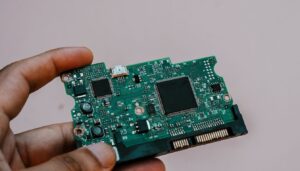

A hardware wallet is supposed to be the boring, bulletproof part of your crypto setup, the thing you buy once, set up once, and mostly forget about. That assumption broke down hard in the summer of 2026. On July 30, attackers swept over 5,200 Bitcoin addresses across four waves of theft between July 30 and August 4, 2026, draining roughly 1,816 BTC after a firmware bug on Coinkite’s Coldcard wallets silently replaced hardware-generated randomness with a weaker software substitute for more than five years. BleepingComputer linked the broader pattern of thefts to roughly $116 million in losses once researchers finished mapping affected addresses.
The bug wasn’t exotic. A firmware build released in March 2021 checked whether a configuration macro, MICROPY_HW_ENABLE_RNG, was merely defined rather than actually enabled, so devices quietly fell back to a software pseudo-random number generator instead of the dedicated hardware RNG chip. Anyone who generated a seed on affected firmware ended up with entropy as weak as roughly 40 bits on Mk2 and Mk3 units, and around 72 bits on newer Mk4, Mk5, and Q models running firmware released before July 31, 2026, both numbers are far below the 128-bit floor the industry treats as safe. Search interest in the phrase “hardware wallet security” has climbed 133% year-over-year, according to keyword tracking data from DataForSEO, and it’s not hard to see why.
This tutorial walks through a complete, repeatable hardware wallet security checklist: buying and verifying the device, generating and backing up a seed correctly, locking down the PIN and passphrase, testing recovery, moving to multisig, signing transactions air-gapped, and setting up an ongoing audit routine. By the end you’ll also have a working script that checks your device’s firmware version against known-good releases and verifies a signed PSBT before you broadcast it. None of this requires trusting a single vendor’s marketing claims, every step is something you can verify yourself.
Hardware Wallets vs. Software Wallets: Why the Distinction Still Matters
It’s worth being precise about what a hardware wallet actually buys you, because the Coldcard incident muddied that picture for a lot of people who assumed “hardware” automatically meant “immune.” A hardware wallet’s core promise is that your private key never leaves a physically isolated chip, so malware on your phone or laptop cannot read it even if that device is fully compromised. A software wallet, whether it’s a browser extension or a mobile app, keeps keys in the same memory space as your operating system, which means any malware with sufficient privileges can theoretically extract them.
What the entropy flaw showed is that this isolation guarantee only holds if the key material was generated correctly in the first place. A perfectly isolated chip that derived its key from weak randomness is still exposed, just through a different door. That’s why this guide treats seed generation, not just storage, as a first-class security step rather than something you click through during setup.
It also explains why vendors like Coinkite kept their “Bring Your Own Entropy” and dice-roll verification tools in place even after shipping the firmware fix. A hardware RNG chip that’s working correctly should still be something you can independently check, not something you trust by default because the box says “secure element” on it. Treat every claim about on-chip randomness the same way you’d treat a claim about encryption strength: verifiable, or not worth relying on.
| Storage Method | Key Exposure Risk | Typical Cost | Best For |
|---|---|---|---|
| Software wallet (app or browser extension) | High: keys share memory with a networked device | Free | Small, actively traded balances |
| Single hardware wallet | Moderate: isolated key, but one device and one seed | $50-$250 | Most individual holders |
| Hardware wallet + SLIP-39/Codex32 backup | Low: isolated key plus threshold-based recovery | $50-$250 plus backup medium | Meaningful long-term holdings |
| 2-of-3 multisig across two brands | Lowest: no single device or vendor can move funds alone | $150-$500 | Savings balances and shared custody |
Prerequisites: Devices, Software, and Versions You’ll Need
You don’t need every tool below for every step, but having them ready before you start keeps the process moving. This guide is written to be hardware-agnostic where possible, with Coldcard-specific notes called out because of the 2026 incident.
- A hardware wallet purchased directly from the manufacturer or an authorized reseller, Coldcard Mk4/Mk5/Q, Trezor Safe 3/5, or an equivalent device with open or independently audited firmware
- A dedicated, offline computer or a live USB system such as Tails OS for any step that touches seed material (see our air-gapped cold storage walkthrough if you don’t already have one set up)
- GnuPG (GPG), latest version, for verifying firmware signatures
shasumorsha256sum, included by default on macOS and Linux, for checksum verification- Python 3.10 or newer, for running the SLIP-39 sharding and firmware-check scripts in this guide
- HWI (Hardware Wallet Interface), the open-source library maintained under the Bitcoin Core umbrella, latest version, installed via
pip install hwi - A watch-only wallet such as Sparrow Wallet or Specter Desktop, latest version, for monitoring addresses without exposing keys
- A fireproof/waterproof backup medium (steel plates, or at minimum a sealed bag in a separate physical location) for seed and passphrase storage
- 20-30 minutes for the core checklist, plus additional time if you’re setting up multisig or a full air-gapped signing workflow for the first time
One housekeeping note before you start: if you already own a Coldcard that generated a seed before firmware 4.2.0 (Mk2/Mk3), 5.6.0 (Mk4/Mk5 standard), 6.6.0X (Mk4/Mk5 Edge), 1.5.0Q (Q standard), or 6.6.0QX (Q Edge), treat that seed as burned. Coinkite’s own advisory is explicit that updating firmware does not repair an already-generated weak seed, you have to generate a brand-new one and migrate funds. Step 3 below covers how to do that safely.
Step 1: Buy Direct and Verify the Tamper Seal
Supply-chain tampering is still the easiest attack against a hardware wallet, and it’s entirely preventable at the point of purchase. Buy only from the manufacturer’s own store or a reseller explicitly listed on the manufacturer’s website. Refuse devices bought secondhand, from marketplace listings, or from a reseller you can’t verify, no matter how good the price looks.
When the device arrives, check the tamper-evident packaging before you open it. Most modern wallets use a holographic seal, a sealed anti-tamper bag, or a one-time security sticker that visibly shows damage if it’s been opened and resealed. If anything looks like it’s been peeled, re-glued, or printed with low-quality ink compared to official product photos, stop and contact the manufacturer’s support team before powering the device on.
Step 2: Verify Firmware Authenticity Before Powering On
Every reputable hardware wallet vendor publishes a checksum and a cryptographic signature for its firmware releases, and the Coldcard incident is exactly why that step isn’t optional. Download the firmware file and its signature from the vendor’s official domain only, then verify both the hash and the signature before flashing anything.
# 1. Confirm the published checksum matches the file you downloaded
sha256sum firmware-release.bin
# compare the output against the hash listed on the vendor's signed release page

# 2. Import the vendor's public signing key (one-time setup)
gpg --import vendor-release-key.asc

# 3. Verify the detached signature against the firmware file
gpg --verify firmware-release.sig firmware-release.bin
# expect: "Good signature from ...", anything else means do not flash this file
If the signature check fails for any reason, don’t assume it’s a download glitch. Re-download from the official site on a different network connection and verify again. A failed signature check after two clean downloads is a strong signal the file, or your connection to the vendor’s server, has been tampered with.
Step 3: Generate a Seed With Verified Hardware Entropy
This is the step the Coldcard flaw broke, and it’s the single most consequential moment in the entire lifecycle of a hardware wallet. Most devices that support it offer a “Bring Your Own Entropy” or dice-roll mode, where you supplement the chip’s internal RNG with physical randomness you generate and verify yourself, rolling dice, flipping coins, or shuffling cards and recording the results.
Coinkite’s current firmware retains a View TRNG Words function and an offline verification script, verify_seed_mix.py, that lets you confirm the device’s random output is actually being mixed with your physical entropy rather than silently ignored. Run the equivalent verification tool for your device every time you generate a new seed, not just once after a firmware update.
# Example: offline entropy mix verification (Coldcard)
# Run on an air-gapped machine with the vendor's published verification script
python3 verify_seed_mix.py --device-words device_words.txt --dice-rolls dice_rolls.txt

# Expected output:
# Loaded 24 device-generated words
# Loaded 99 dice roll values (log2 entropy: ~156 bits)
# Mix verification: PASS, final entropy exceeds 128-bit threshold
If your device doesn’t support a BYOE or dice-roll mode at all, that’s a reason to prefer one that does the next time you buy. In the meantime, at minimum confirm you’re on firmware released after the fixes listed above before generating anything.
Step 4: Back Up the Seed With SLIP-39 or Codex32 Sharding
A single 24-word phrase written on one piece of paper is a single point of failure, fire, flood, theft, or a nosy house guest can end your self-custody in one bad afternoon. SLIP-39, defined in SatoshiLabs’ published specification, splits a seed into multiple shares using Shamir’s Secret Sharing, so you need a threshold number of shares (for example, 3 of 5) to reconstruct the seed, rather than all of them.
# Generate SLIP-39 shares from an existing seed (offline machine only)
pip install shamir-mnemonic
python3 -m shamir_mnemonic generate --threshold 3 --shares 5 --strength 256

# Output: 5 mnemonic share groups, each ~20 words
# Any 3 of the 5 reconstruct the original 256-bit seed; any 2 reveal nothing
Coldcard’s newest releases also added Codex32 backup support, a BIP-93 based format with built-in checksums that catches a mistyped character during recovery instead of letting you discover the error only when funds don’t reappear. Whichever format you use, store shares in at least two separate physical locations, and never photograph or type a seed phrase into any device that has ever touched the internet.
Step 5: Lock Down the PIN and Enable a Hidden Wallet Passphrase
Your PIN is the first line of defense if the device itself is stolen. Use the maximum PIN length your device allows, avoid patterns like birth years or repeating digits, and confirm the device wipes or locks after a small number of failed attempts, most modern wallets self-wipe after somewhere between 3 and 25 incorrect tries, depending on configuration.
Beyond the PIN, enable a BIP-39 passphrase, sometimes marketed as a “hidden wallet.” A passphrase doesn’t just add a password on top of your seed, it derives an entirely separate wallet. That means you can keep a small decoy balance behind your plain PIN and your real holdings behind PIN-plus-passphrase, so a coerced or guessed PIN alone reveals nothing meaningful. Write the passphrase down separately from the seed shares, using a different storage location.
Step 6: Test Recovery on a Second Device Before Funding
The most common hardware wallet mistake isn’t a hack, it’s writing down a seed phrase wrong and never finding out until it’s time to recover. Before you move any meaningful balance onto the device, wipe a second wallet (or use a temporary wallet in recovery-test mode if your device supports it) and restore from your written backup.
Confirm the restored device generates the exact same first receiving address as your original. If it doesn’t match, you have a transcription error somewhere in your backup, and you want to find that out now, not during an actual recovery scenario five years from now.
Step 7: Automate Firmware Version Checks
The Coldcard flaw sat undisturbed in production firmware for roughly five years before anyone caught it, which is the strongest argument for checking your firmware version on a schedule rather than only when a headline forces the issue. A simple script comparing your device’s reported firmware string against a maintained list of known-good releases takes a few minutes to set up.
# firmware_check.py, compare connected device firmware against known-good versions
import json, subprocess

KNOWN_GOOD = {
    "coldcard_mk2_mk3": "4.2.0",
    "coldcard_mk4_mk5": "5.6.1",
    "coldcard_mk4_mk5_edge": "6.6.0X",
    "coldcard_q": "1.5.1Q",
    "coldcard_q_edge": "6.6.0QX",
}

def get_connected_device_firmware():
    result = subprocess.run(["hwi", "enumerate"], capture_output=True, text=True)
    return json.loads(result.stdout)

for device in get_connected_device_firmware():
    model_key = device.get("type", "unknown")
    current = device.get("fw_version", "unknown")
    expected = KNOWN_GOOD.get(model_key)
    status = "OK" if expected and current >= expected else "UPDATE REQUIRED"
    print(f"{model_key}: running {current}, minimum safe {expected} -> {status}")
Sample output after running the script against an up-to-date device:
coldcard_mk4_mk5: running 5.6.1, minimum safe 5.6.1 -> OKRun this before every signing session that moves a non-trivial amount, and update the KNOWN_GOOD dictionary whenever your vendor ships a security release.
Step 8: Move Meaningful Balances to a 2-of-3 Multisig
A single hardware wallet, no matter how well configured, is still one device, one seed, and one point of failure. For any balance you’d genuinely hate to lose, a 2-of-3 multisig setup spread across two different hardware wallet brands and one key kept entirely offline removes the single-vendor, single-firmware risk the Coldcard incident exposed. If one manufacturer ships a flawed firmware release, your funds aren’t exposed through a single signing path, the same logic that makes verifying a cross-chain bridge’s signer threshold before moving funds through it a good habit, not just a hardware wallet one.
Sparrow Wallet and Specter Desktop both support multisig wallet creation by importing the public key export file from each hardware device, without ever exposing a private key to your computer. Set the threshold to 2-of-3 so you can still spend if one device is lost, damaged, or temporarily unavailable, while still requiring a second independent signature for every transaction.
The practical setup looks like this: connect each of your three devices one at a time, export its public key descriptor from the watch-only software, and import all three descriptors into a new multisig wallet configuration. Confirm the receiving address generated by the multisig wallet matches across all cosigning devices before funding it, the same recovery-test discipline from Step 6 applies here too, just with three devices instead of one. Store each device, and any seed backup associated with it, in a different physical location so a single burglary, fire, or flood can’t take out more than one signing path at once.
Step 9: Sign Transactions Air-Gapped With PSBT
Partially Signed Bitcoin Transactions (PSBT) let you build a transaction on an internet-connected machine, move it to your hardware wallet via QR code, SD card, or USB without network connectivity on the signing device, sign it offline, and bring the signed result back to broadcast. This keeps your private keys on a device that has never touched the internet, even during active use.
# Create an unsigned PSBT from your watch-only wallet, then sign with HWI
hwi enumerate
# locate your device's fingerprint in the output, then:
hwi -f  signtx unsigned.psbt > signed.psbt

# Finalize and extract the broadcastable transaction
hwi -f  finalizepsbt signed.psbt
Always inspect the transaction details shown on the hardware wallet’s own screen, the destination address and amount, before approving the signature on the device itself. The screen on the wallet is the only display in this entire chain that malware on your computer cannot alter.
Step 10: Set Up Watch-Only Monitoring and Alerts
Import your hardware wallet’s public keys, never its private keys, into a watch-only wallet like Sparrow or Specter on a regular internet-connected machine. This lets you monitor balances and incoming transactions in real time without ever exposing signing material to a networked device.
Set up balance-change notifications where your software supports them, and check in periodically even without an alert, unexpected outbound activity is often the first sign something has gone wrong upstream, whether that’s a compromised seed backup or, as with the Coldcard case, a firmware-level entropy failure nobody had discovered yet.
Be deliberate about which blockchain explorer or monitoring service you connect your watch-only wallet to. Public explorers can log the addresses you query, which leaks information about which addresses are yours even though it can’t move funds on its own. Running your own node, covered in the advanced tips below, removes that leakage entirely by letting you query your own balance from your own infrastructure.
Step 11: Write an Inheritance and Disaster Recovery Plan
Security that only you can operate isn’t actually secure for your family if something happens to you. Document, in a sealed and physically secured format, which devices exist, where seed shares are stored, what threshold is required to reconstruct them, and who should be contacted. Avoid storing this plan anywhere digital or searchable, including password managers that sync to the cloud.
Consider a time-locked or multisig-based inheritance structure where a trusted party holds one key share but cannot access funds alone. This mirrors the same 2-of-3 logic from Step 8, just applied to people instead of devices.
A workable version of this looks like: a lawyer or estate executor holds one SLIP-39 share and a sealed letter explaining what it is and when to use it, a family member holds a second share in a separate location, and you keep the third and the device itself. No single party, including you, can move funds without at least one other share, and no single point of failure, including your own sudden absence, can lock your family out permanently. Review this plan whenever you change your backup scheme, add a device, or move to a new multisig configuration, since an outdated recovery plan is nearly as dangerous as having none.
Step 12: Put It on a Recurring Audit Schedule
Close the loop by scheduling a recurring check, quarterly at minimum, that covers: firmware version against the vendor’s current release, physical condition of the device and its tamper seal if reapplied after use, legibility and location of all seed shares, and a dry-run recovery test on a spare device at least once a year. The Coldcard flaw went unnoticed for roughly five years precisely because nobody was re-checking assumptions that had already been made once.
| Device Line | Affected Firmware Range | Minimum Safe Version | Reported Entropy Weakness |
|---|---|---|---|
| Coldcard Mk2 / Mk3 | 4.0.1 – 4.1.9 | 4.2.0 | ~40 bits |
| Coldcard Mk4 / Mk5 (Standard) | Before 5.6.0 | 5.6.1 | ~72 bits |
| Coldcard Mk4 / Mk5 (Edge) | Before 6.6.0X | 6.6.0X | ~72 bits |
| Coldcard Q (Standard) | Before 1.5.0Q | 1.5.1Q | ~72 bits |
| Coldcard Q (Edge) | Before 6.6.0QX | 6.6.0QX | ~72 bits |
Source: Coinkite’s published security advisory and corroborating reporting from BleepingComputer. If you own any of these devices and can’t confirm your seed was generated on a fixed version, treat it as compromised and migrate to a freshly generated seed.
The Complete Project: A Firmware-Check and PSBT Verification Script
Putting Steps 7 and 9 together gives you a single repeatable workflow you can run before every signing session. The script below checks the connected device’s firmware against your known-good list, refuses to proceed if the device is out of date, and only then walks you through the PSBT sign-and-finalize flow.
#!/usr/bin/env python3
"""pre_sign_audit.py, firmware gate + PSBT signing wrapper"""
import json, subprocess, sys

KNOWN_GOOD = {
    "coldcard_mk4_mk5": "5.6.1",
    "coldcard_q": "1.5.1Q",
    "trezor_safe3": "latest",
    "trezor_safe5": "latest",
}

def enumerate_devices():
    out = subprocess.run(["hwi", "enumerate"], capture_output=True, text=True)
    return json.loads(out.stdout)

def main(psbt_path):
    devices = enumerate_devices()
    if not devices:
        sys.exit("No hardware wallet detected. Connect your device and retry.")

    for dev in devices:
        model = dev.get("type")
        fw = dev.get("fw_version", "unknown")
        expected = KNOWN_GOOD.get(model)
        if expected and expected != "latest" and fw < expected:
            sys.exit(f"BLOCKED: {model} on {fw} is below minimum safe {expected}. Update firmware first.")
        print(f"Firmware check passed: {model} on {fw}")

    fingerprint = devices[0]["fingerprint"]
    print("Signing PSBT, verify the destination address on your device screen now.")
    subprocess.run(["hwi", "-f", fingerprint, "signtx", psbt_path],
                    stdout=open("signed.psbt", "w"))
    subprocess.run(["hwi", "-f", fingerprint, "finalizepsbt", "signed.psbt"])
    print("Done. Broadcast signed.psbt only after reviewing it independently.")

if __name__ == "__main__":
    main(sys.argv[1])
Running it against a correctly updated device and a prepared PSBT produces output like this:
$ python3 pre_sign_audit.py unsigned.psbt
Firmware check passed: coldcard_mk4_mk5 on 5.6.1
Signing PSBT, verify the destination address on your device screen now.
Done. Broadcast signed.psbt only after reviewing it independently.
And against a device still running pre-fix firmware:
$ python3 pre_sign_audit.py unsigned.psbt
BLOCKED: coldcard_mk4_mk5 on 5.4.2 is below minimum safe 5.6.1. Update firmware first.
Keep the KNOWN_GOOD dictionary under version control somewhere you check manually, not somewhere that auto-updates, so a compromised update channel can't silently lower your own bar.
Common Pitfalls That Undo Good Hardware Wallet Security
Even a correctly configured hardware wallet can be undone by a handful of habits that have nothing to do with the device itself. Most of the losses that get reported in post-mortems trace back to one of these mistakes rather than a sophisticated remote exploit, which is exactly why they're worth checking against your own setup before moving on.
- Typing the seed phrase into any internet-connected device. Even a one-time entry into a phone notes app or password manager permanently exposes that seed, regardless of what the hardware wallet itself does correctly.
- Skipping the recovery test. A backup you've never restored from is a hypothesis, not a backup. Test it on a spare or wiped device before funding.
- Storing all seed shares in one location. Splitting a seed with SLIP-39 and then keeping every share in the same drawer defeats the entire point of sharding.
- Buying from marketplace resellers. Secondhand or unofficial-channel purchases reintroduce supply-chain risk that direct-from-manufacturer buying is specifically designed to eliminate.
- Treating a firmware update as a full fix for an already-generated seed. As the Coldcard case showed, updating firmware does nothing for a seed generated under the vulnerable version, you must generate a new one.
- Reusing the same passphrase as another account password. A passphrase that's been reused elsewhere inherits the breach risk of every other place you've used it.
- Never re-checking firmware after the initial setup. The entropy flaw sat in production for roughly five years, and a periodic check would have caught it years earlier.
Troubleshooting Guide
Most hardware wallet problems fall into a handful of predictable categories: a disrupted firmware update, a transcription error somewhere in the seed backup, or a mismatch between what your watch-only software expects and what the device is actually exporting. The table below covers the issues that come up most often during setup, recovery testing, and day-to-day signing, along with the fix that resolves each one without touching funds unnecessarily.
| Problem | Likely Cause | Fix |
|---|---|---|
| Device won't power on after firmware update | Update interrupted mid-flash | Use the vendor's recovery/bootloader mode and reflash from a freshly verified firmware file |
| GPG signature verification fails | Wrong or outdated public key imported, or corrupted download | Re-download the key and firmware from the official domain, then re-verify on a different network |
| Restored wallet shows a different address than the original | Transcription error in the written seed, or wrong derivation path selected | Re-check each word against the BIP-39 wordlist spelling, and confirm passphrase and derivation path match exactly |
| HWI doesn't detect the connected device | Missing USB permissions or outdated HWI version | Update HWI to the latest version and check udev rules (Linux) or driver installation (Windows) |
| Device locks/wipes after too many PIN attempts | Intentional anti-brute-force protection triggered | Restore from your seed backup on a new or wiped device, since this is expected behavior, not a bug |
| SLIP-39 shares won't reconstruct the seed | Shares from different generation sessions mixed together, or below threshold count | Confirm all shares come from the same original sharding session and meet the required threshold |
| PSBT signing fails with "unknown input" error | Watch-only wallet and signing device have mismatched derivation paths or account indices | Re-export the public key/descriptor from the hardware device and re-import into the watch-only wallet |
| Multisig wallet shows the wrong balance | One cosigner's public key export is outdated or from the wrong account | Re-verify each cosigner's exported descriptor matches what's registered in the multisig configuration |
| Device firmware version reads as unsupported by the check script | Vendor renamed the version string format in a recent release | Update the known-good version dictionary in your script to match the vendor's current naming convention |
Advanced Tips for Power Users
Once the core checklist is in place, a few extra steps meaningfully raise the bar further. Run your own Bitcoin full node and point your watch-only wallet at it instead of a third-party server, removing any dependency on an external party to tell you your own balance accurately. If you're also running a Lightning node, keep its hot-wallet balance deliberately small and treat it as operational float, not savings, Lightning channels are built for liquidity, not long-term custody.
Consider timelocked spending limits where your wallet software supports them, so a single compromised signing session can't drain an entire balance in one transaction. And keep an eye on the slower-moving threat on the horizon: cryptographic researchers have steadily lowered the theoretical resource estimates for breaking elliptic-curve signatures with a sufficiently large quantum computer. Our deep dive on that quantum cost analysis is worth reading if you're holding funds in addresses that have ever published a public key on-chain, since migrating to fresh, unused addresses today costs nothing and preserves options later.
Finally, document your setup in enough detail that a security-conscious friend could follow it without you present, not because you expect to hand it over, but because the exercise of writing it down tends to surface the gaps you've been unconsciously working around.
It's also worth keeping the hardware wallet checklist in perspective against where the rest of the industry's money has actually been lost. Immunefi's ecosystem vulnerability data puts full-year 2025 DeFi losses at $680.3 million, up from $534 million in 2024, with the increase tied mainly to the growing complexity of multichain deployments rather than any single category of bug. Security researchers at Spacedev, citing CertiK's mid-year figures, put total first-half 2026 crypto losses at roughly $1.31 billion across 344 incidents, the large majority of which trace back to smart contract exploits and bridge failures rather than consumer hardware. None of that makes a firmware entropy bug less serious for the people it affected, but it's a useful reminder that a well-configured hardware wallet still removes you from the categories of loss that account for most of the cryptocurrency industry's money.
Frequently Asked Questions
Is a hardware wallet still safer than an exchange after the Coldcard incident?
Yes, with a caveat. Self-custody still removes exchange counterparty risk, which has caused far larger cumulative losses across the industry than firmware bugs. The Coldcard flaw was serious, but it was also disclosed, patched, and fixable by generating a new seed, an option you don't have when an exchange itself is compromised or insolvent.
Do I need to replace my hardware wallet entirely?
No. Updating to fixed firmware and generating a fresh seed resolves the Coldcard entropy issue on the same physical device. Replacement is only necessary if the device itself shows physical tampering.
How often should I check my firmware version?
Quarterly at minimum, and immediately after any publicized security advisory from your device's manufacturer. The firmware-check script in this guide can be run in under a minute each time.
Is SLIP-39 better than just writing down my seed twice?
Yes, for anything beyond a small balance. Writing down the same 24-word seed twice doubles your exposure (either copy alone grants full access) without adding redundancy against theft. SLIP-39 sharding requires a threshold of shares to reconstruct, so losing or exposing a single share below that threshold doesn't compromise the wallet.
What's the real difference between a PIN and a passphrase?
A PIN unlocks the device itself. A BIP-39 passphrase is combined with your seed to derive an entirely separate wallet. Losing or disclosing your PIN alone, without the passphrase, does not expose a passphrase-protected wallet's funds.
Can I use two different hardware wallet brands together in one multisig setup?
Yes, and it's recommended. Mixing brands in a 2-of-3 or similar multisig configuration means a firmware flaw in one vendor's product doesn't single-handedly compromise your funds, since an attacker would need to defeat multiple independent implementations.
Does air-gapped PSBT signing protect against a compromised firmware entropy bug like Coldcard's?
No. Air-gapping protects against network-based attacks and malware on your signing computer, but it doesn't fix weak randomness at the point of seed generation. The two protections are complementary, not substitutes for each other, you need both a verified entropy source and an air-gapped signing workflow.
How much does it actually cost to set up a 2-of-3 multisig?
Budget roughly $150 to $500 total for three devices across two different brands, plus the cost of a steel backup plate or equivalent fireproof storage if you're also sharding each device's seed. Compared to the potential loss from a single-device, single-vendor failure, that's a modest one-time cost for balances worth protecting.
Should I be worried if I've never updated my hardware wallet's firmware?
Yes, check it today. Devices that have never received a firmware update are, by definition, running whatever version shipped from the factory, which could predate known security fixes by years. Run Step 7's firmware check script or check your vendor's support page directly, and update before your next signing session if you're behind.