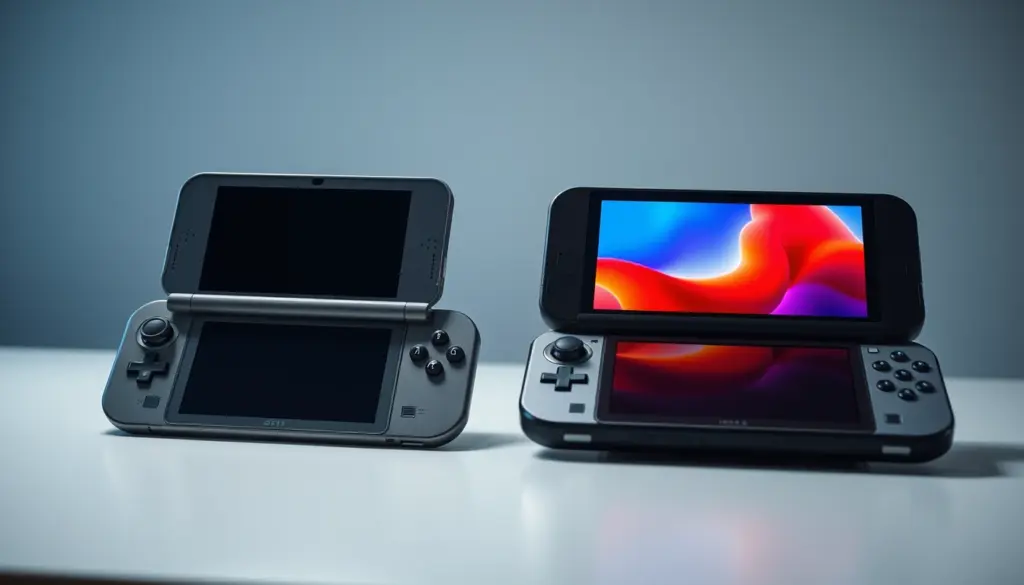
Nintendo will raise the price of the Switch 2 from $449.99 to $499.99 on September 1, 2026 – a $50 hike the company has already confirmed in an official statement. That leaves a narrow window for anyone still deciding between the original Nintendo Switch, now selling for $339.99 after a 2025 tariff-driven price increase, and the newer console. More than 155.92 million original Switch units have shipped since March 2017, according to Nintendo’s own sales reporting, and 19.86 million Switch 2 units have sold since its June 2025 launch. That means tens of millions of households are weighing the exact same question right now: is the jump from a seven-year-old handheld to Nintendo’s newest hardware worth the extra cost, and does it matter which side of September 1 you buy on? This comparison breaks down the full specs, real pricing, benchmarked performance, battery life, controllers, repairability, and backward compatibility of both consoles, using only verified figures from Nintendo’s own documentation and independent testing. It also covers the parts most spec-sheet comparisons skip: what it actually costs to switch once you factor in accessories and storage, how Nintendo’s own System Transfer tool handles moving a save library between consoles, and which of the two machines makes more sense for the specific way you actually play.
Nintendo Switch vs Switch 2 at a Glance
The core difference between these two consoles comes down to a single number: nine years of chip design. The original Nintendo Switch launched in March 2017 running a custom Nvidia Tegra X1 chip that was already a generation old at launch, borrowed from Nvidia’s 2015 Shield tablet. The Nintendo Switch 2 runs a custom Nvidia processor built on the same Ampere architecture that powers Nvidia’s RTX 30-series graphics cards. That translates into a GPU that Nvidia itself describes as roughly 10 times faster than the original Switch, four times the system memory, eight times the internal storage, and a screen that jumps from 720p to a full 1080p panel with variable refresh rate support the original console never had.
None of that comes free. The Switch 2 costs $110 more than the current price of the original Switch, its games run $10 to $20 higher than the old $59.99 standard, and its storage expansion cards cost several times more than a standard microSD card. The original Switch, meanwhile, is a mature, deeply discounted platform with a 155-million-unit software library, no current signs of imminent discontinuation in the US, and a design Nintendo has already spent nine years refining. Neither console is a bad buy – the right one depends heavily on what you already own and how you plan to play.
It also helps to be clear about what “Nintendo Switch” even means in 2026. Nintendo currently sells three distinct products under the original Switch name – the base model, the Switch Lite, and the Switch OLED – each at a different price and with different tradeoffs, alongside the single current Switch 2 model. Throughout this comparison, “Switch” or “original Switch” refers to the base hardware line unless a specific variant like Lite or OLED is called out, since that’s the model most directly comparable to Switch 2 on specs.
Pricing: What Each Console Costs Right Now – and the September Hike
Pricing on both consoles has moved more in the past 12 months than in the previous eight years combined. The original Nintendo Switch launched at $299.99 in March 2017 and held that price for years, but on August 3, 2025, Nintendo raised US pricing on the original hardware line in response to new tariffs, pushing the standard model to $339.99 and the Switch OLED model to $399.99. The Switch Lite, Nintendo’s cheapest entry point, launched separately in September 2019 at $199.99.
The Switch 2 launched June 5, 2025 at $449.99 and held that price through its first 15 months on the market. That changes on September 1, 2026. Nintendo’s own official price-revision notice confirms the US price rises to $499.99, with Nintendo citing only “various changes in market conditions, which are expected to extend over the medium to long term.” Nintendo’s statement does not name a specific cause, but the timing lines up with the broader 2026 memory-chip shortage that has already pushed component costs across the entire PC and console industry – the same shortage that forced Valve to raise Steam Deck OLED prices by as much as 44 percent earlier in 2026. Nintendo’s price notice explicitly states the original Nintendo Switch line is not affected by this particular revision.
| Item | Launch Price | Price as of July 22, 2026 | Price From September 1, 2026 |
|---|---|---|---|
| Nintendo Switch (original) | $299.99 (Mar 2017) | $339.99 | $339.99 (no change announced) |
| Nintendo Switch OLED | $349.99 (Oct 2021) | $399.99 | $399.99 (no change announced) |
| Nintendo Switch Lite | $199.99 (Sep 2019) | $199.99 | No confirmed change |
| Nintendo Switch 2 | $449.99 (Jun 2025) | $449.99 | $499.99 |
| Standard Switch 1 game | $59.99 | ||
| Switch 2 standard game (e.g. Donkey Kong Bananza) | $69.99 | ||
| Switch 2 flagship game (e.g. Mario Kart World) | $79.99 | ||
| microSD Express 256GB (Switch 2 only) | Roughly 2-3x the cost of equivalent standard microSD cards | ||
Two things matter for anyone shopping right now. First, the $449.99 Switch 2 price is temporary – anyone planning to buy one anyway has a concrete financial reason to do it before September 1, 2026, saving $50 outright. Second, game pricing has shifted structurally, not just for the console. Nintendo’s own flagship titles like Mario Kart World now carry a $79.99 price tag, $20 more than the old $59.99 standard, while secondary first-party titles like Donkey Kong Bananza sit at $69.99. That’s a real, recurring cost difference that compounds every time you buy a new game, not a one-time hardware expense.
Full Specs Comparison
The table below lays out every major spec side by side, drawn from Nintendo’s official Switch 2 tech specs page and the original Switch’s documented hardware.
| Specification | Nintendo Switch (Original) | Nintendo Switch 2 |
|---|---|---|
| Release Date | March 3, 2017 | June 5, 2025 |
| Launch Price (US) | $299.99 | $449.99 |
| Screen Size | 6.2 in LCD (OLED model: 7 in OLED) | 7.9 in LCD |
| Screen Resolution | 1280×720 (720p) | 1920×1080 (1080p) |
| Refresh Rate / HDR | 60Hz, no HDR, no VRR | Up to 120Hz VRR, HDR10 |
| Docked Output | Up to 1080p at 60fps | Up to 4K at 60fps (or 1440p/1080p at 120fps) |
| SoC | Custom Nvidia Tegra X1 | Custom Nvidia Tegra T239 (“Drake”) |
| CPU | Quad-core ARM Cortex-A57 @ 1.02GHz | Octa-core ARM Cortex-A78C @ ~998MHz docked / ~1,101MHz handheld |
| GPU Cores | 256 Maxwell-based CUDA cores | 1,536 Ampere-based CUDA cores |
| GPU Performance | 393 GFLOPS docked / 157 GFLOPS handheld | ~3.07 TFLOPS docked / ~1.7 TFLOPS handheld |
| RAM | 4GB LPDDR4 (3.2GB usable to developers) | 12GB LPDDR5X (9GB usable to developers) |
| Internal Storage | 32GB (OLED model: 64GB) | 256GB UFS 3.1 |
| Storage Expansion | Standard microSD, up to 2TB | microSD Express only, up to 2TB |
| Battery Capacity | 4,310mAh | 5,220mAh |
| Battery Life | 4.5–9 hours (revised model) | 2–6.5 hours (varies by game) |
| Weight (console alone) | 297g | ~399g (0.88 lbs) |
| Wireless Connectivity | Wi-Fi 802.11 a/b/g/n/ac | Wi-Fi 6 |
A couple of numbers in that table are easy to misread. The Switch 2’s CPU actually clocks slightly higher in handheld mode (~1,101MHz) than docked (~998MHz) – the opposite of what most people expect, and the opposite of how the GPU behaves, which runs faster docked. Nintendo’s engineering team prioritized battery efficiency differently across the two chips inside the SoC rather than applying a single uniform docked/handheld split. With Joy-Con 2 controllers attached, the Switch 2 weighs approximately 535 grams (1.18 lbs) according to Nintendo’s own listed dimensions, nearly double the weight of a bare original Switch console.
Display and Screen Technology: Handheld and Docked
The original Switch’s 6.2-inch 720p LCD panel was already modest by 2017 standards and looks noticeably soft in 2026, especially next to modern phone screens. The Switch OLED variant improved contrast and color with a 7-inch OLED panel in 2021 but kept the same 720p resolution – a deliberate Nintendo decision to preserve battery life and backward compatibility rather than chase pixel density.
The Switch 2’s 7.9-inch LCD panel runs at a full 1920×1080 and supports HDR10 plus variable refresh rate up to 120Hz – features the original hardware never had at any point in its lifecycle. In practice, that means fast-paced games can render more fluidly in handheld mode, and HDR-mastered content can display a wider brightness and color range on the console itself, not just when docked to a compatible TV. Nintendo also added capacitive touch support, matching the responsiveness of a modern tablet rather than the resistive-feeling touch layer on the original hardware.
Docked output is where the gap widens most. The original Switch tops out at 1080p60 through its dock’s HDMI output – it has never been able to output a true 4K signal, no matter what TV it’s connected to. The Switch 2 dock supports up to 3840×2160 (4K) at 60fps, or drops to 1440p/1080p when a game targets 120fps instead of higher resolution. That flexibility lets individual games choose between a sharper image or a smoother frame rate depending on what the title needs, something the original hardware’s fixed 1080p60 ceiling never allowed.
Performance: CPU, GPU, and Real Benchmarks
Raw numbers only tell part of the story, so it’s worth looking at what independent testing has actually measured rather than relying on spec-sheet math alone. Nvidia’s own technical materials describe the Switch 2 GPU as delivering roughly 10 times the graphics throughput of the original console, comparing the jump from 256 aging Maxwell-generation CUDA cores to 1,536 modern Ampere-generation cores. That architecture difference matters as much as the core count – Ampere supports hardware-accelerated ray tracing and DLSS upscaling, neither of which the original Switch’s GPU can do at all, regardless of clock speed.
Tom’s Hardware’s hands-on testing found the jump translates directly into real gameplay: titles that struggled to hold a stable frame rate or resorted to aggressive dynamic-resolution scaling on the original Switch now hit their performance targets consistently on Switch 2, with independent analysis estimating performance gains of roughly 2.4x to 3x depending on the specific game, well below the theoretical 10x ceiling because CPU work, memory bandwidth, and game-specific bottlenecks all factor in alongside raw GPU throughput. Memory bandwidth tells a similar story – the Switch 2 delivers 102GB/s in performance mode versus roughly a quarter of that on the original hardware, which matters enormously for the higher-resolution textures and more complex scenes modern games ask for.
Power efficiency improved alongside raw performance rather than at its expense. Peak power draw on Switch 2 sits around 22W docked and drops to 10-12W in handheld mode, with independent testing measuring average handheld draw under 8W in less demanding titles – reasonably close to the original Switch’s power envelope despite pushing several times the graphical workload. That efficiency gain comes from Nvidia’s newer manufacturing process and architecture, not just a bigger battery.
CPU performance improved by a smaller but still meaningful margin. The original Switch’s quad-core Cortex-A57 design was already dated at launch in 2017, borrowed from Nvidia’s earlier Shield tablet, and it became a bottleneck in later, more simulation-heavy titles well before the GPU did. Switch 2’s octa-core Cortex-A78C setup doubles the core count and moves to a substantially more modern ARM design, which shows up most clearly in loading times and physics-heavy scenes rather than raw frame rate – the Zelda: Tears of the Kingdom tower-loading comparison later in this piece is a direct example of that CPU and storage-speed combination at work, not a GPU-only improvement.
Memory, Storage, and the microSD Express Problem
The original Switch shipped with just 4GB of LPDDR4 RAM, of which developers could only use about 3.2GB after the operating system claimed its share – a tight budget that forced compromises in texture quality, draw distance, and background processes throughout the console’s library. The Switch 2 more than triples that headroom with 12GB of LPDDR5X, leaving roughly 9GB available to game developers, a nearly threefold increase in usable memory alone.
Storage tells a similar story with a catch. Internal storage jumps from 32GB (64GB on the OLED model) to 256GB of much faster UFS 3.1 storage on Switch 2 – an eightfold increase over the base original model. But Nintendo made a deliberate, and expensive, decision on expansion: the Switch 2 only accepts microSD Express cards, not the standard microSD cards that worked in every previous Switch model. MicroSD Express uses a PCIe interface capable of read speeds up to 890MB/s, several times faster than old-standard cards, but that speed comes at a real cost – a 256GB microSD Express card commonly runs $50-60, and 512GB or 1TB options can cost $100-200, several times more than equivalent-capacity standard microSD cards. Anyone with a drawer full of old microSD cards from their original Switch cannot reuse them for Switch 2 game storage at all.
Battery Life and Power Efficiency
Battery capacity grew from 4,310mAh on the original Switch to 5,220mAh on Switch 2 – a 21% increase in raw capacity. But battery life didn’t scale the same way, because the more powerful chip draws more power to deliver its performance gains. Nintendo’s own official listing puts Switch 2 battery life at 2 to 6.5 hours depending on the game, actually a slightly narrower and in some cases shorter range than the original Switch’s revised-model rating of 4.5 to 9 hours.
In practice, this means demanding, graphically intensive games will drain a Switch 2 faster than simpler games would on either console, while lighter indie titles or older ported games can still stretch well past the 6.5-hour ceiling. Anyone who primarily plays on long flights or commutes without dock access should weigh this carefully – the newer hardware is not a strict battery-life upgrade, even though its underlying chip is significantly more power-efficient per unit of graphics work than the seven-year-old Tegra X1 it replaces.
Joy-Con vs Joy-Con 2: Controllers, Drift, and Repairability
Nintendo rebuilt the Joy-Con from the ground up for Switch 2, and the company has been unusually direct about why. “First of all, the new and improved Joy-Con, really redesigned from the ground up,” said Shuntaro Furukawa, President of Nintendo, describing the controller overhaul in a recorded interview about the Switch 2’s hardware. Furukawa also addressed the console’s broader engineering priorities directly, noting that “the hardware unit itself, which has a lot of improved features” was a central focus of the redesign, according to the same interview.
Joy-Con 2 controllers attach magnetically with a mechanical release instead of the original’s rail-slide mechanism, add a dedicated C-button for the new GameChat feature, and introduce a “mouse mode” that lets a Joy-Con slide across a flat surface like a computer mouse for compatible games and apps. Furukawa also pointed to the haptic upgrades specifically: “We’ve improved the overall feedback and and rumble that you feel when you’re playing the game,” he said in the same discussion. Critically, Joy-Con 1 and Joy-Con 2 are not cross-compatible – the rail and magnetic attachment systems are physically different, so nobody upgrading from an original Switch can reuse their existing controllers on the new hardware.
The Joy-Con Drift Problem
The redesign isn’t happening in a vacuum. Original Joy-Con controllers became infamous for “drift,” a defect where analog sticks register phantom movement even when untouched, and the fallout has followed Nintendo into 2026. Nintendo of Europe was fined approximately €35 million (around $40 million) by French regulators over what investigators determined was a misleading commercial practice between 2018 and 2023 – specifically, failing to properly inform consumers about a defect Nintendo had long been aware of, rather than being penalized for the hardware defect itself. That regulatory pressure gives Joy-Con 2’s redesigned, more durable control-stick mechanism real weight beyond marketing language; it’s a documented response to years of consumer complaints and a formal European finding against the company.
Repairability Scores: iFixit’s Verdict
Repairability tells a more complicated story than the controller redesign suggests. iFixit’s teardown of the Switch 2 scored the console just 3 out of 10 for repairability, citing a glued-in battery, soldered USB-C port, and soldered cartridge reader – all components that are straightforward to replace on many rival handhelds. That’s actually a step backward from the original Switch’s launch-era repairability score, though iFixit later retroactively cut that original score from 8/10 down to 4/10 once Nintendo stopped supplying official replacement parts for the older console. In both cases, third-party repair shops remain the more practical route for battery replacements and drift repairs than Nintendo’s own official channels.
Backward Compatibility and Game Libraries
This is where Switch 2 makes its strongest case for existing owners. Nintendo built the console to run nearly the entire original Switch library through what the company describes as a hybrid emulation approach rather than requiring native ports. As of Nintendo’s own testing disclosed around launch, all 122 Nintendo-developed titles tested were confirmed compatible except the Nintendo Labo VR Kit, which relied on original-console-specific hardware. Third-party compatibility is nearly as strong: of more than 15,000 third-party titles tested, roughly 75% were confirmed working, with approximately 170 titles flagged as having some kind of issue.
Physical original-Switch game cartridges also work directly in the Switch 2’s cartridge slot, and digital purchases carry over through the same Nintendo Account used on the original console – nobody has to repurchase their existing library to keep playing it. Nintendo layered new social features on top of this compatibility rather than gating them behind new purchases. GameChat, the console’s built-in voice-and-video communication system, lets players “connect with your friends” with minimal setup, as Furukawa put it when describing the feature: “With the push of one button seamlessly, you can connect with your friends,” he said in the same Switch 2 interview. GameChat remained free to all users through March 31, 2026, after which it requires an active Nintendo Switch Online subscription.
Accessories and Total Cost of Ownership
The console price is only the starting point. Nintendo’s official Pro Controller for Switch 2 costs $84.99, about $5 more than the original Switch Pro Controller’s $79.99 list price, and adds two rear paddle buttons the original never had. Charging is also faster – the Switch 2 Pro Controller reaches a full charge in roughly 3.5 hours versus 6 hours for the original, though both controllers rate for a similar 30-40 hours of battery life per charge, according to GamesRadar+’s side-by-side testing.
Here’s a detail that surprises a lot of upgraders: unlike Joy-Con, the original Nintendo Switch Pro Controller is officially compatible with the Switch 2. Because the Pro Controller pairs over Bluetooth rather than relying on the console’s physical rail or magnetic attachment system, anyone who already owns one doesn’t need to buy a new one just to use it as a spare or second-player controller. That makes the Pro Controller the one major accessory that genuinely carries over between generations, unlike Joy-Con, docks, or storage cards.
Add it all up and the real cost of switching platforms looks different depending on what you already own. A Switch 1 owner starting completely fresh with a Switch 2, an extra Pro Controller, and a 256GB microSD Express card is looking at roughly $450 (console) plus $85 (controller) plus $60 (storage) before buying a single game – north of $590. An existing Switch 1 owner who already has a Pro Controller and is comfortable with the console’s 256GB internal storage can skip both of those add-ons entirely and pay just the console price. Total cost of ownership, in other words, depends far more on your accessory situation than the headline console price suggests.
Real-World Examples: 5 Games Compared Across Both Consoles
Spec sheets and TFLOPS figures are abstractions. What actually changes is how specific, popular games run on each console, and independent technical analysis has documented several of the clearest examples.
| Game | On Nintendo Switch (Original) | On Nintendo Switch 2 |
|---|---|---|
| The Legend of Zelda: Tears of the Kingdom | 900p docked / 720p handheld, 30fps target with drops to near 20fps in demanding scenes | 1440p upscaled to 4K docked / 1080p handheld, locked 60fps; $10 paid upgrade; Great Plateau Tower loads in 11s vs 23s |
| Hogwarts Legacy | ~30fps with dips, reduced lighting and foliage detail, frequent loading screens entering buildings | Up to 1440p docked / 1080p handheld via DLSS, improved lighting and water reflections, loading screens removed |
| Final Fantasy VII Remake Intergrade | Not released on original hardware | 30fps capped with DLSS upscaling; Digital Foundry describes visuals as closer to the PS5 version than the PS4 version |
| Mario Kart World | Not available – Switch 2 launch exclusive | Launch-window flagship title at $79.99, built specifically to showcase the new hardware |
| Street Fighter 6 | Runs natively within original hardware constraints | Outperforms the Xbox Series S in comparative testing, according to Notebookcheck’s analysis, largely due to its DLSS implementation |
The Zelda: Tears of the Kingdom case is especially telling because it isn’t a new game – it’s the exact same title Switch 1 owners may have already finished, now demonstrably smoother and sharper for a $10 upgrade fee rather than a full repurchase. That upgrade path, more than any spec-sheet comparison, shows what the hardware jump means for existing Nintendo customers rather than newcomers.
Who Should Buy Each Console
- Parents buying a first console for a young child: the original Switch (or Switch Lite at $199.99) remains the cheapest entry point into Nintendo’s library, with the exact same access to thousands of existing titles and no need for pricier microSD Express storage.
- Existing Switch 1 owners with a large digital library: Switch 2’s near-complete backward compatibility means your existing games transfer over and often run better, making the upgrade primarily about performance and screen quality rather than starting over.
- Anyone planning to buy a Switch 2 regardless of timing: buying before September 1, 2026 saves a confirmed $50 versus waiting even a single day past the price change.
- Docked, TV-focused players who care about visual fidelity: only Switch 2 can output real 4K at 60fps; the original console is hard-capped at 1080p60 regardless of the TV it’s connected to.
- Budget-conscious buyers or secondary/travel consoles: a $339.99 original Switch (or a heavily discounted used unit) delivers the same game library at a lower price and lower risk if lost or damaged.
- Competitive or twitch-reflex handheld players: Switch 2’s 120Hz VRR handheld screen is a meaningful advantage the original hardware’s fixed 60Hz panel cannot match.
- Anyone who just bought a Switch OLED in the past year: unless 4K docked output or the newest exclusive titles are a priority, the OLED model’s improved screen already addresses the original’s biggest weakness at a lower price than Switch 2.
How to Migrate from Switch 1 to Switch 2
Nintendo built a dedicated System Transfer tool specifically for this upgrade path, documented in the company’s own official transfer guide and support documentation. The process moves save data, digital game licenses, screenshots, and user profiles from the old console to the new one, and it’s designed to be run once during Switch 2’s initial setup.
- Update the original Switch to its latest system software before starting anything.
- Power on the new Switch 2, connect the AC adapter, and complete the initial region, language, and Wi-Fi setup steps.
- When prompted, select “Start System Transfer” rather than setting up as a brand-new console.
- If using a microSD card, physically move it from the old Switch to the new Switch 2 at this stage to speed up the transfer (note: standard microSD cards can move data but Switch 2 will need microSD Express for future game storage).
- Link the Switch 2 to your existing Nintendo Account, either directly on the console or by scanning the on-screen QR code with a phone.
- On the original Switch, go to System Settings → System → System Transfer to Nintendo Switch 2, and keep both consoles physically close together.
- Confirm the transfer on the original console, then switch back to the Switch 2 and select “Start Receiving Data.”
- Wait for the transfer to complete – save data moves first, followed by automatic re-downloads of owned digital games.
One important caveat: System Transfer deactivates your Nintendo Account and licenses on the original console once complete, so it isn’t designed for households that want to keep both consoles active simultaneously under the same account for two players. Physical game cartridges don’t need any transfer process at all – they simply work in the new console’s cartridge slot.
For a quick gut-check on whether the upgrade makes sense for your specific situation, the simple checklist below covers the most common decision points:
UPGRADE CHECKLIST: Switch 1 -> Switch 2

IF budget is under $400 AND library is small (under 10 games):
  -> Buy original Switch ($339.99) or Switch Lite ($199.99)

ELSE IF you already own 20+ digital Switch 1 games:
  -> Switch 2 preserves your library via System Transfer
  -> Factor in ~$60 for a microSD Express card if you need expansion

ELSE IF you mostly play docked on a 4K TV:
  -> Switch 2 is the only option that outputs true 4K/60fps

ELSE IF you play primarily on long trips without charging access:
  -> Check per-game battery estimates first; Switch 2 is not
     guaranteed to outlast the original in every title

ELSE IF you are buying new regardless of which model:
  -> Buy Switch 2 before September 1, 2026 to save $50
Pros and Cons: Switch vs Switch 2
Nintendo Switch (original) – Pros:
- Lower price at $339.99 (or $199.99 for Switch Lite)
- Nine years of price drops, refurbished units, and bundle deals available
- Standard microSD cards work for storage expansion, widely available and cheap
- Full access to the same 155-million-unit-plus software library
- Lighter and smaller, easier for young children to hold
Nintendo Switch (original) – Cons:
- Capped at 720p handheld / 1080p60 docked, no HDR, no VRR
- Joy-Con drift remains a widely documented, unresolved hardware weakness
- 4GB RAM increasingly limits newer, more demanding titles
- No access to Switch 2-exclusive titles like Mario Kart World
Nintendo Switch 2 – Pros:
- Roughly 10x the GPU throughput, 3x the usable RAM, true 4K docked output
- 1080p/120Hz VRR handheld screen with HDR10 support
- Redesigned Joy-Con 2 controllers with magnetic attachment and mouse mode
- Strong backward compatibility with the existing Switch 1 library
- GameChat built-in voice/video social features
Nintendo Switch 2 – Cons:
- $449.99 now, rising to $499.99 on September 1, 2026
- Requires pricier microSD Express cards; old microSD cards don’t work for game storage
- Battery life (2-6.5 hours) is not a guaranteed improvement over the original
- iFixit repairability score of just 3/10 – glued battery, soldered ports
- New games commonly priced $69.99-$79.99, up from the old $59.99 standard
The Verdict: Which Nintendo Console Should You Buy
For most people who don’t already own a Switch, the Switch 2 is the more sensible purchase, and the calculus gets stronger the sooner you buy: at $449.99 through August 31, 2026, it delivers roughly 10x the graphics performance, three times the usable memory, a true 4K docked mode, and a redesigned controller that directly addresses years of drift complaints – while still playing almost the entire original Switch library through backward compatibility. Waiting past September 1 adds $50 to that same purchase for no additional benefit.
For existing Switch 1 owners, the answer is less automatic. If your current console still runs your entire library acceptably and 1080p60 docked output is good enough for your TV, there’s no urgent technical reason to replace a working console – the original Switch isn’t being discontinued in the US, and Nintendo has confirmed no price change to that hardware line. But if you’re hitting real performance ceilings in modern titles, want to play Switch 2-exclusive games like Mario Kart World, or are simply tired of Joy-Con drift, the upgrade is well-supported by Nintendo’s own System Transfer tooling and a verified 2.4x-3x real-world performance gain in tested titles. Budget shoppers who want a second or backup console, or a console for younger kids, should stick with the original Switch or Switch Lite – both remain fully capable of running the platform’s enormous existing library at a meaningfully lower price with cheaper accessories.
The data points in this comparison all lead to the same practical takeaway: this isn’t a case where the newer console makes the older one obsolete. Nintendo is still actively selling the original Switch line in the US with no announced price change, still fits a real budget niche the Switch 2 doesn’t compete in, and shares nearly its entire game library with its successor through backward compatibility. The Switch 2 earns its higher price through genuine, independently verified performance gains rather than marketing claims alone – but “genuine gains” and “necessary purchase” aren’t the same thing for every household, and the September 1 price change is really the only hard deadline in this entire decision.
Frequently Asked Questions
Is the original Nintendo Switch still worth buying in 2026?
Yes, for budget-conscious buyers or as a second console. It’s $110-$160 cheaper than a Switch 2, plays the same core library, and Nintendo has confirmed no price change to the original hardware line in its September 2026 pricing update.
How much will the Nintendo Switch 2 cost after September 1, 2026?
$499.99 in the US, up from $449.99, according to Nintendo’s official price-revision notice. The company has not announced a matching increase for the original Switch.
Can Switch 2 play all my original Switch games?
Nearly all of them. Nintendo’s own testing found all 122 first-party titles compatible except the hardware-specific Labo VR Kit, and roughly 75% of more than 15,000 third-party titles tested worked without issues, with about 170 titles flagged for problems.
Do Joy-Con 1 controllers work on the Switch 2?
No. Joy-Con 2 uses a magnetic attachment system that’s physically incompatible with the original rail-slide mechanism, so original Joy-Con controllers cannot attach to a Switch 2 console.
Why is Nintendo raising Switch 2 prices?
Nintendo’s official statement cites only general “market conditions” without naming a specific cause. The timing coincides with a broader 2026 memory-chip shortage that has driven up hardware costs across the gaming industry, including a documented Steam Deck OLED price increase earlier in the year.
What’s the real performance difference between Switch and Switch 2?
Nvidia’s chip specs suggest up to 10x the GPU throughput, but independent testing of actual games shows real-world gains closer to 2.4x-3x, since CPU performance, memory bandwidth, and game-specific optimization all factor in alongside raw graphics power.
Can I use a regular microSD card in the Switch 2?
No, not for game storage. The Switch 2 only accepts microSD Express cards, a newer and notably more expensive standard than the microSD cards that worked in every previous Switch model.
How do I transfer my save data from Switch 1 to Switch 2?
Nintendo’s built-in System Transfer tool moves save data, digital licenses, and profiles automatically during Switch 2’s initial setup, with both consoles kept physically close together during the process. Full steps are in Nintendo’s official transfer guide.