Sony raised the price of the PlayStation Portal from $199.99 to $249.99 on April 2, 2026, a 25% increase that Sony attributed to “continued pressures in the global economic landscape,” including U.S. import tariffs and component cost volatility. The hike landed alongside price increases for the PS5 ($649.99) and PS5 Pro ($899.99), but it hit the Portal hardest in relative terms, since accessories don’t carry the same margin cushion as flagship consoles. The move instantly widened the price gap between Sony’s dedicated Remote Play handheld and Backbone One, the phone-clip controller that has stayed anchored at $99.99 through the same stretch of 2026.
Both products solve the same basic problem: playing PS5 games somewhere other than the living room TV. But they take almost opposite engineering approaches. The PlayStation Portal is a self-contained, PS5-only, DualSense-shaped handheld with its own 8-inch screen, sold directly by Sony as a first-party accessory. Backbone One is a lightweight, third-party controller that clips onto a phone you already own and streams through Sony’s own Remote Play app, Xbox Cloud Gaming, and mobile storefronts alike. This PlayStation Portal vs Backbone One comparison breaks down full specs, real 2026 pricing, display quality, controls, latency, and battery life using data from Sony’s PlayStation Blog, Wikipedia’s hardware entry, and hands-on testing from TechRadar, PCGuide, and The Gamer – then walks through five real-world use cases, a step-by-step migration guide, and a final verdict for buyers deciding between the two this year.
The stakes of this decision are higher than they were even a year ago. When the Portal launched in November 2023, reviewers largely dismissed it as, in the words of early coverage, “a solution in search of a problem” – an expensive screen that did one narrow thing a phone with a $99.99 clip-on controller could arguably do just as well for a fraction of the price. That framing has shifted since Sony added console-free cloud streaming in late 2025, and it’s shifted again now that the Portal costs $50 more than it did a year ago. Whether the PlayStation Portal vs Backbone One decision still favors the cheaper, more flexible option, or whether the Portal’s dedicated hardware now justifies its higher price, is exactly what this guide sets out to answer.
What Is the PlayStation Portal?
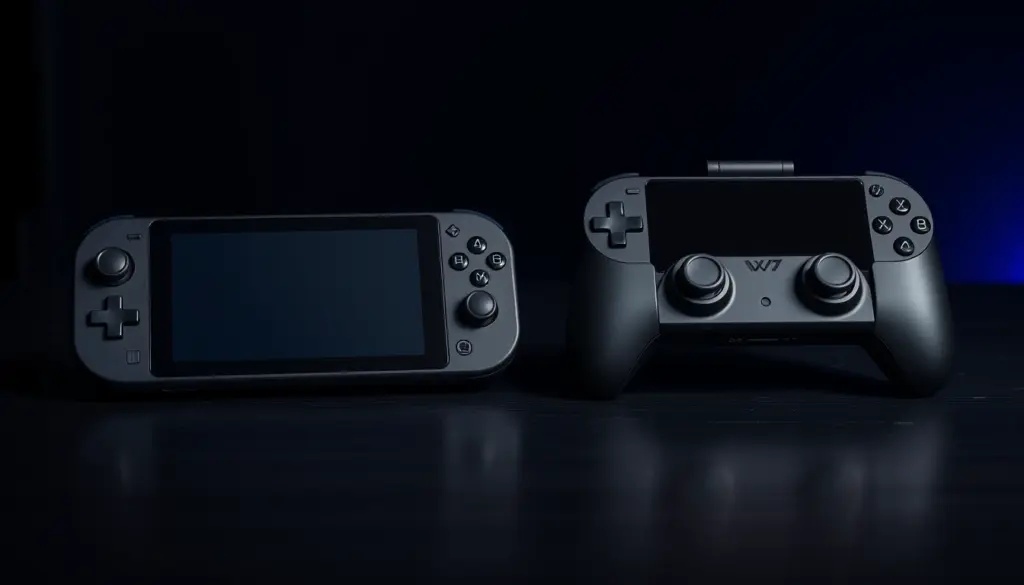
The PlayStation Portal is a dedicated Remote Play handheld that Sony first released on November 15, 2023, at a launch price of $199.99. It pairs an 8-inch LCD touchscreen running at 1920×1080 resolution and 60Hz with a DualSense-shaped shell that includes the console controller’s full haptic feedback and adaptive trigger hardware built directly into the unit. At roughly 522 grams (1.15 pounds) and 356×99×152mm, it’s a single, purpose-built object rather than an accessory for something else you own – closer in spirit to a Nintendo Switch than to a phone case.
Under the hood, the Portal runs a modified version of Android 13 on a Snapdragon 662 chip, according to Wikipedia’s hardware breakdown, but that Android layer exists purely to run Sony’s streaming client – there’s no app store, no side-loading, and no way to install and run PS5 games natively. Every game shown on that 8-inch screen is being decoded from a video stream, not executed locally. The device connects over Wi-Fi only, with no Bluetooth radio and no cellular modem, so it depends entirely on either a home network reaching a PS5 you already own, or a strong outside connection for cloud-based play. It includes a built-in microphone array and speakers for party chat, a 3.5mm headphone jack, and a touchscreen used mainly for navigating menus rather than in-game input, since the physical controls handle actual gameplay.
Because the Portal is manufactured and sold directly by Sony, it also benefits from first-party integration that third-party accessories can’t always match – automatic firmware updates pushed the same way PS5 system updates are, party chat that plugs directly into the existing PSN social graph, and quick access to a PS5’s screenshot and settings menus without routing through a separate companion app. That tight integration is part of what the higher price is paying for, even if it doesn’t show up as a line item on a spec sheet.
For its first two years on the market, the Portal could only stream from a PS5 the owner already had, over Remote Play – a genuinely narrow use case that fueled the early “why does this exist” skepticism. That changed in November 2025, when Sony moved PS Plus Premium cloud streaming out of beta and into general availability on the device, letting Portal owners play a limited slate of cloud titles without a PS5 present at all. Reviewers who had written the device off in 2023 largely revisited that verdict once cloud streaming shipped, treating it as the feature that finally gave the hardware a reason to exist independent of a console someone already owned. Even so, the core value proposition still assumes either PS5 ownership or an ongoing PS Plus Premium subscription – the Portal was never designed to be a fully standalone game console the way a Switch or Steam Deck is.
What Is Backbone One?
Backbone One is a folding controller that clips directly around a phone, turning it into a handheld gaming device. It doesn’t include a screen, processor, or streaming logic of its own – it’s a pure input peripheral that hands off video and audio duties to whatever iPhone or Android device is mounted in the middle. The PlayStation Edition, styled with DualSense-inspired buttons and color accents under an official partnership with Sony, costs $99.99 and connects via either a Lightning connector (older iPhones) or USB-C (iPhone 15/16/17 and most Android phones), depending on the specific model purchased. A second-generation refresh added dual sets of magnetic phone adapters for a tighter fit across different phone sizes, plus a reshaped D-pad aimed at improving responsiveness over the original model.
The standard Backbone One has no internal battery. According to Backbone’s own support documentation, it draws an “imperceptibly low” amount of power directly from the connected phone, and both the Lightning and USB-C versions include pass-through charging ports so the phone can charge while a game is running. It also includes a 3.5mm headphone jack with microphone support for party chat, letting players use wired headsets instead of relying on a phone’s Bluetooth. At roughly 138 grams, it weighs about a quarter of what the Portal does – though that comparison is slightly misleading, since a phone still has to be added to that weight once it’s clipped in, bringing the combined package closer to Portal territory for larger phones.
Backbone’s product line expanded further at the start of 2026. On January 21, 2026, the company refreshed its lineup with the Xbox Edition ($99.99), the PlayStation Edition ($99.99), and Target-exclusive limited colorways priced between $99.99 and $169.99. It also now sells the Backbone Pro at $169, a higher-end controller with its own battery, its own Bluetooth radio, Hall Effect analog sticks and triggers, and customizable back buttons – letting it work as a standard wireless controller even when it isn’t physically clipped to a phone. Every Backbone model routes through the same Backbone app, which aggregates PS Remote Play, Xbox Cloud Gaming and Game Pass, native mobile games, and, on iOS, Apple Arcade into a single library, rather than requiring separate apps for every platform.
PlayStation Portal vs Backbone One: Full Specs Compared
The two devices barely overlap on paper outside of their shared purpose. The table below lines up official and reviewer-verified specs side by side, including the newer Backbone Pro where it’s relevant, since it sits in an awkward middle ground – priced closer to the Portal but built around the same phone-dependent philosophy as the standard Backbone One.
| Spec | PlayStation Portal | Backbone One (PS Edition) | Backbone Pro |
|---|---|---|---|
| Price (U.S.) | $249.99 | $99.99 | $169 |
| Screen | Built-in 8-inch LCD | Uses your phone’s screen | Uses your phone’s screen |
| Resolution / refresh | 1920×1080, 60Hz | Depends on phone | Depends on phone |
| Weight | ~522g (1.15 lb) | ~138g | ~199g (7.02 oz) |
| Dimensions | 356 × 99 × 152mm | 6.94 × 3.70 × 1.28 in | 4.1 × 7 × 1.4 in |
| Chip / OS | Snapdragon 662, modified Android 13 (streaming client only) | None – passthrough only | None – passthrough only |
| Haptics / adaptive triggers | Full DualSense-equivalent haptics + adaptive triggers | Standard rumble, no adaptive triggers | Hall Effect sticks/triggers, no PS5-grade haptics |
| Battery | Internal, dedicated | None – draws from phone | Internal, own battery |
| Connectivity | Wi-Fi only, no Bluetooth, no cellular | Wired to phone (Lightning or USB-C); rides phone’s Wi-Fi/cellular | USB-C wired or standalone Bluetooth mode |
| Charging while playing | N/A (self-contained) | Pass-through charging | Pass-through charging + own battery |
| Headphone jack | Yes, 3.5mm | Yes, 3.5mm with mic | Yes, 3.5mm with mic |
| Native game storage | None (streaming only) | None (uses phone’s apps/storage) | None (uses phone’s apps/storage) |
| Compatible services | PS5 Remote Play, PS Plus Premium cloud streaming | PS Remote Play, Xbox Cloud Gaming/Game Pass, mobile games, Apple Arcade | Same as Backbone One, plus standalone Bluetooth controller use |
| Requires owning a PS5 | Effectively yes (or PS Plus Premium for limited cloud library) | No | No |
The pattern is consistent across nearly every row: the Portal wins on dedicated, PS5-tuned hardware – a bigger fixed screen, full DualSense haptics, and no dependency on a phone’s build quality – while Backbone wins on flexibility, weight, and platform reach. Neither spec sheet is objectively “better”; they’re built for different assumptions about what device is already in your pocket. Anyone reading this table as a simple checklist will notice the Portal collects more first-place finishes on raw hardware capability, while Backbone collects more on everything related to cost and versatility – which is really the entire PlayStation Portal vs Backbone One debate compressed into one table.
Pricing Breakdown: $249.99 vs $99.99 vs $169
Sony’s April 2026 price update touched the entire PS5 hardware family, not just the Portal in isolation. According to the official PlayStation Blog announcement, the new U.S., U.K., European, and Japanese pricing broke down as follows.
| Product | U.S. | U.K. | Europe | Japan |
|---|---|---|---|---|
| PS5 (disc) | $649.99 | £569.99 | €649.99 | ¥97,980 |
| PS5 Digital Edition | $599.99 | £519.99 | €599.99 | ¥89,980 |
| PS5 Pro | $899.99 | £789.99 | €899.99 | ¥137,980 |
| PlayStation Portal | $249.99 | £219.99 | €249.99 | ¥39,980 |
| Backbone One (PS Edition) | $99.99 | – | – | – |
| Backbone Pro | $169 | £169 | – | – |
| Backbone Xbox Edition | $99.99 | – | – | – |
Sony’s stated justification – economic pressure, tariffs, and component costs – applied uniformly across the console lineup, but the Portal absorbed the largest percentage jump of any single SKU in that announcement, moving from $199.99 to $249.99, a price that had held steady for roughly two and a half years before this increase. Backbone, by contrast, has held its $99.99 PlayStation Edition price through the same window, with its only 2026 price movement being the addition of a new $169 Pro tier above the existing lineup rather than an increase to the base model.
The more important number for most buyers isn’t the sticker price alone – it’s total cost of ownership. The Portal’s $249.99 price tag assumes you either already own a PS5 (itself $599.99 to $899.99 after the same price update) or plan to pay for an ongoing PS Plus Premium subscription to unlock its console-free cloud library. Add that subscription cost on top of the hardware and the Portal’s effective first-year price climbs well past its sticker. Backbone One’s $99.99 assumes only that you own a phone, which most buyers already do, making its effective “entry cost” dramatically lower even before comparing the hardware itself. For a household that has to buy a PS5 from scratch just to get value out of a Portal, the true side-by-side cost isn’t $249.99 versus $99.99 – it’s closer to $850 versus $100.
Screen and Display Quality
The PlayStation Portal’s 8-inch, 1920×1080, 60Hz LCD is fixed and known in advance – every review of the device is describing the same panel. It supports touch input for on-screen menus but doesn’t support HDR, variable refresh rate, or Dolby Vision, so it caps out well below what a modern TV or high-end phone display can do. PCGuide’s side-by-side comparison lists it plainly as an “8-inch LCD, 1080p” panel with no premium display features layered on top, and that consistency is arguably the point: every Portal owner gets the exact same visual baseline, with no risk of a worse experience than advertised.
Backbone One doesn’t have this problem or this advantage – it simply doesn’t include a screen. Display quality is entirely a function of whatever phone gets clipped in. For most 2026 flagship phones, that means a smaller physical screen than the Portal’s 8 inches, but with higher pixel density, OLED contrast, and HDR support that the Portal’s LCD panel can’t match. A budget Android phone, on the other hand, might fall well short of the Portal’s fixed baseline, with a dimmer, lower-resolution panel and no HDR at all. That variability is the core trade-off: the Portal guarantees a known, sizable, mid-tier display experience every time, while Backbone One can either exceed or undercut it depending entirely on the phone in your pocket. Someone with a two-year-old budget Android phone and someone with the latest iPhone Pro get meaningfully different Backbone experiences from the exact same $99.99 controller – a variable the Portal simply removes from the equation.
Controls, Haptics, and Ergonomics
Sony built the Portal to be functionally indistinguishable from a DualSense controller in terms of input. It includes the same adaptive trigger resistance and fine-grained haptic feedback found on the PS5’s bundled controller, built directly into the handheld rather than added as a bolt-on feature. For anyone used to the DualSense on a PS5, the Portal is designed to feel identical in the hand, just wrapped around a screen instead of connected to a TV – the same trigger tension when drawing a bow in an action-adventure title, or the same fine rumble texture when driving over gravel in a racing game, should translate directly from console to handheld.
The standard Backbone One does not attempt to replicate that. It includes conventional rumble motors rather than PS5-grade adaptive triggers or fine haptic feedback, and its DualSense-styled button layout is a visual homage rather than a functional match – reviewers have noted the touchpad implementation in particular isn’t a great substitute for the genuine DualSense pad, which matters in the handful of PS5 games that lean on touchpad gestures for menus or map controls. The step-up Backbone Pro closes part of that gap with Hall Effect analog sticks and triggers, which resist the stick drift that affects standard potentiometer-based sticks over time, and adds customizable back buttons for remapping – but it still doesn’t replicate PS5-specific adaptive trigger resistance, since that’s proprietary DualSense hardware Sony doesn’t license out.
On ergonomics, the Portal is a single fixed shape every time you pick it up, with weight distribution Sony controls entirely. Backbone’s feel changes depending on the phone size and case clipped into it – some users find the added phone bulk uncomfortable on long sessions, particularly with larger phones that stretch the controller’s grips wider apart, while others prefer the more compact, foldable form factor for a bag or pocket when it’s not in use. Neither approach is strictly more comfortable; it depends on hand size, session length, and how much a user minds a controller that changes shape depending on what phone is currently mounted in it.
Game and Service Compatibility
This is where the two devices diverge most sharply, and it’s arguably the single biggest factor in the PlayStation Portal vs Backbone One decision for anyone who isn’t exclusively a PlayStation household. The PlayStation Portal is locked to Sony’s own ecosystem: PS5 Remote Play from a console you own, plus the PS Plus Premium cloud streaming library that went live in November 2025. It does not support Xbox Cloud Gaming, Nvidia GeForce Now, or any third-party streaming service – Sony built it as single-purpose hardware, and it stays that way by design, not by an oversight that might get patched later.
Backbone One is explicitly platform-agnostic. The same $99.99 controller that handles PS5 Remote Play also runs Xbox Cloud Gaming and Xbox Game Pass streaming, native mobile games downloaded from the App Store or Play Store, and, on iPhone, Apple Arcade titles, all organized through the Backbone app’s unified library rather than requiring a separate app per service. For anyone whose gaming habits already span more than one platform, that’s a meaningful difference: a single $99.99 accessory replaces the need for separate PlayStation- and Xbox-specific hardware, while the $249.99 Portal only ever does one thing. A household with one PS5 owner and one Xbox Game Pass subscriber, for instance, could standardize on Backbone controllers for everyone; the same household would need entirely separate hardware if it tried to standardize on Portal-style dedicated devices instead.
Portability, Battery Life, and Connectivity
The Portal’s Wi-Fi-only design is its biggest portability constraint. With no Bluetooth and no cellular modem, it needs a Wi-Fi network in range to do anything at all – it can’t tether to a phone’s hotspot data plan the way a normal streaming client could, so a subway commute, a road trip, or a hotel with locked-down Wi-Fi can all take it out of service entirely. It also has to be charged and carried as its own 522-gram object, separate from whatever phone the owner already has on them, which means packing an additional charging cable and finding pocket or bag space that a phone-based solution doesn’t require.
Backbone One inherits whatever connectivity the host phone has, including cellular data – meaning it can, in principle, keep Remote Play running over a mobile connection somewhere the Portal simply cannot go, network quality permitting. It adds only 138 grams to a phone the user is typically already carrying, and its lack of an internal battery is arguably an advantage here: there’s no separate charge cycle to manage, since pass-through charging keeps the phone topped up during play rather than draining it. The Backbone Pro changes that calculation slightly by adding its own battery and Bluetooth radio, which lets it double as a standalone wireless controller – useful for docked play on a tablet or TV, or for using it independent of any phone at all – at the cost of one more battery to remember to charge before a session.
Neither device ships with a wall charger in the box, following the same accessories-not-included approach most phone and console makers have settled on. The Portal uses a USB-C cable and draws power the same way a PS5 controller does; Backbone One’s charging is entirely passthrough via whatever cable and adapter the connected phone already uses, so there’s genuinely one fewer charger to pack for anyone traveling with a phone already in tow.
Performance and Latency: What Reviewers Found
Neither device publishes a hard latency spec, and reviewers across multiple outlets converge on the same conclusion: input lag is overwhelmingly a function of the home network and Remote Play itself, not the accessory doing the streaming. TechRadar’s dedicated Portal review found “barely any” discernible input lag when directly comparing the handheld’s picture against a TV feed, but only after reconfiguring the reviewer’s router – underscoring that Wi-Fi quality, not the Portal hardware, was the limiting factor. Sony’s general guidance for Remote Play has consistently pointed toward a strong 5GHz Wi-Fi connection for both the streaming PS5 and the receiving device, and reviewers who skipped that step reported noticeably worse results than those who didn’t.
Backbone One testing tells a similar story. Reviews describe “almost no latency, no matter what was played” under good network conditions, with occasional dropped connections during PS5 Remote Play sessions rather than a fixed lag penalty baked into the hardware. TechRadar’s and The Gamer’s head-to-head comparisons of the two devices both stop short of declaring either one categorically faster, instead framing the decision around features and price rather than a measurable performance gap – because, functionally, both are decoding the exact same PS5 Remote Play video stream using the same underlying protocol. On the cloud side, reviewers tracking the Portal’s cloud rollout have reported strong early adoption among PS Plus Premium subscribers who own the device since streaming left beta in late 2025, a sign Sony views cloud streaming, not Remote Play alone, as the Portal’s long-term value driver going forward.
The practical takeaway for buyers: don’t choose between these two devices expecting a meaningful latency advantage either way. Choose based on router quality and network conditions you actually control at home, not on marketing claims about either piece of hardware, since both are ultimately bottlenecked by the same Wi-Fi and internet fundamentals.
Real-World Use Cases: 5 Scenarios
1. The commuter without home Wi-Fi in range. Someone riding a train or bus who wants to keep playing a PS5 game mid-commute needs cellular data, not just Wi-Fi. Backbone One, riding on the phone’s existing data plan, can attempt a Remote Play session in transit, subject to signal strength and data caps; the Portal’s Wi-Fi-only radio makes that scenario a non-starter without carrying a separate portable hotspot, which defeats much of the point of a dedicated lightweight handheld.
2. The second household screen. A household where one person is watching TV and another wants to keep playing the PS5 in the same room, or the next room over on the same home network, is the scenario the Portal was purpose-built for – a dedicated 8-inch screen that doesn’t require someone’s phone to be tied up for an hour, freeing that phone for texts, calls, or its own apps while gaming continues uninterrupted on a separate piece of hardware.
3. The PS Plus Premium subscriber without a PS5. Since cloud streaming left beta in November 2025, someone who pays for PS Plus Premium but doesn’t own a console outright can use the Portal to sample its cloud library directly – a scenario that didn’t exist at the Portal’s 2023 launch and is now part of its core pitch, effectively turning what was once a Remote Play-only accessory into a limited standalone cloud console for a specific subscriber segment.
4. The multi-platform mobile gamer. Someone who splits time between PS5 Remote Play, Xbox Game Pass, and mobile titles like Apple Arcade games can cover all three with one $99.99 Backbone One, rather than buying separate platform-specific hardware for each ecosystem – the Portal only ever serves the PlayStation side of that equation, leaving Xbox and mobile gaming to whatever other hardware or apps that person already juggles.
5. The frequent traveler packing light. Backbone One folds flat and adds roughly 138 grams to a bag that already contains a phone and a charging cable that does double duty; the Portal is a second dedicated object at 522 grams that needs its own space, its own charge, its own cable, and a reliable Wi-Fi network wherever it lands – a meaningfully heavier and more complicated ask for carry-on luggage or a daypack on a multi-day trip.
Pros and Cons of Each Device
Laid out spec by spec, both devices have obvious strengths that don’t show up as clearly once they’re buried inside a comparison table. The lists below isolate what each one actually gets right, and where it falls short, without weighing them against each other’s price.
PlayStation Portal – Pros:
- Full DualSense-equivalent haptics and adaptive triggers built in
- Large, fixed 8-inch 1080p60 screen that doesn’t depend on your phone
- Now supports PS Plus Premium cloud streaming without owning a PS5
- Dedicated device means your phone stays free for calls, texts, and its own battery life
- Consistent experience for every owner, with no phone-quality variability
PlayStation Portal – Cons:
- $249.99 after the April 2026 price hike, up 25% from launch pricing
- Wi-Fi only – no Bluetooth, no cellular, unusable without a network
- PlayStation-only; no Xbox Cloud Gaming or GeForce Now support
- Effectively requires already owning a PS5 to unlock its full value
- One more device to charge, carry, and keep track of
Backbone One – Pros:
- $99.99 – $150 cheaper than the Portal at current pricing
- Works across PS Remote Play, Xbox Cloud Gaming/Game Pass, and mobile games
- Rides your phone’s cellular data, not just Wi-Fi
- Pass-through charging means no separate battery to manage on the standard model
- Folds flat and weighs about a quarter of the Portal
Backbone One – Cons:
- No screen of its own – display quality depends entirely on your phone
- No adaptive triggers or PS5-grade haptics on the standard model
- Ties up your phone for the entire play session
- Touchpad and button feel are an approximation of DualSense, not a match
Migration Guide: Switching Between Portal and Backbone
Switching from one device to the other doesn’t require abandoning any saved progress – Remote Play and cloud streaming both run off your PSN account and cloud saves, not the accessory itself, so game progress carries over automatically regardless of which hardware is used to access it. People typically make this switch after a price change like the one that just hit the Portal, after a gift or hand-me-down changes which device is available in a household, or after realizing their gaming habits have outgrown a single-platform device. Here’s the practical checklist for moving in either direction.
Moving from PlayStation Portal to Backbone One:
- Install the PS Remote Play app (or PlayStation App) on the phone you’ll be clipping Backbone One into
- Sign in with the same PSN account used on the Portal
- Physically clip Backbone One onto the phone and confirm it’s recognized in the Backbone app
- In Remote Play’s settings, adjust streaming resolution and bitrate – phone screens and cellular connections may need different defaults than the Portal used on home Wi-Fi
- Check your PSN account’s registered-devices list and remove the Portal if you’re approaching any device registration limit
- If you plan to use Xbox Game Pass or mobile titles too, set those up separately inside the Backbone app’s unified library
Moving from Backbone One to PlayStation Portal:
- Connect the Portal to your home Wi-Fi network during first-time setup
- Sign in with the PSN account linked to your PS5
- Pair the Portal to your PS5 through the console’s Remote Play settings, and consider enabling the PS5 to stay in rest mode so it’s reachable without manually powering it on
- If you don’t own a PS5, activate a PS Plus Premium subscription and use the Portal’s cloud streaming library instead of Remote Play
- Test on your actual home network before relying on it – Wi-Fi strength has a bigger effect on the Portal’s experience than on a phone that can fall back to cellular
- Retire or repurpose the Backbone controller for a second phone in the household rather than letting it sit unused
Who Should Buy Which Device
Choose the PlayStation Portal If…
You already own a PS5, mostly play at home or within Wi-Fi range, and want the closest thing to a genuine DualSense experience on a dedicated screen without tying up your phone. It’s also the more sensible pick if you’re a PS Plus Premium subscriber who wants to try cloud streaming without buying a console outright – a use case that only became possible after the November 2025 rollout – or if multiple people in a household need to share PS5 access without fighting over the TV.
Choose Backbone One (or Backbone Pro) If…
You want to spend $150 less, play across more than one ecosystem (PlayStation, Xbox, and mobile), or need something that works away from Wi-Fi over cellular data. It’s also the better choice for travel and commuting, given its lower weight and lack of dependency on a home network. Buyers who want a standalone wireless controller in addition to phone-clip mode should look at the $169 Backbone Pro specifically, since the standard $99.99 One only works while physically attached to a phone, while the Pro can be used independently once undocked.
The Verdict: Which Wins in 2026?
| Category | Winner |
|---|---|
| Price | Backbone One ($99.99 vs $249.99) |
| Screen quality (guaranteed baseline) | PlayStation Portal |
| Haptics and adaptive triggers | PlayStation Portal |
| Platform flexibility | Backbone One |
| Portability / weight | Backbone One |
| Works away from home Wi-Fi | Backbone One (via cellular) |
| Cloud streaming without a PS5 | PlayStation Portal (PS Plus Premium) |
| Standalone controller use (no phone/screen needed) | Backbone Pro only |
There’s no single winner in the PlayStation Portal vs Backbone One matchup – the two products aren’t really chasing the same buyer anymore, especially after the April 2026 price hike pushed the Portal further upmarket. If money is the deciding factor, or if a household already splits time between PlayStation, Xbox, and mobile gaming, Backbone One’s $99.99 price and cross-platform reach make it the easier recommendation for most people. If the goal is the closest possible experience to holding a DualSense controller with a dedicated screen, and a PS5 or a PS Plus Premium subscription is already in the picture, the Portal remains the more purpose-built tool, even at $249.99.
Sony built one device to do one thing extremely well; Backbone built one accessory to do several things adequately. Which one wins depends entirely on which of those two philosophies matches how someone actually plays – and for buyers who were on the fence before the price hike, the extra $50 the Portal now costs is likely enough to push budget-conscious, multi-platform households toward Backbone One by default, while dedicated PlayStation loyalists who already own a PS5 have less reason to be swayed by the increase.
Frequently Asked Questions
Does the PlayStation Portal work without a PS5?
Since November 2025, yes – but only with an active PS Plus Premium subscription that unlocks a limited cloud-streaming game library. Without PS Plus Premium, the Portal needs a PS5 on the same network, or reachable remotely, to function at all.
Can Backbone One play Xbox and mobile games, not just PlayStation?
Yes. The same Backbone One hardware supports PS Remote Play, Xbox Cloud Gaming and Game Pass streaming, native mobile games, and Apple Arcade on iPhone, all managed through the Backbone app.
Why did the PlayStation Portal’s price increase in 2026?
Sony raised the U.S. price from $199.99 to $249.99 on April 2, 2026, alongside increases to the PS5 and PS5 Pro, citing “continued pressures in the global economic landscape,” including import tariffs and component cost volatility.
Does Backbone One need to be charged separately?
No. The standard Backbone One has no internal battery – it draws a small amount of power from the connected phone and includes a pass-through charging port so the phone itself can charge during play.
What’s the difference between Backbone One and Backbone Pro?
Backbone One ($99.99) is a phone-clip controller with no battery of its own. Backbone Pro ($169) adds Hall Effect analog sticks and triggers, customizable back buttons, its own battery, and a Bluetooth radio, letting it work as a standalone wireless controller even when it isn’t clipped to a phone.
Does the PlayStation Portal support Bluetooth headphones or controllers?
No. The Portal has no Bluetooth radio at all – audio goes through its built-in speakers or the 3.5mm headphone jack, and it doesn’t pair with external Bluetooth accessories.
Is the PlayStation Portal or Backbone One better for travel?
Backbone One is generally the better travel companion. It weighs about a quarter of the Portal, folds flat, rides your phone’s existing cellular connection instead of requiring Wi-Fi, and doesn’t need its own charge cycle on the standard model.
Can I use a PlayStation Portal and Backbone One at the same time in one household?
Yes. Both connect through the same PSN account and Remote Play infrastructure, so a household can mix devices – for example, a Portal for living-room second-screen play and a Backbone One on a second person’s phone for commuting – without any conflict, as long as PSN’s device registration limits aren’t exceeded.
Related Coverage
- DualSense Edge vs Xbox Elite: $199 Each, 40h vs 8h
- PS Plus Jumps to $19.99 as Sony Eyes a Third Hike
- Best Cloud Gaming Service 2026: 5 Apps, $0 to $44/Mo
- Moonlight vs Steam Link: 4K120 vs 4K60, Both Free
- PS5 Pro vs Xbox Series X: $899 vs $649, 37% Faster
- GeForce Now vs Xbox Cloud Gaming: 4K vs 1440p
- More Gaming Coverage