
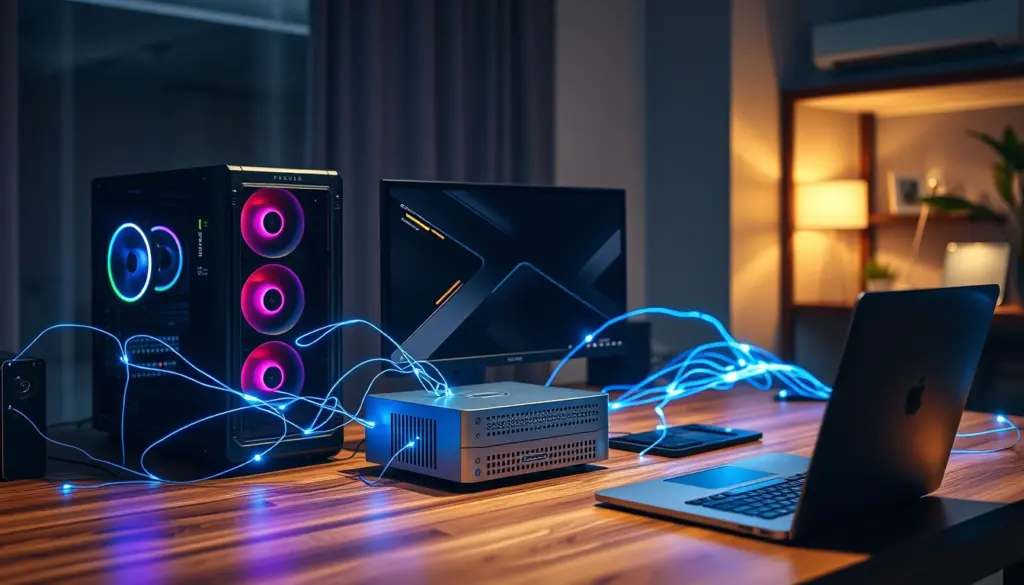
NVIDIA has shipped a public beta of a new piece of software that turns a house full of separate computers into one shared brain for AI. The tool is called NVIDIA Personal AI Router, or PAIR, and it went live this week as a free download for Windows, macOS, and Linux. According to NVIDIA’s own product documentation, PAIR is software that connects compatible macOS, Windows, and Linux systems with NVIDIA RTX GPUs and DGX Spark systems into a personal home AI cluster, and outlets including MarkTechPost and Brief IA have flagged it as one of the more consequential local-AI releases of the year.
The pitch is simple even if the plumbing underneath is not: instead of buying one massive GPU to run every AI model in the house, PAIR lets a gaming PC with an RTX card, a DGX Spark box, and a Mac on the same Wi-Fi network split the work between them. For developers and home-lab tinkerers who have spent 2026 watching GPU prices climb, that idea alone is why NVIDIA PAIR is trending across AI news aggregators this week.

Don't miss new tech stories on Google
Add Shattered once in the Google app and our stories show up in your news suggestions.
What Is NVIDIA Personal AI Router (PAIR)?
NVIDIA Personal AI Router, referred to internally and in marketing material as NVIDIA PAIR, is not a chip or a model. It is a background service that sits between AI applications and whatever hardware happens to be available on a local network. NVIDIA’s technical documentation describes it plainly: NVIDIA Personal AI Router (PAIR) turns several machines on your local network into one place to send inference requests. That single sentence explains why the release matters more than a typical point update. It reframes a home network, not a single workstation, as the unit of AI compute.
In practice, PAIR is described by NVIDIA as a virtual inference router. Every AI app or coding agent on a laptop or desktop points at one local address. PAIR then decides, request by request, which machine on the network actually does the work. A user never manually assigns a job to a specific GPU. The router discovers which devices are online, checks which inference engine and model each one has loaded, and forwards the request accordingly.
How PAIR Distributes Inference Across Devices
The core mechanic behind NVIDIA PAIR is device discovery followed by automatic routing. Once PAIR is installed on each machine that should contribute compute, the software finds every other participating node on the same network. It then tracks, in real time, which nodes have which models loaded and how busy each one currently is.
When an application sends an inference request, PAIR checks three things: which engine the request needs, whether a given machine already has the right model loaded, and how much headroom that machine has at that moment. The request gets routed to whichever eligible machine can serve it fastest. If the primary GPU box is mid-render or already saturated with another job, PAIR can hand the request to a second machine instead of forcing it to wait in a queue on one device.
This differs from clustering software built for data centers, which typically assumes identical hardware and a wired backbone. PAIR is aimed squarely at mixed, consumer-grade home setups: a gaming tower next to a DGX Spark next to a Mac, all on the same router, none of them purpose-built to work together.
Supported Hardware: From RTX 20-Series to DGX Spark
NVIDIA has been specific about which machines can join a PAIR cluster, and the list is wider than a first glance suggests. According to NVIDIA’s own blog post announcing the beta, the software supports NVIDIA GeForce RTX 20 Series GPUs and newer, NVIDIA RTX PRO workstation GPUs built on Turing architecture and newer, NVIDIA DGX Spark systems, and Apple M4 or newer silicon. That means a six-year-old RTX 2080 can, in theory, sit in the same cluster as a brand-new DGX Spark.
The DGX Spark inclusion is the detail most compute-hungry users are watching. NVIDIA’s compact desktop AI system, aimed at developers who want data-center-style throughput without a data center, becomes far more useful as a shared resource rather than a single-user box once PAIR can route work to it from any device on the network.
| Hardware Class | Minimum Requirement | Operating System | Role in a PAIR Cluster |
|---|---|---|---|
| NVIDIA GeForce RTX | RTX 20 Series or newer | Windows, Linux | General-purpose inference node |
| NVIDIA RTX PRO Workstation | Turing architecture or newer | Windows, Linux | Higher-throughput inference node |
| NVIDIA DGX Spark | Any DGX Spark unit | Linux | High-capacity shared compute node |
| Apple Silicon Mac | Apple M4 or newer | macOS | Client and/or contributing node |
Apple Silicon Support: Why Mac M4+ Matters
NVIDIA building explicit Mac support into a product carrying its own brand name is notable on its own. PAIR connects compatible macOS, Windows, and Linux systems, and NVIDIA has confirmed Apple M4 or newer chips as the baseline for participating Macs. For households and small teams that mix an NVIDIA gaming rig with a MacBook or Mac Studio for daily work, that means the Mac no longer has to sit outside a local AI setup just because it lacks a discrete NVIDIA GPU.
It also signals something about where NVIDIA sees the real competition. The company is not trying to keep every AI workload locked to its own silicon. It is trying to make sure that whatever mix of hardware a household already owns, the easiest way to route AI requests between those machines carries NVIDIA’s name.
Ollama and LM Studio Integration Explained
PAIR does not replace the inference engines developers already use. It sits in front of them. NVIDIA has confirmed that PAIR works with Ollama and LM Studio, two of the most widely adopted tools for running open models locally. Both tools already let a single machine load and serve models. PAIR’s job is to make sure a request lands on whichever machine running one of those engines is best positioned to answer it.
For a developer who already has Ollama running on a home server, adding PAIR does not mean switching tools. It means that server, plus every other compatible machine on the network, becomes visible to PAIR as a pool of capacity rather than a single fixed endpoint.
Ollama-Compatible and OpenAI-Compatible Endpoints
NVIDIA’s documentation states that PAIR presents Ollama-compatible and OpenAI-compatible proxy endpoints to applications and agents. That detail matters more to developers than it might sound. Thousands of existing tools, scripts, and coding agents already know how to talk to an OpenAI-style API or an Ollama-style API. Because PAIR mimics both interfaces, none of that existing tooling needs to be rewritten. An application simply points at PAIR’s local address instead of a single machine’s address, and PAIR handles the rest behind the scenes.
# Illustrative example only: pointing an OpenAI-compatible client
# at a local endpoint instead of a cloud API.
# PAIR's exact local port and path are assigned during
# beta installation and documented on each machine.

curl http://localhost:PORT/v1/chat/completions \
  -H "Content-Type: application/json" \
  -d '{
    "model": "local-model-name",
    "messages": [{"role": "user", "content": "Summarize this file."}]
  }'
The snippet above illustrates how an OpenAI-compatible call is structured. It is not an official NVIDIA code sample. The actual port and endpoint path are assigned during PAIR’s own setup process on each machine.
Installation and Setup: What Beta Users Can Expect
NVIDIA has kept the onboarding path deliberately simple for a beta release. Users download the NVIDIA PAIR beta for a supported Windows, macOS, or Linux system, and NVIDIA has confirmed the beta is available through both graphical and terminal interfaces. PAIR then gets installed on every machine that should contribute compute to the cluster, not just the one a person sits in front of every day.
Once installed across multiple machines, PAIR handles device discovery automatically rather than asking a user to manually register each node by IP address. NVIDIA’s RTX Spark social account has pointed users toward a companion technical walkthrough covering setup and device discovery, describing it as a guide that gets you started with NVIDIA PAIR, from setup and device discovery to routing inference across your network.
Why NVIDIA Is Pushing Local AI Inference Now
PAIR did not appear in a vacuum. Cloud GPU rental prices for high-end accelerators have been volatile through 2026, and enterprise buyers are not the only ones feeling the squeeze. Consumers and small development shops who want to run large open-weight models without a monthly cloud bill have increasingly turned to local hardware, and NVIDIA’s own RTX Spark line has sold well enough to sell out at multiple retailers this year. PAIR is the connective tissue NVIDIA needed to make that hardware sprawl coherent: owning three separate AI-capable machines around the house is not much use if each one can only be used one at a time by whoever sits in front of it.
There is also a simpler business logic at work. Every machine that becomes more useful as part of a PAIR cluster is a machine NVIDIA would rather see a customer buy than skip. A single RTX GPU might be enough for light local AI work, but a household that knows a second or third RTX card, or a DGX Spark, adds real capacity to a shared pool has a much stronger reason to buy an additional device instead of paying a cloud API bill.
Market Impact: Local AI Clusters vs Cloud Inference
The direct competitor to a home PAIR cluster is not another piece of local software. It is the cloud AI subscription. Every request that a household routes through a local Ollama or LM Studio instance via PAIR is a request that never reaches a hosted API and never gets billed per token. For developers running frequent, repetitive coding-agent workloads, that difference compounds quickly.
The market impact is likely to show up first in secondary GPU demand rather than headline sales figures. If PAIR makes older RTX 20-Series and 30-Series cards genuinely useful again as contributing nodes rather than obsolete hardware waiting to be sold, it could slow the pace at which enthusiasts upgrade their primary card, while simultaneously making a second or third card purchase more attractive. That is a subtle shift, but one that plays directly into NVIDIA’s installed base of RTX-capable GPUs already sitting in homes and offices.
Competitive Landscape: PAIR vs Running Ollama or LM Studio Alone
Ollama and LM Studio remain the two most common ways individual developers run open models locally, and PAIR does not compete with either. It sits above them. The meaningful comparison is between a single machine running one of those tools in isolation and a network of machines coordinated by PAIR.
| Setup | Compute Source | Works Across Multiple Machines | API Compatibility |
|---|---|---|---|
| Ollama alone, single machine | One local GPU or CPU | No | Ollama API |
| LM Studio alone, single machine | One local GPU or CPU | No | OpenAI-compatible local API |
| NVIDIA PAIR cluster | Every eligible RTX GPU, RTX PRO GPU, DGX Spark, and Apple M4+ Mac on the network | Yes, automatic discovery and routing | Ollama-compatible and OpenAI-compatible proxy endpoints |
The distinction that matters most for developers is the last column. Because PAIR speaks both the Ollama dialect and the OpenAI dialect, moving from a single-machine setup to a PAIR cluster does not require abandoning either ecosystem. A script written against LM Studio’s OpenAI-compatible endpoint can, in principle, be pointed at PAIR instead with minimal changes, gaining access to every other node on the network in the process.
Historical Context: NVIDIA’s Long Push Toward Local AI
NVIDIA has spent the better part of 2026 building out a local-AI product line that goes well beyond selling GPUs. The company has continued shipping local-inference improvements for RTX GPUs with 24GB or more of memory, aimed squarely at developers running vLLM and llama.cpp workloads at home rather than in the cloud. It has also pushed the RTX Spark line into desktops and laptops from multiple OEM partners, with pricing and availability closely watched by the same enthusiast audience now downloading PAIR. NVIDIA formally unveiled PAIR at IFA 2026 in Berlin on September 3, 2026, presenting it as part of that same local-AI push rather than as a standalone product launch.
PAIR is best understood as the next logical step in that strategy rather than a standalone product. NVIDIA has spent years building the hardware for local AI. Getting multiple pieces of that hardware, sitting in the same house, to act as one coordinated system is the software half of the same bet, and NVIDIA has now formalized it with a named, branded release rather than leaving the problem to third-party tools.
Expert and Industry Perspective
NVIDIA has been consistent in how it describes PAIR across its own channels, and that consistency is itself informative about how the company wants the product understood. Its official product page states that NVIDIA Personal AI Router (PAIR) is software that connects compatible macOS, Windows, and Linux systems with NVIDIA RTX GPUs and DGX Spark systems into a personal home AI cluster, a definition NVIDIA repeats nearly word for word in its own FAQ.
NVIDIA’s technical documentation frames the same idea in plainer terms, noting that NVIDIA Personal AI Router (PAIR) turns several machines on your local network into one place to send inference requests. That phrasing is aimed less at engineers and more at the home-lab audience PAIR is courting, people who may own several AI-capable devices without ever having connected them together for a shared workload before.
On the hardware side, NVIDIA’s own blog post announcing the release is the most specific public statement about compatibility so far: the NVIDIA PAIR beta is available for Windows, macOS and Linux through both graphical and terminal interfaces, supporting NVIDIA GeForce RTX 20 Series GPUs and newer, NVIDIA RTX PRO workstation GPUs (Turing architecture and newer), NVIDIA DGX Spark and Apple M4 or newer silicon. That single passage does most of the work of setting expectations for who can actually use the beta on day one.
NVIDIA’s RTX Spark account has also been directing early adopters toward hands-on documentation, writing that our latest tech blog gets you started with NVIDIA PAIR, from setup and device discovery to routing inference across your network, a sign the company expects setup questions to be the first hurdle for beta users.
What This Means for Developers and Home Labs
For individual developers, the immediate appeal of NVIDIA PAIR is not raw performance, it is convenience. Anyone who has already spent time getting Ollama or LM Studio running on more than one machine knows the manual workaround: hardcoding IP addresses, writing small scripts to check which box is free, or simply picking one machine and accepting that the rest sit idle. PAIR turns that manual process into a background service.
Home-lab builders, a community that has grown alongside falling used-GPU prices and the DGX Spark’s arrival, are likely to be the fastest adopters. A DGX Spark paired with an older gaming PC and a Mac used for daily work is exactly the kind of mismatched, multi-generation hardware stack PAIR is designed to unify. Coding agents and AI-assisted developer tools, many of which already default to OpenAI-style or Ollama-style APIs, stand to benefit immediately once pointed at a PAIR endpoint instead of a single machine.
Where the Beta Still Leaves Questions Open
As with any beta, plenty remains unconfirmed publicly. NVIDIA has not published detailed performance benchmarks comparing a PAIR cluster against a single high-end GPU, and third-party test results are only beginning to circulate. Pricing is not a concern since NVIDIA and multiple outlets describe the software itself as free, but questions about long-term support, security hardening for home networks, and eventual exit from beta status remain open. Readers should treat any specific performance claim not sourced to NVIDIA directly with caution until NVIDIA publishes its own benchmarks.
Predictions: Where NVIDIA PAIR Goes From Here
- NVIDIA will likely expand supported inference engines beyond Ollama and LM Studio as the beta matures, given how central both already are to its stated integration list.
- DGX Spark sales could get a secondary boost from PAIR, since the device becomes more attractive once it can serve requests from every machine in a household rather than just one user at a time.
- Competing GPU vendors will likely face pressure to answer with their own local-clustering tools, since PAIR gives NVIDIA hardware an ecosystem advantage that pure silicon specs do not capture.
- Coding-agent and developer-tool vendors are likely to add explicit PAIR support or documentation once enough beta users are running it, given that the OpenAI-compatible and Ollama-compatible endpoints already lower the integration bar.
- A stable, out-of-beta release is a reasonable next milestone, though NVIDIA has not published a timeline, and any specific date should be treated as speculation until NVIDIA confirms one.
How to Get Started With NVIDIA PAIR Today
Getting a PAIR cluster running starts with confirming eligible hardware. Any machine with an RTX 20 Series GPU or newer, an RTX PRO workstation GPU built on Turing architecture or later, a DGX Spark unit, or an Apple Silicon Mac with an M4 chip or newer can join. From there, the beta is downloaded and installed separately on each machine meant to contribute compute, not just the primary device a developer works from day to day.
Once installed across multiple machines on the same network, PAIR’s discovery process takes over, identifying which nodes are online and which inference engines and models each one has available. Applications and agents then connect to a single local endpoint, using either the Ollama-compatible or OpenAI-compatible proxy PAIR exposes, and let the router decide where each request actually runs.
Frequently Asked Questions
What is NVIDIA Personal AI Router (PAIR)?
NVIDIA Personal AI Router, or PAIR, is software that connects compatible Windows, macOS, and Linux machines with NVIDIA RTX GPUs and DGX Spark systems into a shared home AI cluster, according to NVIDIA’s own product documentation.
Is NVIDIA PAIR free to use?
Yes. NVIDIA and multiple outlets describe PAIR as free software, currently available as a public beta.
What hardware does NVIDIA PAIR support?
NVIDIA has confirmed support for GeForce RTX 20 Series GPUs and newer, RTX PRO workstation GPUs built on Turing architecture or later, NVIDIA DGX Spark systems, and Apple M4 or newer Apple Silicon Macs.
Does NVIDIA PAIR work with Macs that don’t have an NVIDIA GPU?
Yes. PAIR explicitly supports macOS systems running Apple M4 or newer chips as part of a mixed cluster alongside Windows and Linux machines with NVIDIA hardware.
Which AI tools does NVIDIA PAIR integrate with?
NVIDIA has confirmed integration with Ollama and LM Studio, two widely used local inference engines. PAIR presents both Ollama-compatible and OpenAI-compatible proxy endpoints to applications and agents.
Do I need a DGX Spark to use NVIDIA PAIR?
No. A DGX Spark is one of several supported device types, not a requirement. A cluster can be built from RTX GPUs, RTX PRO workstation GPUs, and Apple Silicon Macs without a DGX Spark present.
How do applications connect to a PAIR cluster?
Applications and coding agents connect to a single local endpoint that PAIR exposes, using either an Ollama-compatible or OpenAI-compatible interface. PAIR then routes each request to an eligible machine automatically.
Is NVIDIA PAIR available now?
Yes. NVIDIA has released PAIR as a public beta download for supported Windows, macOS, and Linux systems.