
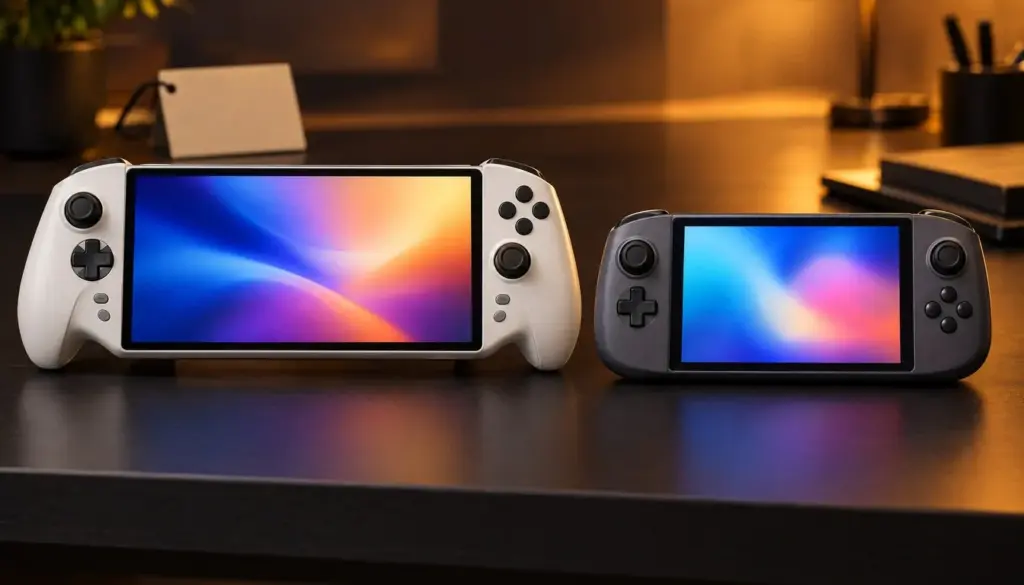
ASUS shipped the ROG Xbox Ally X20 on October 15, 2026, and the handheld gaming PC market immediately got its most direct challenge to Valve’s Steam Deck since the category existed. Both machines fit in two hands, both run full PC game libraries, and both now sell at wildly different price points for wildly different trade-offs. The ROG Xbox Ally X20 costs $1,299 for its 1TB OLED configuration, a 65% premium over the $789 Steam Deck OLED 512GB model, based on pricing listed directly on ASUS and Valve’s own product pages. That gap alone reshapes who each device is actually for.
It covers the display and battery trade-offs, where each device wins on raw frame rate, which operating system fits which kind of gamer, and a migration path for players switching between the two ecosystems.

Don't miss new tech stories on Google
Add Shattered once in the Google app and our stories show up in your news suggestions.
What Is the ROG Xbox Ally X20?
The ROG Xbox Ally X20 is ASUS’s Xbox-branded flagship handheld, built jointly with Microsoft and released alongside a cheaper standard ROG Xbox Ally model priced at $599. The X20 sits at the top of the lineup: it runs on an AMD Ryzen AI Z2 Extreme APU, pairs that chip with 24GB of LPDDR5X/DDR5 memory, and ships with a 1TB PCIe 4.0 SSD plus microSD expansion. ASUS lists the full spec sheet on its official ROG Xbox Ally X20 product page, where the device is marketed as a Windows 11 Home handheld rather than a locked-down console.
That Windows foundation is the single biggest difference separating the ROG Xbox Ally X20 from Steam Deck. Because it runs full Windows 11 rather than a Linux-based console OS, the X20 natively installs Steam, the Xbox app with PC Game Pass, the Epic Games Store, Battle.net, and essentially any other PC launcher without a compatibility layer. That also means every anti-cheat system that blocks Linux play, including kernel-level anti-cheat used in many competitive shooters, runs without issue on the X20.
Physically, the X20 carries a 7.4-inch, 1920×1080 OLED touchscreen running at 120Hz with HDR and VRR support through FreeSync Premium Pro. It weighs approximately 756 grams (1.67 lb) and packs an 80Wh battery, the largest in any mainstream handheld gaming PC currently shipping. Reviewers have been blunt about the trade-off that size brings. Tom’s Guide titled its review, “Asus ROG Xbox Ally X20 review: great, but not $1,299 of great,” and PCMag’s own review headline reads “Great Ergonomics, Glorious OLED, Big Price.”
What Is the Steam Deck OLED?
Valve’s Steam Deck OLED has been the default handheld gaming PC recommendation since it launched in November 2023, and it remains Valve’s current flagship model heading into late 2026. It runs on a custom AMD APU built on Zen 2 CPU cores (4 cores, 8 threads, up to 3.5GHz, rated at 448 GFlops FP32) paired with an 8-compute-unit RDNA 2 GPU clocked at 1.6GHz and rated at 1.6 TFlops FP32, according to Valve’s official Steam Deck tech specs page. That’s meaningfully older silicon than the Z2 Extreme inside the X20, and Valve has not refreshed the Steam Deck’s core compute hardware since the OLED revision, which focused on the screen, battery, and thermals rather than raw horsepower.
The Steam Deck OLED pairs 16GB of LPDDR5 RAM with either a 512GB or 1TB NVMe SSD, a 7.4-inch 1280×800 HDR OLED display at 90Hz, and a 50Wh battery. At roughly 640 grams, it’s noticeably lighter than the X20. It runs SteamOS, Valve’s Arch Linux-based operating system, with Steam built in natively and other PC games running through the Proton compatibility layer. Valve’s official store currently lists the 512GB OLED configuration at $789 (the 1TB OLED configuration is $949); a standalone 1TB OLED SKU was not listed as a separate purchase option on the pages checked for this comparison.
Valve also still sells the original Steam Deck LCD model, now the budget entry point in the lineup. It uses the same core Zen 2/RDNA 2 silicon but drops to a 7.0-inch 1280×800 IPS LCD screen at 60Hz, a smaller 40Wh battery, and roughly 669 grams of weight, with 256GB of storage in its base configuration. Current 2026 US pricing for the LCD model was not listed on the official pages checked for this comparison, so treat any third-party price you see for it as a snapshot rather than a confirmed figure.
ROG Xbox Ally X20 vs Steam Deck: Full Spec Comparison
Here is how the two current flagship handhelds, plus the budget Steam Deck LCD, stack up spec for spec using manufacturer-published data.
| Specification | ROG Xbox Ally X20 | Steam Deck OLED | Steam Deck LCD |
|---|---|---|---|
| Release date | October 15, 2026 | November 16, 2023 | February 25, 2022 |
| Price (as reviewed) | $1,299 (1TB) | $789 (512GB) | Not confirmed on official listing checked |
| CPU/APU | AMD Ryzen AI Z2 Extreme | Custom AMD APU, Zen 2, 4c/8t up to 3.5GHz | Custom AMD APU, Zen 2, 4c/8t up to 3.5GHz |
| GPU | Integrated AMD Radeon graphics (Z2 Extreme platform) | 8 RDNA 2 CUs, 1.6GHz, 1.6 TFlops FP32 | 8 RDNA 2 CUs, 1.6GHz, 1.6 TFlops FP32 |
| RAM | 24GB LPDDR5X/DDR5 | 16GB LPDDR5 | 16GB LPDDR5 |
| Storage | 1TB PCIe 4.0 SSD + microSD | 512GB or 1TB NVMe + microSD | 256GB NVMe + microSD |
| Display | 7.4-inch, 1920×1080 OLED, 120Hz, HDR, VRR | 7.4-inch, 1280×800 OLED, 90Hz, HDR | 7.0-inch, 1280×800 IPS LCD, 60Hz |
| Battery | 80Wh | 50Wh | 40Wh |
| Weight | ~756g (1.67 lb) | ~640g | ~669g |
| Operating system | Windows 11 Home | SteamOS (Linux-based) | SteamOS (Linux-based) |
| Wireless | Wi-Fi 6E, Bluetooth 5.4 | Wi-Fi 6E, Bluetooth 5.3 | Wi-Fi 5, Bluetooth 5.0 |
| Ports | USB4 Type-C, USB 3.2 Gen 2 Type-C, 3.5mm, microSD | USB-C 3.2 Gen 2 with DisplayPort 1.4, 3.5mm, microSD | USB-C 3.2 Gen 2 with DisplayPort 1.4, 3.5mm, microSD |
| Controls | ABXY, D-pad, bumpers, triggers, rear buttons, gyro, no trackpads | ABXY, D-pad, bumpers, triggers, 4 rear grip buttons, 2 trackpads, gyro | Same layout as OLED |
The pattern is clear from the table alone. The ROG Xbox Ally X20 wins on nearly every raw hardware spec: newer APU, 50% more RAM, a sharper display, a faster refresh rate, and a 60% larger battery. Steam Deck OLED wins on weight, price, and control surface, since it keeps the trackpads that the X20 drops entirely.
Display: 1080p 120Hz OLED vs 800p 90Hz OLED
Both devices use OLED panels at the same physical 7.4-inch size, which makes the resolution and refresh-rate gap the real story here. The ROG Xbox Ally X20 runs at 1920×1080, exactly 2.25 times the pixel count of the Steam Deck OLED’s 1280×800 panel. At 120Hz with VRR through FreeSync Premium Pro, the X20 can also show noticeably smoother motion in anything that can hit higher frame rates, where the Steam Deck OLED tops out at 90Hz.
In practice, that higher resolution cuts both ways on a 7.4-inch screen. Rendering at native 1080p costs considerably more GPU work than rendering at 800p, which is part of why the X20 needs AMD’s FSR upscaling turned on in demanding titles just to hold onto playable frame rates, based on benchmark results published in Stuff.tv’s review of the device. Gamers coming from a Steam Deck who expect the extra pixels to translate directly into a sharper, faster-feeling picture in every game should know that developers optimizing for the Steam Deck’s lower native resolution sometimes hit a steadier frame rate on Valve’s hardware, even with fewer pixels on screen.
Both panels support HDR, and both are a clear step up from the original Steam Deck LCD’s 60Hz IPS screen, which lacks local dimming and HDR entirely. If display quality alone decides the purchase, the X20’s sharper, faster panel is the better spec sheet. If battery efficiency per pixel matters more, the Steam Deck OLED’s lower native resolution asks less of the GPU to hit a steady frame rate.
Performance Benchmarks: FPS in Cyberpunk 2077, Forza, and More
Published 2026 reviews of the ROG Xbox Ally X20 are heavy on standalone benchmark numbers but light on matched, same-settings frame-rate tables that pit the X20 directly against the Steam Deck under identical test conditions. What the numbers do show is that the X20’s newer silicon and higher power ceiling put it in a different performance tier than Valve’s three-year-old APU in everything that isn’t bottlenecked elsewhere.
| Game / test | Settings | ROG Xbox Ally X20 result | Source |
|---|---|---|---|
| Cyberpunk 2077 | 1080p High, FSR Quality | 42 FPS | IGN |
| Cyberpunk 2077 | Native 1080p | 40.6 FPS (85.2 FPS with FSR Balanced + frame gen) | Stuff.tv |
| Cyberpunk 2077 | RT Low, native | 24.2 FPS (58.3 FPS with FSR Balanced + frame gen) | Stuff.tv |
| Shadow of the Tomb Raider | 1080p, ray tracing off | 41 FPS | Stuff.tv |
| Shadow of the Tomb Raider | 1080p, ray tracing on | 24 FPS | Stuff.tv |
| Forza Horizon 6 | High settings, native | 39 FPS (44 FPS with FSR Balanced) | Stuff.tv |
| Black Myth: Wukong | 1080p Cinematic | 11 FPS | Tom’s Guide |
| Red Dead Redemption 2 | 1080p Medium | 23 FPS | Tom’s Guide |
| Shadow of the Tomb Raider | 1080p High | 31 FPS | Tom’s Guide |
| 3DMark Steel Nomad | Standard benchmark | 598 points | IGN |
IGN’s review notes that the X20’s Steel Nomad score of 598 effectively matches the 602 posted by the prior-generation Xbox Ally X, meaning the X20’s main upgrade over its own predecessor is the OLED screen and battery rather than a dramatic raw-performance jump. That’s a useful reality check against marketing: the X20 is meaningfully faster than Steam Deck, but it isn’t a generational leap over the Xbox Ally X that came before it.
On the head-to-head question specifically, PCMag’s review states the X20 “comfortably cruised past the Steam Deck” in its own graphics-preset testing, though the review’s published excerpt doesn’t break that claim down into a title-by-title FPS chart. Taken together with the GPU specs in the table above, where the Z2 Extreme’s platform sits well ahead of the Steam Deck’s three-year-old 8-CU RDNA 2 graphics on paper, the direction of the gap is consistent across every outlet that has tested the X20 even without a single unified benchmark table.
Battery Life: 80Wh vs 50Wh in Real-World Hours
Battery capacity is the one spec where the raw number can mislead. The ROG Xbox Ally X20’s 80Wh battery is 60% larger than the Steam Deck OLED’s 50Wh cell and double the size of the original Steam Deck LCD’s 40Wh pack. But Valve’s own 3-to-12-hour range for the Steam Deck OLED, published on its official tech specs page, already spans a wide window depending on the game and settings, and the X20’s larger battery is feeding a higher-resolution 120Hz display and a more power-hungry APU under load.
That means the X20’s real-world runtime advantage is smaller than the Wh figures suggest once you’re running a demanding AAA title at native 1080p with the screen at 120Hz. In lighter workloads, like 2D indie titles, emulation, or older games capped at 30-60 FPS, the X20’s bigger battery should translate into a more comfortable margin over either Steam Deck model, since the extra capacity isn’t being spent fighting a harder-to-drive display and APU. Reviewers have been consistent in flagging that neither company has published a standardized, apples-to-apples runtime figure for the X20 yet, so budget for real-world battery life closer to the Steam Deck’s low-end numbers if you plan to run anything demanding at native resolution.
Power draw also depends heavily on which settings you’re willing to touch. Dropping the X20’s refresh rate from 120Hz to 60Hz, lowering brightness, and leaning on FSR upscaling instead of native 1080p rendering all claw back meaningful runtime, the same levers Steam Deck owners have been using for years to stretch a charge on long trips. Neither device ships with an aggressive default power profile tuned for maximum battery life out of the box, so expect to spend a few minutes in each device’s settings menu finding the balance between frame rate and runtime that fits how you actually play, rather than trusting either manufacturer’s headline battery figure as a guarantee.
Operating System: Windows 11 vs SteamOS
This is the decision that matters more than any benchmark number. The ROG Xbox Ally X20 runs Windows 11 Home, officially, not SteamOS. ASUS does not offer a factory SteamOS option on the X20, and while installing an alternate OS is technically possible on PC hardware, it isn’t the device’s supported configuration and isn’t something ASUS ships or documents.
Windows 11 means the X20 can install Steam, the Xbox app with PC Game Pass, the Epic Games Store, Battle.net, GOG Galaxy, and essentially every other PC storefront natively, with no Proton translation layer standing between the game and the OS. It also means every kernel-level anti-cheat system that currently refuses to run on Linux, used by a long list of competitive multiplayer titles, works on the X20 without the workarounds Steam Deck owners sometimes have to chase down.
SteamOS, by contrast, trades that broad compatibility for a tighter, console-like experience. Boot time is faster, suspend and resume is more reliable, and the interface is built around a controller rather than a mouse and keyboard metaphor bolted onto a desktop OS. Steam is native; everything else runs through Proton, which handles the overwhelming majority of the Steam catalog well but still blocks a meaningful slice of multiplayer games tied to kernel-level anti-cheat. If your library leans heavily on competitive shooters or battle royales with strict anti-cheat requirements, that’s the single factor most likely to push the decision toward the X20 regardless of price.
Game Library and Storefront Access
Because the X20 is a full Windows PC, it doesn’t lock you into Microsoft’s own storefront despite the Xbox branding. Owners install Steam, Epic, Battle.net, and GOG side by side with the Xbox app, and PC Game Pass functions as one more subscription option rather than the exclusive path to new games. That flexibility is the main practical payoff of the higher price and the extra weight.
Steam Deck’s relationship with its library is different by design. Steam is the primary and best-supported storefront, and Valve’s own compatibility database flags titles as Verified, Playable, or Unsupported so buyers know what to expect before installing anything. Non-Steam PC games can be added manually and run through Proton, and most do, but performance and controller support vary title by title in a way that simply doesn’t apply to a native Windows install. For anyone whose library is already almost entirely Steam purchases, that gap barely matters. For anyone split across Epic freebies, Battle.net live-service games, or Game Pass subscriptions, it matters quite a bit.
Software Support and Firmware Update Cadence
How often a handheld gets meaningful software updates matters almost as much as the hardware underneath it, and the two devices approach this problem from opposite directions. Valve has spent three years patching SteamOS specifically for the Steam Deck’s hardware, tuning Proton compatibility layers, power profiles, and the Deck’s quick-resume behavior release after release. That focus shows up in day-to-day reliability: suspend and resume on Steam Deck OLED has become close to instant and dependable, something early reviews of the original 2022 LCD model specifically called out as rough at launch.
The ROG Xbox Ally X20 inherits a different update pipeline entirely. Because it runs Windows 11 Home, it receives the same Windows Update cadence as any other PC, plus ASUS-specific firmware and driver updates through Armoury Crate SE for handheld-specific features like thermal profiles, button remapping, and the Xbox full-screen experience layered on top of the desktop OS. That full-screen Xbox interface is meant to hide the usual Windows desktop friction, but it’s also new technology shipping alongside new hardware, and reviewers testing the X20 at launch flagged early software rough edges around that custom overlay as something to watch in future firmware updates rather than a settled, mature experience the way SteamOS now is.
Neither approach is objectively wrong, but they carry different risks. Windows gives the X20 broader compatibility on day one at the cost of a less polished handheld-specific interface layer that’s still being refined. SteamOS gives the Steam Deck a tighter, more finished experience within Valve’s own ecosystem, but that polish doesn’t extend to the parts of your library living outside Steam. If you’ve used a Steam Deck for more than a few months, you already know roughly what its software experience will look like a year from now. The X20’s custom Xbox interface on Windows is new enough that its trajectory is still an open question.
Where These Handhelds Fit in a Crowded 2026 Market
The ROG Xbox Ally X20 and Steam Deck OLED aren’t launching into an empty category. Lenovo’s Legion Go line continues to compete at a similar Windows-based price point and performance tier, giving X20 shoppers at least one other full-Windows alternative to cross-shop before committing to ASUS and Microsoft’s Xbox-branded approach. None of the three, notably, currently ship with a factory SteamOS option, which keeps Valve’s own hardware as the only mainstream handheld that runs Valve’s OS out of the box.
Below the premium tier, the handheld market has kept expanding through 2026 rather than consolidating around just two or three products. Anbernic announced its RG DDS, a dual-screen handheld with a built-in stylus and a Snapdragon-based chipset, while AYN unveiled its Odin 3 Portal and the Ayaneo team showed off a Pocket Block model running classic titles like Stardew Valley. None of these smaller players are positioned as direct Steam Deck or ROG Xbox Ally competitors on raw power, since most lean into retro emulation and portability rather than native AAA performance, but their existence signals that demand for pocketable PC gaming hardware keeps growing well beyond the two flagship names anchoring this comparison.
That broader context matters for a practical reason: neither the X20 nor the Steam Deck OLED is likely to be the last word in its category for long. Valve has not refreshed the Steam Deck’s core silicon since the original 2022 launch, and a hardware update, even an unannounced one, would reset several of the comparisons in this article. ASUS and Microsoft, for their part, are clearly treating the Xbox Ally line as an annual or near-annual refresh cycle, given how closely the X20’s Steel Nomad benchmark score tracked its immediate predecessor. Buyers choosing between these two devices today are picking a snapshot of a fast-moving category, not a multi-year settled matchup.
Pricing: ROG Xbox Ally X20 vs Steam Deck vs Steam Deck LCD
Pricing is where the gap between these devices is most concrete and least debatable. Here’s what’s confirmed directly from manufacturer listings as of this comparison.
| Device | Storage | Price | Notes |
|---|---|---|---|
| ROG Xbox Ally (base) | Not specified in official listing checked | $599 | Entry model in the 2026 Xbox-branded lineup |
| ROG Xbox Ally X20 | 1TB | $1,299 | Flagship model, OLED, 24GB RAM, launched October 15, 2026 |
| Steam Deck OLED | 512GB | $949 | Valve’s current mid-tier OLED configuration |
| Steam Deck OLED | 1TB | Not listed as standalone SKU on pages checked | Check Valve’s live store for current configuration options |
| Steam Deck LCD | 256GB | Not confirmed on official listing checked | Valve’s original 2022 budget model, still sold |
At $1,299, the X20 costs $350 more than the Steam Deck OLED 512GB, a 65% premium. That’s before accounting for the fact that the X20’s reviewed configuration includes double the storage of the Steam Deck OLED unit it’s being priced against, which narrows the effective per-gigabyte gap somewhat even as the sticker price stays well above Valve’s flagship. The cheaper standard ROG Xbox Ally at $599 sits below Steam Deck OLED pricing entirely, though it trades away the X20’s larger battery, 1080p display, and extra RAM to get there, and detailed specs for that base model weren’t included in the official listings checked for this comparison.
Design, Weight, and Ergonomics
Weight differences that look small on a spec sheet feel bigger after thirty minutes of handheld play. The Steam Deck OLED’s roughly 640-gram body is about 116 grams lighter than the X20’s 756 grams, a difference that shows up most in wrist fatigue during long sessions held up rather than propped on a table or dock.
Control layout is the other meaningful design split. Steam Deck keeps its two square trackpads and four assignable rear grip buttons, a layout Valve built specifically to handle games designed around a mouse and keyboard, like strategy titles and older PC games with no native controller support. The ROG Xbox Ally X20 drops the trackpads in favor of a more traditional Xbox-style control layout with rear paddle buttons and a gyroscope, which plays to its strength as a dedicated gaming device but gives up some of the Deck’s flexibility for non-gaming or mouse-driven software. Both devices support external displays over USB-C, with the X20 adding full USB4 for faster docked peripherals and storage.
Real-World Use Cases: Who Should Buy Which Handheld
Specs and benchmarks matter less than matching the device to how you actually play. Here’s how the trade-offs shake out across common buyer profiles.
- Competitive multiplayer players stuck on anti-cheat blocklists. If your main games run kernel-level anti-cheat that refuses to launch on SteamOS, the ROG Xbox Ally X20’s native Windows 11 install removes that friction entirely. This is the single clearest case for paying the $350 premium.
- Budget-conscious buyers building a backlog machine. For turn-based RPGs, 2D indies, and older AAA titles that don’t need native 1080p to look good, the $949 Steam Deck OLED delivers nearly all the experience at 73% of the X20’s price, and SteamOS’s lighter footprint stretches the smaller battery further on undemanding games.
- Hybrid PC and handheld users who want one machine. The X20’s 24GB of RAM, USB4 port, and full Windows 11 install make it a more credible dockable desktop replacement for light productivity work between gaming sessions, something SteamOS’s console-first design doesn’t aim to replicate.
- Travelers who prioritize weight and battery buffer over frame rate. The Steam Deck OLED’s lighter 640-gram body and its track record of more predictable battery behavior on lower-resolution games make it the easier device to live with in a backpack for a week without a charger nearby.
- Players chasing native 1080p visuals in modern AAA titles. If a sharper picture at a higher refresh rate matters more to you than price or weight, the X20’s 1920×1080 120Hz OLED panel is simply a different tier of display than either Steam Deck model’s 1280×800 screen.
- Owners already deep into Proton-verified Steam libraries. If your backlog is already checked against Valve’s Deck Verified ratings and runs well today, there’s little functional reason to pay more for the X20 just to replay games that already work.
- Content creators capturing and streaming handheld footage. The X20’s native Windows install means OBS, Discord screen-share, and most capture software run exactly as they would on a desktop PC, while Steam Deck owners capturing footage typically rely on Steam’s built-in recording tools or a workaround through Proton.
- Households standardizing on one ecosystem across devices. If every other machine in the house already runs Windows and talks to the same Microsoft account, PC Game Pass library, and cloud saves, the X20 slots into that setup with less friction than introducing a SteamOS device that handles accounts and saves differently.
Migration Guide: Moving Your Library Between Platforms
Switching from one handheld to the other doesn’t require starting your library from scratch, but the process looks different depending on which direction you’re moving.
Moving from Steam Deck to ROG Xbox Ally X20
- Confirm Steam Cloud sync is enabled for each game on your Steam Deck before you stop using it, so save files carry over automatically.
- On the X20, install Steam for Windows from its native storefront, the same way you would on any Windows 11 PC, and sign in with your existing account.
- Let Steam Cloud restore your saves automatically on first launch of each title; manually verify saves for any game that doesn’t support Steam Cloud before deleting anything from the Deck.
- Reinstall any Proton-specific community patches or mods; Windows runs these games natively through DirectX rather than Proton’s translation layer, so Linux-specific fixes don’t carry over and usually aren’t needed anyway.
- Set up the Xbox app and PC Game Pass if you plan to use it, and install Epic, Battle.net, or GOG Galaxy for any games tied to those storefronts that the Deck couldn’t run well.
- Re-map controller profiles for games that used Steam Deck’s trackpads for mouse-driven input, since the X20 doesn’t have trackpads and needs an alternate control scheme for those titles.
Moving from ROG Xbox Ally X20 to Steam Deck
- Back up any local save files not already synced to Steam Cloud, Xbox cloud saves, or another platform’s cloud save system before switching devices.
- On Steam Deck, sign into Steam and let Cloud saves restore automatically for supported titles.
- Check each non-Steam game’s Proton compatibility rating on ProtonDB before assuming it will run the same way it did on Windows; most mainstream titles are rated Platinum or Gold, but niche and newly released games can lag behind.
- Expect to lose access to games tied exclusively to storefronts without a native Linux or Proton path, particularly titles with aggressive kernel-level anti-cheat that explicitly blocks SteamOS.
- Use a microSD card to physically move large game installs between devices if you’re on a slow connection, rather than re-downloading everything from scratch.
- Rebuild controller bindings around Steam Deck’s trackpads and rear grip buttons for any game you were previously playing with a mouse on Windows.
ROG Xbox Ally X20: Pros and Cons
- Pro: Sharper 1920×1080 120Hz OLED display versus 1280×800 90Hz on Steam Deck OLED.
- Pro: Native Windows 11 means every PC storefront and anti-cheat system works without a compatibility layer.
- Pro: 80Wh battery is the largest in the mainstream handheld category, and 24GB of RAM gives it more headroom for background tasks.
- Pro: USB4 connectivity supports faster docks and external storage than Steam Deck’s USB 3.2 Gen 2.
- Con: $1,299 price tag is 37% higher than the comparable Steam Deck OLED configuration.
- Con: At 756 grams, it’s noticeably heavier than Steam Deck OLED’s 640 grams for extended handheld sessions.
- Con: No trackpads, which limits comfortable mouse-driven input for strategy games and older PC titles.
- Con: Steel Nomad benchmark scores show it barely outperforms the prior-generation Xbox Ally X, per IGN’s testing, suggesting the core silicon upgrade is smaller than the price increase implies.
Steam Deck OLED: Pros and Cons
- Pro: $949 price is $350 cheaper than the ROG Xbox Ally X20, a meaningful gap for most buyers.
- Pro: Lighter 640-gram body is easier to hold comfortably through longer play sessions.
- Pro: Dual trackpads and four rear grip buttons give it more flexible control options for non-controller-native games.
- Pro: SteamOS boots faster and handles suspend and resume more reliably than a full Windows install, based on consistent reviewer feedback across both platforms.
- Con: 1280×800 resolution and 90Hz refresh rate are both lower than the X20’s 1920×1080 120Hz panel.
- Con: Older Zen 2/RDNA 2 silicon, unchanged since the original 2022 Steam Deck, falls behind the X20’s newer Ryzen AI Z2 Extreme APU in raw performance headroom.
- Con: Kernel-level anti-cheat games remain unplayable or require workarounds that aren’t guaranteed to keep working as developers update their anti-cheat systems.
- Con: Non-Steam storefronts and launchers run through Proton rather than natively, adding a layer of compatibility uncertainty that Windows devices don’t have.
The Verdict: Which Handheld Should You Buy in 2026
The numbers point to a split verdict rather than a single winner. The ROG Xbox Ally X20 wins decisively on raw specs: a 1920×1080 120Hz OLED display against the Steam Deck OLED’s 1280×800 90Hz panel, 24GB of RAM against 16GB, an 80Wh battery against 50Wh, and a newer AMD Ryzen AI Z2 Extreme APU against Valve’s three-year-old Zen 2 and RDNA 2 silicon. On a pure spec-sheet comparison, there’s no contest.
But the $1,299 price, a 37% premium over the $949 Steam Deck OLED, has to buy something real, and reviewers have found a mixed answer. IGN’s benchmark data shows the X20 barely edges past the prior-generation Xbox Ally X on raw performance, while PCMag reports it comfortably outperforming Steam Deck in its own testing. That’s consistent with what the specs predict: the X20 is a clear step up from Steam Deck specifically, just not necessarily the generational leap its price tag might suggest over ASUS’s own prior model.
Buy the ROG Xbox Ally X20 if native Windows compatibility, anti-cheat support, or the sharper 1080p 120Hz display matter enough to justify $350 more. Buy the Steam Deck OLED if price, weight, and SteamOS’s console-like simplicity matter more than chasing every spec on the sheet. Buy the Steam Deck LCD only if budget is the deciding factor above all else and you can live with a 60Hz LCD screen and the smallest battery of the three.
Frequently Asked Questions
Is the ROG Xbox Ally X20 better than the Steam Deck OLED?
It depends on what “better” means to you. The X20 has a sharper, faster display, more RAM, a bigger battery, and native Windows compatibility, but it costs 37% more and weighs more. Steam Deck OLED is cheaper, lighter, and has a simpler console-like OS, but trades away display resolution and raw performance headroom.
How much does the ROG Xbox Ally X20 cost compared to Steam Deck?
The ROG Xbox Ally X20 costs $1,299 for its 1TB configuration. The Steam Deck OLED 512GB costs $949. That’s a $350 difference, or roughly 37% more for the X20.
Can the ROG Xbox Ally X20 run SteamOS?
Not officially. ASUS ships the X20 with Windows 11 Home, and there is no factory SteamOS option for the device. Installing an alternate OS on PC hardware is technically possible in general, but it isn’t the X20’s supported or documented configuration.
What’s the battery life difference between the ROG Xbox Ally X20 and Steam Deck?
The X20 has an 80Wh battery versus the Steam Deck OLED’s 50Wh and the Steam Deck LCD’s 40Wh. Valve rates the Steam Deck OLED for roughly 3 to 12 hours depending on the game and settings; the X20’s larger battery is offset by a higher-resolution 120Hz display and a more power-hungry APU, so real-world runtime on demanding games is closer than the raw Wh numbers suggest.
Is the Steam Deck LCD still worth buying in 2026?
It remains Valve’s cheapest entry point into the handheld gaming PC category, but it’s running the same core silicon as the Deck launched with in 2022, paired with a dimmer, lower-refresh LCD screen and the smallest battery in the lineup. It makes sense primarily for buyers who can’t stretch to the OLED model’s price and don’t need a sharper display.
Does the ROG Xbox Ally X20 support Xbox Game Pass natively?
Yes. Because the X20 runs Windows 11 Home, it installs the Xbox app and PC Game Pass the same way any Windows PC does, alongside Steam, Epic, Battle.net, and other storefronts running side by side on the same device.
Which handheld is better for Proton and Linux compatibility questions?
That question only really applies to Steam Deck, since it’s the device running SteamOS and Proton. The ROG Xbox Ally X20 runs native Windows, so Proton compatibility isn’t a relevant factor on that device at all; every game simply runs the same way it would on a Windows desktop.
How does the ROG Xbox Ally X20 compare to the standard ROG Xbox Ally?
The standard ROG Xbox Ally launched alongside the X20 at $599, well below the X20’s $1,299 price. It trades away the X20’s larger 80Wh battery, 1080p OLED display, and 24GB of RAM for a lower entry price, making it a separate budget option within ASUS’s own lineup rather than a direct Steam Deck competitor at the same tier.