
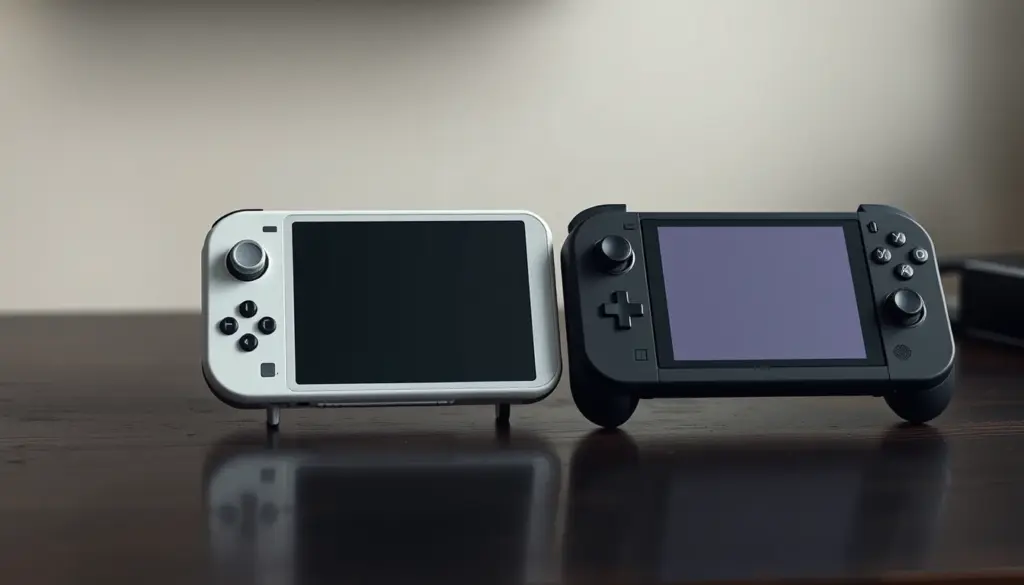
Sony’s PlayStation Portal has kept its US price frozen at $199.99 since launch, while Valve raised Steam Deck OLED prices by roughly 42 percent in May 2026, pushing the 512GB model to $789 and the 1TB model to $949. That divergence now defines the choice between the two most talked-about handhelds in gaming: one is a $200 streaming accessory that needs a PS5 to function, the other is a $789-and-up standalone gaming PC that needs nothing but a Steam account. Both promise portable play. Only one of them actually delivers it without a second console sitting at home. This comparison breaks down the full spec sheet, the 2026 pricing history, independently measured streaming latency, battery life, game-library size, and the security tradeoffs of each approach, then closes with concrete buying recommendations for eight different types of players.
What Is the PlayStation Portal?
The PlayStation Portal launched on November 15, 2023, as Sony’s dedicated Remote Play device – an 8-inch, 1920×1080 LCD panel running at 60Hz, built into a shell shaped like a DualSense controller split down the middle. It is not a game console. Inside is a Qualcomm SG4150P chip, a customized, video-decode-only processor with no local GPU rendering capability. The Portal cannot install, store, or run a single PS5 game on its own. Every frame it displays is decoded from a video stream sent over Wi-Fi, either from a PS5 on the same home network (standard Remote Play) or, since a November 5, 2025 rollout, from Sony’s own servers via PS5 Cloud Streaming, which lets the Portal work even when the home console is powered off.
That architecture is the single most important fact about the device. A 4,300mAh (16.6Wh) battery powers the screen, Wi-Fi radio, and decode chip only, which is why Sony can quote 7-9 hours of battery life while independent hands-on testing from outlets including TechRadar often shows closer to 4-6 hours during active streaming. At roughly 528g, the Portal connects over Wi-Fi 5 (802.11ac) and uses Sony’s proprietary PlayStation Link wireless audio protocol rather than standard Bluetooth for its companion earbuds. Sony has held the US list price at $199.99 since day one, even as it raised the European price from €219.99 to €249.99 on April 2, 2026 – a 13.6 percent increase that left the US market as the comparatively better deal.
The PlayStation Link protocol is worth a specific callout, because it’s a deliberate departure from the Bluetooth standard used almost everywhere else in consumer electronics. Sony built it to cut audio latency further than a standard Bluetooth codec allows, and it powers a small companion ecosystem – the PULSE Elite headset and PULSE Explore earbuds – that only pairs with PlayStation Link devices (the Portal, plus the PS5 itself via a USB dongle). That’s a lock-in tradeoff buyers should know about going in: a pair of everyday Bluetooth earbuds you already own will not pair directly with the Portal’s audio system without an adapter, unlike the Steam Deck, which uses standard Bluetooth 5.3 and pairs with essentially any Bluetooth headset, controller, or speaker already in a household.
What Is the Steam Deck?
Valve’s Steam Deck is a fundamentally different kind of product: a portable PC that happens to run SteamOS, Valve’s Arch Linux-based operating system, rather than a streaming terminal for a separate box. The original Steam Deck LCD shipped February 25, 2022, followed by the Steam Deck OLED on November 16, 2023. Every Steam Deck contains a custom AMD APU pairing a Zen 2 CPU (4 cores/8 threads, up to 3.5GHz) with an RDNA2 GPU (8 compute units, up to 1.6GHz), 16GB of LPDDR5 RAM, and NVMe SSD storage the user can expand with a microSD card. Because the game runs locally on that silicon, the Steam Deck needs no console, no home network dependency, and no video stream at all – it plays the same Steam library a gaming PC would, just compiled through Valve’s Proton compatibility layer for titles that were never built for Linux.
OLED vs LCD: What Changed
Valve discontinued the original Steam Deck LCD on December 19, 2025 (some reconditioned 64GB units remained available in the US around $279), leaving the OLED line as the only current model. The OLED upgrade is more than a screen swap: it moved from a 7-inch 1280×800 60Hz LCD panel to a 7.4-inch 1280×800 HDR OLED panel capable of up to 90Hz, added Wi-Fi 6E and Bluetooth 5.3 in place of Wi-Fi 5/BT 5.0, and grew the battery from 40Wh to 50Wh. Despite the bigger battery, the OLED model actually weighs less – about 640g versus the LCD’s 669g – thanks to redesigned internals. Battery life on the OLED ranges from roughly 3 to 12 hours depending entirely on how demanding the game is, a wider swing than the Portal sees because the Deck’s battery has to power full local game rendering rather than just a screen and a decode chip.
SteamOS itself is the other half of what makes the Steam Deck a fundamentally open device rather than a locked-down console. It boots into a controller-friendly Game Mode by default, but a single button press drops into a full KDE Plasma desktop environment – a real Linux desktop with a file manager, a web browser, and a package manager. That means the Steam Deck isn’t limited to Valve’s own storefront at all: players regularly install the Heroic Games Launcher, Lutris, or GOG Galaxy directly in Desktop Mode to pull in Epic Games Store, GOG, and Amazon Games libraries alongside Steam, something neither the Portal nor any console can do out of the box. It’s also the same openness that makes emulation frontends like EmuDeck and RetroDECK viable on the hardware, since nothing about SteamOS blocks installing outside software the way a locked console firmware would.
Full Specs Comparison: Every Number Side by Side
The table below lines up the current PlayStation Portal against both Steam Deck OLED capacities. Numbers are pulled from Sony’s and Valve’s own published specifications, cross-checked against Valve’s official tech page and Sony’s PlayStation Portal product page.
| Spec | PlayStation Portal | Steam Deck OLED 512GB | Steam Deck OLED 1TB |
|---|---|---|---|
| Release date | November 15, 2023 | November 16, 2023 | November 16, 2023 |
| Display | 8″ LCD, 1920×1080, 60Hz | 7.4″ OLED HDR, 1280×800, up to 90Hz | 7.4″ OLED HDR, 1280×800, up to 90Hz |
| Processor | Qualcomm SG4150P (video decode only) | AMD Zen 2 4C/8T + RDNA2 8CU | AMD Zen 2 4C/8T + RDNA2 8CU |
| RAM | Not applicable (streaming only) | 16GB LPDDR5 | 16GB LPDDR5 |
| Storage | Not applicable (no local install) | 512GB NVMe SSD + microSD | 1TB NVMe SSD + microSD |
| Battery | 4,300mAh / 16.6Wh | 50Wh | 50Wh |
| Battery life (real-world) | 4-6 hours streaming | 3-12 hours (game-dependent) | 3-12 hours (game-dependent) |
| Weight | ~528g | ~640g | ~640g |
| Connectivity | Wi-Fi 5 (802.11ac), PlayStation Link | Wi-Fi 6E, Bluetooth 5.3 | Wi-Fi 6E, Bluetooth 5.3 |
| Local game execution | None – streaming device only | Full native execution | Full native execution |
| Native game library | Zero | 117,881+ Steam titles (~90% Proton-playable) | 117,881+ Steam titles (~90% Proton-playable) |
| Console/PC required | Yes – PS5 (local or cloud) | No | No |
| US launch price | $199.99 | $549.99 | $649.99 |
| US price, July 2026 | $199.99 (unchanged) | $789 (+41.9%) | $949 (+41.6%) |
Pricing in 2026: Two Completely Different Trajectories
Nothing separates these two devices more starkly in 2026 than what happened to their prices. Sony has not touched the Portal’s US sticker since launch – it is the same $199.99 today that it was in November 2023. Valve moved in the opposite direction: on May 27, 2026, it raised the Steam Deck OLED 512GB from $549.99 to $789 and the 1TB model from $649.99 to $949, increases of 41.9 percent and 41.6 percent respectively, a hike widely tied to the ongoing DRAM and NAND flash memory shortage pushing component costs up across the entire PC hardware industry. Sony’s own PS Plus Premium tier, required for the Portal’s cloud-streaming mode, also rose in the same window – from $16.99 to $19.99 a month in the US (and from €16.99 to €18.99 in Europe on May 20, 2026) – meaning Portal owners who want cloud streaming face a recurring cost on top of the hardware, unlike Steam Deck owners who pay nothing beyond the up-front price to play their existing library.
| Item | US Price | EU Price | 2026 Change |
|---|---|---|---|
| PlayStation Portal | $199.99 | €249.99 | US unchanged; EU +13.6% (Apr 2, 2026) |
| Steam Deck OLED 512GB | $789 | €779 | +41.9% (May 27, 2026) |
| Steam Deck OLED 1TB | $949 | €919 | +41.6% (May 27, 2026) |
| Steam Deck LCD (discontinued) | ~$279 (reconditioned 64GB) | ~€349 (last retail) | Discontinued Dec 19, 2025 |
| PS Plus Premium (monthly) | $19.99 | €18.99 | +17.7% US (from $16.99), +11.8% EU |
| PS Plus Premium (yearly) | $159.99 | – | Required for cloud streaming on Portal |
In headline hardware cost alone, a Steam Deck OLED 512GB now costs almost 4x what a PlayStation Portal costs in the US. That gap widens further for anyone who also wants Portal’s cloud-streaming feature, since PS Plus Premium is a recurring $19.99/month the Steam Deck owner never has to pay just to keep gaming on hardware they already bought.
Display and Design
The Portal’s 8-inch LCD is physically the larger panel, and its fixed 1080p/60Hz output is arguably the right choice for a device whose entire job is displaying a compressed video stream – a higher resolution or refresh rate would just demand more bandwidth for a panel that isn’t rendering anything itself. The Steam Deck OLED’s 7.4-inch screen is smaller in diagonal but meaningfully better in three other ways any reviewer will point to immediately: true blacks and HDR contrast from the OLED panel, a variable refresh rate up to 90Hz that native-rendered games can actually take advantage of, and a matte anti-glare coating Valve introduced with the OLED revision.
Ergonomically, the two devices reflect their different missions. The Portal’s split-controller design mimics the DualSense almost exactly, which makes it immediately familiar to anyone who already owns a PS5 – the same stick spacing, the same button layout, the same general hand feel, just wrapped around a screen instead of connected wirelessly to one. The Steam Deck’s unibody shape is bulkier and, at 640g, noticeably heavier than the Portal’s 528g, a tradeoff Valve has made deliberately in exchange for full-size grips, back paddle buttons, and a trackpad pair that stands in for a mouse in games never designed for a gamepad.
Performance and Game Compatibility
This is where the category difference between these two devices becomes impossible to paper over. The Portal has no GPU to benchmark – the Qualcomm SG4150P inside it decodes H.264/H.265 video and nothing else, so “performance” for the Portal really means “network and server performance,” not local rendering power. The Steam Deck, by contrast, runs games directly on its own Zen 2 + RDNA2 silicon, which is why it has an actual compatibility ecosystem: ProtonDB, the community-run compatibility tracker, rates Steam library titles by how well they run under Proton, Valve’s Windows-compatibility layer for Linux. As of the most recent full count, roughly 21,694 titles carried Valve’s own “Great on Deck / Verified” badge, out of a Steam catalog of 117,881 games – with community ProtonDB data suggesting somewhere close to 90 percent of the full library runs in some playable form.
The roughly 10 percent that doesn’t work is almost entirely explained by one thing: kernel-level anti-cheat systems (the kind used by many competitive multiplayer shooters) that are built to run on Windows specifically and refuse to initialize under Linux, Proton or no Proton. That’s a real, documented limitation – but it’s a different kind of limitation than the Portal’s, which isn’t “some games won’t run,” it’s “no games run, ever, locally, on this device, full stop.” Every single title on the Portal is a video stream from a PS5 doing the actual rendering somewhere else.
In practice, that plays out predictably by genre. Single-player, story-driven, turn-based, and older back-catalog titles – the kind of games that make up the bulk of Steam’s 79-percent-back-catalog revenue split reported for H1 2026 – tend to land in ProtonDB’s top “Platinum” or “Gold” tiers, running with little to no manual configuration. Newer AAA releases with invasive kernel-level anti-cheat (several live-service shooters and battle royale titles fall into this bucket) are the most likely to sit in ProtonDB’s “Borked” tier or simply refuse to launch. The Portal sidesteps this entire compatibility question by definition – since it isn’t running the game at all, there’s no Linux/Windows compatibility layer to fail in the first place, only a video stream from a PS5 that’s already running the real, unmodified PS5 build of the game.
Streaming Latency: What the Benchmarks Actually Show
Digital Foundry, Eurogamer’s technical-analysis team, measured the PlayStation Portal’s added input lag at roughly 60-80 milliseconds under ideal conditions – a PS5 connected by Ethernet, the Portal held close to the router – which works out to about four to five extra frames of delay at 60fps. That number holds up across other outlets’ independent testing and is the most-cited hard figure for Portal latency going into 2026. It’s a real, physically unavoidable cost of decoding a live video stream rather than rendering frames directly: even in the best-case wired-host, close-range scenario, that 60-80ms tax doesn’t go away. Separately, Wired‘s testing of the Portal’s cloud-streaming mode (rendering from Sony’s remote servers rather than a home PS5) reported additional stuttering, blur, and input lag beyond the local Remote Play baseline, though without a single precise millisecond figure attached – worth flagging as a real, reported downside of cloud mode specifically, even without a clean number to cite alongside the local-play figure.
| Metric | PlayStation Portal | Steam Deck OLED | Source |
|---|---|---|---|
| Added input lag, best case | 60-80ms (wired PS5, close range) | Not applicable – native rendering | Digital Foundry / Eurogamer |
| Cloud-streaming quality | Reported stuttering/blur/lag | Not applicable | Wired |
| Verified/Playable game count | 0 (streaming-only device) | ~21,694 Verified of 117,881 total | Valve / ProtonDB |
| Estimated Proton compatibility | Not applicable | ~90% of full Steam library | ProtonDB community data |
| Network dependency | Total – no connection, no play | None for installed games | Sony / Valve official specs |
The practical takeaway from three independent sources (Digital Foundry, Wired, and Valve’s/ProtonDB’s own compatibility data) lines up consistently: the Portal’s latency is fine for turn-based, slower-paced, or story-driven games, and noticeable the moment a game demands frame-perfect reaction time – competitive shooters, rhythm games, fighting games. The Steam Deck simply doesn’t have this axis of comparison, because there’s no stream to add latency to in the first place.
Battery Life and Portability
On paper, the Portal’s 4-6 hour real-world battery life and 528g weight make it the lighter, more grab-and-go device – reasonable, since it isn’t doing any of the power-hungry rendering work a Steam Deck does. The Steam Deck OLED’s 50Wh battery covers a much wider 3-12 hour range specifically because that number depends entirely on what’s running: a 2D indie or emulated retro title might sip power for half a day, while a demanding modern 3D title pushing the RDNA2 GPU hard can drain the battery in closer to three hours. That variability is itself informative – it means the Steam Deck’s real-world battery life is a function of what you choose to play, something the Portal user never has to think about because the Portal’s power draw barely changes between games (it’s always just decoding video, regardless of what’s happening in the game itself).
Game Library: Native Access vs Full Console Dependency
This is the single biggest practical difference for a buyer to internalize. The Steam Deck’s library is whatever the owner’s Steam account already owns, installed locally and playable with zero dependency on any other hardware – turn it on anywhere, with or without internet access after the initial install, and it plays. The Portal’s library is, functionally, whatever games are installed on a PS5 somewhere, accessed either over a home Wi-Fi network (standard Remote Play, requiring that PS5 to be powered on and connected) or via PS5 Cloud Streaming, which removed the “PS5 must be on” requirement in November 2025 but replaced it with a dependency on Sony’s servers and, in most implementations, a PS Plus Premium subscription reported to cover 2,000-plus streamable titles.
Buy a Portal with no PS5 in the house, and it is an expensive paperweight. Buy a Steam Deck with no other hardware at all, and it plays your entire existing Steam library the moment you sign in. That single distinction – accessory versus standalone device – should be the first filter any buyer applies before comparing anything else on this page.
Cloud Streaming and the PS Plus Premium Requirement
PS5 Cloud Streaming rolled out on November 5, 2025, letting Portal owners stream a game without their home console powered on at all – Sony’s own recommendation is a minimum 15 Mbps download connection for a usable experience. Basic home Remote Play (streaming from your own, already-on PS5) doesn’t require PS Plus at all beyond whatever tier is needed for the specific game’s online multiplayer, but the cloud-streaming feature specifically sits behind PS Plus Premium, now $19.99/month, $54.99/quarter, or $159.99/year in the US after May 2026’s price increase. That’s a real, ongoing cost with no Steam Deck equivalent – Valve doesn’t charge anything to play a game you already own on your own hardware, cloud or otherwise.
It’s worth being precise about what that $19.99/month buys, since Sony’s three-tier PS Plus structure is easy to conflate. Essential ($10.99/month) covers online multiplayer and a small rotating games catalog. Extra ($16.99/month) adds a larger game catalog for download. Only Premium ($19.99/month) adds game trials, a classics catalog, and – critically for Portal owners – cloud streaming, reported to cover more than 2,000 titles. A Portal buyer who assumes any PS Plus tier unlocks cloud streaming will be surprised at checkout; it’s specifically the top tier, at the top price, that the Portal’s headline feature depends on.
Security and Privacy: What Each Device Exposes
The two devices carry genuinely different risk profiles, and it’s worth spelling out for anyone weighing this purchase from a security-conscious angle rather than a pure gaming one. The Portal is, by design, an always-network-dependent terminal for a live PSN session – every minute of play is either flowing over your home Wi-Fi or over the open internet to Sony’s cloud servers, authenticated to your PlayStation Network account. That means the device’s entire security posture inherits directly from your PSN account hygiene: a weak PSN password, a reused password from a breached third-party service, or a stolen session token is enough to put whoever holds it inside your active game stream and your linked payment methods. Sony’s PSN has had multiple reported outages and at least one widely covered account-security incident in 2026, which is a reasonable prompt to make sure two-factor authentication is switched on before relying on a device that streams your account’s live session by design.
Traveling with a Portal: Public Wi-Fi Risks
Because PS5 Cloud Streaming works over any internet connection, it’s tempting to use a Portal on hotel or airport Wi-Fi while traveling. That’s also exactly the kind of network where credential-stealing and session-hijacking attacks are most common, since public Wi-Fi rarely offers the same protections as a home router. If you plan to stream on unfamiliar networks, treat it the same way you’d treat online banking on the same connection: prefer a personal mobile hotspot over open hotel Wi-Fi where practical, and make sure PSN two-factor authentication is enabled so a captured password alone isn’t enough to compromise the account. The Steam Deck carries a different but not smaller set of considerations: SteamOS is a full Linux distribution with a Desktop Mode that gives the user root-level access, meaning it can run arbitrary software, browse the open web, and install packages outside Valve’s own Discover store – flexible, but it also means a careless Desktop Mode session (downloading an untrusted binary, for instance) carries more of the same risk a Linux desktop PC would, not the locked-down risk profile of a game console. Neither device is unsafe by default; both simply have different attack surfaces worth understanding before you rely on either one for anything beyond casual play.
Real-World Use Cases: Who Should Actually Buy Which
Because these devices solve different problems, the right pick usually falls out quickly once you match it to an actual use case rather than comparing spec sheets in the abstract. Reviews from PC Guide and TheGamer both frame the decision the same way once you strip out the spec-sheet noise: it’s less “which device is better” and more “which problem do you actually have.” Here are eight scenarios drawn from how these devices are actually reviewed and used in practice.
- The PS5 owner who wants to keep playing in another room: a Portal streaming from a home PS5 over Wi-Fi is the cheapest, simplest way to move a console session to the couch, the bedroom, or the backyard without buying a second console.
- The PC gamer with an existing Steam library: a Steam Deck is the only option here – the Portal has no concept of a Steam account and cannot touch that library at all.
- The buyer without a PS5 in the house: skip the Portal entirely; without a host PS5 (or a Premium subscription covering cloud titles), it has nothing to stream. A Steam Deck works standalone from the moment you sign into Steam.
- The frequent business traveler with unreliable hotel Wi-Fi: the Steam Deck’s local execution means a flaky connection doesn’t end the session; the Portal’s entire value proposition depends on a stable stream, making it the weaker choice for unpredictable networks.
- The retro-gaming and emulation enthusiast: the Steam Deck’s open Linux base supports RetroArch, EmuDeck, and standalone emulators directly on the device; the Portal cannot install or run any local software, emulators included.
- The budget-conscious second-screen buyer who already pays for PS Plus Premium: at $199.99, the Portal is a low-cost way to extend an existing subscription’s cloud-streaming value to a dedicated screen, cheaper than any Steam Deck configuration by a wide margin.
- The non-gamer household member who just wants simple access to a shared PS5: the Portal’s DualSense-style layout and total lack of a settings-heavy OS make it easier to hand to a partner or child than a Steam Deck’s more PC-like interface.
- The competitive multiplayer player: the 60-80ms of added latency Digital Foundry measured on the Portal is a real disadvantage in shooters and fighting games; the Steam Deck’s native execution avoids that tax entirely for any locally installed competitive title.
Migration Guide: Setting Up Either Device the Right Way
Moving into either ecosystem takes under 30 minutes for most users, but the steps are different enough that it’s worth walking through both.
Setting up a PlayStation Portal: power it on and connect to home Wi-Fi, sign in with your existing PSN account, and enable Remote Play from the PS5’s own Settings menu (Settings → System → Remote Play). For cloud streaming without the PS5 powered on, confirm an active PS Plus Premium subscription and enable PS5 Cloud Streaming from the same menu. Sony recommends a minimum 15 Mbps connection; anything below that will show up immediately as compression artifacts and stutter rather than a hard failure, so it’s worth testing bandwidth before assuming the device is faulty.
Setting up a Steam Deck: the first boot walks through Wi-Fi setup and a Steam account login directly in SteamOS’s Game Mode. Existing PC games in your library begin downloading immediately; anything not natively Linux-compatible runs automatically through Proton, which SteamOS enables by default for the whole library. Players who want more control can enable “Steam Play for all titles” manually under Steam settings to force Proton on titles Valve hasn’t explicitly verified. Optional next steps for advanced users include installing EmuDeck for retro emulation or switching briefly into Desktop Mode to install other storefront clients.
Whichever device you’re setting up, a quick bandwidth check is worth running first if you’re on the streaming side of this comparison – the Portal’s entire experience lives or dies on the connection quality between it and either your PS5 or Sony’s cloud servers:
# Quick bandwidth check before setting up Remote Play or Cloud Streaming
# Install speedtest-cli (Linux/macOS/Windows with Python installed)
pip install speedtest-cli

# Run a test and confirm you clear Sony's 15 Mbps minimum download
speedtest-cli --simple

# Example output:
# Ping: 18.4 ms
# Download: 87.32 Mbit/s
# Upload: 22.15 Mbit/s
If your download speed is close to Sony’s 15 Mbps floor, expect visible compression and occasional stutter on the Portal – moving the PS5 to a wired Ethernet connection and keeping the Portal close to the router measurably improves results, consistent with Digital Foundry’s own best-case test setup.
Pros and Cons
PlayStation Portal – Pros:
- $199.99 US price has never increased since 2023 launch
- Familiar DualSense-style ergonomics for existing PS5 owners
- PS5 Cloud Streaming removes the “console must be on” requirement
- Lighter than Steam Deck at ~528g
- Simple, low-complexity interface with no OS to manage
PlayStation Portal – Cons:
- Zero native games – completely useless without a PS5 or PS Plus Premium cloud access
- 60-80ms added input lag even in best-case conditions (Digital Foundry)
- Cloud streaming requires an extra $19.99/month subscription
- Total dependency on network quality and Sony server uptime
- European price already hiked 13.6% in 2026
Steam Deck OLED – Pros:
- Full native game execution – no console, no streaming, no network dependency
- Access to 117,881+ Steam titles, ~90% Proton-playable
- OLED HDR display at up to 90Hz, meaningfully better than the Portal’s fixed 1080p/60Hz LCD
- Open Linux base supports emulation, other storefronts, and Desktop Mode software
- No recurring subscription required to keep playing owned games
Steam Deck OLED – Cons:
- 512GB model now costs $789 after a 41.9% price hike in May 2026
- Heavier than the Portal at ~640g
- ~10% of the Steam library still blocked by kernel-level anti-cheat under Linux
- Steeper up-front cost than most players expect from a “handheld”
- Battery life varies widely (3-12 hours) depending entirely on game demands
The Verdict: Which One Should You Buy in 2026?
These two devices aren’t really competing for the same purchase decision, and the 2026 pricing data makes that clearer than ever. At $199.99, the PlayStation Portal is the right buy only for people who already own a PS5 and simply want a second screen to keep playing on – it adds real, measured latency (60-80ms per Digital Foundry) and a recurring subscription cost if cloud streaming matters to you, but it does that one job cheaply and well. At $789 and up, the Steam Deck OLED is a genuine standalone gaming PC: no console required, no monthly fee to keep playing what you own, and a game library more than 100,000 titles deep. If you don’t already own a PS5, the Portal isn’t a competing option at all – it’s not a product you can use. If you do own a PS5 and only want to stream it around the house, paying nearly 4x more for a Steam Deck to do that one job would be the wrong call in the other direction. Match the device to what you actually own and how you actually play, and this comparison mostly answers itself.
The one scenario where the decision genuinely gets harder is the buyer with no existing hardware at all, comparing these purely as a first handheld purchase. In that case, the math tilts firmly toward the Steam Deck despite its much higher price: $789 buys a device that plays a library you can keep building indefinitely with no console, no subscription, and no dependency on a home network staying up, while $199.99 buys a Portal that, absent a PS5 sitting somewhere on the network, has nothing to stream at all. The Portal only makes financial sense as an add-on to hardware you already own – evaluated as a standalone purchase, it isn’t really in the same category as the Steam Deck, and shouldn’t be compared to it on price alone.
Frequently Asked Questions
Does the PlayStation Portal work without a PS5?
Only if you subscribe to PS Plus Premium and use PS5 Cloud Streaming, which streams from Sony’s servers rather than a home console. Without either a PS5 on the same network or an active Premium subscription, the Portal cannot play anything.
Can the Steam Deck play PlayStation games?
No. The Steam Deck runs SteamOS and the Steam library specifically; it has no built-in way to stream or emulate PS5 titles, and Sony does not offer a Remote Play client for SteamOS.
Why did the Steam Deck get so much more expensive in 2026?
Valve’s 41.9-42% May 2026 price increase has been widely attributed to a broader DRAM and NAND flash memory shortage driving up component costs across the PC hardware industry, not a change specific to the Steam Deck’s design.
Is 60-80ms of input lag noticeable on the PlayStation Portal?
In slower-paced or turn-based games, most players won’t notice it. In competitive shooters, fighting games, or rhythm titles that reward frame-perfect timing, Digital Foundry’s measured 60-80ms (about four to five frames at 60fps) is generally noticeable.
Do I need PS Plus to use a PlayStation Portal at all?
Basic home Remote Play from your own powered-on PS5 doesn’t require PS Plus Premium specifically, though many games’ online multiplayer needs at least the Essential tier. PS Plus Premium is required specifically for PS5 Cloud Streaming, the mode that works without the PS5 turned on.
What happened to the original Steam Deck LCD model?
Valve discontinued it on December 19, 2025. Some reconditioned 64GB units remained available in the US around $279, but the OLED line is now the only current Steam Deck configuration Valve sells new.
Which device has better battery life?
The Portal’s real-world 4-6 hours is more consistent since its power draw barely changes between games. The Steam Deck OLED’s 3-12 hour range is wider and depends heavily on what you’re playing – demanding 3D titles push it toward the low end, lighter or emulated games toward the high end.
Can you install apps or emulators on a PlayStation Portal?
No. The Portal runs fixed Sony firmware with no app store, no Desktop Mode, and no path to install outside software of any kind – it can only display a Remote Play or Cloud Streaming session. The Steam Deck’s open SteamOS, by contrast, supports installing emulation frontends, alternate storefront launchers, and general Linux software directly on the device.
Related Coverage
- PlayStation Portal vs Backbone One: $250 vs $100 [2026]
- Steam Deck OLED Jumps 46% to $949, Tops PS5 Pro [2026]
- Steam Deck vs ROG Ally: $789 OLED vs $999 120Hz [2026]
- Steam Machine vs PS5: $400 More, Fewer FPS [2026]
- Legion Go vs Steam Deck: $599 vs $789, 4x the Pixels [2026]
- Steam Deck vs Switch 2: $789 vs $449.99 [2026]
- PS Plus Jumps to $19.99 as Sony Eyes a Third Hike [2026]
- More Gaming Coverage