
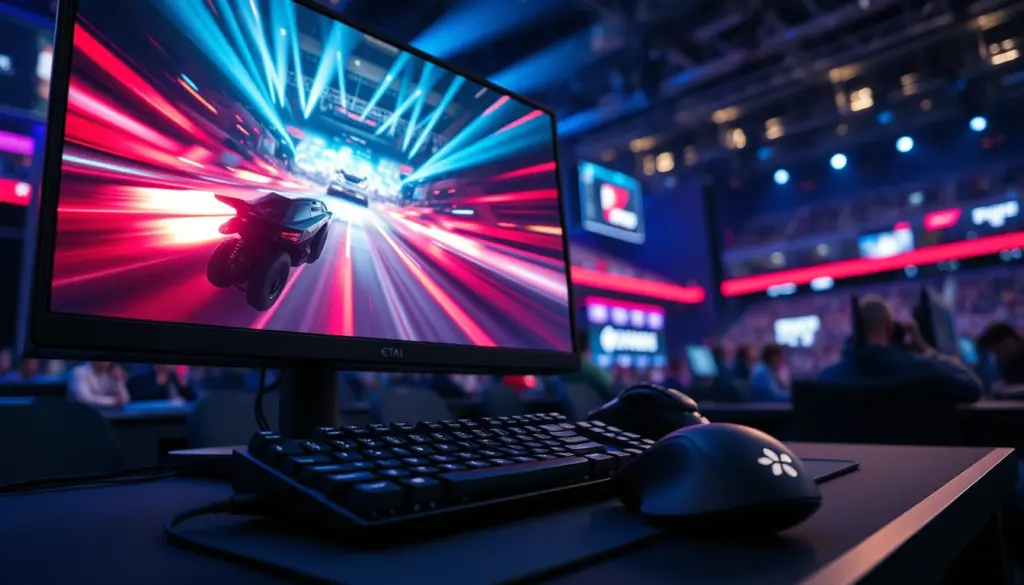
A year-old hot take just got backed up by two Counter-Strike 2 professionals standing on a tournament floor in Warsaw. PC Gamer published a report on September 22, 2026 revisiting its own claim that 360Hz is the refresh-rate sweet spot for competitive first-person shooters, and after putting the question to pros at Logitech’s G Play event, the outlet says the numbers still hold up. The twist is in the details: the players who actually live at 360Hz and above describe the jump to 400Hz and 600Hz as a small, expensive nice-to-have rather than a major shift.
That distinction matters for anyone shopping for a competitive monitor this fall, and it lands at a moment when panel makers are pushing 480Hz and 600Hz displays as the next must-have upgrade. Here’s what was actually said, what the math behind refresh rate shows, and why the gap between “sweet spot” and “marginal gain” is doing a lot of work in this story.
What Happened at Logitech’s G Play Event in Warsaw
The report, credited to PC Gamer and timestamped 22:29:30 on September 22 with a last update logged at 02:02:55 on September 23, centers on a Logitech G Play event held in Warsaw that featured a live Counter-Strike 2 tournament. Sideline access at gaming hardware showcases like this one is one of the few places journalists get unscripted answers from players who are mid-tournament, still wired from a match, and not reciting a sponsor line. That’s the context for this piece: not a lab test, but a gut-check from two people whose reaction times are their job.
The author’s framing goes back further than this one event. PC Gamer had previously argued that 360Hz represented the point where a competitive monitor stops giving meaningful returns and starts giving marginal ones, a claim that put the outlet at odds with marketing pushes for 480Hz and 600Hz panels. Talking to working pros at Warsaw was the outlet’s way of testing that call against people who’d actually spent months on the higher-end gear.
Meet the Pros: Oscar Bell and Simon Boije
The two players interviewed were Oscar Bell, who competes under the handle Azuwu, and Simon Boije, known as yxngstxr. Both are widely listed as members of the Luminosity Counter-Strike 2 roster, though team affiliation wasn’t a detail PC Gamer’s own extract dwelled on. What mattered for the story was equipment, not org logos: both players have spent real time on displays well past the 240Hz mark that most casual buying guides still treat as the ceiling.
Bell did most of the talking in the published extract, and his answers form the spine of the piece. Boije was present for the same conversation, but PC Gamer’s report doesn’t carry a fully attributed quote from him, so any claim about his specific stance should be treated as thin until a fuller transcript surfaces.
Azuwu’s Own Words: From 240Hz to 360Hz and Beyond
Bell’s comments are the most concrete data point in the whole report, and they’re worth reading closely rather than summarized. Describing the jump from a 240Hz panel to his current 360Hz setup, he said: “When I had 240 at home, I didn’t even really notice 360. But now I’m 360 I can’t go back down, you know, I feel it a lot.”
That’s a familiar pattern in display tech: differences that are invisible on a demo floor become obvious once you’ve lived with the faster hardware for months and your muscle memory adjusts around it. It’s the same effect gamers who switched from 60Hz to 144Hz reported years ago, and it’s part of why our own breakdown of 144Hz vs 240Hz refresh rates found the perceptual gap shrinking every time the baseline climbs.
Pushed on where the returns actually taper off, Bell drew a line that undercuts a simple “360Hz is the answer” headline: “So I think 360, 400, 600 are all pretty similar.” He then added a preference within that band: “I’d say 400 is a nice spot and 600 is extra nice.” The nuance is that Bell isn’t crowning 360Hz as an endpoint, he’s describing a plateau that starts around there and stretches out to 600Hz with shrinking rewards the further you go.
He closed with the practical caveat that actually explains why most players aren’t chasing 600Hz panels yet: “But anyway, in a lot of PCs, you won’t hit 600 frames.” A refresh rate is only useful if your GPU and CPU can feed it enough unique frames, and 600 frames per second in a live Counter-Strike 2 match, with smoke, utility, and a full server tick rate in play, is a tall order for anything short of a top-tier rig.
The Diminishing-Returns Curve, in Milliseconds
Refresh rate gains aren’t linear, and the math explains exactly why Bell’s answer sounded like a shrug rather than a sales pitch. Every jump in Hz buys you a smaller slice of time than the jump before it, because the metric that actually matters is the frame interval, the gap in milliseconds between one refresh and the next.
| Refresh Rate | Frame Interval | What Changes vs. the Tier Below |
|---|---|---|
| 144Hz | 6.94 ms | Previous-generation esports baseline |
| 240Hz | 4.17 ms | -2.78 ms vs. 144Hz – the jump most buying guides call clearly noticeable |
| 360Hz | 2.78 ms | -1.39 ms vs. 240Hz – Azuwu describes this gap as one he now feels directly |
| 400Hz | 2.50 ms | -0.28 ms vs. 360Hz – a small, “nice” refinement per Bell |
| 540Hz | 1.85 ms | -0.65 ms vs. 400Hz – requires sustained frame rates few systems reach in-match |
| 600Hz | 1.67 ms | -0.18 ms vs. 540Hz – “extra nice,” but most PCs won’t hit the frame rate to use it |
Look at the right-hand column and the pattern jumps out. The 144Hz-to-240Hz upgrade shaves nearly 2.8 milliseconds off the frame interval. The 400Hz-to-600Hz upgrade, by contrast, buys back well under half a millisecond total. Both cost real money at the monitor counter, but the second one is chasing a sliver of time that a human nervous system barely has the resolution to register.
Why Most Rigs Still Can’t Hit 600 FPS
Bell’s aside about “a lot of PCs” not hitting 600 frames is the practical crux of the story. A 600Hz panel is only as useful as the frame rate feeding it, and Counter-Strike 2’s engine load spikes hard during smoke-heavy executes, multi-grenade lineups, and dense five-versus-five firefights, exactly the moments where a competitive edge matters most. Sustaining 600 fps through all of that, not just in an empty deathmatch server, demands a CPU with serious single-core headroom and a GPU that never becomes the bottleneck.
That’s part of why players and orgs still lean on frame-rate tuning guides rather than just buying the fastest panel on the shelf. Readers chasing that last chunk of headroom on their own systems can work through the settings-level side of it in our CS2 stats tracker build guide, which covers the config changes serious players make before they even think about a monitor upgrade.
Historical Context: The Refresh-Rate Arms Race in Esports
Competitive displays have climbed fast. 144Hz was the standard for most of the 2010s, treated as the entry ticket for serious play. 240Hz panels arrived and were adopted by top Counter-Strike and Valorant rosters within a couple of years, helped along by falling prices on TN and fast-IPS panels. 360Hz followed as Nvidia pushed G-Sync-certified panels built specifically around esports latency, with Nvidia’s Reflex technology designed to strip out rendering latency alongside the higher Hz count.
From there the market kept pushing past the point most competitive players actually needed. 480Hz panels shipped, then 500Hz, then early 600Hz models aimed squarely at the same halo-product logic that drives 8K TVs: a tiny slice of buyers who want the biggest number on the box, plus marketing copy that trickles down to convince everyone else. Independent testing sites like RTINGS and motion-clarity tools such as TestUFO have tracked this curve for years, and the consistent finding is the same one Bell described from the player’s seat: real, felt gains up through the 240-to-360Hz range, and increasingly marginal ones above it.
Market Impact: What This Means for Monitor Makers and Buyers
Panel manufacturers have every incentive to keep pushing the Hz number higher, since a bigger spec is an easy line to put on a box next to a higher price tag. A pro player publicly describing 400Hz and 600Hz as marginal refinements rather than must-haves complicates that pitch, especially heading into a fall shopping season where competitive monitors already sit at a premium versus standard 144Hz-165Hz gaming panels.
| Tier | Typical Refresh Range | Who Reports Actually Needing It |
|---|---|---|
| Entry competitive | 144Hz – 165Hz | Ranked and Premier players below top tiers |
| Serious competitive | 240Hz | Widely described as the practical baseline for high-level play |
| High-end competitive | 360Hz | Where players like Azuwu say they stopped wanting to go back |
| Enthusiast / halo tier | 400Hz – 600Hz | Marginal gains per Bell’s own account, gated by sustained frame rate |
Equipment-tracking sites that survey professional Counter-Strike 2 rosters have generally found 240Hz treated as the floor among top-level players, with 360Hz increasingly common but far from universal. That lines up with what Bell described: 240Hz as the baseline that stopped feeling special once he moved past it, and 360Hz as the point where going backward became noticeable.
Competitive Comparison: 360Hz vs 400Hz vs 600Hz Today
Set the three tiers side by side and the trade-off is straightforward. A 360Hz panel remains the widest sweet spot for buyers who want both a stable, achievable frame rate and a real perceptual jump over 240Hz. A 400Hz panel asks for a comparatively small price premium in exchange for what Bell himself called “nice” rather than essential. A 600Hz panel asks for the most money, the most GPU and CPU horsepower to actually reach that frame rate in real matches, and delivers the smallest incremental return of the three.
None of that makes 400Hz or 600Hz bad purchases for players with the budget and the rig to back them up. It does mean the marketing gap between “faster” and “meaningfully faster” is wider than the spec sheets suggest, which is exactly the point PC Gamer’s original 360Hz argument was built on.
The Skeptics: Has the Refresh-Rate Race Peaked?
Not everyone in competitive gaming agrees the climb should keep going. The counterargument, echoed across display-testing communities for a few years now, is that human visual perception and reaction time have practical floors that 240Hz to 360Hz panels already approach closely enough that further Hz increases mostly benefit marketing copy rather than match outcomes. Bell’s own comparison of 360, 400, and 600Hz as “pretty similar” reads as a player-side version of that same skepticism, delivered without the technical framing.
The counter-counterargument is that at the very top of competitive play, where matches are decided by fractions of a second and prize pools stretch into six figures, even a marginal edge is worth paying for. Our coverage of Legacy’s 3-0 sweep of G2 Esports for a $300,000 CS2 title is a reminder of how much money now rides on exactly these margins, which is part of why top orgs keep buying the highest-end gear even when the on-paper gains look small.
What Pro Teams Actually Configure
Hardware is only half of the equation. Competitive Counter-Strike 2 players also tune console settings to make sure their system isn’t capping frame rate below what the panel can display, since an uncapped or mismatched fps_max setting can quietly waste the refresh rate a player just paid for.
// Common CS2 console settings tied to refresh rate and frame pacing
fps_max 0 // Uncapped, relies on in-game/panel limits instead
cl_showfps 1 // Confirms actual sustained frame rate in a live match
mat_monitorgamma 2.2
// Pair with Windows/NVIDIA Control Panel refresh rate set to the panel's max
Readers who want the fuller settings breakdown, including the binds pros actually run, can check our CS2 ranks and tracker guide for the config side of competitive play, separate from the monitor itself.
Predictions: Where Competitive Monitor Tech Goes Next
- 360Hz becomes the new mainstream competitive tier. Prices on 360Hz panels should keep falling as manufacturing shifts focus to 480Hz and 600Hz flagships, pushing 360Hz into the price range 240Hz occupies today.
- 400Hz settles in as a niche mid-tier, not a mass-market step. Bell’s framing of it as “nice” rather than essential lines up with a product category that survives on enthusiasts rather than broad adoption.
- 600Hz stays a halo product for at least another generation. Until GPUs and CPUs can sustain 600 fps through dense Counter-Strike 2 firefights as a matter of course, the panel’s headline number will outrun what most systems can actually use in-match.
- More pros will publicly push back on spec-chasing. Expect other players to echo Bell’s “pretty similar” framing once outlets start asking the same question at other events, especially as sponsorship money increasingly ties players to whichever brand’s newest panel they’re handed.
- Buying guides will increasingly separate “fastest” from “best value.” Sites and reviewers already treat 240Hz-360Hz as the value tier; expect that framing to harden into consensus advice over the next year rather than remain a contrarian PC Gamer take.
What This Means for Everyday CS2 Players
Most Counter-Strike 2 players aren’t fighting for a $300,000 prize pool, and the calculus looks different once you’re not one of the small number of people who can consistently push 300-plus fps in a live match. For players still on 144Hz or 165Hz, the jump to 240Hz remains the clearest, most cost-effective upgrade available, matching what our 144Hz vs 240Hz comparison already found. Beyond 240Hz, the decision becomes less about competitive necessity and more about whether the player’s rig, budget, and preference for a snappier feel justify the cost.
That’s a more useful takeaway than the headline “360Hz is vindicated” suggests on its own. The real finding, straight from a player living at the top of the refresh-rate ladder, is that the returns don’t stop at 360Hz so much as they flatten out gradually from there, and no single number on a spec sheet marks a hard line between “worth it” and “not worth it.”
FAQ
Is 360Hz really the sweet spot for CS2?
According to PC Gamer’s September 22, 2026 report and the pro players it interviewed, 360Hz is where noticeable, felt gains taper off into a broader plateau that stretches to 400Hz and 600Hz. It’s less a hard cutoff and more the start of diminishing returns.
Who did PC Gamer interview for this story?
Counter-Strike 2 professionals Oscar Bell (“Azuwu”) and Simon Boije (“yxngstxr”), interviewed at Logitech’s G Play event in Warsaw, which featured a live CS2 tournament.
Is 400Hz worth buying over 360Hz?
Per Bell’s own comments, the jump from 360Hz to 400Hz is a small, “nice” refinement rather than a major upgrade, working out to roughly 0.28 milliseconds of extra frame-interval reduction.
Can most gaming PCs actually reach 600 fps in CS2?
Not consistently in real matches. Bell himself noted that “in a lot of PCs, you won’t hit 600 frames,” particularly during grenade- and smoke-heavy engagements where engine load spikes.
What’s the difference between 240Hz and 360Hz in practice?
The frame interval drops from 4.17 milliseconds to 2.78 milliseconds, a 1.39-millisecond reduction. Azuwu described this as a gap he now feels directly after months on a 360Hz panel, even though he didn’t notice it as strongly at first.
Should casual or ranked players buy a 360Hz+ monitor?
For most players below the top competitive tiers, upgrading from 144Hz to 240Hz remains the more cost-effective move. Refresh rates above 360Hz mainly benefit players who can already sustain very high, stable frame rates in live matches.
Does a higher refresh rate reduce input lag on its own?
Refresh rate and input latency are related but not identical. Technologies like Nvidia Reflex target rendering latency specifically, while refresh rate governs how often a new frame can be displayed, and both factor into how “snappy” a system feels in competitive play.
Where can I check my own system’s actual frame rate in CS2?
The in-game console command cl_showfps 1 displays live frame rate during a match, which is useful for confirming whether your hardware is actually feeding your panel’s full refresh rate rather than falling short of it.